
Beschreibung
Hey everyone,
This is version 1.0 of the MSFS Bombardier Learjet 45. I converted it from my own (never released) X-Plane 11 model to MSFS. The Learjet 45 is a high-performance light business jet from Bombardier Aerospace, known for its speed, efficiency, and luxurious comfort. It's a favorite among corporate travelers and private jet enthusiasts.
I released the Learjet 40 earlier. Check it out here: https://flightsim.to/file/77156/learjet-40.
Specs:
Range: About 2,000 nautical miles (3,704 kilometers)
Cruising Speed: Mach 0.81 (534 mph or 860 km/h)
Max Altitude: 51,000 feet (15,545 meters)
Runway Requirements: Can land on short 4,330-foot (1,320 meters) runways
Seating Capacity: Seats 8 passengers
Engines: Two Honeywell TFE731-20AR turbofan engines
Typical Routes:
The Learjet 45 is perfect for medium-haul flights, ideal for regional travel or connecting major cities. Typical routes include:
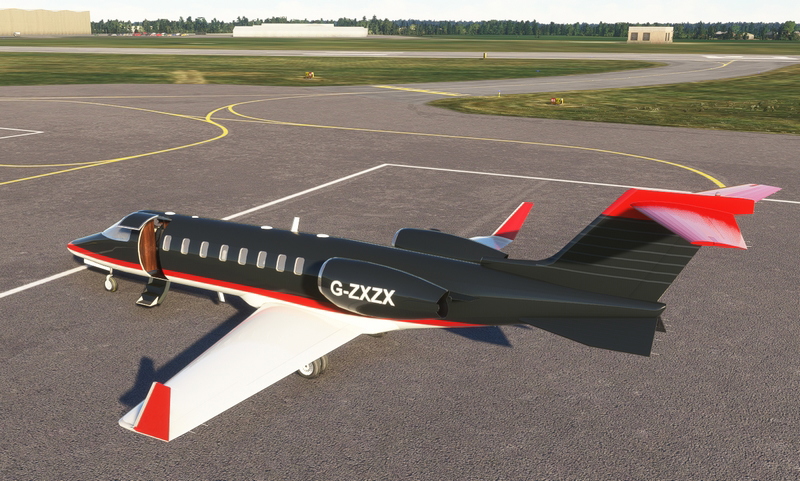
Gama Aviation (G-ZXZX): London to Paris (corporate charters), Edinburgh to Dublin (executive transport)
Luxembourg Air Rescue (LX-LAA): Luxembourg to Palma de Mallorca (medical evacuation), Luxembourg to Frankfurt (medical transport)
Ryanair (M-ABJA): London Stansted to any airport in the airlines route network (shuttling mechanics and parts)
With its impressive range, speed, and short runway capability, the Learjet 45 combines convenience with performance, making it a versatile and popular jet in the business aviation market.
What to Expect:
Don’t expect a 100% perfect replica of the real plane. I’ve modeled the essentials for a nice virtual flight. The exterior has all the standard animations and lights. The virtual cockpit is modeled after the Learjet 45 with buttons and screens in the correct places, using the MSFS WT21 PFD, MFD, and FMCs, adjusted for the Learjet's speeds. Note: this may affect CJ4 speeds and updates to the default WT21. I’ll try and fix this in future releases. Not all buttons work, but the aircraft is very usable for flights. Constructive suggestions and questions are welcome in the comments.
Some Tips:
Electrics and Panel: Electrical panel below the 2nd screen from the left > Click L or R batt (turns on both) > Click L AV MSTR (turns on both). Everything should now be powered up.
Change Freq/Sqwk: Click on the button with '-' on the radio panel > yellow outline shows selected > use tune button large/small for adjustments > Button next to 'Standby' cycles through the SQWK modes.
Engine Start: On pedestal L ENGINE panel > L IGN ON > L START > RPM increases, when above 22% > FUEL L STBY > engine runs. Same for right engine.
Shutdown: Click FUEL L STBY / FUEL R STBY to switch off engines.
Parking Brake: Next to the throttle, labeled parking brake.
Flightplan: When entering a flight plan/dep/arr route, click validate and then exec (even if it doesn’t light up).
Door: It's the button on the bottom left of the main panel, right next to the dimmers.
Speeds:
Takeoff speeds around: V1 111-113 kts, VR 113-115 kts, V2 120-122 kts
Landing speeds around: Approach 130-135, VREF: 125-130 kts
250 < FL100
max IAS 330 kts until Mach 0.81
Installation:
It’s easy! Just copy the contents of the zip into the community folder (do this before starting the sim, if it was already running; restart); the aircraft should now appear in your hangar.
Liveries:
For now, three liveries included: Gama Aviation (G-ZXZX), Luxembourg Air Rescue (LX-LAA), and Ryanair (M-ABJA). Feel free to repaint!
Support is appreciated:
If you like and want to support my work, a coffee is much appreciated: https://www.paypal.com/paypalme/RobertSVCRJ.
Enjoy, stay safe, and happy flying!
Best regards,
RobertSV
Learjet 45
Experience the high-performance and luxury of the Bombardier Learjet 45 in MSFS. Ideal for corporate travelers with a range of 2,000 nautical miles and seating for 8 passengers, this jet offers speed and efficiency. Enjoy the detailed virtual cockpit and realistic flight experience, perfect for medium-haul flights and regional travel. Customize your experience with included liveries and explore various flight tips for an enhanced simulation adventure.


Nutzerbewertungen
4 Bewertungen
Versionsgeschichte
Keine Versionsgeschichte verfügbar.
Ähnliche Addons
Bombardier Challenger 605/650
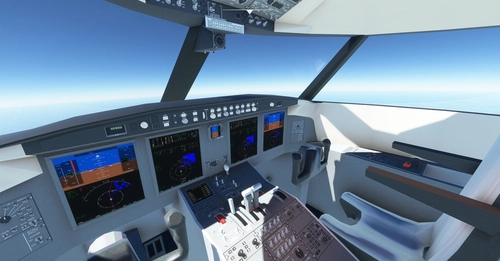
Experience luxury and performance with the Bombardier Challenger 605/650 for MSFS. Enjoy flying this private/corporate jet with a range of 4000nm and the ability to land on short runways. This add-on features a detailed virtual cockpit and animations, although not a perfect replica of the real aircraft. Instructions for installation and helpful tips are included for a smooth flying experience.
von robertsv
Learjet 40
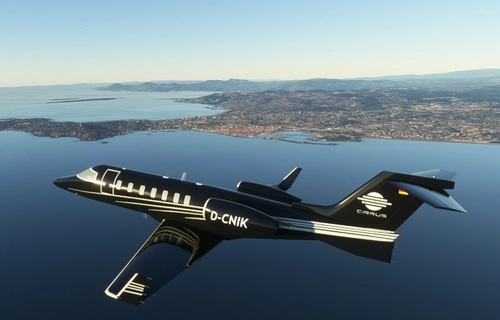
Fly in style with the MSFS Bombardier Learjet 40, a high-performance luxury business jet known for its speed and efficiency. This add-on offers impressive range, short runway capabilities, and a comfortable cabin for 6-8 passengers. Explore popular routes like New York to Miami or Tokyo to Beijing, and enjoy a realistic virtual cockpit experience with essential features for a smooth flight. Installation is easy, simply copy the contents into your community folder and start flying in luxury today!
von robertsv
Melden Sie sich an, um an der Diskussion teilzunehmen
AnmeldenKommentare(23)
2 months ago
Wish the cockpit warnings were a little louder. I thought I was going crazy when I heard whispering "...stall... stall..."
Light panel was a little finicky, but all the lights did work. Autopilot was good enough to fly selected heading and hold altitude. Easier to just hand fly it climbing and descending. No reverse thrust so give yourself plenty of room. At night do yourself a favor and don't glance to your right or you might get a jump scare~!
Excellent addon for the hangar. :) Thanks!
3 months ago
Is there any way to pop out the mfd and pfd panels?
Ta
10 months ago
about 1 year ago
over 1 year ago
over 1 year ago
almost 2 years ago
almost 2 years ago
about 2 years ago
about 2 years ago
about 2 years ago
about 2 years ago
about 2 years ago
about 2 years ago
about 2 years ago
about 2 years ago
about 2 years ago
about 2 years ago
about 2 years ago
about 2 years ago