
Beschreibung
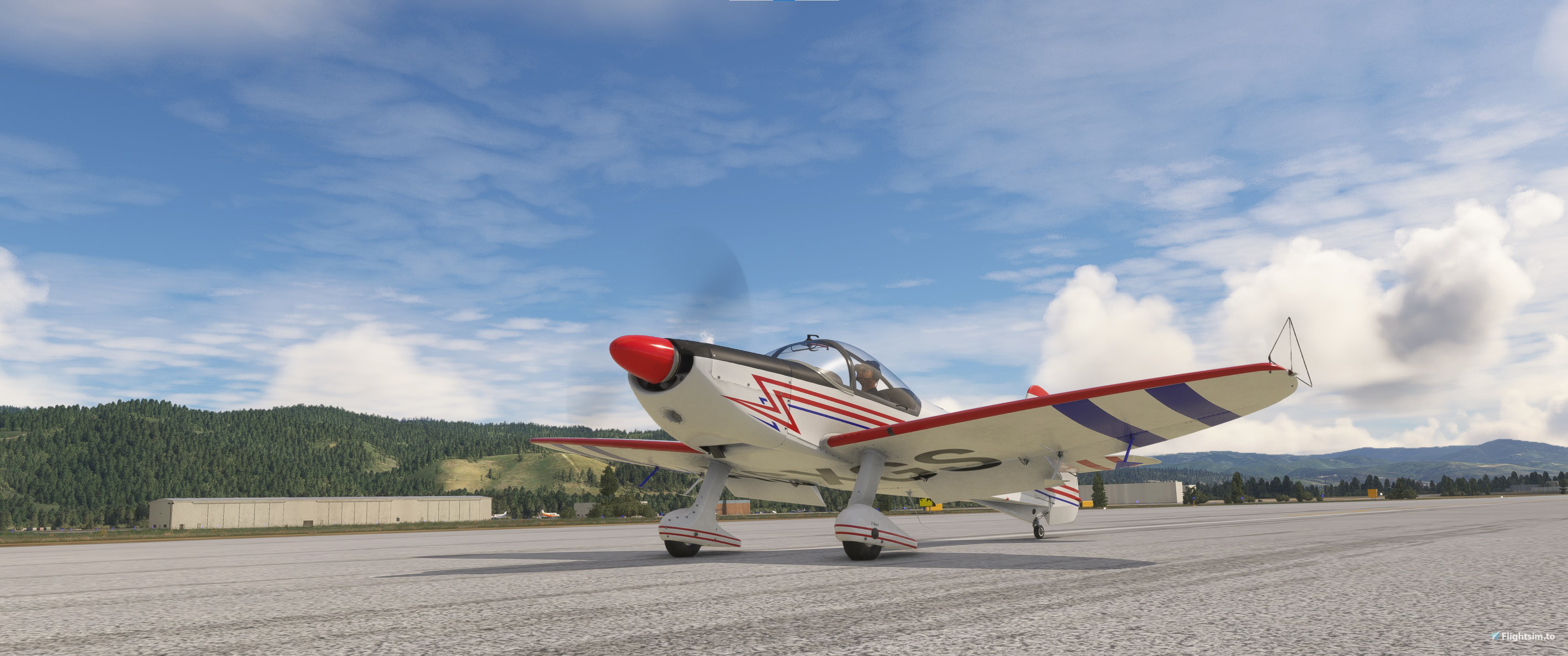
Asobo Robin CAP10C Realism Mod
This is a modification to the MSFS 2020 default Asobo Robin CAP10C aircraft. This mod is primarily aimed at improving the flight model performance to provide a more realistic flying experience that is closer to the actual aircraft. Multiple changes have been made to the engine and flight model parameters, as well as the aircraft weight and balance, which are all detailed in the Change Log file included under the Documentation folder, along with a full PDF copy of the actual Aircraft Flight Manual.
This mod is easily installed by simply unzipping the download file and copying the mge-asobo-aircraft-cap10c folder to the MSFS Community folder. It will then replace the existing default aircraft in the MSFS aircraft selection screen, and will continue to use all available aircraft Liveries. To uninstall the mod and return to using the original MSFS default aircraft, simply remove it from the Community folder.
Microsoft Flight Simulator © Microsoft Corporation. Asobo Robin CAP10C Realism Mod has been created under Microsoft's "Game Content Usage Rules" using assets from Microsoft Flight Simulator, and it is not endorsed by or affiliated with Microsoft.
Asobo Robin CAP10C Realism Mod
Enhance the default Asobo Robin CAP10C aircraft in MSFS 2020 with this realism mod, aimed at providing a more authentic flying experience. Changes to engine and flight model parameters, weight, and balance are detailed in the included documentation. Install by copying the mod folder to the Community folder, easily switch back to the default aircraft by removal.


Nutzerbewertungen
7 Bewertungen
Versionsgeschichte
Version 1.4.2 ⦁ The Wing Incidence Angle has been increased to more closely match the 3-D model and actual aircraft. ⦁ The Elevator, Aileron and Rudder Deflection Scaling tables have been retweaked to improve control responsiveness and maneuverability. ⦁ The vertical position of the Fuel Tanks has been increased slightly to improve the weight and balance and pitch stability. ⦁ The Ground Crosswind effectiveness parameters have been retweaked to improve ground handling in crosswind conditions. ⦁ The Fuselage Center position has been retweaked to more closely match the aircraft 3-D model.
Ähnliche Addons
Asobo C172SP AS1000 Realism Mod
Enhance the flight dynamics of the Asobo C172SP AS1000 aircraft with this mod, which also includes the FLOATS and SKIS variant. This modification aims to provide a more realistic flying experience by adjusting engine and flight model parameters, weight, and balance. Detailed documentation and real-world training guides are included for easy installation and compatibility with other mods.
von MGouge425
Asobo Baron G58 Realism Mod
Enhance the realism of the Asobo Baron G58 in MSFS 2020 with this mod. Improvements to the flight model provide a more authentic flying experience, closely matching the performance of the actual aircraft. Easily install the mod by copying the folder to the Community folder, and enjoy the detailed changes listed in the documentation. Note: Only compatible with MSFS Deluxe Edition and Premium Deluxe Edition.
von MGouge425
Asobo B747-8i Realism Mod
Enhance your Boeing 747-8i experience with this realism mod for the MSFS 2020 default aircraft. This modification focuses on improving the flight model to closely match the actual aircrafts performance. Detailed changes can be found in the included documentation, addressing bugs like the landing gear failure. Easily installed by transferring files to the Community folder, this mod aims to provide a more authentic flying experience.
von MGouge425
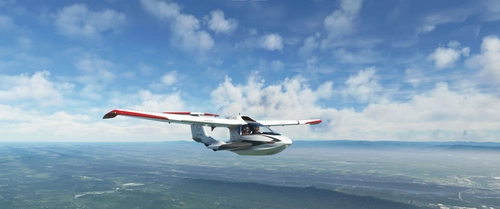
Asobo Icon A5 Realism Mod
Enhance your flying experience with the Asobo Icon A5 Realism Mod for MSFS 2020. This mod focuses on adjusting the flight model and performance of the default Icon A5 to align it more closely with the real aircraft. From improved flight parameters to enhanced weight and balance, this mod offers a more authentic and satisfying flight experience. Easily install this mod to enjoy a more realistic flying experience with the iconic and versatile Asobo Icon A5 aircraft in Microsoft Flight Simulator.
von MGouge425
Melden Sie sich an, um an der Diskussion teilzunehmen
AnmeldenKommentare(45)
6 months ago
1) Press [F11] to toggle the LANDING forward view.
2) Perform a high-speed level pass straight down the runway at about 250 km/hr.
3) At the end of the runway, apply full THROTTLE and almost full UP ELEVATOR to perform a half loop. Monitor the Stall Warning light during the loop.
4) Monitor the Attitude Indicator during the loop and apply AILERONS as needed to maintain wings level until the indicator flips from upright to inverted.
5) Continue to hold UP ELEVATOR until the ground reappears at the top of the wind screen, then immediately release the ELEVATOR back to NEUTRAL.
6) Apply full LEFT AILERON and full LEFT RUDDER to perform a half roll back to upright flight over the runway.
7) Return the AILERONS and RUDDER back to NEUTRAL.
8) Press [F11] again to return to the default PILOT forward view.
6 months ago
But, you can also take advantage of this adverse yaw when performing a maneuver like a Slow Roll. A Left Slow Roll can be easily performed by simply applying LEFT AILERONS, which will then also produce a right yaw reducing the amount of Right Rudder required during the first half of the roll. Then, just apply DOWN ELEVATOR while you are inverted, and apply LEFT RUDDER during the last half of the roll back to the upright position. A Right Slow Roll can be performed by applying RIGHT AILERONS, DOWN ELEVATOR and RIGHT RUDDER.
6 months ago
I also recommend downloading this excellent update for KOSH...
https://flightsim.to/addon/9667/kosh-wittman-regional-airport-oshkosh-wisconsin
7 months ago
1) Reduce the POWER to idle.
2) Set the AILERONS to neutral and slowly apply up ELEVATOR to maintain altitude as the speed decreases.
3) When the red Stall Warning light comes on, apply and hold full RUDDER in the desired direction of the spin.
4) Apply and hold full up ELEVATOR to stall and fully develop the SPIN.
Use the "P.A.R.E" procedure described below to recover from the spin...
7 months ago
7 months ago
is this mod compatible with MSFS 2024 ? flightsim.to says no apparently but i tried to put it on the community foler but i cant tell if its working or not ? how can yyou tell ? thanks a lot
7 months ago
7 months ago
TOGGLE PLANE CONTROLS............[C]...............[INSERT]
7 months ago
1) Reduce the "P"ower to idle.
2) Set the "A"ilerons to neutral.
3) Apply full opposite "R"udder.
4) Set the "E"levator to neutral.
7 months ago
The Flaps UP Stall Speed shown in the AFM performance tables is 99 km/h... But, this only applies for straight and level flight. A stall is not actually caused by airspeed, it occurs when the wing critical AOA is exceeded, which can happen at any speed and at any pitch attitude, including straight down toward the ground at 300 km/h! So, it is important to pay attention to the stall warning light and immediately reduce the elevator deflection when it comes ON. The higher the speed the greater the momentum, which makes it harder for the aircraft to change its direction. So, if you apply too much elevator deflection too quickly at high speeds you can easily cause it to stall. Also, a stall will not occur with the elevator at neutral, regardless of the speed or attitude.
7 months ago
7 months ago
7 months ago
The BEFORE STARTING ENGINE checklist also says to turn the Avionics switch ON, but this is not required and it will significantly increase the battery drain without the engine running. So, don't turn it ON until after the engine has been started, and the Alternator switch has been turned ON.
7 months ago
7 months ago
7 months ago
7 months ago
7 months ago
To perform a full Slow Roll, combine the above half rolls by applying and holding LEFT or RIGHT aileron, then apply Rudder in the OPPOSITE direction during the first half to keep the nose above the horizon, changing it back to neutral as you reach inverted, and then apply it in the SAME direction during the last half of the roll . Also apply DOWN elevator during the inverted part of the roll to maintain altitude.
8 months ago
To perform this maneuver, start with a high-speed pass directly over the runway. Then, at the end of the runway apply FULL power and pull back on the stick to apply and hold almost full UP Elevator (reduce it if the stall warning light comes on). Look at the LEFT wing tip Triangle to monitor your progress through loop and when you reach the top (inverted), release the stick back pressure and return the elevator to neutral, or slightly DOWN. Look forward again and apply LEFT Aileron to roll back upright. Apply LEFT Rudder during the roll to prevent the nose from dropping.
8 months ago