

Beschreibung
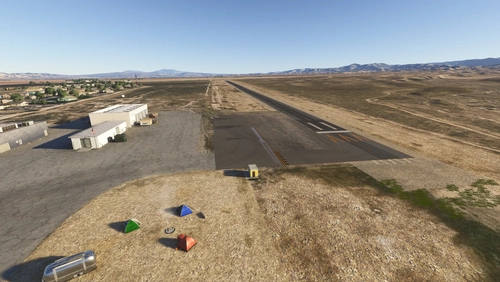
If you travel in California with your General Aviation plane and want to visit the famous Yosemite National Park, here's the closest airport for you: Mariposa-Yosemite Airport (KMPI). Mariposa-Yosemite Airport is located in west central Mariposa County, California. The airport is approximately 70 miles northeast of Fresno, 37 miles east of Merced and only 18 miles southwest of Yosemite National Park. The airport lies along the western slope of the Sierra Nevada foothills at 2,250 feet.
Features
- Fix and enhance elevation of the whole airport and the surroundings
- Hard work blending all revised new airport textures with the underlying satellite images
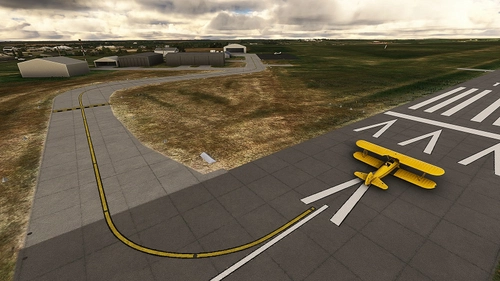
- Handmade runway markings
- Fences around the airport
- No 3rd party library installation is required except free Microsoft World Updates. See requirements below.
- Fix the 2-light PAPI on both runways and fix glide path (4° on 8 and 4.5° on 26)
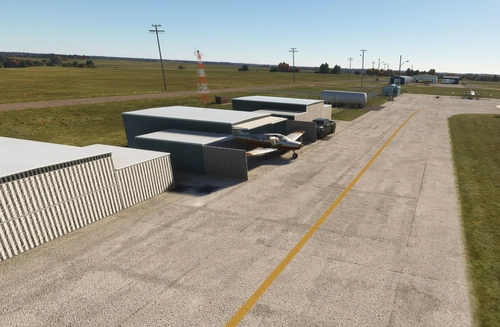
- Fix windsock position
- Fix and clean extra vegetation
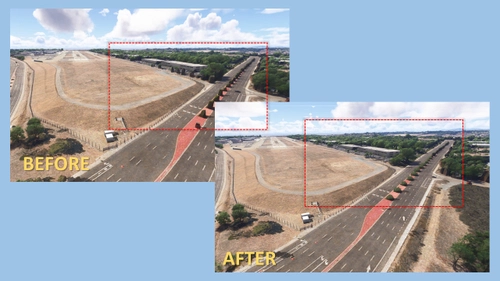
- Enhance roads in direct view of final approach path
- (New) Terminal FBO building offerd by Cli4D. Go check his spectacular Yosemite Valley new rendition.
How to install?
The ZIP includes two folders: vbcorp-airport-kmpi-mariposa and zzz-vbcorp-airport-kmpi-mariposa
- For MSFS2024 simmers, make sure both are active in your Community folder. Keep the name zzz-vbcorp-airport-kmpi-mariposa as is.
- For MSFS2020 users: You can safely ignore the zzz-vbcorp-airport-kmpi-mariposa folder.
Once installed go to KMPI via the World Map as usual, the scenery replaces the existing default one.
More info for pilots
No ATC on the field. CTAF on 122.7. Only one runway 8-28, elevation 2,250 MSL, 3,305 feet long by 60 feet wide. 100LL and Jet-A fuel is available. Mountains to north of both runways. On runway 8: 45 ft. tree, 1340 ft. from runway, 130 ft. right of centerline, 25:1 slope to clear and terrain drops along both sides of taxiway 45 feet from runway edge. On runway 26: 29 ft. tree, 762 ft. from runway, 83 ft. left of centerline, 20:1 slope to clear.
- Skyvector: https://skyvector.com/airport/MPI/Mariposa-Yosemite-Airport
- Airnav: https://airnav.com/airport/kmpi
Instructions to switch static aircraft ON/OFF
Launch Toggle-Static-On-Off.bat to quickly toggle all static aircraft on or off, helping to prevent conflicts with AI traffic at starting positions or simply to customize your ramp environment. You can now empty hangars for you own usage.
- Close MSFS: Ensure Microsoft Flight Simulator is completely shut down before running these scripts.
- Execute: Locate the script Toggle-Static-On-Off.bat in your scenery folder (vbcorp-airport-l52-oceano) and launch/double-click it with your Windows Explorer.
If the static aircraft are currently active (.bgl), they will be deactivated (.off).
- If the static aircraft are currently inactive (.off), they will be activated (.bgl).
- Verify: The script will display a success message indicating the new state of the files.
- Launch MSFS.
Requirements (only for MSFS2020)
- The Sedona scenery (free included in standard MSFS, check in your Content Manager)
- World Update USA II and X
- World Update XI Canada
- LFLJ Courchevel stocked by Asobo/Microsoft free from the MarketPlace only for a single (minor) object (at the fuel station)
- No extra library needed.
Special thanks
A huge thank you to Windhover (https://flightsim.to/profile/Windhover) who share his Open Hangar Library. But no need for you to install anything extra. Just a BIG THANK YOU. A second THANK YOU to Helijah (Emmanuel Balanger) that freely share low poly static aircraft GLTF models, initially developped for Flight Gear, the freeware sim. It helps replacing the default static and make more this scenery a little piece of unique experience (hopefully). And finally, a big shoot-out to Cli4D who offered the Terminal FBO Building, go check his spectacular improvement of the Yosemite Valley.
Author's final note
As for all of my MSFS mod, this small scenery is made from a pilot-eyes perspective. The scenery is inspired by aerial views from Bing and Google maps. It's a mix between the satellite imagery displayed from MSFS and more accurate data found on Internet. I did my best, based on online videos and pictures freely available. It uses also a lot of stocked object as my skill in 3D buildings creation is very limited. If you have local pictures to help being more accurate, please let me know!
Location
Mariposa-Yosemite Airport (KMPI)
Discover Mariposa-Yosemite Airport (KMPI), the gateway to stunning Yosemite National Park in California. This add-on features enhanced airport elevations, meticulously crafted textures, and detailed runway markings. Immerse yourself in the beauty of the Sierra Nevada foothills with improved scenery and accurate runway details.

Unterstützer

Nutzerbewertungen
24 Bewertungen
Versionsgeschichte
- Add custom made taxiway signs (c)VB Corp - Add missing 26 taxiway signs - Add missing signs "Noise Abatement procedure" (x2) - Add extra details (new signs) at the fuel island - Reposition some blue light poles - Static aircraft and vehicles on parking spot and inside hangar or potentially overlapping Ai traffic are removable via a batch file (Toggle-Static-On-Off.bat) - Update weathered ground textures at both holding points - Update Jet A and 100LL price (07/26) - Fix textures error at threshold 26 - Fix taxiway lines (not really straight)
In Sammlungen enthalten(3)


Ähnliche Addons
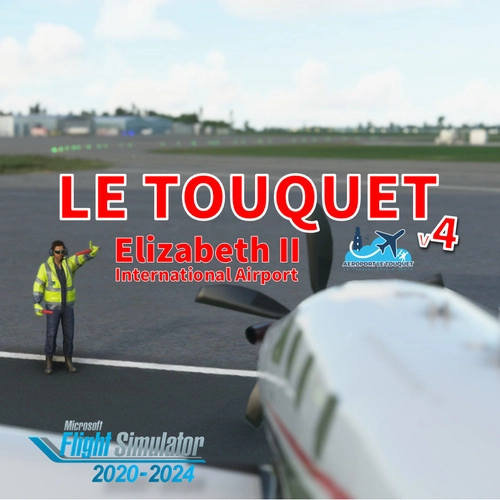
LFAT - Le Touquet - Elizabeth II International Airport
Explore the upgraded Le Touquet - Elizabeth II International Airport (LFAT) with enhanced details like new buildings, taxiways, and custom textures, along the northern coast of France. Experience realistic features including a long runway, ILS approaches, and low tide simulation for an immersive flying experience. Unzip the file into your Community folder to enjoy this amateur real pilots passion project, offering a closer-to-reality representation of LFAT in Microsoft Flight Simulator.
von Vincent Bazillio
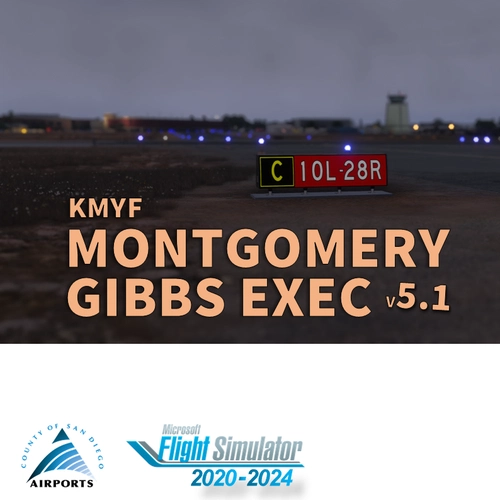
San Diego Montgomery - Gibbs Exec Airport (KMYF)
Enhance your Montgomery Field experience with this updated airport scenery for Microsoft Flight Simulator. Features include corrected taxiway names, new taxiway signs, added buildings, custom windsocks, and more small details to improve immersion. Explore the bustling airport located six miles north of downtown San Diego and enjoy a more realistic flying experience.
von Vincent BAZILLIO
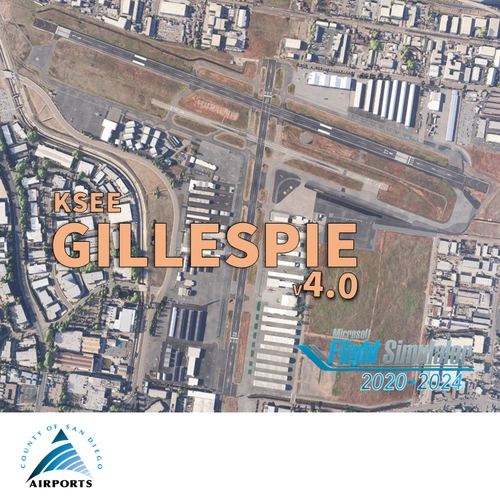
San Diego Gillespie Field (KSEE)
Experience San Diegos Gillespie Field with this detailed MSFS add-on featuring 1800+ objects, corrected taxiways, all airport buildings, fences, apron extension, ground markings, windsocks, and more. Inspired by real-life aerial views and personal footage, this scenery adds a touch of realism to the bustling general aviation hub. Install easily in your Community folder and explore this vibrant airport in the heart of California.
von Vincent Bazillio
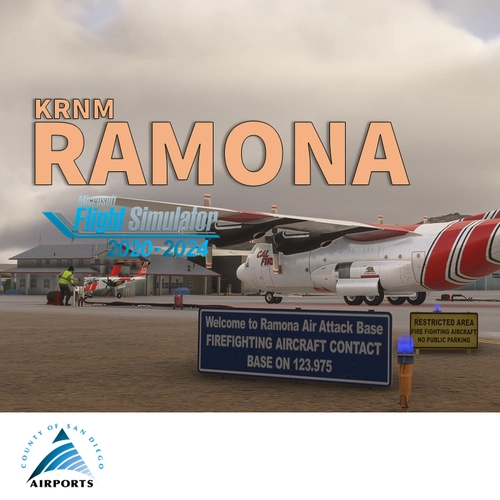
San Diego Ramona (KRNM)
Experience the detailed charm of Ramona Airport (ICAO:KRNM) with this small scenery add-on, featuring over 600 objects added to the default scenery. Explore the recreated airport buildings, taxiway signs, and specialized features. Immerse yourself in the history and significance of this public airport located near downtown San Diego.
von Vincent Bazillio
Melden Sie sich an, um an der Diskussion teilzunehmen
AnmeldenKommentare(68)
3 months ago
4 months ago
4 months ago
6 months ago
BIG compliments for this great scenery!
I like especially the little details like the guy who is standing in front of and reading the welcome sign near the office building, the contents of the small hangar at the other side of the airport plus the chairs/tables/people under the sunroof at the other side of the airport.
Even the helicopter crane is there.
These elements ensure that the scenery really comes to life!
5 stars are fully justified.
6 months ago
8 months ago
8 months ago
9 months ago
9 months ago
9 months ago
Anyway, just create a Windows folder, put your two Mariposa folders in it, then from Addons Linker just tick the folder and you have the scenery active. Is that what you intend to do?
9 months ago
9 months ago
about 1 year ago
about 1 year ago
about 1 year ago
Thanks !
about 1 year ago
about 1 year ago
about 1 year ago
I may need to update my small airport after the SU16 release. They may be duplicate windsock and/or misplaced objects now. Is there something I can do in Mariposa to serve your product?
PS: Mariposa is the field I use most often to visit the valley (in real) ;) That's why I did my best to rebuild it in MSFS.
about 1 year ago
over 1 year ago