
Beschreibung
A GSX profile for the freeware EFOU Oulu airport by jaf
Being a relatively new GSX user I have been lucky enough to find GSX profiles for most airports. When downloading EFOU I found none however.
Started making my own and figured I might as well polish it a bit more and share it here for others to use.
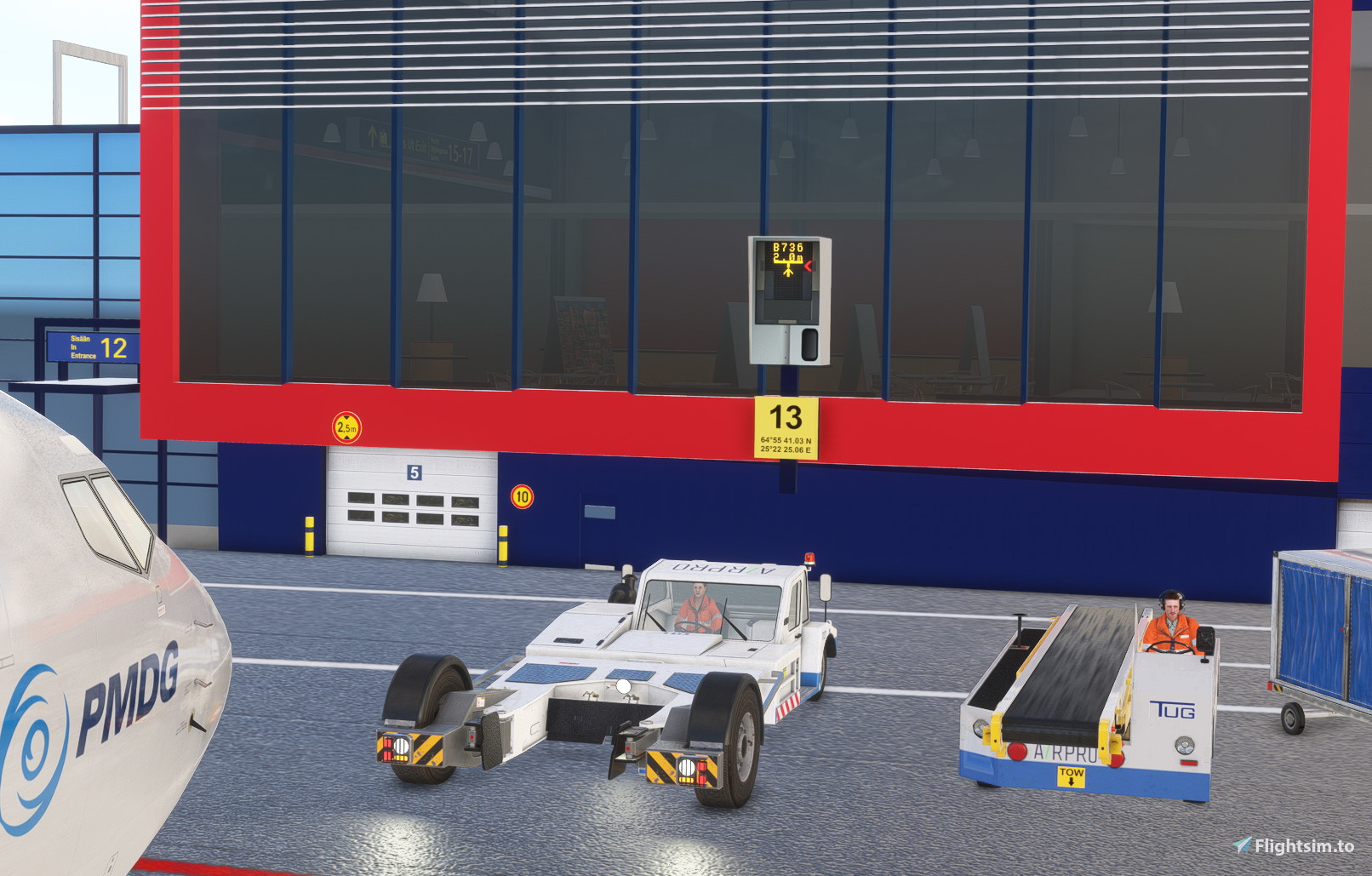
Stands 5/6/8/9/10/11/12/13/14/15/16 have custom vehicle positions. There is passenger walk-in waypoints based on markings (missing in the scenery but found on aerial photograpy) for stands 9-12, and the jetway stands 13-16 have working GSX Safedock systems placed in front of the static ones from the scenery.
Walker waypoints are added so you are able to see some life behind the transparrent terminal windows. A lot of the interrior stuff floats over the floor, so the walkers might end up looking a bit "off".
I haven't searched/found real life procedures so pushback for the gates is just northwest and southeast on taxiway U, as well as an option for a straight push to behind the red line.
Stoppoints are generally on stoplines for a 737, and most others should be in acceptable positions, but don't expect everything to be perfect.
Installation: Same as for all other GSX profiles - Go to %appdata% into the Virtuali --> GSX --> MSFS (so something like C:\Users\YourName\AppData\Roaming\Virtuali\GSX\MSFS) extract the "efou-9w3jso.ini" file to this location.
GSX profile for EFOU Oulu freeware by jaf
GSX profile for EFOU Oulu freeware by jaf enhances the airport with custom vehicle positions, passenger walk-in waypoints, and working GSX Safedock systems for specific stands. Walker waypoints add life to the terminal area, although some elements may appear slightly off. Pushback procedures are established, and stoppoints are generally set for a 737, ensuring a realistic experience for users. Installation is straightforward, following the standard GSX profile setup process.


Nutzerbewertungen
2 Bewertungen
Versionsgeschichte
As suggested in comments I found a docking system better fitting over the static ones from the scenery. It is one of the screen-only variants so it blends in a lot better while still blocking out the static background. Other changes includes removing underground refuelling (as i don't think the airport has it in real life) and some minor adjustments of positions. Simply overwrite the existing .ini file with the new version.

Melden Sie sich an, um an der Diskussion teilzunehmen
AnmeldenKommentare(5)
about 2 years ago
over 2 years ago
over 2 years ago
The ones in the scenery are kind of gigantic so it will probably be impossible to find something perfect though.
over 2 years ago
over 2 years ago