
Beschreibung
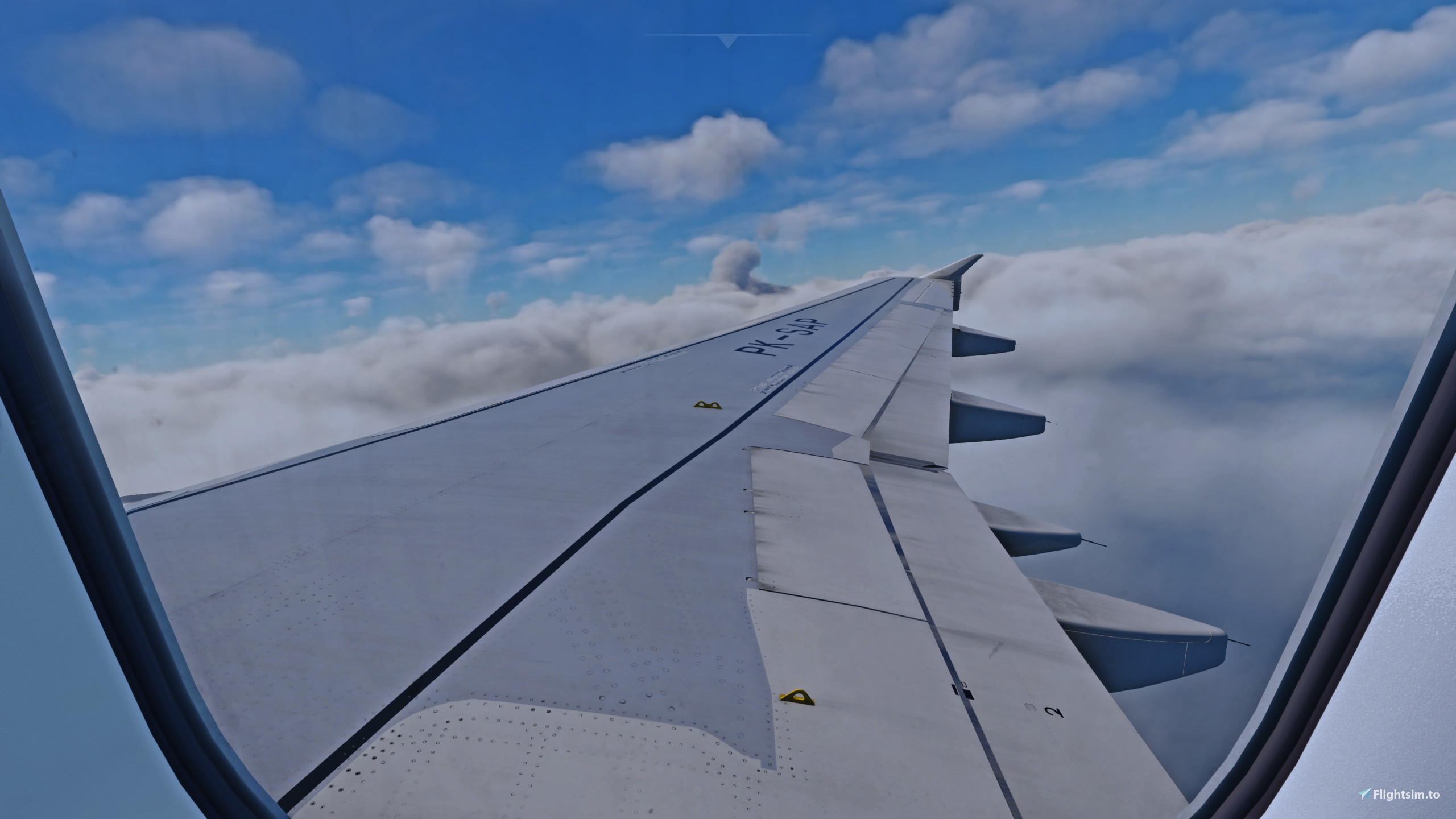
This is a Fenix A320 Custom Wing Views
To access the views, simply press Alt + 1-6
Here is the list :
Alt + 1 (Middle Wing) RIGHT
Alt + 2 (Middle Wing) LEFT
Alt + 3 (Front Engine) RIGHT
Alt + 4 (Front Engine) LEFT
Alt + 5 (After Wing) RIGHT
Alt + 6 (After Wing) LEFT
Installation :
Put the 'cameras.cfg' to this directory :
C:\Users\XXX\AppData\Local\Packages\Microsoft.FlightSimulator_8wekyb3d8bbwe\LocalCache\SimObjects\Airplanes\FNX320_CFM
C:\Users\XXX\AppData\Local\Packages\Microsoft.FlightSimulator_8wekyb3d8bbwe\LocalCache\SimObjects\Airplanes\FNX320_IAE
Thank You and Happy Flying!
Fenix A320 Custom Wing Views
Customize your Fenix A320 experience with custom wing views. Simply press Alt + 1-6 to access different perspectives including middle wing, front engine, and after wing views. Install the cameras.cfg file to enhance your cockpit visuals. Enjoy the added immersion in your flights!


Nutzerbewertungen
2 Bewertungen
Versionsgeschichte
Reuploaded contains for both CFM and IAE engines.
Ähnliche Addons
iFly 737 MAX Custom Wing Views
This add-on provides custom passenger point-of-view (POV) wing views for the iFly 737 MAX in Microsoft Flight Simulator. It includes eight unique camera angles that enhance the visual experience of flying, allowing users to appreciate the aircrafts wings and engines from different perspectives. Installation is straightforward, requiring users to place a configuration file in the appropriate directory and use keyboard shortcuts to access the views.
von dbdandy
iniBuilds A350 Custom Wing Views
This add-on provides a custom wing views preset specifically designed for the iniBuilds A350 in Microsoft Flight Simulator 2024. It is compatible exclusively with the standard A350 cabin model, and installation is straightforward, requiring the placement of a configuration file in the specified directory.
von dbdandy
Melden Sie sich an, um an der Diskussion teilzunehmen
AnmeldenKommentare(9)
over 1 year ago
over 1 year ago
over 1 year ago
over 2 years ago
Does not work for me (FNX_a320 V2); installed, i see no cockpit anymore, once loaded, but the belly is shown of the aircraft; why, reason??
Please if possible advice
over 2 years ago
over 2 years ago
Other than that great views!
over 2 years ago
over 2 years ago
over 2 years ago