
Beschreibung
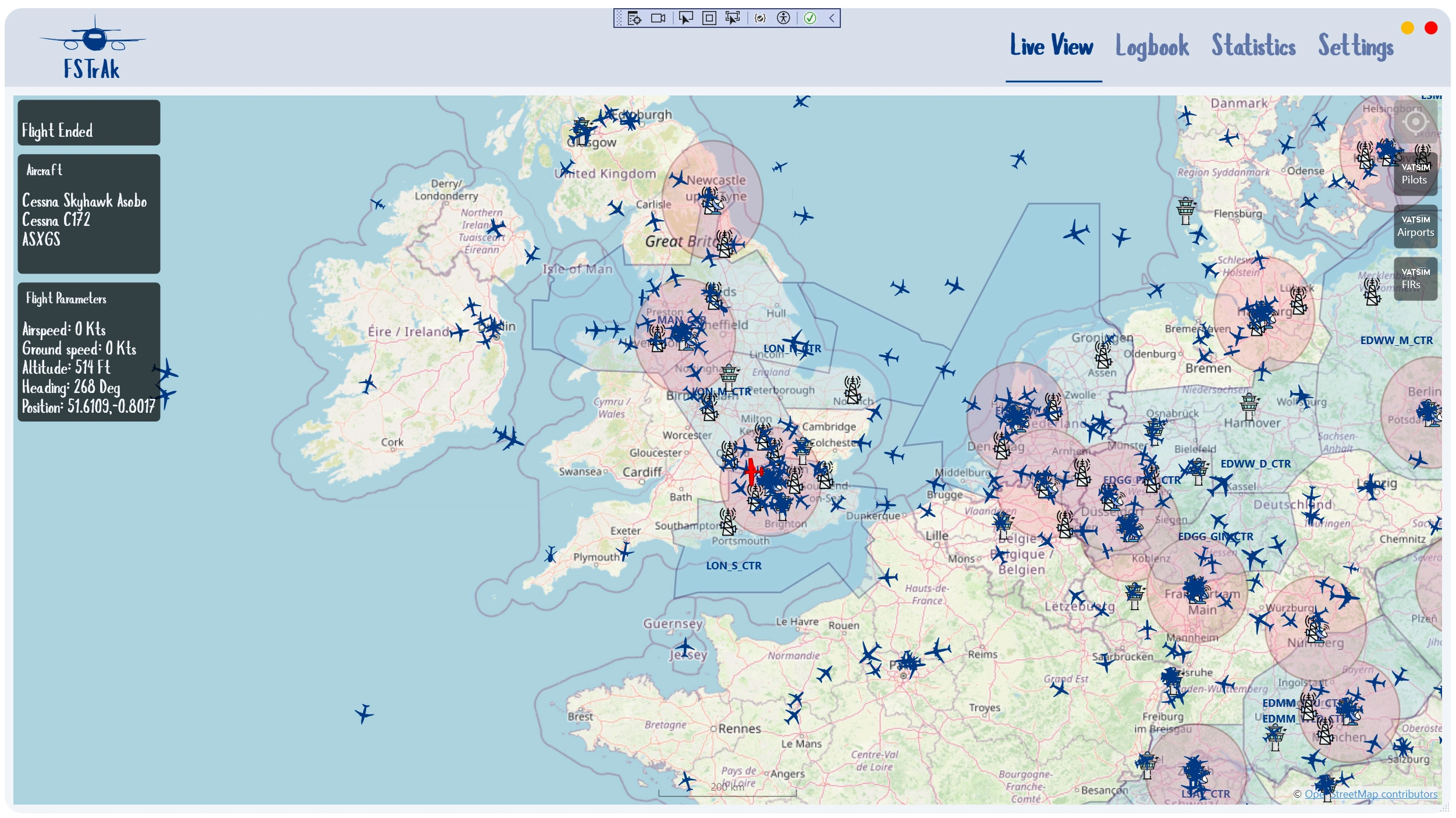
FSTrAk is a modern flight tracker and logbook for MSFS.
FSTtAk aims to be a no-frills, install-and-let-it-run experience - as it requires no manual intervention. FSTrAk monitors your simulator silently and will detect when a flight is started, track it on a map, and persist it to a local database when it is complete.
InstallationFSTRaK Desktop App
Download the latest release zip from flightsim.to or GitHub Releases.
Run the installer included in the zip. FSTRaK installs to %LocalAppData%\Programs\FSTRaK by default.
Launch FSTRaK. It will connect to MSFS automatically when the simulator is running — no configuration needed.
MSFS In-Sim Moving Map Panel and EFB app (optional)
Adds a moving map toolbar panel and an EFB app inside MSFS 2024 that mirrors your FSTRaK map, shows live ATC coverage, and tracks your aircraft position.
Locate the addon folders in the zip. They are named fstrak-ingame-panel and fstrak-efb-app, and sit alongside the FSTRaK installer.
Copy both or one of them into your MSFS 2024 Community folder:
- Microsoft Store / Xbox App:
%LocalAppData%\Packages\Microsoft.FlightSimulator_8wekyb3d8bbwe\LocalCache\Packages\Community - Steam:
%AppData%\Microsoft Flight Simulator\Packages\Community
Restart MSFS 2024. The FSTRaK Moving Map icon will appear in the in-sim toolbar.
Start FSTRaK on the same PC before launching the panel. The panel displays a "FSTRaK is not running" message if FSTRaK is not reachable.
DatabaseFSTrAk saves the data as an sqlite database called FSTrAk.db at your %appdata% folder (usually C:\Users\[username]\AppData\Local\FSTRaK).
You can backup this file. Although upgrading and uninstalling does not delete this folder, I recommend backing up the file from time to time.
- Automatic silent start-up
- Automatic flight tracking (hands-free experience)
- Option (default) to save only complete flights - i.e. flight ended in parking states, with engines off and parking breaks, after having flown
- Different map providers:
- OpenStreetMap
- OpenTopoMap
- Azure Maps
- FAA/DFS/Israel AIP charts
- TopPlus Open (BFK)
- Live flight tracking with a moving map
- Display VATSIM and IVAO pilots and ATC
- Statistics (most used aircraft, most used airlines, average and max payload, distance, etc.)
- Dark Mode
- Show AI traffic
- Simbrief integration
Some maps and features require setting up API keys with specific vendors for full functionality. See the project's page at https://github.com/o4oren/FSTRaK and give us some stars!
Roadmap
- More statistics
- More Maps
- Display bearing/distance to a designated point on the map
FSTrAk uses icons from Airport icons created by Freepik - Flaticon
FSTrAk
FSTrAk is a modern flight tracker and logbook for MSFS (and possibly FSX/P3D, although not tested). It aims to be a no-frills, install and let it run experience - as it requires no manual intervention. FSTrAk monitors your simulator silently and will detect when a flight is started, track it on a map, and persist it to a local database when it is complete.


Unterstützer

Nutzerbewertungen
13 Bewertungen
Versionsgeschichte
- New Airport filter on the Statistics page, narrowing everything shown — including the route map — to flights that departed from or arrived at a chosen ICAO; it combines with the existing Airline, Aircraft Type and Tail Number filters - Every airport on the Statistics route map now has a small dot you can hover for its ICAO, name, city and country - Routes flown both ways or multiple times between the same two airports are now drawn as a single line, and hovering it lists every flight that used it (date, airline, aircraft) instead of just one
Ähnliche Addons
IAF Hofit
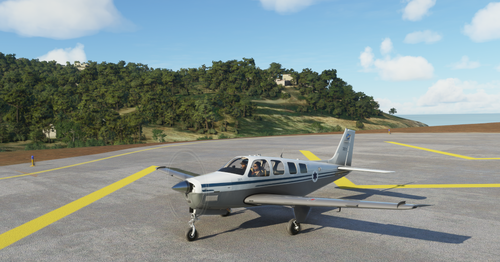
Experience the IAF Hofit, a modified Beechcraft Bonanza A36 aircraft used by the Israeli Air Force for liaison, light transport, and observation missions. This add-on brings the realistic IAF A36 to your Microsoft Flight Simulator, offering a unique flying experience without Garmin avionics.
von ogeva

Cessna 172 - Moonair - 4X-CWK
Experience flying the skies in the Cessna 172 SP 4X-CWW, owned by Moonair and based in Herzlia, Israel. This aircraft is primarily utilized for pilot license training and leasing to private pilots. The detailed paint scheme is closely modeled after a design by user HubDubs, making it a visually authentic addition to your Microsoft Flight Simulator hangar. Simply unzip the file into your community folder for easy installation.
von ogeva

RSP R44 Clipper - Alaska State Troopers
Fly high in the Alaskan skies with the RSP R44 Clipper inspired by the Alaska State Troopers iconic blue/white livery. Experience the wilderness with the Alaska State Troopers, a full-service law enforcement agency in the Last Frontier. Join the ranks of the Alaska State Troopers as they handle both traffic and criminal law enforcement, along with their unique role in wildlife enforcement. Explore Alaska like never before in this true-to-life representation of the ASTs aviation division.
von ogeva

HPG Airbus H145 Israeli Police "Duchifat"
Explore the HPG Airbus H145 Israeli Police "Duchifat" add-on, featuring a detailed replica of the helicopter operated by the Israeli Polices aerial unit. This aircraft is utilized for various missions such as search and rescue, crime control, and fire fighting, embodying versatility and efficiency in the virtual skies.
von ogeva
Melden Sie sich an, um an der Diskussion teilzunehmen
AnmeldenKommentare(152)
about 1 month ago
11 days ago
2 months ago
about 2 months ago
5 months ago
5 months ago
5 months ago
11 days ago
You should try vatsim. Its a better experience.
6 months ago
today i have installed the newest version of your wonderful program. But the FSTRAKMoving map shows me only a white screen and the EFB part only a black screen. Any hints to fix this problem. the main program works fine.
regards
5 months ago
Can you try one of the openstreetmap or other free maps?
5 months ago
5 months ago
5 months ago
5 months ago
5 months ago
about 2 months ago
any chance to get it work in the future?
MSFS In-Sim Moving Map Panel and EFB app (optional)
Microsoft Store / Xbox App: %LocalAppData%\Packages\Microsoft.FlightSimulator_8wekyb3d8bbwe\LocalCache\Packages\Community
My path instead are:
Microsoft Store / Xbox App: %LocalAppData%\Packages\Microsoft.Limitless_8wekyb3d8bbwe\LocalCache\Packages\
H:\Comfiles\Community
6 months ago
Will it be possible to make it as Web-IP so i can use it with a web browser?
Best regards
peter
6 months ago
The app has to run on the pc running MSFS to get the integration.
6 months ago
Best regards
peter
6 months ago