Flightsim.to
    FlightSimServer - Image 1

    Beschreibung

    FlightSimServer V2
    Important Notice:
    Completely reworked code. No more need of IIS express.
    Current functions in V2:
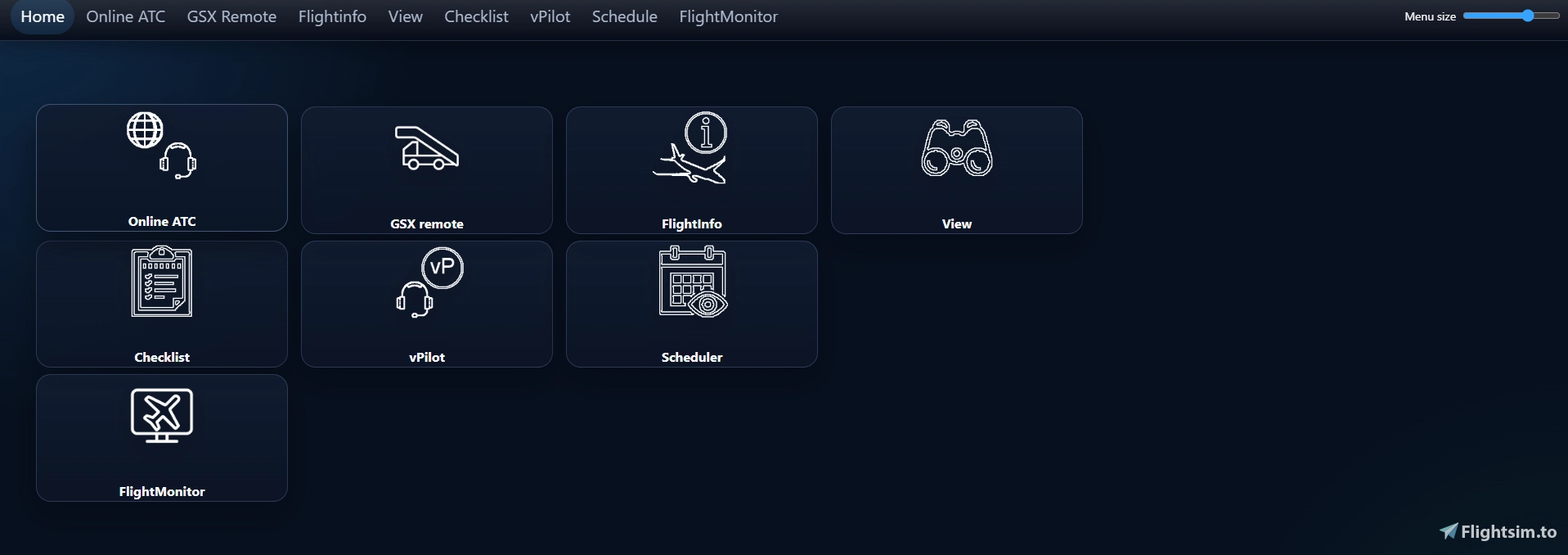
    - Online ATC with weather and SID/STAR informations
    - Enroute ATC overview
    - SimBrief import
    - Flight informations with values for FMC settings
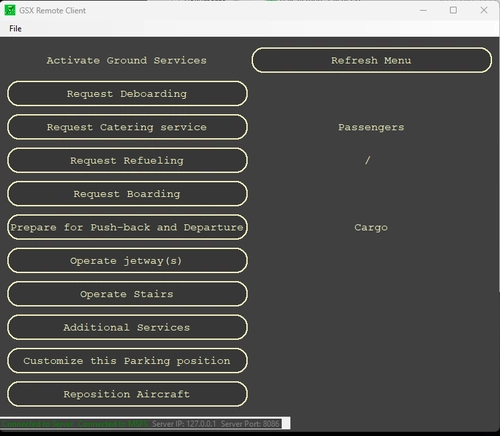
    - GSX-Remote control
    - vPilot control
    - SayIntentions.AI comlink included
    - Prosim communication
         - GSX doorsync
         - automation to load passengers, fuel and cargo regarding SimBrief flight plan
    I also implemented an updater, so new version can be downloaded and installed automatic.


    Installation: just extract the zip archive and run the FlightSimServer_V2.exe (as Admin)
    IMPORTANT! before you run V2 for the first time, make sure you have an active simbrief flightplan!!!


    Version 1.0.5.7

    Application to get information and control your simulator from a client via Webbrowser.
    You can control this application from any device (PC, Tablet, Smartphone) that has installed a webbrowser and is connected to your network.
    The Application MUST be installed on your simulator PC.

    The application is providing the following features:
    - Import your last created SimBrief flightplan
    - Show IVAO or VATSIM stations on your departure, arrival and alternate airport
    - Weather information at your departure, arrival and alternate Airport (Active Sky is required)
    - refuel and load your aircraft regarding weights and fuel calculation from your SimBrief flightplan
    - Control GSX for MSFS and Prepar3D
    - electronic Checklist
    - Route schedule function
    - Flight Plan export function to get the current flightplans into ActiveSky-FS

    Requirements:
    - FSUIPC for MSFS or Prepar3D
    - GSX or GSX Pro if you want to use the GSX remote feature
    - SimBrief and VATSIM or IVAO account for use of the OnlineATC service 
    - IIS Express 10.0 (downloadlink included in the setup)

    This application is designed for use in combination with a homecockpit. But of course also useable without.

    Please read the manual for informations about installation and use of the application!

    Kommentare(223)

    Melden Sie sich an, um an der Diskussion teilzunehmen

    Anmelden
    B

    about 5 hours ago

    Hi, this was something I was looking for primarily to use for controlling GSX using a tablet, but I can't get it to work using the correct local IP and port in Safari (I have also tried Opera). Fenix EFB and other software I use works as they should over LAN so the connectivity settings should be correct. I have also tried to make the firewall rules manually as suggested in the comments, but with no luck.

    Is this a known issue? On my simulator PC where the server is running I can access it using my browser, so the server is up and running.

    EDIT: Fixed it by making a rule only for ports, but not tied to the .exe itself. Which process is responsible for the server and could possibly be tied to that rule? Now the ports are open for every program, but would be preferred only to have it for the process responsible for the server of course.
    k

    25 days ago

    Hello, thank you for this amazing utility! Im getting a message about upgrading to 2.0.2.9 but I immediatly get .net framework error. Thanks!
    g

    20 days ago

    You have to go to the folder where the app is stored. There is an updater .exe there. Works quickly
    M
    MBergerAuthor

    16 days ago

    as gellio1121 wrote run the updater manual !!!as Admin!!!
    If that does not work please contact me again.
    Regards
    Matthias
    F

    about 1 month ago

    Where can I find the manual?
    M
    MBergerAuthor

    29 days ago

    Hi, for the moment I have no manual, sorry for that.
    If you need help setting up FSS I send you a private message.
    Regards,
    Matthias
    S

    about 2 months ago

    This is amazing
    d

    about 2 months ago

    Seem to be having an issue with the web server. You can load the remote locally on the same machine but it doesn't load when you use a tablet or another machine on the same network. I have confirmed the firewall rules are enabled for TCP:8085 and UDP:8086. Oddly enough, this will work when you turn off Windows Firewall completely, though it not ideal. All other webservers running on the same machine appears to be fine including the Fenix EFB, AviaServer etc, so I'm not sure that the problem is..
    M
    MBergerAuthor

    about 2 months ago

    Try to delete the firewall entry again and set it up manual.
    For windows firewall:
    - Click new rule
    - select Port
    - select TCP and lokal Ports
    - enter 8085, 8086
    - select allow conections
    - select Domain, private and public
    - enter the name of the rule (FlightSimServer_V2)

    Then it should work also in your network
    If you need support please contact me again.
    m

    2 months ago

    Same issue as the previous person with the Simbrief error. Entering the username exactly as it appears in Simbrief. It does, however, seem to take in the background because it looked like it was picking up at least the departure and destination from my flightplan and the log seemed to indicate it was successful.
    M
    MBergerAuthor

    about 2 months ago

    So it works now or do you need further support?
    Most important is that you create a flightplan in SimBrief and generate it befor you enter your Username for the first time in FlightSimServer.
    m

    about 2 months ago

    It didn’t even though I entered a plan first and entered the correct username.

    Would be nice to not require a flight plan for things like GSX. That’s primarily what I’m using it for to integrate with ProSim737 only.

    Also, the GSX menu buttons go blank after every action and I have to do a retrieve each time.
    M
    MBergerAuthor

    about 2 months ago

    I need a simbrief flightplan for several interactions with gsx. If you have it running once, you don't need an actual flightplan anymore, but the interaction with gsx can cause unexpected behavior.
    m

    about 1 month ago

    I'm at a loss. I put the correct simbrief username in GSX settings, created a new flightplan in simbrief, then loaded FlightSimServer and it prompts to put my Simbrief username. I enter it as a copy paste from SimBrief and I get the "object reference not set to an instance of an object error. check your username...". Every time. I checked the log and it says starting simbrief download, then download finished...process simbrief data. So it seems like it's connecting. Version 2.0.2.8. Btw, GSX menu's have been changed and are no longer reflected properly in FlightSimServer.
    M

    3 months ago

    There is no manual in the zip? what is the addonmanager path?
    M
    MBergerAuthor

    2 months ago

    It is the main path where you installed GSX Pro.
    Default path is
    C:\Program Files (x86)\Addon Manager
    U

    3 months ago

    This comment has been deleted
    ...
    MSFS 2020MSFS 2024

    FlightSimServer

    Application includes Online controller information, GSX remote control, electronic checklist, flight informations regarding SimBrief flightplan, autoload function to load and refuel your aircraft on ground. The Server is installed on your simulator pc, acess via any client with a installed webbroser connected to your local network.


    Downloads5K
    Version2.0.2.4
    Dateigröße17.28 MB
    VeröffentlichtVor 3 Jahren
    AktualisiertVor 5 Monaten

    Unterstützer

    Nutzerbewertungen

    4.8

    20 Bewertungen

    5
    95%
    4
    0%
    3
    0%
    2
    0%
    1
    5%

    More Information

    Simulator
    MSFS2020/24
    KategorieUtilities
    Sub-CategoryApplications

    Versionsgeschichte

    V2.0.2.4 - fixed PTT Ch.3 button not working correct - modifications in database creation and manual editing airports - added weather panel to FlightMonitor V2.0.2.3 - fixed wrong aircraft icon heading in Flightmonitor - added button to instant load aircraft in Flightinfo page, even fuel sync is activated - added boarding completed phase to Flightmonitor - added new SayIntentions button for Intercom PTT Ch.3 - fixed application hang in some cases V2.0.2.2 - internal changes and fixes - added option to show vPilot AND Sayintentions in browser menu V2.0.2.1 - changes in ProSim connection logic - modifications in FlightMonitor pages - Fixed Database creator not working with MSFS2024 - Added option to manual edit addon airports - FM Style added (FlightMonitor tab): customization of the flight monitor's appearance for each airline. V2.0.2.0 - fixed Pokeys communication (connection lost) V2.0.1.9 - added Flightmonitor (gatemonitor and in flight monitor) -> setup in Flightmonitor and GSX tab - added progressive refueling with GSX fuel truck sync (beta) - added PoKeys support for fog machine (engine/apu fire) and Signs (only ProSim) - enable Pokeys support in FSS folder\config\config.xml -> change ProSimSpecial Node to true V2.0.1.8 - List boxes were not updated when the save button was clicked. - switched database creation from MakeRwys to NavDataReader (faster and more reliable) -> please rund Database creation again after update to Version 2.0.1.8! - moved buttons to the top (SayIntentions page) V2.0.1.7 - The add-on manager path check has been changed so that the \fsdreamteam-gsx-pro folder can also be selected directly. - GSX menu is no more visible when Addonmanager Path is not available V2.0.1.6 - added inputbox to enter timeout for database creation - changed GSX menu handling V2.0.1.5 - some changes in error handling and logging - added Scheduler to Schedule and save a route with multiple legs. V2.0.1.4 - Added function to automatically adjust the PDC/CPDLC connection in the ProSim Systems config.xml (ProSim tab) V2.0.1.3 - bugfix in ATC + Weather tab where controls stayed disabled. V2.0.1.2 - buttons remain visible, even if the communication list becomes longer than the display height

    Ähnliche Addons