
Beschreibung
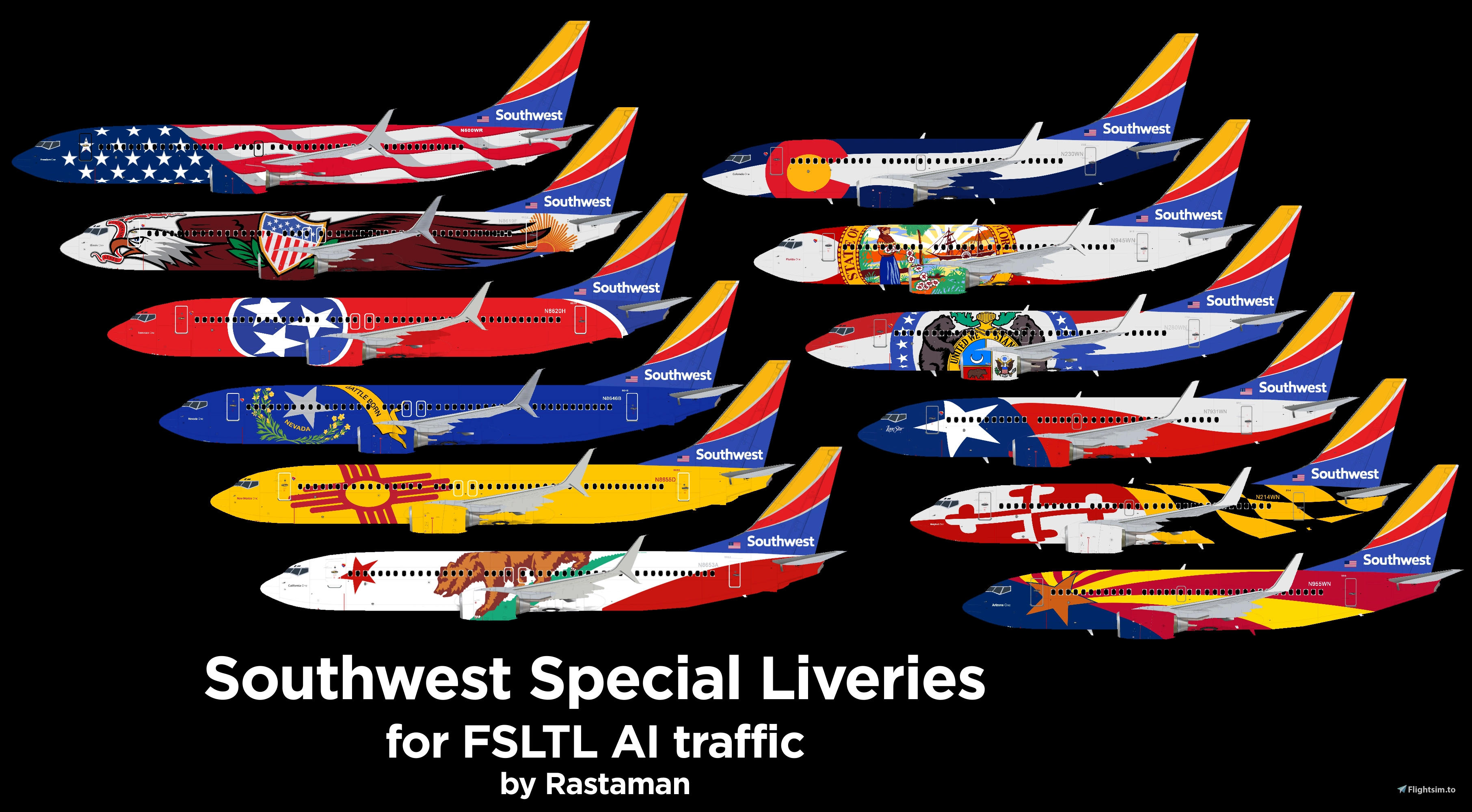
SOUTHWEST SPECIAL LIVERIES PACK FOR FSLTL
Requires the free FSLTL addon installed: https://www.fslivetrafficliveries.com/
RECOMMENDED SOLUTION TO USE FSLTL MODELS WITH MSFS 2024 LIVE TRAFFIC
- MSFS 2024 Settings > General > Online > Traffic Type > REAL-TIME ONLINE
If you would like to remove Airbus or Boeing house liveries, I recommend this free tool: One-Click Content Disabler
This pack includes:
B738 FREEDOM ONE - REG# N500WR
B737 ARIZONA ONE - REG# N955WN
B737 COLORADO ONE - REG# N230WN
B737 LONE STAR ONE - REG# N931WN
B737 FLORIDA ONE - REG# N945WN
B737 MARYLAND ONE - REG# N214WN
B737 MISSOURI ONE - REG# N280WN
B738 NEW MEXICO ONE - REG# N8655D
B738 TENNESSEE ONE - REG# N8620H
B738 NEVADA ONE - REG# N8646B
B738 ILLINOIS ONE - REG# N8619F
B738 CALIFORNIA ONE - REG# N8653A *** FORMERLY B737
NOTE: It is not possible to add "Imua One" as this livery goes on a B738 Max and FSLTL does NOT HAVE this model *
Installation:
1- Place the file 'MSFSLayoutGenerator.exe' in a convenient location on your PC
2- Copy the folder 'SimObjects" inside the 'fsltl-traffic-base' folder in community, if asked, click Yes to replace files.
3- Drag the file 'layout.json' (located in the 'fsltl-traffic-base' folder) onto the exe file, let it process for a few seconds.
4- Launch MSFS
NOTE: After an FSLTL model update you need to repeat Step 2 and 3.
After an Injector update there is no need to reinstall.
FSLTL - UNIQUE LIVERIES - Southwest Specials Pack
FSLTL Unique Liveries: Southwest Specials Pack - Requires FSLTL installed - FSLTL is a free standalone real-time online traffic overhaul and VATSIM model-matching solution for MSFS. Some Southwest Airlines aircraft feature special liveries or are named with special liveries. Southwest gives these aircraft special names honoring destination states in the U.S.


Nutzerbewertungen
7 Bewertungen
Versionsgeschichte
Ähnliche Addons
Global AI Ship Traffic Version 7.
Global AI Ship Traffic Version 7 enhances Microsoft Flight Simulator with over 1,000 unique ship models and more than 2,400 liveries, alongside 80,000 programmed ship movements. Compatible with both MSFS 2020 and MSFS 2024, this add-on includes a wide variety of vessels, ranging from cargo ships and fishing boats to luxury cruise liners and military ships. Users can experience a realistic global shipping simulation by utilizing preprogrammed traffic or real-time AIS data in MSFS 2024. The project is the result of collaboration among international developers and enthusiasts, providing an immersive maritime experience.
von Henrik Nielsen, KL791
Realistic Taxi Signs Texture Pack
Enhance your taxiing experience with this Realistic Taxi Signs Texture Pack. This add-on provides higher resolution and realistic textures for taxiway signs in Microsoft Flight Simulator. Replace the original files in your Community folder for an improved visual experience. Remember to remove any other mods for taxi signs before installing this pack. Created by Pretzed, this pack aims to enhance the realism of your taxiing operations in the sim.
von PretZed
AirHispania - Libraries
Essential libraries containing objects necessary for displaying AirHispania sceneries. Required for enhancing the overall visual experience of AirSpain scenery addons.
von AirHispania
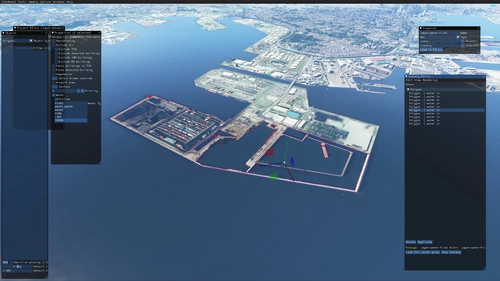
Japan world update scenery enhancement (no google imagery and no performance impact)
Enhance your Japan flying experience with this ongoing scenery update, featuring fixes for dark lines on river entrances, addition of cargo ships, and uncovering hidden features underwater. With no reported impact on performance, this add-on brings a more detailed and realistic landscape to explore in Microsoft Flight Simulator.
von DOR RAGER
Melden Sie sich an, um an der Diskussion teilzunehmen
AnmeldenKommentare(48)
6 months ago
about 1 year ago
about 1 year ago
thank u
about 1 year ago
about 1 year ago
over 1 year ago
over 1 year ago
over 1 year ago
over 1 year ago
almost 2 years ago
almost 2 years ago
All this may change with MSFS2024 and their native set of models and overall AI traffic. It's only a matter of days to find out how it will work out.
over 2 years ago
N762SW
N7813P
N786SW
It would also be much Appreciated if you could do the new Warrior one and Heart One and Heart Two.
over 2 years ago
over 2 years ago
FSLTL doesn't seem to be able to update their mod any longer
over 2 years ago
over 2 years ago
over 2 years ago
over 2 years ago
over 2 years ago