
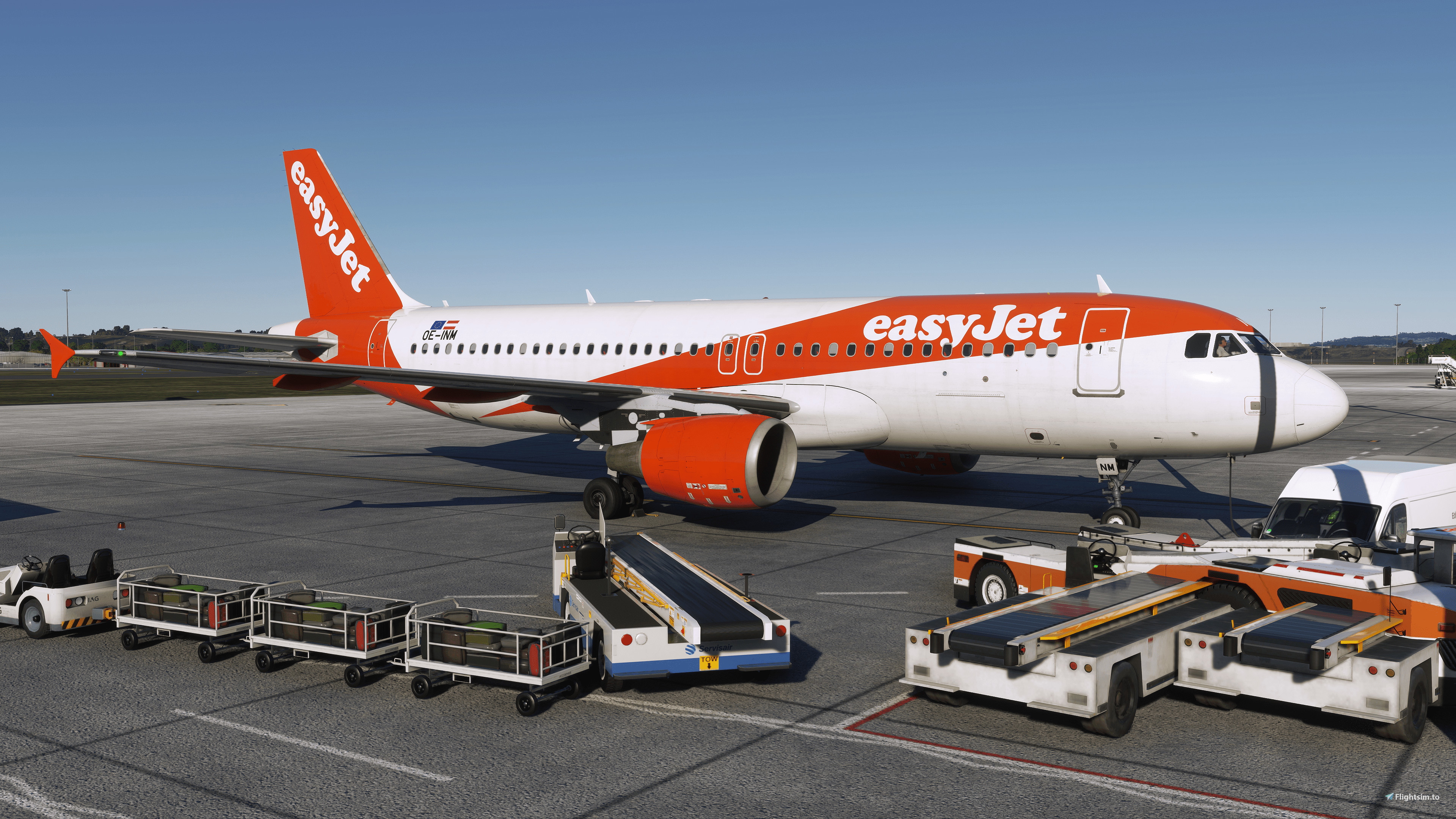
Beschreibung
4K Screenshots: https://drive.google.com/drive/folders/18kKKtpz8cK5RVIpevfMdw3mspQrbZUp9?usp=sharing
INSTALLATION:- Step 1: Ensure you have Reshade Installed.
For MS Store version users, an easy way is by downloading the FinalLight LUT, which has Reshade included. Link: https://flightsim.to/file/20557/finallight-reshade-preset-realistic-colors-and-tone-fixes. - Step 2: Copy the file in the folder "Place Contents Of Folder In Reshade Textures Folder" to the Reshade textures folder. The download includes the EyeAdaption.fx effect. If you do not have this effect installed, please copy the file to your Reshade Shaders folder.
- Step 3: Select Preset and DISABLE LUMASHARPEN.fx and CAS.fx. These 2 effects are system dependent. If you have an over-sharpened grainy image, please ensure these are unchecked. You can tune it to your liking if you wish.
If you are new to Reshade, I recommend watching this tutorial video courtesy of OverKillSimulation:
https://www.youtube.com/watch?v=YiXPrgpo8KQ
- I am currently testing several presets. The current stable preset is Apples Reshade - Preset 4.2x. I will be adding more presets regularly, these being tweaks to the current preset. You can try if you wish, but certain scenarios may have some visual anomalies.
- I recommend turning off FilmGrain and EyeAdaption in the MSFS Config; change from 1 to 0. You can always change it back if you don't like it!
The location of the MSFS config-file depends on whether you have the MS Store or STEAM version.
The MS Store location is C:\Users\*USERNAME*\AppData\Local\Packages\Microsoft.FlightSimulator_8wekyb3d8bbwe\LocalCache
- I use DLSS Quality 4K; therefore, I use LumaSharpen and CAS to add more detail without oversharpening the image. I've also turned off Sharpening in the MSFS Config. You can reduce this or turn this off altogether.
- For those that have Quint Regrade, please use Apples Reshade - Preset 4.2x (With Regrade), for those who do not have Regrade use Apples Reshade - Preset 4.2x (Without Regrade)
ACKNOWLEDGMENTS:
- I want to thank the creator of Final Light, for providing the community with an excellent LUT, which helps remove the warm yellow tint.
- Thank you to Aiden, founder of Noptics Reshade, for introducing me to the shadow adjustments that Reshade offers.
- Also, thank you to disco79stu and tommybutch for providing useful feedback.
Feedback welcomed. Have a safe and enjoyable flight 👍😊!
Kommentare(21)
Melden Sie sich an, um an der Diskussion teilzunehmen
Anmeldenalmost 3 years ago
Perfectly tuned preset without any performance impact - well done!
Thank you very much!
about 3 years ago
This is getting better and better!
about 3 years ago
Amazing Preset i love it thank you :)
about 3 years ago
loving the preset. not sure why though, but when i start reshade it applies each shader twice, and i have to deselect one of each to make it work. Any idea how to fix this?
about 3 years ago
Hi @Smokewinder, apologies for the delay. It could be that you have the shader files twice in the Reshade folder causing the effects to be applied twice. You will need to search for the name of each effect file that is duplicated, to ensure there is only one copy present.
about 3 years ago
I really like the preset, the method in which you applied the color correction is quite subdued and not overdone. It reaches a nice level of color without overly boosting the Saturation/Vibrance
about 3 years ago
Hi Apple. 2 quick things:
I noticed that when I install reshade normally (which I do, cause msfs steam verison), you'll end up having two "luttools.fx" shaders if you also add the finallight installation. no idea why, but both were used by reshade when applying your profile, which made it a bit too bright. might have been just for me, but I had to delete the luttools.fx that came with the full reshade installation to avoid this.just as a small feedback, I liked the contrasts and more realistic saturation of v4 a bit better than the overall more "poppy" look of v5. but the easyjet-improvement is welcomed ;)about 3 years ago
Hi Stu, thanks for taking the time to try and reporting your findings.
Regarding the "luttools.fx" thanks for letting me know, tbh I'm not sure why that's happened.
I will keep editing Preset 4, having a quick comparison through 4 and 5; I am unsure now; maybe Preset 5 is too bright!
I'm adjusting Preset 4; from my POV, I think it needs:
1. Slightly more brightness (sometimes the flight deck is too dark)
2. Less blue tint; this is related to the Color Temperature effect. Default value is 6500K, Preset 4 was 7600K, and I noticed even the runways had a blue tone to them).
I've uploaded my current working version of Preset 4 (4.2) to the Google Drive link. Feel free to try!
Just a quick point about the 'easyJet edit':
I found that the default look results in the easyJet livery being almost dark orange/red. That's why I 'tried' to change the colour to a lighter orange.
I'll make sure to create some comparison shots of Preset 4 (updated) and 5.
Thanks again! 👍👍
about 3 years ago
just tested 4.2 - close to perfect for me! :) thanks!
about 3 years ago
Thank you Stu, apologies I feel like I've been constantly changing and sending out small revisions! Just sent out V1.3 which I now won't edit and instead wait some time to engage feedback! Cheers
about 3 years ago
Hey Apple,
it's getting a bit confusing now .... So v1.3 will download a ZIP named v4.2 with a ini v5 in it.... (?) ;)
about 3 years ago
Oh 🫠 I included the wrong Preset ini file! Corrected now
about 3 years ago
Really like this one, great job!
My only comment would be that - for my taste - it's a bit too cold/blueish in color and a teeny tiny bit too dark. Other than that, very nice.
about 3 years ago
Hi disco79stu, I am very grateful for your comments, thank you.
Yes, brightness and the blueness is something I also noticed. As you say, I think I've overdone the blue a bit.
Also trying to make it brighter during the day.
Thanks again 👍
about 3 years ago
Awesome man, thanks!
about 3 years ago
how do you install this?
about 3 years ago
Have you already got Reshade/Final Light Reshade installed please?
Apple's Reshade Preset (no longer in development)
An Apples Reshade Preset is no longer in active development featuring version 4.2x. The preset includes 4K screenshots and installation steps for Reshade users. The preset focuses on realistic colors and tone fixes, with recommendations for turning off certain effects in MSFS Config. Various presets are being tested and added regularly, with acknowledgments to contributors and a focus on user feedback.

Nutzerbewertungen
4 Bewertungen
More Information
Versionsgeschichte
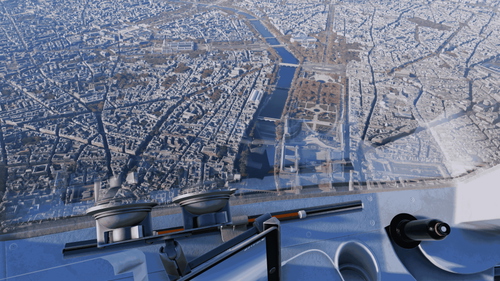
Updated Preset: - Shadow brightness increase - Blue tint decreased - Orange/red colours adjusted
almost 3 years ago