
Beschreibung
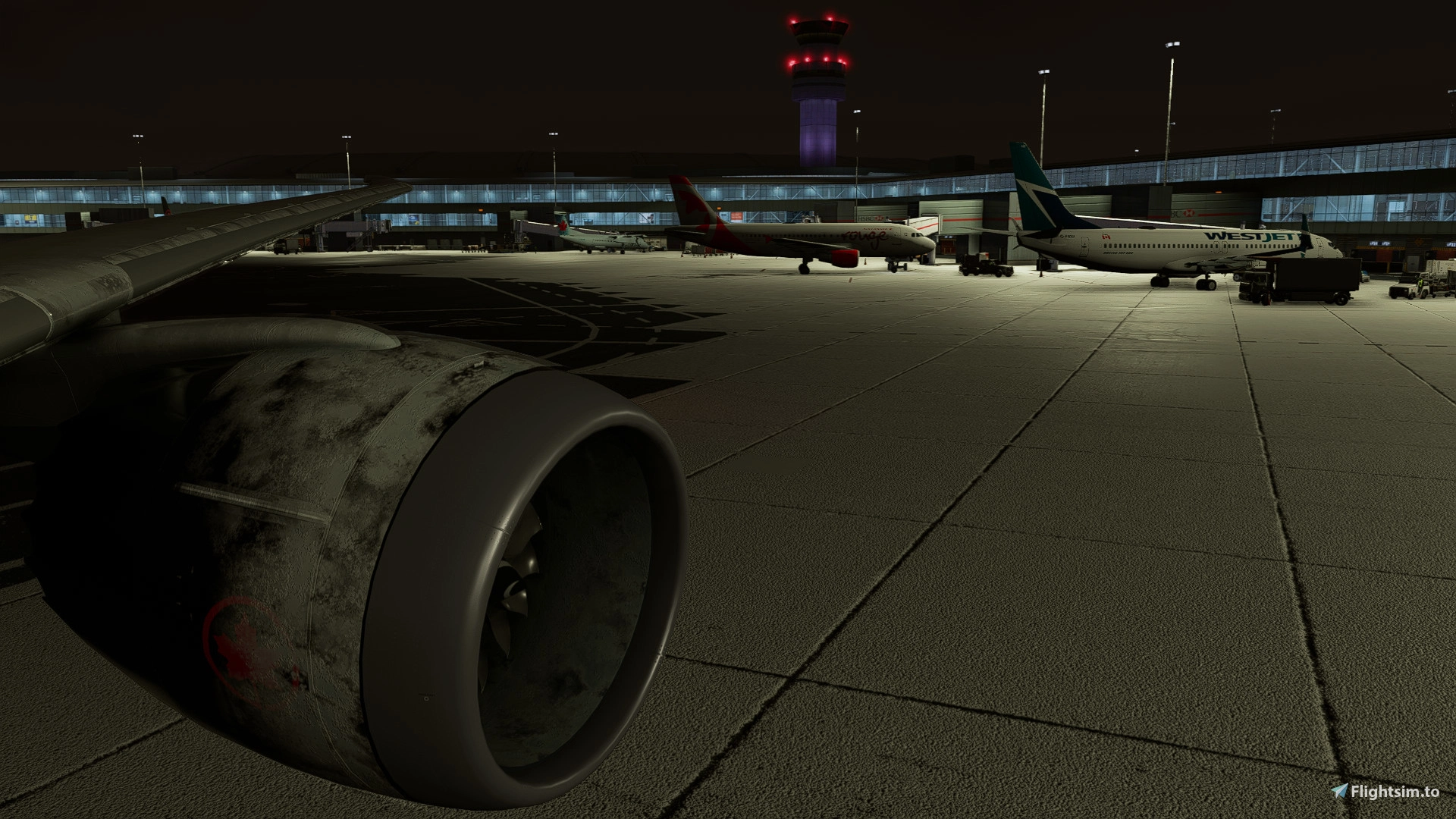
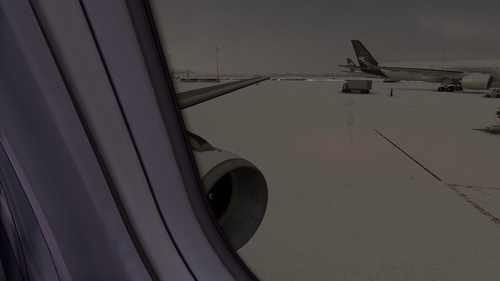
This modification provides you with custom cockpit and cabin/wing views for the Kuro B787-8
The views can be accessed by your custom camera keybinds (e.g Custom camera 7 (Key 7) ,etc.)
You cannot copy these into the Community folder, unlike other addons. You will need to put the camera.cfg file in the main MSFS location
How to install:
!!!CAUTION - READ BEFORE DOING ANYTHING!!!
For the Microsoft Store installation, the path is:
C:\Users\[UserName]\AppData\Local\Packages\Microsoft.FlightSimulator_8wekyb3d8bbwe\LocalCache\SimObjects\Airplanes
For Steam installation the path is:
C:\Users\xxxxx\AppData\Roaming\Microsoft Flight Simulator\SimObjects\Airplanes\Kuro_B787_8
BEFORE YOU INSTALL
Make a backup of the "Airplanes" folder because it contains also a state.cfg for flights you've taken with this variation in the past. Always back up something in case you don't like this upload.
- Unzip this package somewhere on your computer
Kommentare(5)
Melden Sie sich an, um an der Diskussion teilzunehmen
Anmeldenover 3 years ago
You can prepare to work on it again :-D
over 3 years ago
It's working for me tho..... Unless you got a cabin in the works 👀
over 3 years ago
I mean we are going to update the whole flight model including repositioning the entire aircraft location. Just want to let you know ;-)
over 3 years ago
All good! You're team's gonna do a great job improving this aircraft so I can't wait!
Kuro B787-8 Camera Views | Wing and Cockpit Views
Customize your flight experience with Kuro B787-8 Camera Views, offering unique cockpit and cabin/wing perspectives. Easily access views through custom camera keybinds, enhancing your immersion in Microsoft Flight Simulator. Please note the installation process is different, requiring placement of the camera.cfg file in the main MSFS directory. Remember to back up your "Airplanes" folder before installing, ensuring a seamless experience.

More Information
Versionsgeschichte
Keine Versionsgeschichte verfügbar.
Ähnliche Addons
Headwind a330neo Custom Camera Views | Window Views
Customize your flight experience with Headwind a330neo Custom Camera Views, offering unique cockpit and cabin/wing perspectives. Accessible through custom camera keybinds, enhance your simulation immersion seamlessly. Installation tip: manually place the camera.cfg file in the main MSFS directory for optimal functionality. Dive into a new level of realism for your Microsoft Flight Simulator flights.
von Mikakson
LatinVFR a319ceo Custom Camera Views | Window views
Enhance your flight experience with this modification offering 2 custom cockpit and cabin/wing views for the LatinVFR A319ceo aircraft. Accessible through custom camera keybinds, these views provide a unique perspective during your flights. To install, simply place the camera.cfg file in the main MSFS location, following the specified paths for Microsoft Store and Steam installations. Remember to back up your "Airplanes" folder before installation for added security.
von Mikakson
LatinVFR a321neo Custom Camera Views | Window Views
Customize your LatinVFR A321neo experience with this add-on offering unique cockpit and cabin/wing views for all variants of the aircraft. Easily access these custom views through your assigned keybinds, enhancing your flight simulation experience. Please note that unlike other add-ons, the installation process involves placing the camera.cfg file directly into the main MSFS directory. Make sure to back up your "Airplanes" folder before proceeding with the installation for added security.
von Mikakson
Fenixsim a320 Camera/Wings Views | Cabin Views
Customize your cockpit and cabin/wing views with this Fenixsim a320 Camera/Wings Views Mod, offering unique perspectives for your flight simulation experience. Access these views through custom camera keybinds and enhance your immersion in the pilots seat. Installation requires placing the camera.cfg file in the main MSFS location, ensuring a seamless integration with your simulator. Remember to back up your "Airplanes" folder before installing, providing peace of mind while exploring new viewpoints in your virtual flights.
von Mikakson
over 1 year ago