
Beschreibung
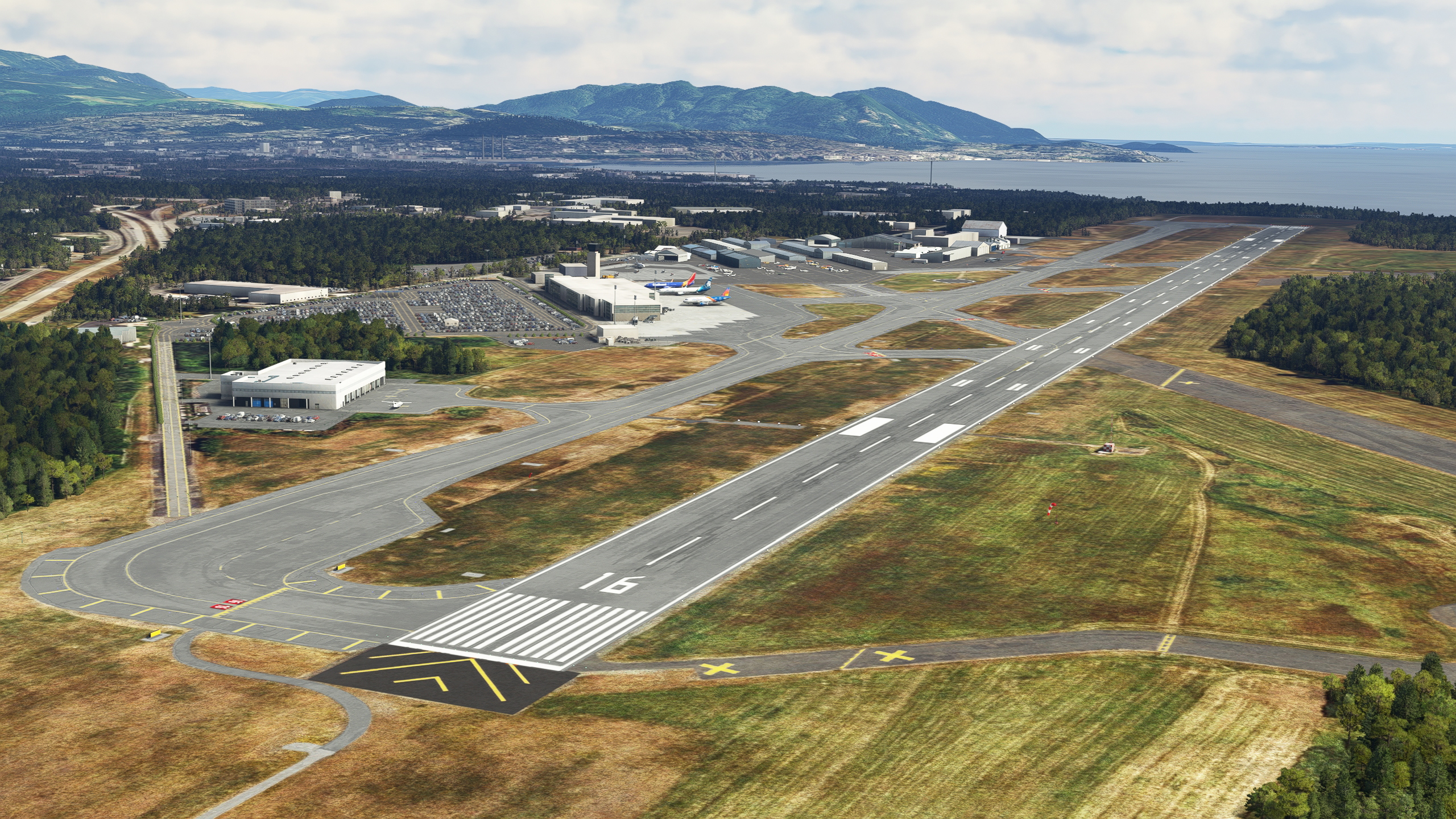
Bellingham International Airport (IATA: BLI, ICAO: KBLI, FAA LID: BLI) is three miles (5 km) northwest of Bellingham, in Whatcom County, Washington, United States. BLI covers 2,190 acres (886 ha) of land, and is the third-largest commercial airport in Washington. Scheduled passenger flights are done by Alaska Airlines, Allegiant, Southwest and San Juan Airlines. There are also small FedEx cargo terminal.
This scenery is based on PropellerBC's version that is already here. Together with project files from PropellerBC, I have permission to upload updated version. All aspects of his already nice scenery was improved:
- New ground markings, accurate to current airport layout
- Redone pavement with more details and variety
- All new accurate taxisigns, veryfied from different sources
- Hand placed taxiway edge lighting
- Corrected rwy16 MALSR approach lighting system to be placed precisely and with correct strobe poles numbers.
- Accurate VASI placement for both runways
- All new hangars on GA part of the airport
- Dozens of static aircrafts to reflect look and feel of airport
Airport is part of my routes network in FSEconomy. Search for fishairfse here to find other destinations.
Libraries used (see dependencies tab aswell):
Colinj library (open hangars, in particular): https://flightsim.to/file/16007/msfs-object-library-with-150-models-ranging-from-towers-hangers-terminals-to-cones
Windy things (windsocks): https://flightsim.to/file/14024/windy-things
totof-aircraft library v4: https://flightsim.to/file/17182/totof-aircraft-library-v1-1
Vintage Aircraft collector library V 2: https://flightsim.to/file/18392/vintage-aircraft-collector-library-v-1-0
totof helicopter library V2: https://flightsim.to/file/17983/totof-helicopter-library-v1
Attention! Three airliners on the apron are manually placed from FSLTL library (www.fslivetrafficliveries.com). If you don't use this addon, you wouldn't see those tubeliners on the stands, but scenery should work anyway.
https://www.youtube.com/watch?v=68zJxLlxOfU VFR reporting points
v.2.1:
- Propper representation of Bellingham Aviation Services FBO near tower
- Minor corrections on GA apron
- New ramp start positions
- Improvements arround ILS antenna
- Experimental terraforming to add deepness to drainage trenches along main taxiway
v.2.2:
- Accurate ILS data for rwy 16.
Abhängigkeiten
Location
KBLI Bellingham Intl 2.2
Experience an enhanced version of Bellingham International Airport in Microsoft Flight Simulator with KBLI Bellingham Intl 2.1. This updated scenery includes new ground markings, accurate taxiway signs, hand-placed lighting, and dozens of static aircraft to bring the airport to life. Version 2.1 features improvements such as a detailed representation of Bellingham Aviation Services FBO, new ramp start positions, and enhanced terraforming around the ILS antenna.


Nutzerbewertungen
8 Bewertungen
Versionsgeschichte
Corrected ILS data. Contibution made by VForce (https://flightsim.to/profile/VForce)
In Sammlungen enthalten(2)

Ähnliche Addons

KMFR - Rogue Valley - Medford Airport
Explore the detailed reconstruction of KMFR - Rogue Valley - Medford Airport in Medford, Oregon, USA. This add-on offers custom handcrafted models of various airport facilities, accurate terraforming, night lighting, and full taxiway signage. Ensure correct ground textures by having World Updates 10 and 11 (USA and Canada) installed, and enhance your experience with additional helicopter and scenery object libraries. Simply copy the MFR_Medford folder to your community folder for installation.
von BullfrogSim
CAT4 Qualicum Beach Airport
Explore a charming small airport in British Columbia, Canada - CAT4 Qualicum Beach Airport. Enjoy a scenic morning flight from Nanaimo airport and experience custom modeled buildings, runway markings, and night lighting. Immerse yourself in the detailed airport scenery and start your adventure today.
von Minhbui
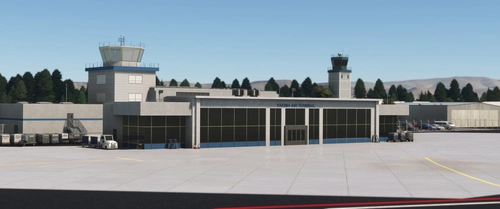
Yakima Air Terminal/McAllister Field, Yakima WA USA - KYKM V4.0
Enhance the realism of Yakima Air Terminal/McAllister Field in Yakima, WA with version 2.0. This update brings PBR textures and fixes previous texture issues, as well as adding new details like fencing, animated people, and more. Custom hand-modeled buildings, revised lighting, and improved overall scenery make this add-on a must-have for your Microsoft Flight Simulator experience.
von FreakyD
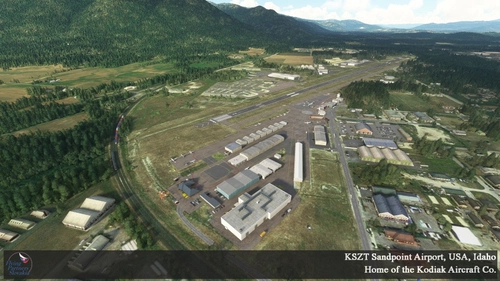
KSZT Sandpoint Airport v1.2
Explore the enhanced version 1.1 of Sandpoint Airport (Idaho, USA) with wider runways, taxiways, and additional airport features, including a terminal and the "Jenny Air" fictional airline. This scenery includes fixed runway markings, rubberized runways, and more for an immersive flying experience over Sandpoint. Discover the detailed ortho photo map base and custom textures used to create this realistic airport scenery. Enjoy seamless installation and soar over this county-owned public-use airport with the new additions and improvements in version 1.1.
von FlyingPartnersSK
Melden Sie sich an, um an der Diskussion teilzunehmen
AnmeldenKommentare(44)
9 months ago
over 1 year ago
It`s a beautiful freeware scenery.
over 1 year ago
over 1 year ago
Regarding GS issue, i'm not sure if i would be able to help here. Navaids is not part of what i touch while editing scenery. Maybe there is a way to delete existing and add custom, i'm not sure. But i've never had this issue during ILS approaches. I'm using Navigraph's navdata. Maybe it is a problem with default navdata? Then you can report a bug to Asobo themselves. Just saying that scenery and navdata are different entities. Those antennas that i place as 3d models has nothing to do to where actual navaids are placed.
over 1 year ago
over 1 year ago
over 2 years ago
almost 3 years ago
Hey, I totally understand you not wanting to do a version without the static aircraft. However, you have parking spots *and* static planes at a couple of the gates. So if you use FSLTL, you get airliners doubled-up at at least one of the gates. If you do an update, could you remove the parking assignments for the gates where you have the statics, so that we can avoid airliners on top of each other? It's the only think about this that breaks the immersion. :)
over 3 years ago
I saw your comment on the new payware version, seems like I shouldn't even bother getting it? because yours is more realistic from what I read?
over 3 years ago
They are correcting some of the pointed issues. If you fly tubeliners, i would say pax terminal area are made better in payware and i advice it over this version. Regarding GA part, i think that this version is better overall.
over 3 years ago
thanks, I'll be keeping your version then, we'll see how long it takes them to fix up theirs.
over 3 years ago
Hi,
can you please inlcude afcad file option to not have the static AIRLINER aircraft at the main terminal? lot of us use AI programs like FSLTL or just flight fstraffic and these static aircraft are in the way of us parking at any of those stands or ai parking there as well...thank u
almost 4 years ago
Ty!
almost 4 years ago
Any chance of a setting or version without the static aircraft?
almost 4 years ago
not planned
almost 4 years ago
well, if you don't like static aircrafts, then you should not have Totof Aircrafts libraries. Then you would not have 90% of those aircrafts anyway. Problem almost solved.
almost 4 years ago
i dont have Totof aircraft library installed. Im looking to get rid of those static Southwest Alaska Allegiant etc aircraft. I use FSLTL live traffic and whatever flies to KBLI will get there but wont park if those Statics are there (or its gonna overlap them). thanks
almost 4 years ago
There are like 3 times more stands left to park at. I've seen couple of times Southwest's 737 standing in the middle of the runway and not going anywhere, despite the fact that taxinetwork are there and stands are connected. Yet to see any FSLTL traffic taxiing to ANY stand here at KBLI.
over 3 years ago
Alaska doestn fly 737's to KBLI. its too short of distance...they only use the Embarer 175. Also, Southwest flys its 737-800 from KBLI to oakland/denver/vegas. Allegiant flys to Palm springs/vegas/phoenix/LA/san diego. there is enough ai traffic in which these statics block the main termainal as well as make it look fake since no alaska 737 flies there. thanks for your work