
Beschreibung
METAR Lookup — What It Does
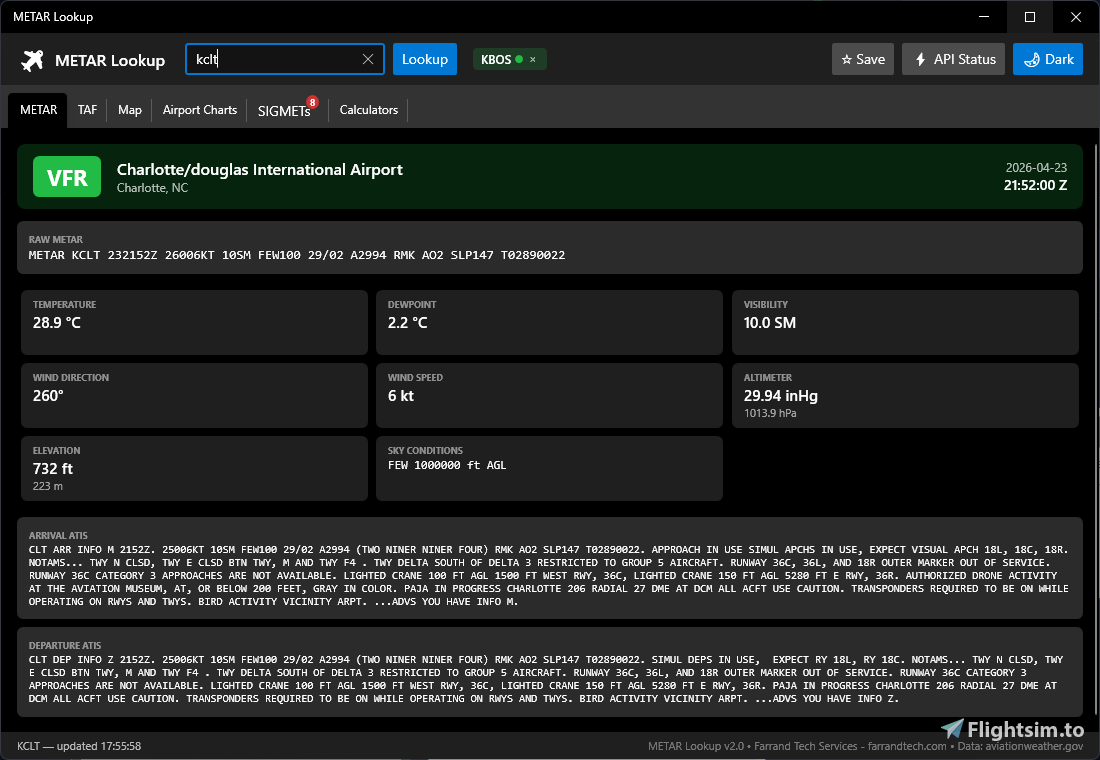
Look up any airport instantly
Type a 4-letter ICAO airport code (e.g. KSEA for Seattle, KORD for Chicago, KLAX for Los Angeles) and get live weather data in seconds
Current conditions (METAR)
See the latest official weather observation — temperature, dewpoint, winds, gusts, visibility, cloud layers, and altimeter setting, all decoded into plain readable values from the raw report
Flight category at a glance
Every lookup shows whether conditions are VFR, MVFR, IFR, or LIFR in a large color-coded banner — green, blue, red, or purple
Terminal forecast (TAF)
View the official weather forecast for the next 24–30 hours broken into time periods, each with its own predicted conditions and flight category
Interactive map
See the searched airport on a map alongside surrounding stations, each dot colored by current flight conditions. Click any nearby station to look it up. Includes a live radar overlay
Airport charts
Browse and view official FAA instrument approach plates, departure procedures, arrival routes, and airport diagrams without leaving the app
SIGMETs & AIRMETs
See all active weather advisories across the US — severe turbulence, icing, low IFR — with a red count badge on the tab when hazards are in effect
ATIS
Displays the latest arrival and departure information broadcasts for major airports
Aviation calculators
- Density Altitude — know your true performance altitude
- Pressure Altitude — standard altimeter correction
- Crosswind / Headwind — enter any runway heading and get the component breakdown
- All three auto-fill from the current weather report so you don't have to type in the numbers yourself
Favorite airports
Pin your most-visited airports as one-click shortcuts in the toolbar, color-coded by their current flight category
Dark and light theme
Switch between a light and dark interface — the map tiles switch along with it
Free, no account needed
All data comes directly from NOAA/NWS and the FAA — no sign-up, no subscription
Installation:
1. Unzip Metar Lookup folder on your computer.
2. Run "Install METAR Lookup.exe" to install.
METAR Lookup
A Windows app for real-time METAR lookup and ATIS retrieval, with parsing features for easier reading. Currently offers ATIS lookup for major USA airports only due to limited worldwide airport API availability. Simply enter ICAO codes for instant weather and ATIS updates.


Unterstützer


Nutzerbewertungen
6 Bewertungen
Versionsgeschichte
1. Aviationweather.gov changed API parameters which broke the METAR report. This has been fixed.
Ähnliche Addons
Goose Creek - (28A) - MSFS2020
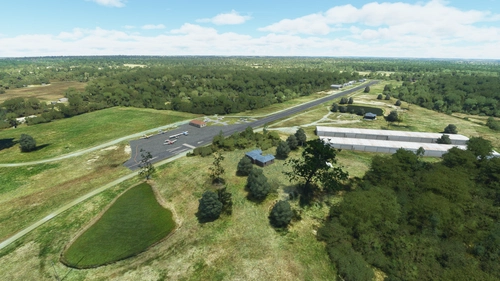
Goose Creek Airport (28A) is a small local airport located in Mecklenburg County, North Carolina. This addon features one runway (4-22) measuring 2,350 x 35, home to a flying club and flight school. Add it to your Microsoft Flight Simulator by copying the provided folder to your packages/community directory.
von Matt Farrand - af3j
Zollinger Strip (II21) - MSFS2020
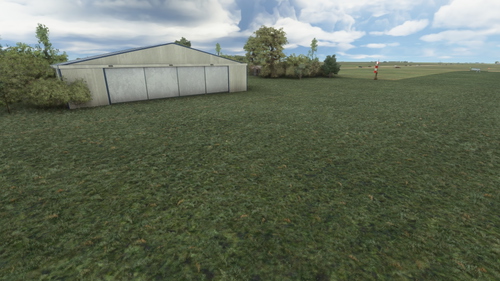
Zollinger Strip (II21) is a small grass airstrip located in Elkhart County, Indiana. This addon features a 2,000 x 75 runway (9 - 27) and is popular among ultralights and old taildraggers enthusiasts. Simply copy the provided folder to your community folder for installation.
von af3j
Melden Sie sich an, um an der Diskussion teilzunehmen
AnmeldenKommentare(45)
4 months ago
4 months ago
4 months ago
4 months ago
11 months ago
11 months ago
over 1 year ago
over 2 years ago
almost 3 years ago
almost 3 years ago
almost 3 years ago
almost 3 years ago
almost 3 years ago
The App seems not to be working the last two days. I can get departure and arrival information but not the conditions. I assumed it may be temporary, so I have been waiting. I would add an image if I could, but that would need to go through a private message.
Thanks
almost 3 years ago
almost 3 years ago
almost 3 years ago
about 3 years ago
over 3 years ago
Some webbased Metar utilities:
https://www.aviationweather.gov/metar/
http://www.flightutilities.com/MRonline.aspx
https://metar-taf.com/