

Beschreibung
A 8K livery of Harbour Air, Vancouver BC Canada.
Depicted is C-FEBE, a deHaviland DHC-2 Beaver serial #792 which was buiilt in 1955 and started life with the US Army as s/n 53-7967. In 1976 she was transferred to the civillian register and has lived most of her life in North America around Alaska, Nanaimo and now Vancouver with Harbour Air.
Installation
- Drag and drop "llivery-dhc2-harbourair" into your Community folder
- Enjoy! Feedback always appreciated! My future plans for this will be a custom cockpit and interior.
Many thanks to ANN0V who created the white livery of which this project wouldn't have been possible without!
Note: This is a large file as Blackbird creates all their liveries for the DHC-2 as 8K.
DHC-2 Beaver - Harbour Air
Immerse yourself in the iconic Harbour Air livery with this 8K DHC-2 Beaver add-on, featuring C-FEBE - a historic aircraft with a rich past. Simply drag and drop the livery file into your Community folder to enjoy this detailed representation, with future plans for custom cockpit and interior updates. Special thanks to ANN0V for laying the foundation for this project.


Nutzerbewertungen
8 Bewertungen
Versionsgeschichte
- Missed a file during upload: clean white pontoons with some red propeller warning lines to match the real aircraft. - Fixed some minor paint issues on the nose cowling. - Changed the seat colour to grey to match the real aircraft.
Ähnliche Addons
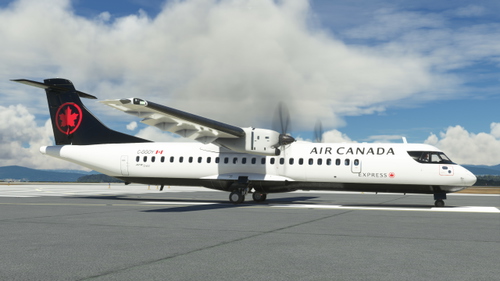
ATR 72-600 - Air Canada Express
Fly in style with this semi-fictional Air Canada Express livery for the ATR 72-600. Experience regional airport destinations throughout Canada with this unique addition to your Microsoft Flight Simulator. Simply drag and drop the livery into your Community folder and take off! Feedback always welcome.
von pararoo
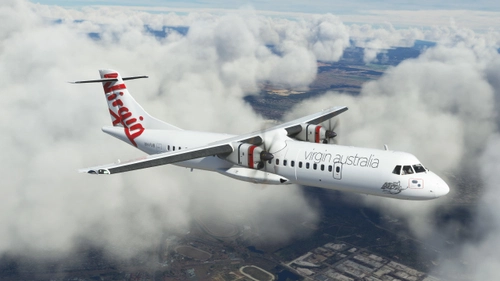
ATR 72-600 Virgin Australia
Fly the skies of Australia in style with the ATR 72-600 in the iconic Virgin Australia livery featuring the registration VH-FVR. Perfect for exploring regional destinations Down Under.
von pararoo
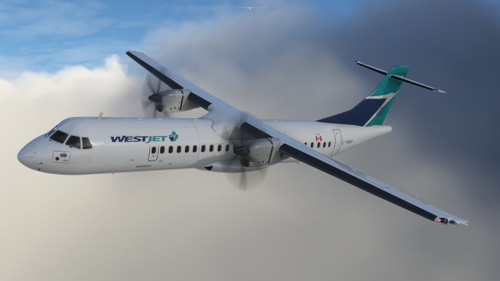
ATR 72-600 Westjet
Experience the semi-fictional Westjet Encore livery on the ATR 72-600, perfect for regional flights across Canada. Simply drag and drop the livery file into your Community folder for a quick installation process. Your feedback is welcome!
von pararoo
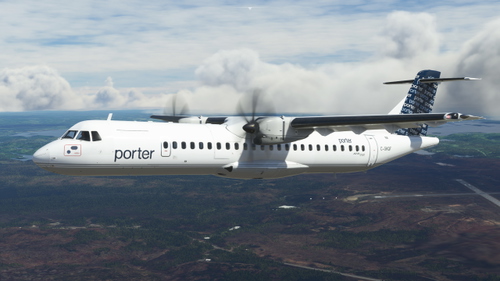
ATR 72-600 - Porter
Experience a semi-fictional livery of Porter Airlines for the ATR 72-600, inspired by the iconic C-GKQF Dash 8 aircraft currently in service. Simply drag and drop the livery files into your Community folder to enjoy this unique addition to your Microsoft Flight Simulator experience. Share your feedback with the community and take to the skies in style.
von pararoo
Melden Sie sich an, um an der Diskussion teilzunehmen
AnmeldenKommentare(23)
4 months ago
about 2 years ago
about 3 years ago
Hello , great livery I was looking for. However I get a windows error "file name(s) too long for destination folder" when attempt to copy to my community folder. I also encountered this error when adding an old scenery model created using the 'old' gltf exporter in Blender and when I then outputted from Blender using the new msfs exporter I dodn't get that error. What do you use to build the (aircraft livery) package?
about 3 years ago
I have this error sometimes with other liveries occasionally and find it occurs when I try and copy the livery directly from the .zip to the community folder. If you move / unzip the livery to your desktop, and then move it into your community folder, there shouldn't be a windows issue.
Let me know if that helps!
about 3 years ago
about 3 years ago
over 3 years ago
Thanks. I have been looking for this livery for a long time however using the MS Store version I had to use ModMan to install it as I got the dreaded 'file names would be too long' error when attempting to simply copy to the community folder.
almost 4 years ago
Thanks for this latest version which works with SU 11
almost 4 years ago
Dropped it in my Community folder, but it doesn't appear as a Beaver float plane livery option. Are there any known conflicts?
almost 4 years ago
None that I know of. I've just downloaded the file and tested it on my own system and it appears at the very end of the livery selection list.
The only thing I can think of is that you may have moved the first folder titled 'DHC2 Harbour Air' into the Community folder. Can you try again moving the folder 'livery-dhc2-harbourair' into the Community folder?
almost 4 years ago
Thank you - that did it! I pulled the livery folder out and made it a top-level folder in Community and it appeared. Excellent!
almost 4 years ago
Absolutely awesome!
almost 4 years ago
Beautiful work, thanks so much! If you get bored, maybe Seaair? https://www.seairseaplanes.com/seaplane-charters/seaplane-fleet/
almost 4 years ago
A Seair DHC-2 is the next one on the list and should be out within a month :)
almost 4 years ago
Thank you. Keep 'em coming!
almost 4 years ago
Great work! Thank you! Any chance for the red and white maple leaf Harbour Air?
almost 4 years ago
nice work
almost 4 years ago
Thank you!
almost 4 years ago
Awesome, thank you!
Maybe you could this one too: https://flightsim.to/request/livery/20851/whistler-air-dhc-2
almost 4 years ago
This is great work, thank you.