

Beschreibung
extract and paste microsoft a310 folder into your MSFS localcache simobjects airplanes folder its simply the camera cfg file
to use the views press alt and any of the number keys, it goes up to 8
You can easily tweak the views by using the same movement keys as in the cockpit, arrow keys. if you want to tweak the views then just adjust the views using arrow keys and then press ctrl+alt+number of the view, if youre gonna tweak the view make sure you dont press the wrong number on the keyboard because that will mess it up
if yall want all interior views, i can do that too.
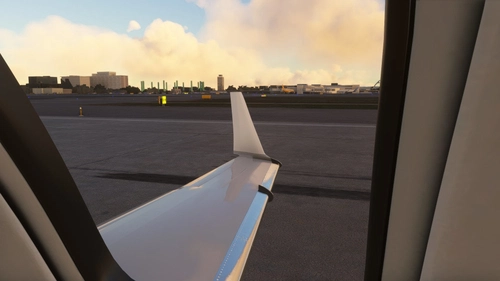
A310 Wing Views
Enhance your Microsoft Flight Simulator experience with A310 Wing Views add-on. Easily customize your wing views by using simple key commands. Control up to 8 different views using the alt key and number keys. Fine-tune your views using arrow keys and avoid pressing the wrong number to prevent any view adjustments mishaps. Explore the possibility of interior views for a more immersive flying experience.

Nutzerbewertungen
5 Bewertungen
Versionsgeschichte
added 2 interior view
Ähnliche Addons
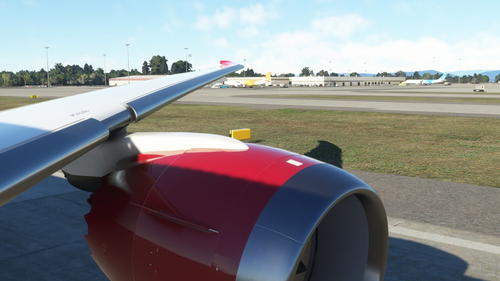
Boeing 787-10 Custom Wing Views
Customize your Boeing 787-10 wing views with this add-on featuring 6 unique camera angles. Simply unzip and paste the folder into your localcache to enjoy enhanced flight visuals.
von BoeingTech
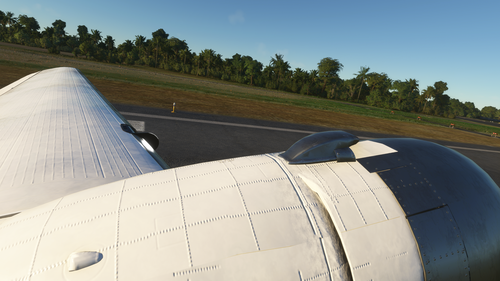
Dc 3 Cabin Views
Explore stunning cabin views of the iconic Douglas DC-3 aircraft with this add-on. Simply paste the files into the designated folder to enjoy a new perspective while flying. Press Alt along with any number from 1 to 0 to switch between different cabin views seamlessly.
von FSmods
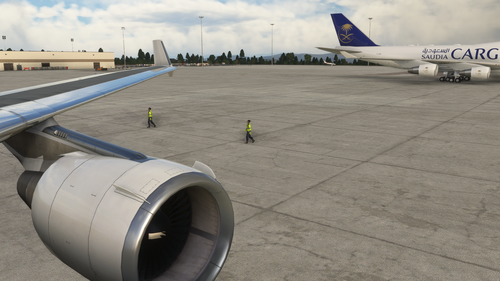
Skysim MD11 wing views
Experience stunning wing views with the Skysim MD11 add-on, offering detailed aircraft wings for your Microsoft Flight Simulator flights. Dont forget to check out the Readme file for more information on this exciting mod.
von FSmods
Hondajet Wing Views
Experience unique wing views with the Hondajet Wing Views add-on for Microsoft Flight Simulator. This mod offers four alternative views for you to enjoy as you soar through the skies in style. Simply unzip the file and paste the folder in the specified directory to start exploring these exciting new perspectives.
von FSmods
Melden Sie sich an, um an der Diskussion teilzunehmen
AnmeldenKommentare(54)
almost 2 years ago
over 2 years ago
over 2 years ago
over 3 years ago
when I install this it puts the camera in the inside of the fuselage of the plane by default. I am doing something I just don't know what it is.
over 3 years ago
I try to save the Views, as i adjust them but it somehow doesnt work. I usually use ALT+NUM Keys to save them.
almost 4 years ago
can you do the dc3 please needs better views
almost 4 years ago
Thank you, although I would suggest a better description on where to paste the file. I had to go through the comments to find out. I'm aware there may be slight differences between MS Store and Steam folder locations but the "AppData" is fairly standard directory so shouldn't confuse people.
C:\Users\[yourname]\AppData\Roaming\MicrosoftFlight Simulator\SimObjects\Airplanes\microsoft_a310_300 <<<Paste into here
almost 4 years ago
installed and sadly there is no views from inside windows
almost 4 years ago
it goes up to 0 so try ctrl 0
almost 4 years ago
No function. Please help.
almost 4 years ago
Comments are your best bet idk, did you put it in the right folder? Or maybe are you not using the ALT + number keys
almost 4 years ago
This is exactially what we needed.
almost 4 years ago
There's already a microsoft_A310_300 folder in that location with a state.cfg file in it. Do I just replace that whole folder/overwrite or add the camera.cfg file to that folder
almost 4 years ago
just add the camera.cfg file to that folder :)
almost 4 years ago
works like a charm thanks