Flightsim.to
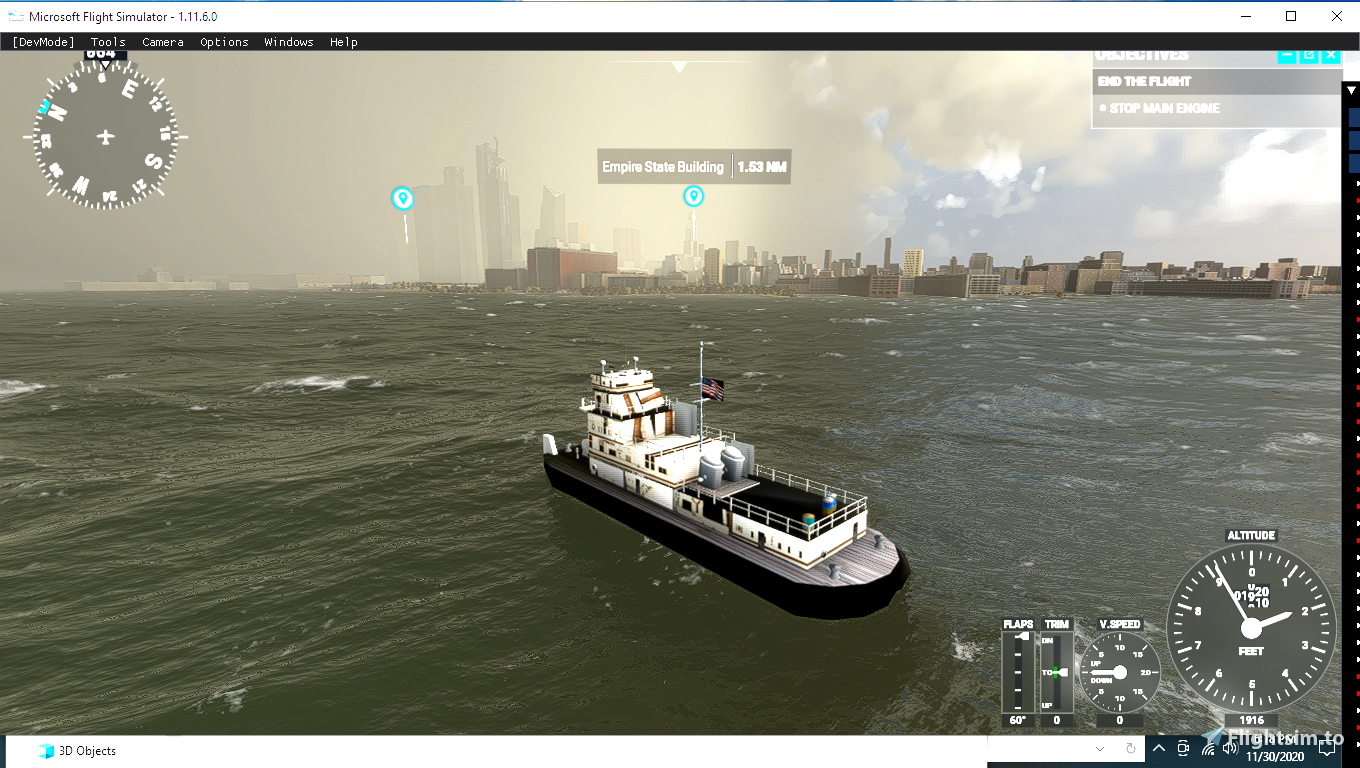
    TUG BOAT TOUR NYC - Image 1

    Beschreibung

    This tug has been updated with various barges in the new RDJ SPACE N SEA addon..  It has new weather (Sea waves) presets..  Full version here  https://www.flightsim.com/vbfs/content.php?23186-RDJ-Simulations-MSFS-Space-N-Sea&p=2166680

    Kommentare(26)

    Melden Sie sich an, um an der Diskussion teilzunehmen

    Anmelden
    f

    over 4 years ago

    Bad model (awful graphics, blurry, misaligned hatchways, etc.) and nothing resembling boat-like behavior. The tug kept flying off the water and flew like a plane, with no reaction to the water. no wave-like action. There are far better aquatic solutions out there, both freeware and payware (including an updated version of this tug, from this author).

    r

    over 4 years ago

    I just found way to use this tugboat anywhere in any conditions. Here is what you have to do:

    make sure you have MSFS development package installed.select a float plane.select an area as arrival near the water where you would like to use the boat.set weather conditionsstart the flight and land the plane on the wateruse the plane selector in development panel, find the tugboat at the bottom of the listwhola, have fun with the boat.if you switch into the internal view mode, make sure you do not change to sideviews. otherwise, the sim would crash/freeze.
    N
    NoshadezAuthor

    over 5 years ago

    Thanks .. enjoy video and all of the flight plans.. great! Thanks for using my tug boat in it.. the model has a history.. A friend about 12 years ago asked me to build it in (FSDS) model program.. he used it for his own personal tugboat
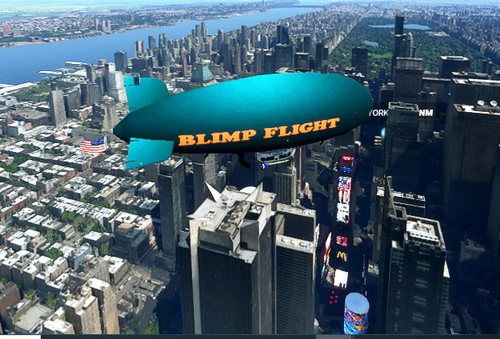
    and I used it for freeware and it is in a couple of Abacus projects.. I later used it in the (DRZEWIECKI DESIGN) mission I made for FSX in the (Miracle on the Hudson river landing in his NYC scenery) It shows up at the end of the fsx mission as a rescue boat.. also try my -- https://store.flightsim.com/product/rdj-simulations-blimp-flight-for-msfs/
    k

    over 5 years ago

    nice work thank u i made nice video
    https://www.youtube.com/watch?v=Ib1yoJWY3NQ
    S

    over 5 years ago

    Seems to be nice, but it´s not working for me.

    I load the flightplan, start it, i see the intro flyover for the airport, then the boat in high waves, much higher waves than in your screenshots, it also looks as if the boat was too deep in the water. If i click to start it, it takes 1 or 2 seconds til i "fall into the water" without any chance to avoid it.

    So, for me it´s over after 1 or 2 seconds.
    Any suggestions?

    Edit: no other mods installed
    N

    over 5 years ago

    Only one thing missing, the wakes from boats (and the Icon for that matter). Asobo needs to fix that.
    N
    NoshadezAuthor

    over 5 years ago

    I have tried the (Effects) folder of Asobo.s effect folder with various test.. They are not there yet.. I tried overwriting the (Forest fire) effect on an asobo cessna's (strobe) flash .. all you get are puffs of smoke.. I guess this will be a later update.. (Wakes do not appear) They do need to move faster.. if they want to reap the indirect mulla sales from the 3rd party dev support addons.. Otherwise we are stuck with a sim that has great clouds and trees.. and all will get bored and move on.. Get moving Asobo
    N
    NoshadezAuthor

    over 5 years ago

    I think these (Water) files waves and foam look like the dev from (Silent hunter 5) a sub sim that came out 10 years ago.. It could be from the dev that did (U Boot) sim only a few years ago?? Either way it is a great job to put this in flight simulator.. All you have to do if you want to see this is load a plane into the (World globe) and zoom in with mouse to an airport near water and select it as (Departure) and then before you load the flight just mess with the options.. Change the hour of day... and most important select in the (weather section) select (Storm) .. When all done load your flight and you will have the sea waves... you will also have random rain storm and clouds about... This is the only way to do this for now with a (saved flight) You can mess with the wind levels and raise the cloud levels and do a clear sky with the waves still present but you cannot (save it) like that to fly it later... The saved Flt file must have (\WeatherPresets\Storm.WPR) in the saved flight file.. (ScatteredClouds.WPR) or (ClearSky.WPR) will not work.. The best thing you can do is (General settings) set all clouds to (Low) .. you will have water waves and less storms
    i

    over 5 years ago

    Maybe a carrier in calm weather?
    N
    NoshadezAuthor

    over 5 years ago

    I think these (Water) files waves and foam look like the dev from (Silent hunter 5) a sub sim that came out 10 years ago.. It could be from the dev that did (U Boot) sim only a few years ago?? Either way it is a great job to put this in flight simulator.. All you have to do if you want to see this is load a plane into the (World globe) and zoom in with mouse to an airport near water and select it as (Departure) and then before you load the flight just mess with the options.. Change the hour of day... and most important select in the (weather section) select (Storm) .. When all done load your flight and you will have the sea waves... you will also have random rain storm and clouds about... This is the only way to do this for now with a (saved flight) You can mess with the wind levels and raise the cloud levels and do a clear sky with the waves still present but you cannot (save it) like that to fly it later... The saved Flt file must have (\WeatherPresets\Storm.WPR) in the saved flight file.. (ScatteredClouds.WPR) or (ClearSky.WPR) will not work.. The best thing you can do is (General settings) set all clouds to (Low) .. you will have water waves and less storms
    N
    NoshadezAuthor

    over 5 years ago

    I think these (Water) files waves and foam look like the dev from (Silent hunter 5) a sub sim that came out 10 years ago.. It could be from the dev that did (U Boot) sim only a few years ago?? Either way it is a great job to put this in flight simulator.. All you have to do if you want to see this is load a plane into the (World globe) and zoom in with mouse to an airport near water and select it as (Departure) and then before you load the flight just mess with the options.. Change the hour of day... and most important select in the (weather section) select (Storm) .. When all done load your flight and you will have the sea waves... you will also have random rain storm and clouds about... This is the only way to do this for now with a (saved flight) You can mess with the wind levels and raise the cloud levels and do a clear sky with the waves still present but you cannot (save it) like that to fly it later... The saved Flt file must have (\WeatherPresets\Storm.WPR) in the saved flight file.. (ScatteredClouds.WPR) or (ClearSky.WPR) will not work.. The best thing you can do is (General settings) set all clouds to (Low) .. you will have water waves and less storms
    B

    over 5 years ago

    After using this mod for a day, I believe I have never seen water textures as realistic as these in flight simulation in the past. I don’t know what settings Noshadez used to achieve them but he succeeded, his addon reminds me of the feeling I used to have with my real boats. These may be normal FS2020 heavy weather seas but I have tried to set up very windy situations in Flight Simulator in an effort to see huge waves beneath my aircraft but the view from above was not quite as impressive as what I see around Manhattan when I launch this addon. The shape of the waves, their white scum, everything is realistic and reminiscent of real boating in heavy seas and stormy conditions. Some odd artifacts are sometimes visible in the waves, and these look like huge black walls rising vertically from the bottom of the river until their tops occasionally emerge through the rolling waves but, to be fair, these are not always visible and they do not detract much from my enjoyment as I use this tug. These anomalies have no effect on the tug’s motion through the water. I have used ‘boats’ in FSX rivers and lakes but there’s no comparison to Flight Simulator’s waters for that as real as it gets impression.

    A word to Andrea87: I did not know how to install this addon because it comes in a .rar file and I had never used that kind of file before. I found that once extracted, one containing folder had 2 Community-type yellow files and I placed both in my Community Folder. Another containing folder had 3 Flight files and I placed all three files inside my ‘LocalState’ folder. I found this in the string that opens my Community Folder (look inside Microsoft.FlightSimulator_8wekyb3d8bbwe), it’s the line just below LocalCache. After re-starting the sim, I used Load/Save and was able to launch the ‘tug’ from there, to my great enjoyment.
    a

    over 5 years ago

    hello Brossardjoe thank you thank you very much
    a

    over 5 years ago

    this mod is beautiful but I don't know where to save the dowuload folders please help me
    N
    NoshadezAuthor

    over 5 years ago

    I hope my friend (drzewieckidesign) will do this city as a payware.. I think this is the 3rd time Microsoft or Asobo have removed all of the NYC custom scenery after an update.. It is right now like (Box city) no World trade center and no other custom buildings.. They must be having a problem with their DEV
    a

    over 5 years ago

    hi i can't figure out how to save the download
    excuse me can you help me I'm italian
    B

    over 5 years ago

    New York City Tug Boat Tour. Wow! What a ride. You’re suddenly in very stormy Manhattan waters and you’re at the wheel of a tug boat. Really heavy seas all around, with lots of wave and wind noise. Scary, almost.

    Observations: This is a ‘Flight.’ You find it by going to ‘Load/Save’ in the Menu as Flight Simulator finishes starting up. Click its name and you’ll be able to load it with the yellow ‘Fly’ button, although you can’t change the time or the weather conditions.

    As the ‘Flight’ opens, make sure your throttle is closed. Mine was not fully closed and my tugboat ended quite a ways up the streets of Lower Manhattan before I realized I had to maneuver the tug with my yoke and throttle as I would a regular aircraft. Also don’t open your throttle too much or the Tugboat will take off and ‘fly.’ Really!

    To see the tug, use the buttons you would use to see your aircraft as you fly.

    I’m still learning my way around this fun download so I haven’t gone far with it but, so far, lots of fun.
    Thank you, Noshadez.
    N
    NoshadezAuthor

    over 5 years ago

    Hi .. you can change the time.. you must first go to I think (General) and check (DEV mode) Now when you load any flight there will be a new menu bar at top of screen.. I think it is (options) you can change time with a slider bar.. some other things too.. just not the weather... I think only the (Storm entry) in a saved flight makes the water rough.. I have tried to clean it up with just adding wind and a clear sky.. and save the flight but when it loads it is only a clear sky and no waves... Also I thought I gave the boat enough weight that it would not fly... sooo will add more weight I guess in an update
    w

    over 5 years ago

    Please Answer question.... were do you put saved flight and how do you start the Tugboat .take care
    i put the saved folder in user as you said..im lost.
    Thanks in advance.
    m

    over 5 years ago

    Thanks will give it a try
    MSFS 2020MSFS 2024

    TUG BOAT TOUR NYC

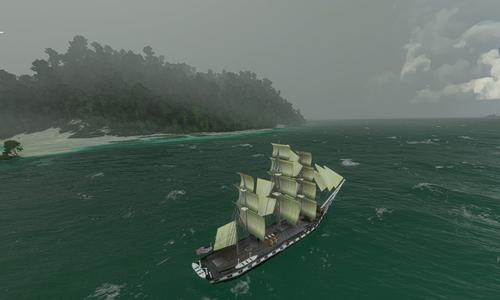
    Experience a new level of realism with the updated Tug Boat Tour NYC addon, now featuring various barges from the RDJ Space N Sea collection and new weather presets for sea waves. Discover the full version for an immersive maritime adventure.


    Downloads2K
    Version1.0
    Dateigröße3.89 MB
    VeröffentlichtVor 5 Jahren
    AktualisiertVor 5 Jahren

    Nutzerbewertungen

    4.3

    6 Bewertungen

    5
    67%
    4
    0%
    3
    0%
    2
    0%
    1
    17%

    More Information

    Simulator
    MSFS2020
    KategorieMiscellaneous
    Sub-CategoryOthers

    Versionsgeschichte

    Keine Versionsgeschichte verfügbar.

    Ähnliche Addons