

Beschreibung
- Feb 19, 2026 - I have tested this scenery in MSFS2024 and it works well. Unfortunately during a reinstall of my PC I forgot to backup the files for this airport so I won't be updating it any further. Apologies!
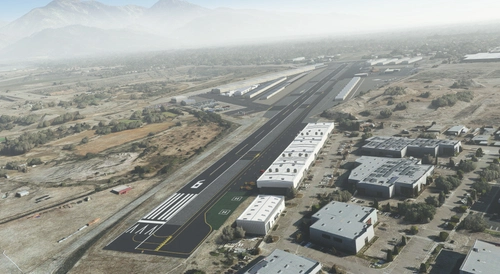
This is an overhaul of KWHP. It's my first project ever so don't expect too much, but I figured I'd make it a little more recognizable. I probably won't get to every single individual hangar, but I'll try to hit the buildings that stand out.
I am still new to scenery development, so I'm learning things as I go. One thing I've noticed is that if you have a airport texture enhancement pack such as REX or Zinertek, it will not blend as well with the handmade textures I've done. I'm hoping in future scenery I make, I can make things uniform looking similar to how payware scenery usually is.
- Redid runway, runway markings, and runway lighting to more accurately reflect real life
- Redid all the taxiways and apron markings
- Fixed runway hold short lines and taxiway signs
- Added custom control tower with rotating beacon
- Added custom wind tee that reacts to wind. Still a bit wonky, but I'll iron it out!
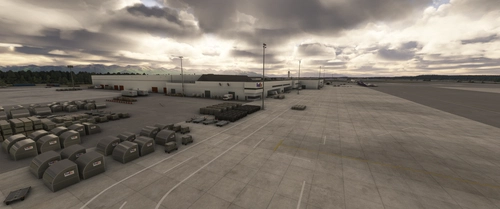
- Added custom fuel farm
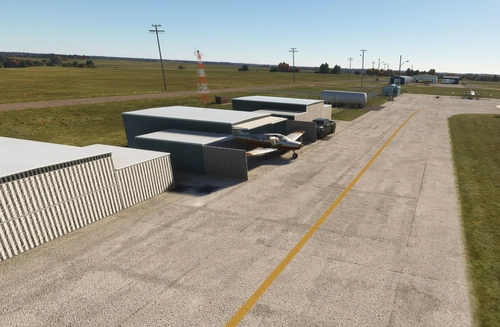
- Added custom blue hangars
- Added custom yellow t-hangars in the southeast
- Added helipad decals with helicopter spawns
- Added LA County Fire scenery and spawns
- Added T markings in parking and various parking spots to spawn from
- Added arrows in runup areas
- Added windsocks, and pattern markings
- Fixed and added appropriate vegetation near CAP, runway 12 and 30
- Fenced most of the airport
- Removed water from dirt fields by four stacks and near the 5/118 interchange
- Added static vehicles and aircraft
- Added various scenery, decals, and aging
Installation:
Add "KWHP Overhaul" folder to your Community folder.
Also install https://flightsim.to/file/17182/totof-aircraft-library-v1-1 and https://flightsim.to/file/17983/totof-helicopter-library-v1 to see static aircraft and make the airport feel more lived in
Uninstallation:
Remove "KWHP Overhaul" folder from your Community folder.
Credit:
Miscellanious scenery from Mikea.at - https://flightsim.to/file/4208/mikea-at-airport-markings
Windsocks and flag from trfsto - https://flightsim.to/file/14024/windy-things
Static aircraft from Totof33120 - https://flightsim.to/file/17182/totof-aircraft-library-v1-1 and https://flightsim.to/file/17983/totof-helicopter-library-v1
KWHP - Whiteman Airport, Los Angeles
Enhanced version of KWHP - Whiteman Airport in Los Angeles, featuring improved runway, taxiways, custom buildings, and authentic scenery details. Includes custom control tower, rotating beacon, fuel farm, hangars, and helipad decals. Installation instructions for adding the overhaul to your Community folder are provided.

Nutzerbewertungen
3 Bewertungen
Versionsgeschichte
- Fixed geometry and retextured control tower, fuel station and fire helicopter hangar - Added solar panels near northern hangars - Added scenery around CAP building - Added more aircraft start points - Fixed AI private jets appearing - Adjusted helicopter spawns
In Sammlungen enthalten(2)


Ähnliche Addons
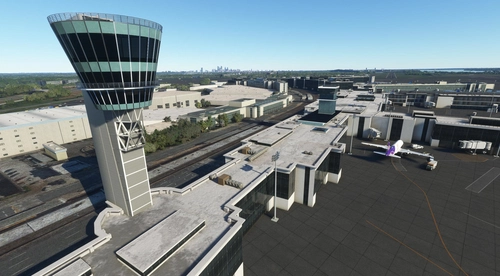
KPHL Control Towers
Custom model of the new and old Philadelphia control towers, designed to replace the stock tower in KPHL scenery. Details include removal of the orange beacon stand and addition of beacon on top of the new tower. Further tower enhancements and FAA tower addition planned for the future. Just add "KPHL Control Towers" folder to your Community folder for installation.
von FlyByTim
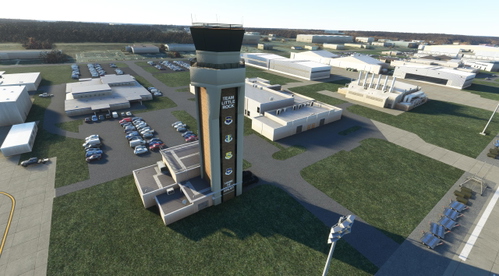
Little Rock AFB Control Tower
A custom control tower for KLRF, Little Rock AFB, designed to enhance your flight simulation experience. This add-on is a work in progress, aiming to replicate the current structure with updates to text and emblems. Compatible with the KLRF Little Rock AFB scenery for a complete immersion. Just drop the folder into your Community folder to install.
von FlyByTim
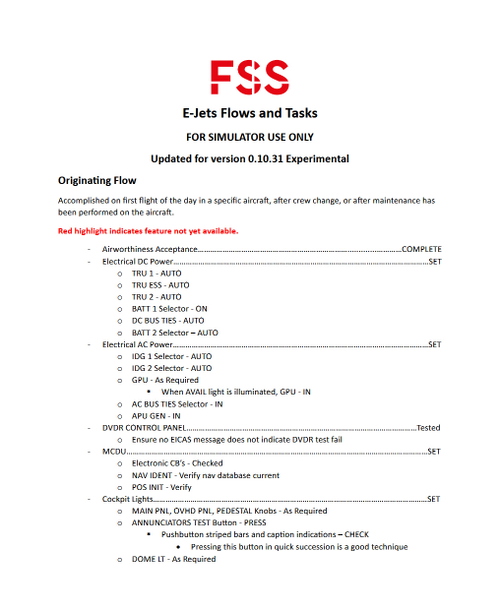
FSS EJets Flows and Task Guide w/ Checklist
This add-on provides a custom flow and task guide for single-pilot simulations of the FSS EJets, complete with a corresponding checklist. It is designed based on the creators experience as a real-world E175 pilot at SkyWest. The guide is updated for the latest experimental branch version 0.10.31.
von FlyByTim
Melden Sie sich an, um an der Diskussion teilzunehmen
AnmeldenKommentare(23)
about 2 years ago
over 2 years ago
over 3 years ago
Thanks! I fly out of Vista and its great seeing the little touches, include the black fighter jet :D Any way to make MSFS default to runway 12?
over 3 years ago
I tried to find an option to do that but I couldn't! Bothered me too. If I figure it out, I'll eventually come in and update this.
over 1 year ago
over 3 years ago
Thank you for this! I hope the city doesn't shut this airport down.
almost 4 years ago
This is a really good airport! As a new person creating airports, it seems very impressive. I just have a couple of questions as I am new to this. How did you manage to hold short lines that cut off at the end of the taxiway? I thought they cut off at square edges. The second question is your textures on the aprons are unique right, how did you create them?
almost 4 years ago
The hold short lines are from photoshop. They're just an apron texture that I forced to draw above everything, and then I used a texture of the ground texture to cut the hold shorts. It's really annoying how Asobo implemented a lot of their tools. Custom textures is the way to go it seems.
The textures on and of the aprons are just Asobo's default textures that I scaled and rotated in different ways. The only unique textures so far are the T parking lines, Whiteman El 1003 decal, helipads, transient parking, hold shorts, runup arrows, wind pad conrete, and the runway numbers (again, Asobo allows you to put numbers down, but not adjust size/font/etc. really annoying).
almost 4 years ago
oh ok, thanks very much!
almost 4 years ago
Little bit of history about this airport...If you have ever seen the episode of "The Andy Griffith Show" where Aunt Bee wants to become a pilot, those scenes were filmed at this airport.
almost 4 years ago
I remember thinking how odd it was that Mayberry had an apparent smog problem in that episode. ;)
https://www.youtube.com/watch?v=NPmjez-t9TU
almost 4 years ago
next ? Camarillo airport ? maybe ....
almost 4 years ago
Maybe! I'm stretching my developer legs, so WHP is my testing grounds. Maybe as I get more confident I'll see how CMA looks. I personally teach out of WHP so this project is pretty easy in that sense, where as I only ever do pattern work at CMA so I never get a really good look at the airport IRL.
almost 4 years ago
cool, I have friend who has planes park in Wittman airport. even my Porsche mechanic has a hangar there. Usually I fly in the Sim in sf valley are. and its nice to see all the development of the airport around.
keep the good work.
almost 4 years ago
Thank you for this. I live 3 miles from this airport and pass by it every time i go to Costco at Pacoima.
almost 4 years ago
Hello
thank you for your hard work on this airport! Just a note as to a suggestion…This airport has a fence on both sides of the railroad tracks that run along the length of this airport for security….
almost 4 years ago
Yep it's in the works
almost 4 years ago
Awesome, but maybe not 3 updates in one day... maybe keep the uploads to every few days ;)))
almost 4 years ago
I agree! I'm just trying to get a mostly complete package out right now, and then the updates are going to slow down. I think now it's in a pretty good state now.
almost 4 years ago
Again, I say Thank you for your consistent work on this project!