
Beschreibung
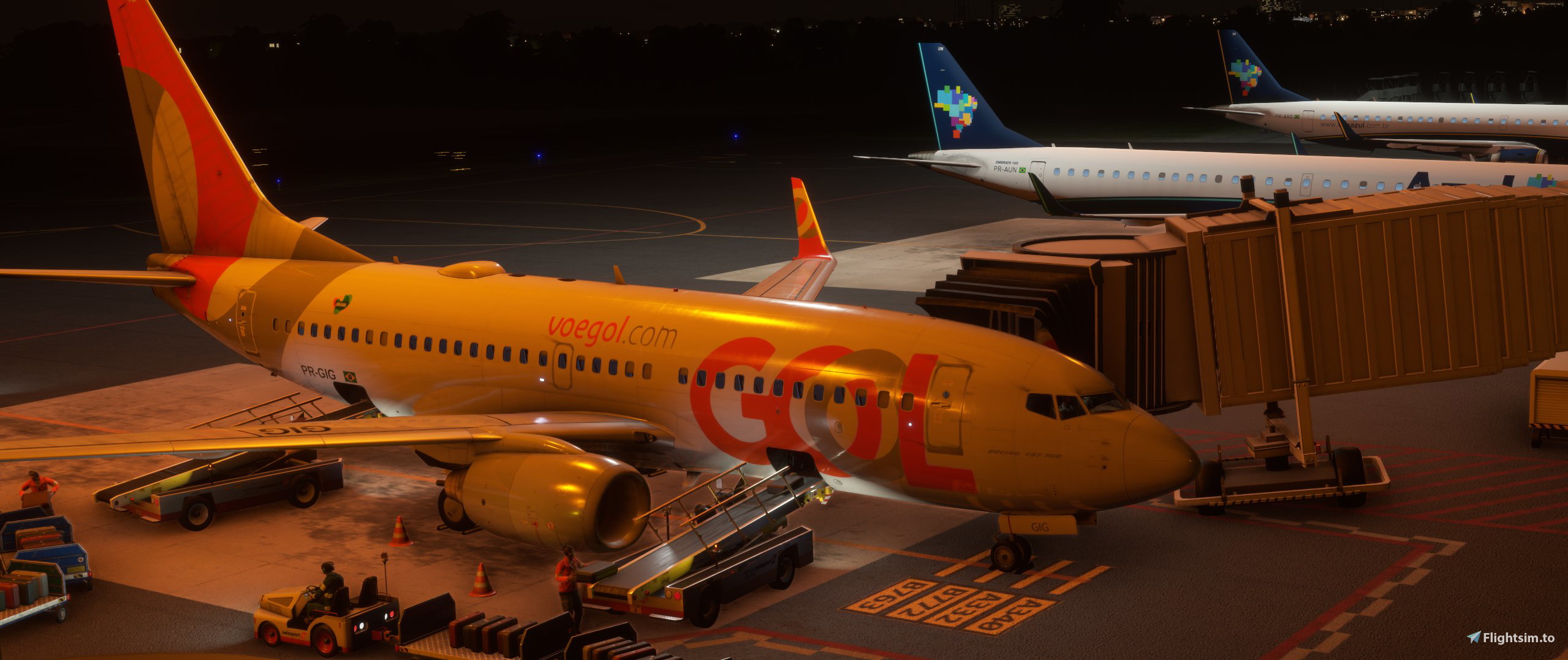
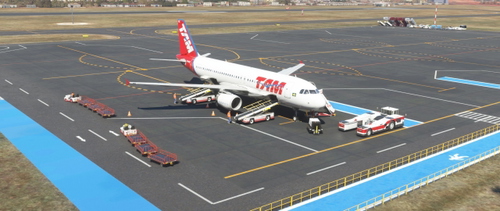
GSX Profile for SBBE - Belém Val de Cans - Júlio Cezar Ribeiro (BLG). This file includes adjustments for vehicle positions, VSG and passenger paths.
All gates of appron 4 are covered
Instalation
- Press Win+R button, type %appdata% and press Ok. When the window opens, extract the .zip file and move the .ini file to %APPDATA%\Virtuali\GSX\MSFS
If you have problems loading the profile try this:
Step 1: Boot up MSFS and go into the GSX menu. Press Customize Airport positions.
Step 2: Copy the AFCAD path at the top and then turn off MSFS.
Step 3: Go to %APPDATA%\Virtuali\GSX\MSFS and using a text editor open up the .ini file you downloaded.
Step 4: Replace the afcad_path with the one you copied from GSX .
Step 5: Save and then boot up MSFS again.
GSX Profile - SBBE - Belém - Val de Cans - Júlio Cezar Ribeiro (BLG)
Enhance your GSX experience with this profile for SBBE - Belém Val de Cans - Júlio Cezar Ribeiro airport. Adjustments include vehicle positions, VSG, and passenger paths, covering all gates of apron 4. Follow the simple installation steps to enjoy a seamless ground handling experience in Microsoft Flight Simulator.


Versionsgeschichte
Keine Versionsgeschichte verfügbar.
Ähnliche Addons
GSX Profile - SBFZ - Fortaleza - Pinto Martins (BLG)
GSX Profile for Fortaleza - Pinto Martins Airport (SBFZ) in Microsoft Flight Simulator, featuring adjustments for vehicle positions, VSG, and passenger paths. This file ensures coverage of all main apron positions. Installation instructions included for easy setup.
von rramires
GSX Profile - SBRF - Recife - Guararapes - Gilberto Freyre (BLG)
Enhance your ground handling experience at Recife - Guararapes Airport with this GSX Profile. Adjusted vehicle positions, docks visual guidance, and passenger paths included for all gates and cargo positions on apron 2. Simply follow the installation instructions for easy setup.
von rramires
GSX Profile - SBFI - Foz do Iguaçu - Cataratas Intl (BLG)
Enhance your GSX experience at SBFI - Foz do Iguaçu - Cataratas Intl (BLG) with this profile. Adjusted vehicle positions and passenger paths available, covering all main apron positions. Follow easy installation steps for optimal performance.
von rramires
GSX Profile - SBRP - Ribeirão Preto - Leite Lopes - FLX Brasil
GSX Profile for SBRP - Ribeirão Preto - Leite Lopes - FLX Brasil, featuring adjustments for vehicle positions and passenger paths. Covers parking positions 01 to 11, with detailed instructions for installation. Enhance your airport experience with this payware version add-on.
von rramires
Melden Sie sich an, um an der Diskussion teilzunehmen
AnmeldenKommentare(2)
over 2 years ago
over 2 years ago