
Beschreibung
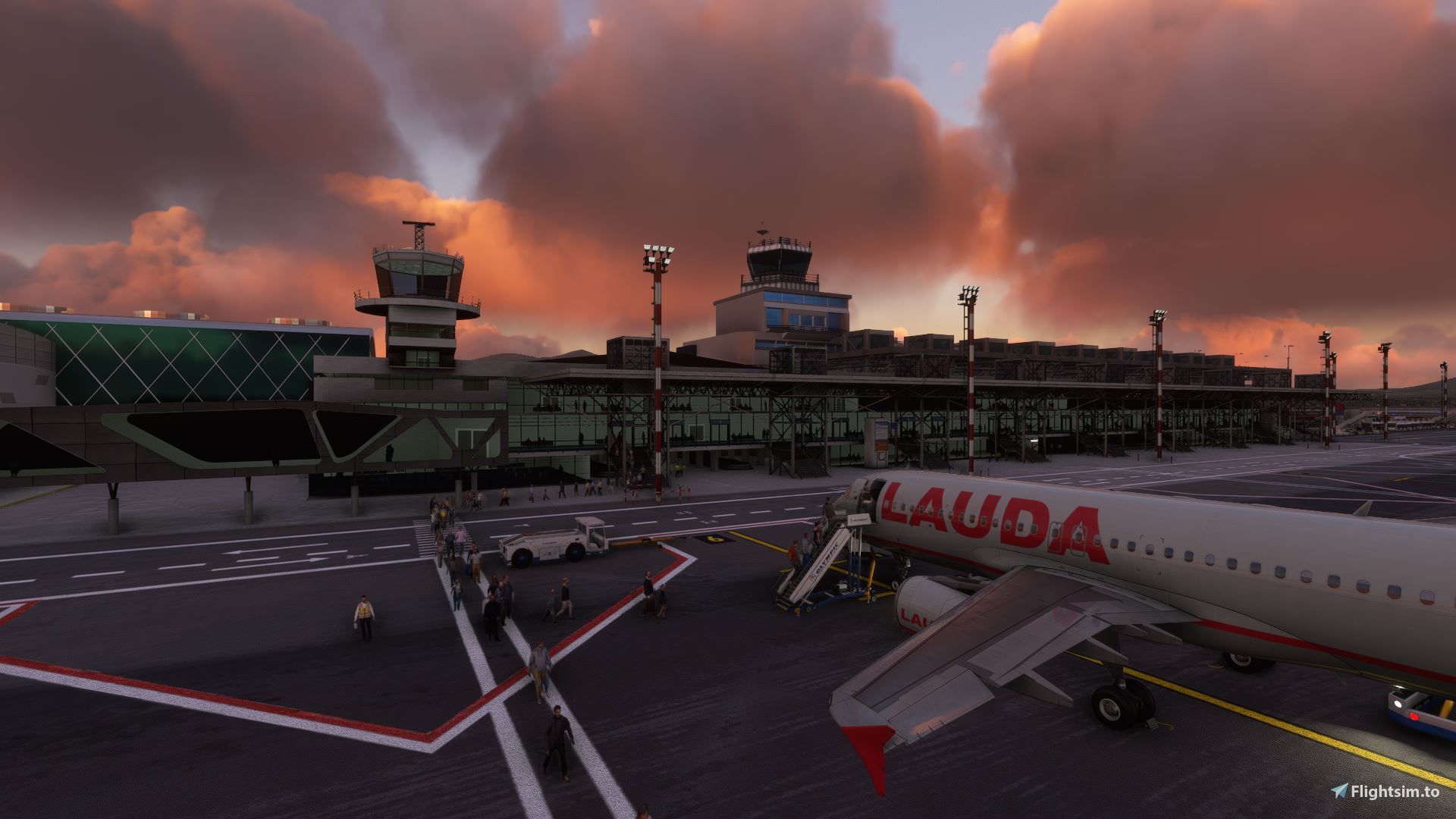
This profile is a custom GSX Pro profile to be used with the MXIDesign LGTS Thessaloniki International Airport.
BEWARE The Sept. 28 update of GSX completly changed the way GSX reads airport .BGLs. Therefore, it is possible that this and many other profiles, which have been created prior to this update (28th of Sept. 2022), can contain stands that don't work anymore even though they did befor! GSX now reads some stands differently than it did before and they don't math the profile anymore. Pretty much all profiles created prior this update need to be checked if some stands have been renamed! An Update to this profile, if needed, will be issued in due course!
Sadly I'm not able to check they profiles before 9th of October as I'm not at home! I will try my best to fix all my profiles as soon as possible, if you find any Gates/Stands which are/ are not working correctly please text my via private messages or the comments tab, it would be a big help!
Thanks for your cooperation!!!
- This profile has been made for passenger aircrafts which are smaller than the a321, or got a wingspan below 35.99m (a321, a320neo, a320, B737, E190,...)
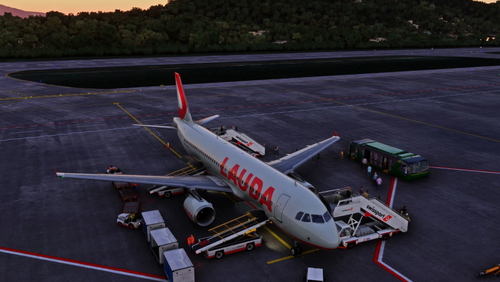
- Ground services has been implemented at every custom gate or parking . The ground equipment vehicles are placed in positions where they are located in real life.
- Pushback has been configured at every gate or stand where pushback is needed.
- The profile is comming with a custom scenery which removes all necessary vehicles which were placed from gaya simulations at positions where GSX gorund equipment is placed.
- The profile has been made with the FENIX a320ceo
- THIS PROFILE IS NOT COMPATIBLE WITH CARGO OR GA TRAFFIC, THERE MIGHT BE ERRORS IF YOU USE THIS PROFILE WITH THESE AIRPLANES!
Liverys, Aircrafts and Scenerys used in the Screenshots:
MXIDesign LGTS Thessaloniki International Airport - Microsoft Flight Simulator
Fenix a320ceo: Fenix Simulations
Lauda Europe: Fenix Livery Manager - Lauda Europe 9H-LMJ
Aegean by aaMasih: https://flightsim.to/file/33696/aegean-airlines-new-livery-fenix-a320-8k
Eurowings: Fenix Livery Manager - Eurowings D-ABHG
EasyJet: Fenix Livery Manager - EasyJet OE-IVO
Have fun and a good day!
Hey!
If you are enjoying this addon and would like to help me with a small donation, feel free to donate me via the link below.
https://www.paypal.com/donate/?hosted_button_id=7BYTK8NBBV6QW
Thank you!
GSX Profile - LGTS, Thessaloniki International Airport (MXIDesign)
Hey there! This addon provides a fully custom Thessaloniki International Airport GSX Pro profile. You will find many parking stands with ground devices placed like in real life. I wish you a nice day and above all a good flight!

Nutzerbewertungen
1 Bewertungen
Versionsgeschichte
-Issue with the GSX update (28th of Sept. 2022) is fixed!
Ähnliche Addons
GSX Profile - LEAL, Alicante-Elche International Airport (flightsim.to by hergi1234)
Hey there! This addon provides a fully custom Alicante-Elche International Airport GSX Pro profile. You will find many gates and parking stands with ground devices placed like in real life. I wish you a nice day and above all a good flight!
von clemi04
GSX Profile - LOWW, Flughafen Wien-Schwechat (Gaya Simulations)
Hey there! This addon provides a fully custom Vienna Airport GSX Pro profile. You will find many gates and parking stands with ground devices placed like in real life. I wish you a nice day and above all a good flight!
von clemi04
![Landing Lights Enchancement [FENIX a320ceo]](https://cdn.flightsim.to/images/24/landing-lights-enchancement-fenix-a320ceo-96AF4.jpg?width=500)
Landing Lights Enchancement [FENIX a320ceo]
Make your Landing Lights on the Fenix a320 a bit brighter to finally see the runway while you're landing. Hope you enjoy this addon and have a good flight!
von clemi04
GSX Profile - LGSK, Skiathos International Airport (flightsim.to by JasonGR & whitezleopard)
Hey there! This addon provides a fully custom Skiathos International Airport GSX Pro profile. You will find many parking stands with ground devices placed like in real life. I wish you a nice day and above all a good flight!
von clemi04
Melden Sie sich an, um an der Diskussion teilzunehmen
AnmeldenKommentare(10)
8 months ago
almost 4 years ago
Hello. For some reason none of the GSX services work at the gates. When I select to change to a gate GSX recognise as a gate the positioning of the aircraft is no where near a gate. I downloaded the GSX profile and placed it in the GSX profile folder and placed the other 'remove static aircraft' folder into the community folder. I then updated fsdt installer and moved LGTS services over to the right and clicked apply. If I have done something wrong or missed something out can you let me know please.
over 3 years ago
So if I have read this correctly u are not supposed to move the folders to the right as this would remove the .ini file from the automatic loaded files when starting GSX. But Im gonna check this issuee as soon as I am at home 13. January
about 4 years ago
Is there a way to remove the passenger buses that are sitting at almost every stand that the passenger have to walk through?
about 4 years ago
Like written in the discripton, the Profile has been released with a custom scenery to remove this busses
about 4 years ago
Yes, I have that file in my community folder but the buses are still there.
6 months ago
about 4 years ago
Was waiting for this. Thanks so much!
Just 2 remarks:
All gates are served by a passenger bus, there are no walking passengers and also this airport does not have underground refuelling facilities.
You can easily edit the above in 1 minute :)
about 4 years ago
Please don't talk about stuff you don't know. There are extra markings for walk in as gate (I guess 3-10 are walk in gates) 2. If you check out the MXIDesign scenery, you'll see that there is underground fueling implemented at every gate
about 4 years ago
This airport has no walking passengers and no underground refuelling, period.
And next time be more polite, especially to someone who thanked you in his first sentence