

Beschreibung
Oslo Airport Gardermoen ENGM
Commercial terminal and cargo apron, all ground support equipment moved to realistic positions and all stands comes with custom pushback procedures with reference to real world procedures. Gates 2, 3, 7, 9, 10, 12, 171-179 have walk-in gates where the passangers will walk to and from the terminal. This profile also has docking system for each gate similar to those in real life.
For proper use please know your aircraft code and refer to ground charts to find the correct pushback point for your gate.
This GSX profile was made for freeware Oslo Gardermoen scenery found on flightsim.to
Due to limitation with GSX regarding push and pull procedures, the pushback truck will push you from the inside of the airplane, from the outside it will look weird, but it will work.
Version 1.3
This version include remote de-ice platforms and various updates and adjustments around the airport.
Version 1.3 is compatible to latest GSX version as of 1. October. Due to the latest GSX update you will find some gates are marked as gate, parking and as ramp, so please just go through the different pages to find your parking spot.
This GSX profile was made for freeware ENGM Gardermoen.
Version 1.3, known issues: GSE vehicles will at some gates get in conflict with static ground vehicles.
Due to limitation with GSX regarding push and pull procedures, you may experience some glitching with the plane spinning around, if that happens, please report and will update in a future version.
Military and GA stands on the west side of airfield not included in this version.
There is also a version of this profile without GSX VDGS, if you have another VDGS system installed.
Installation:
Extract the .zip file and move the .ini file to %APPDATA%\Virtuali\GSX\MSFS
If you still have problems try this:
1. open MSFS and go to a random gate at ENGM
3. move some of the ground vehicles somewhere, do this to create an ini file at %APPDATA%\Virtuali\GSX\MSFS.
4. go to %APPDATA%\Virtuali\GSX\MSFS en find ENGM.ini file.
5. open the new ENGM.ini file you just made, check timestamps to make sure its the one you just made. Copy the AFCAD-path of your file ENGM.ini file
6. paste this AFCAD path into the ENGM.ini file that comes with this package
7. save and exit
8. restart MSFS and you are good to go
this should make it work. If it still dont work comment on flightsim.to download page.
Aircraft code guide:
Code A wingspan >15m: Cessna 172, 182, 310 and 525. Hawker Siddeley HS125. Learjet 35, 40, 55 and 60.
Code B wingspan 15-24m: Antonov AN-2 and AN-28. Beech B200 and B350. Cessna 208. Dornier 228. Embraer 110,120,145 and 550. SAAB 340.
Code C wingspan 24-36m: Airbus A220,318,319,320,321. Antonov AN-24 and AN-26. ATR 42 and 72. Boeing 727 and 737. Canadair regional jet. DeHavilland DHC-8 100/200/300/400. Embraer 170,175,190 and 195. Fokker 50,70 and 100. Hawker siddely HS748. Jakovlev Jak-40 and Jak-42.
Code D wingspan 36-52m: Airbus A300 and 310. Antonov AN-12. Boeing 757 and 767. Lockheed C-130. McDonnell Douglas MD-11. Tupolev Tu-204 and Tu-214.
Code E wingspan 52-65m: Airbus A330,340 and 350. Boeing 747,777 and 787.
Code F wingspan 65-80m: Airbus A380. Boeing 747-8.
GSX profile - Oslo Airport Gardermoen ENGM
Custom GSX PRO profile for ENGM, all ground equipment moved to realistic positions and custom pushback for all gates and remote stands. Commercial terminal and cargo apron, all ground support equipment moved to realistic positions and all stands comes with custom pushback procedures.


Nutzerbewertungen
8 Bewertungen
Versionsgeschichte
Version 1.3 includes remote de-ice platforms, and include various updates and adjustments around the airport.
Ähnliche Addons
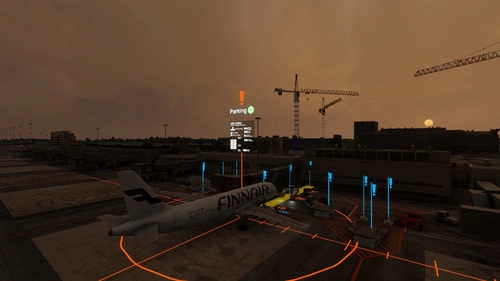
GSX profile - Helsinki Airport EFHK (MK-STUDIOS)
Custom GSX PRO profile for EFHK, all ground equipment moved to realistic positions and custom pushback for all gates and remote stands. Commercial terminal and cargo apron, all ground support equipment moved to realistic positions and all stands comes with custom pushback procedures.
von Northwind
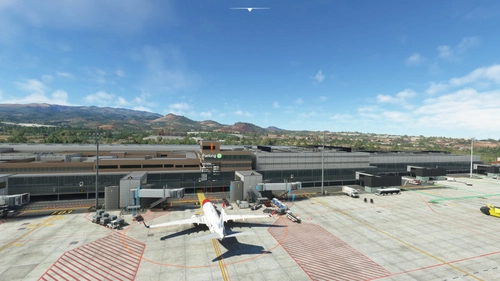
GSX profile - Gran Canaria Airport GCLP (Aerosoft/SimWings)
Custom GSX PRO profile for GCLP, all ground equipment moved to realistic positions and custom pushback for all gates and remote stands. All ground support equipment moved to realistic positions and all stands comes with custom pushback procedures....
von Northwind
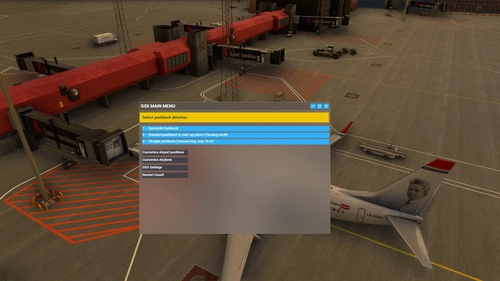
GSX profile - Keflavik Airport BIKF V1 (MK-STUDIOS)
Custom GSX PRO profile for BIKF, all ground equipment moved to realistic positions and custom pushback for all gates and remote stands. Commercial terminal and cargo apron, all ground support equipment moved to realistic positions and all stands comes with custom pushback procedures.
von Northwind
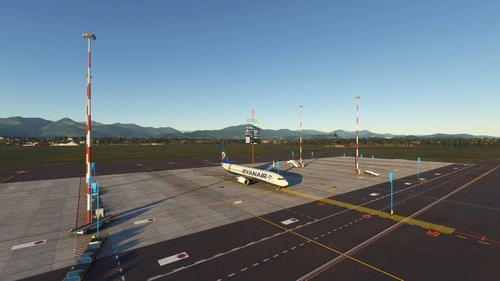
GSX profile - Milan Bergamo Airport LIME (Tailstrike Design)
Custom GSX PRO profile for LIME, all ground equipment moved to realistic positions and custom pushback for all gates and remote stands. All ground support equipment moved to realistic positions and all stands comes with custom pushback procedures....
von Northwind
Melden Sie sich an, um an der Diskussion teilzunehmen
AnmeldenKommentare(59)
6 months ago
about 1 month ago
7 months ago
9 months ago
over 1 year ago
over 1 year ago
over 2 years ago
over 2 years ago
over 2 years ago
For other users: When using v2.2 of Hergi's ENGM, there were 27 navdata mismatches in this profile for me. When you go to customize the profile and the warning message pops up, you can create a new profile using only the matching spots and the error should go away. That will delete the following spots:
[parking 312] - [parking 337] (these are already covered by [none 312] - [none 337] )
[gate 18] (already covered by [none 18]
[none 46] (already covered by [gate 46] )
[parking 666]. (already covered by [none 666]
over 2 years ago
over 2 years ago
over 2 years ago
almost 3 years ago
almost 3 years ago
This one:
https://flightsim.to/file/25434/oslo-gardermoen-airport-engm
almost 3 years ago
almost 3 years ago