
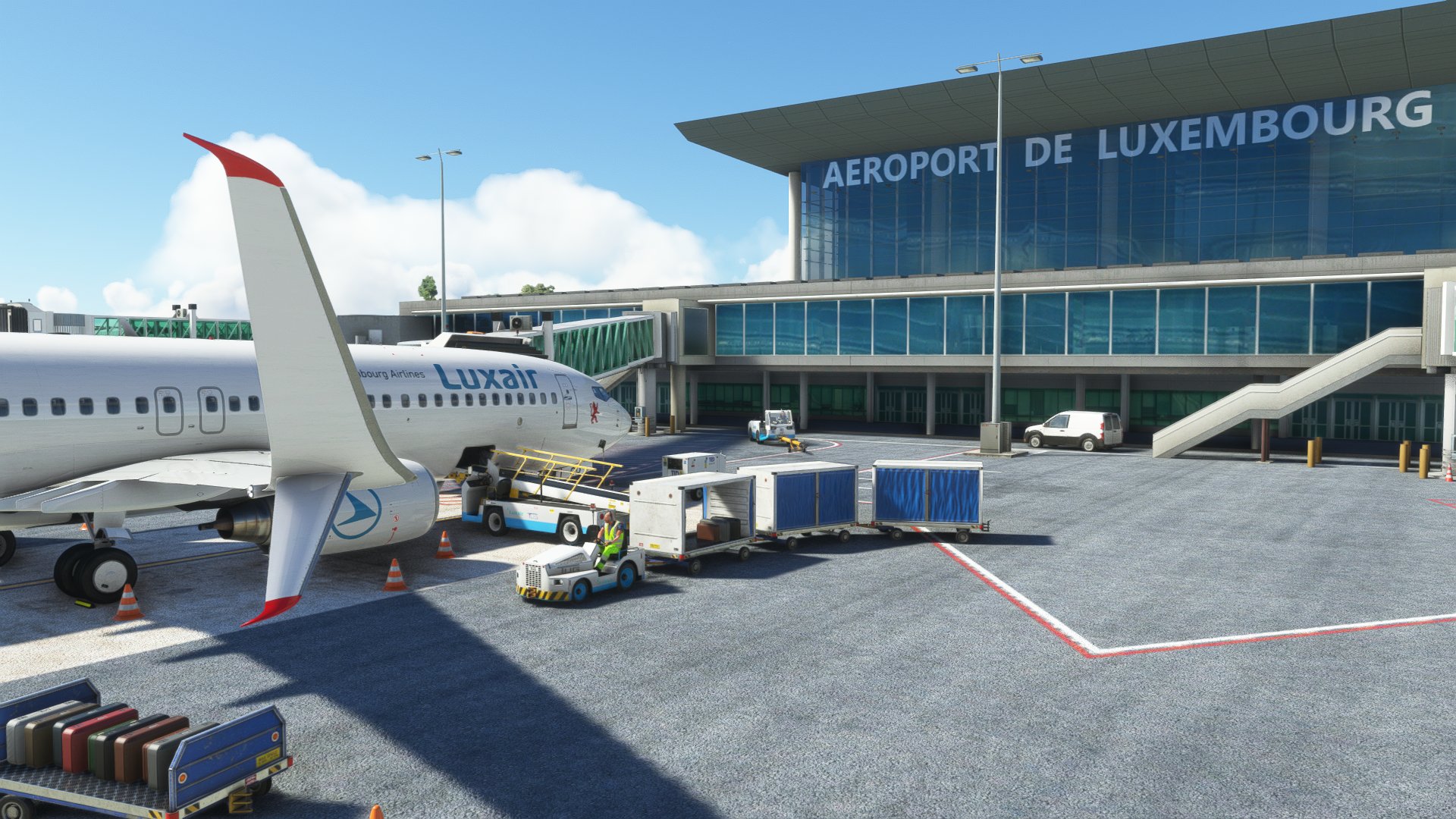
Beschreibung
GSX Pro Profile for ELLX Luxembourg-Findel Airport by JustSim.
- Custom parking and vehicle positions
- Custom Pushbacks
When you spawn at a gate : go to "Reposition Aircraft" > "Reposition here at current gate" in order to have the right parking position.
--> All Terminal Gates are done (A2-A10). (with PMDG 737-8 and compatible with Fenix A320)
--> Stands V27, V29, V31 are done. (with CRJ-9)
--> Cargo Apron is completely done. (with Salty 747-8)
Remarks :
- A lot of stands are not available in GSX, you can see the last screenshots.
- Every Gate and Stand names are not correct in GSX. You can refer to the .txt file for the names matching.
Installation:
Extract the .zip file and move the .ini file to %APPDATA%\Virtuali\GSX\MSFS
If you have problems loading the profile try this:
Step 1: Boot up MSFS and go into the GSX menu. Press Customize Airport positions
Step 2: Copy the AFCAD path at the top and then turn off MSFS
Step 3: Go to %APPDATA%\Virtuali\GSX\MSFS and using a text editor open up the .ini file you downloaded from me
Step 4: Replace the afcad_path with the one you copied from GSX
Step 5: Save and then boot up MSFS again. The profile should now load correctly!
DISCORD :
If youre a Creator or just a Profile User, feel free to join the GSX Creation Community and chat or discuss with other Users or Creators >>> Click Here <<<
Please tell me what you think about it and what can be improved.
Enjoy !
GSX Profile - ELLX Luxembourg (JustSim)
GSX Creation Community DISCORD >>> https://discord.gg/ubCkJQS6Mj


Versionsgeschichte
Keine Versionsgeschichte verfügbar.
Ähnliche Addons
GSX Profile - EKCH Copenhagen (FlyTampa)
GSX Creation Community DISCORD >>> https://discord.gg/ubCkJQS6Mj
von zigabulga
GSX Profile - LIRF Rome (MK-Studios (Marketplace version))
GSX Creation Community DISCORD >>> https://discord.gg/ubCkJQS6Mj
von zigabulga
GSX Profile - LICJ Palermo (AmSim)
GSX Creation Community DISCORD >>> https://discord.gg/ubCkJQS6Mj
von zigabulga
Melden Sie sich an, um an der Diskussion teilzunehmen
AnmeldenKommentare(7)
about 1 year ago
Although working...
about 1 year ago
I'm asking because no one did JustSim ELLX 2024 version
over 1 year ago
almost 4 years ago
we need this for the non microsoft store version. Not sure why this points to
OneStore\fs-base-genericairports\scenery\0601\APX49140.bgl and not the actual scenery files.
about 4 years ago
Thank you. As soon as I started the editor I got the good afcad with the JustSim gates. So I think that you could've done it directly from the right afcad without needing to convert the default gate number to justsim ones.
about 4 years ago
Oh ok ! Would you mind to share your afcad path ?
about 4 years ago
It's \scenery\objects.bgl