
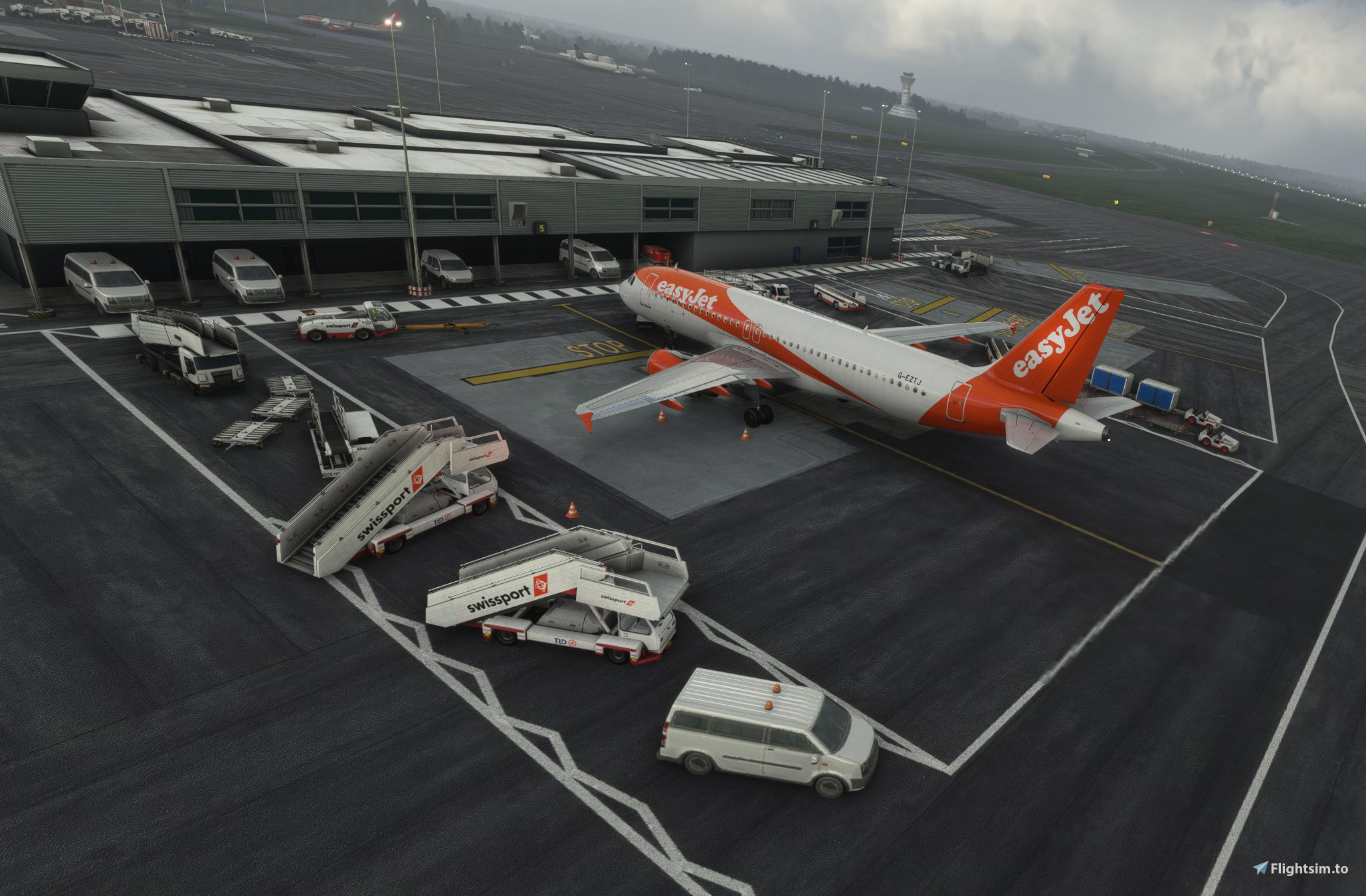
Beschreibung
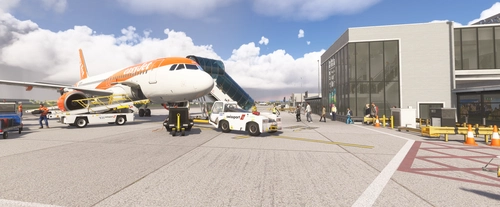
Gates 1, 2, 3, 4, 5, 6, 7, 8, 10, 11, 12 & 30 full GSX profiles including object placement, passenger walkway routes and pushback positions. Parking stands 13-24 all done.
Unzip & copy to \AppData\Roaming\virtuali\GSX\MSFS
If there's anything wrong, please let me know.
Tips: ensure EGNT is excluded from GXS Jetways and make sure the .bgl from Orbx EGNT is copied to AppData\Roaming\virtuali... there're issues with GSX not picking up the custom .bgl file (lost me a day trying to figure what was going wrong!!!!). You can check by modifying the airport position and ensuring the AFCAD is linking to the correct .bgl file.
NOTE - this profile won't receive any further updates owing to the release of the much better RW Profiles EGNT scenery!
EGNT Orbx Newcastle GSX Profile
Enhance your ground handling experience at EGNT Newcastle with this GSX profile add-on. Includes full profiles for gates 1-12 & 30, passenger walkway routes, pushback positions, and parking stands 13-24. Simply unzip and copy to the designated directory for installation.
Downloads gestoppt
Der Ersteller hat die Downloads für dieses Addon vorübergehend gestoppt. Bitte versuche es später erneut.


Nutzerbewertungen
1 Bewertungen
Versionsgeschichte
Re-done all positions from previous version + expanded gates/parking completed and tested.
Ähnliche Addons
Propair Flight Brussels South - Charleroi (IATA: CRL, ICAO: EBCI) GSX Profile
This GSX profile is designed for Propair's 2024 Charleroi Airport scenery, focusing on Terminal 1 and Terminal 2 stands. It features renamed gates and stands, custom vehicle placement, and tailored ground handling and catering services. The profile includes custom passenger routes, terminal walkers, pushbacks, and stop positions for various aircraft. Executive Terminal and GA stands are only renamed without further modifications.
von 0llieJS
MK Studios Cork (IATA: ORK; ICAO: EICK) GSX Profile
This is a custom GSX profile designed for MK Studios' Cork Airport scenery in Microsoft Flight Simulator, compatible with GSX version 3.9.1 or later. The profile features renamed gates and stands, customized vehicle placements, and tailored ground handling based on airline ICAO codes. It includes specific boarding and deboarding procedures, with unique arrangements for Ryanair and Aer Lingus flights, as well as custom pushback routes. Walkers and passenger routes within the terminal are also implemented for enhanced realism.
von 0llieJS
World Update XVII Cork (IATA: ORK; ICAO: EICK) GSX Profile
This GSX profile customizes ground services at Cork Airport for the World Update XVII handcrafted scenery by Gaya. It features renamed gates and stands, custom vehicle placements, and tailored ground handling assignments based on airline ICAO codes. The profile also implements specific boarding procedures, including jetway and rear stairs operations, and offers custom pushback routes. Integration with PMDG aircraft is supported through a dedicated handler script for enhanced logic and realism.
von 0llieJS
Fly X Simulation EGAC (IATA: BHD, ICAO: EGAC) GSX Profile
This add-on provides a detailed custom GSX profile for Fly X Simulation's Belfast City Airport EGAC. Features include renamed gates and stands, custom vehicle placement, tailored ground handling services, and specific passenger routes. The profile also supports custom pushbacks and terminal walking paths. Note that jetway floor height limitations may cause some visual clipping.
von 0llieJS
Melden Sie sich an, um an der Diskussion teilzunehmen
AnmeldenKommentare(11)
over 1 year ago
almost 2 years ago
almost 2 years ago
almost 4 years ago
Hello, I am very curious, I changed the AFCAD path, why the EGNT I purchased in the in-game store cannot use this plug-in, but the LFBZ purchased in the same in-game store can use the plug-in shared by other producers, everything is completely normal. I don't understand why EGNT fails to read, I hope to get your help. thanks
almost 4 years ago
Hi SHICONG, please re-download and look at the Install included. If the default airport .bgl uses the same naming, etc. as the 3rd party one, it's likely the .bgl from the default can be read to work with the 3rd party. At EGNT, the naming of gates, etc. is very different, meaning this profile will not work with the default version. This is a limitation of GSX that we hope SU10 will resolve. Unfortunately we cannot guarantee compatibility with MSFS store purchases - I am in the same position for over 30 airports I purchased through the store... I will never buy from the MSFS store again.
almost 4 years ago
If I've purchased the in store version of EGNT do I need to change the .ini general path. Some people seem to think you do, some don't?
almost 4 years ago
The path doesn’t seem to matter too much. On EGLL Ian and I both have different root folders and it works between them.
almost 4 years ago
Hello. I can't seem to get this profile to work.
I dint k ow where I'm going wrong.
I have dow loaded a Bristol profile which seems to work fine.
Plus I'm not that good with gsx.
Kind regards Matthew
almost 4 years ago
What is your bgl file location?
almost 4 years ago
Please re-download and look at the Install included.
almost 4 years ago
Hi all.. thanks for downloading. I will come back to this, but EGLL is taking priority right now. Sorry for the delay.