
Beschreibung
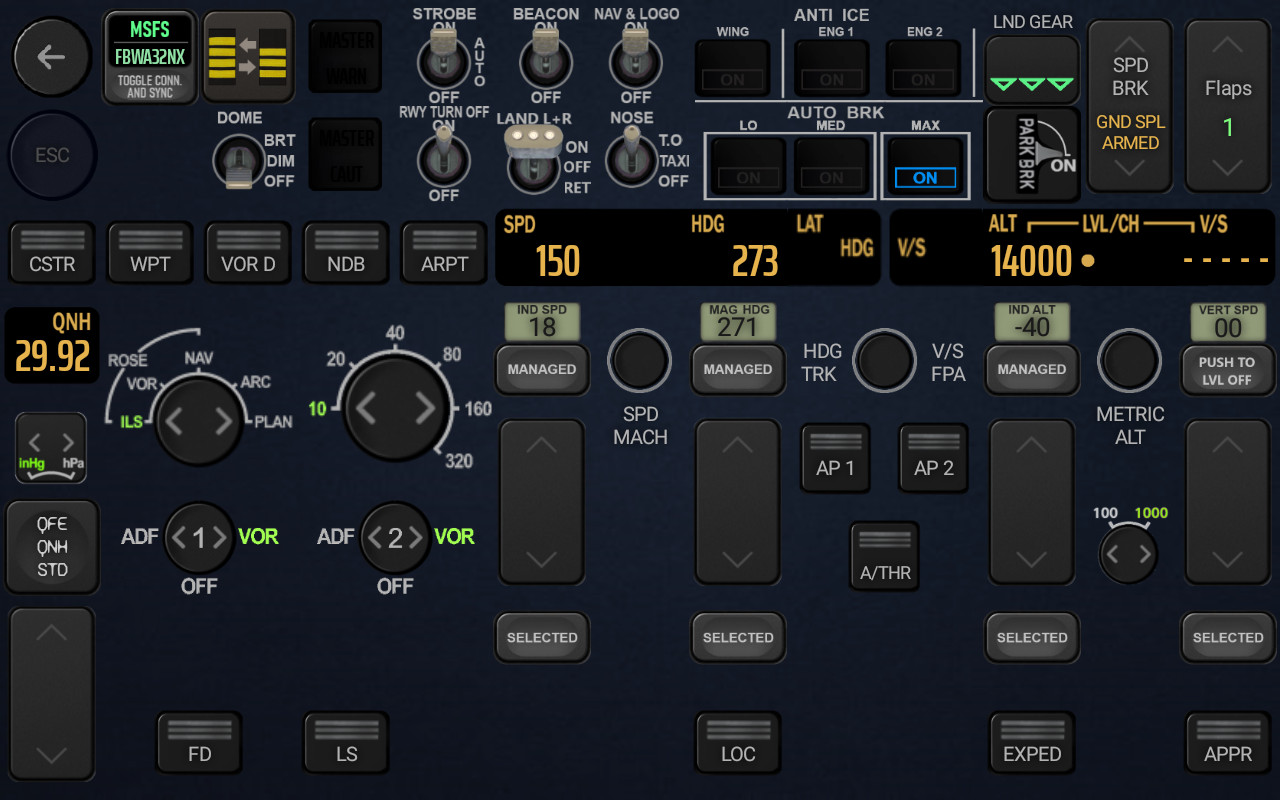
Touch Portal page for FBWA32NX with fully functional FCU and EFIS for the CAPT and FO seat
Requirements
· FBWA32NX Stable Version (tested on 0.9.1)
· Touch Portal app Pro version (~€14 in-app purchase) on your tablet Android or iOS
· The Touch Portal software on your PC (www.touch-portal.com)
· Newest MSFS Touch Portal Plugin & WASim Module Plugin (tested on v1.2) via GitHub or via flightsim.to https://flightsim.to/file/36546/msfs-touch-portal-plugin
The WASim module goes into your MSFS Community folder. The MSFS Touch Portal Plugin will be installed with your Touch Portal desktop Client,
The Page itself has some links to the MSFS Touch Portal Plugin
The philosophy behind this page
is to have all Switches and info you might need during normal Start, Approach and Landing at one single Page and is also nice to your eyes when you use in a dark environment. If you are looking for almost every switch, pedestal, and overhead panel, spread on 4 pages you will have to go to newly (September 13, 2022) released Touch Portal pages for FlyByWire A32NX by GoodSeb he has done an excellent job on these 4 interconnected pages.
Have fun!
and give some love to mpaperno / Wdgmax for giving MSFS Touch Portal Plugin to us.
https://github.com/mpaperno/MSFSTouchPortalPlugin
Video of an old version:
Touch Portal Page FCU and EFIS for FBWA32NX 2
TouchPortal page for FBWA32NX with fully functional FCU and EFIS. CAPT and FO seat. The philosophy behind this page is to have all Switches and info you might need during normal Start, Approach and Landing at one single Page and is also nice to your eyes when you use in a dark environment.

Unterstützer
Nutzerbewertungen
5 Bewertungen
Versionsgeschichte
Fixed critical Bug in FO page. Added FO/Captain switch Button
Ähnliche Addons
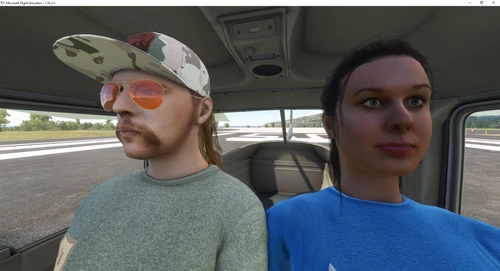
Copilot and/or Pilot always visible in Cockpit
Always have your Pilot and Copilot in view with this mod for Microsoft Flight Simulator. Easily customize their appearance for a more immersive cockpit experience. Compatible with various aircraft and flexible for individual preferences. Stay tuned for updates and new plane additions by subscribing to this mod.
von Condor7777
VR Pilot Avatar Superpack
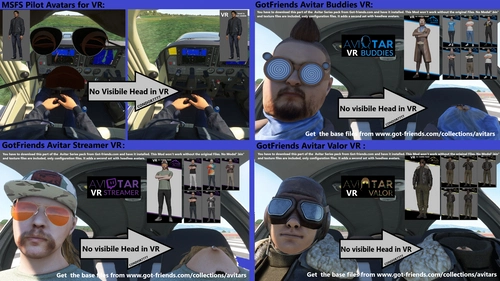
A collection of modifications to pilot avatars for Microsoft Flight Simulator, allowing for a first-person POV experience in VR with visible Pilot bodies and synced controls. Choose from various pilot avatars, including invisible ones, and easily switch between them in the cockpit settings. Install and customize your virtual pilot experience for a more immersive flight simulation adventure.
von Condor7777
Touch Portal Page FCU and EFIS for INIBUILDS A310
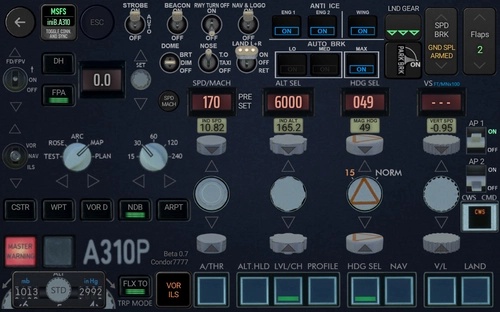
Touch Portal page FCU and EFIS for iniBuilds A310. This TouchPortal page is now feature locked and almost finished. It has a Captain and a First Officer version that also work together when both are imported into TouchPortal. The page has still some placeholders and reused buttons from my FBWA32NX page, These will be replaced in The final version. IF your page get stuck after reloading a flight (happens to me 1 out of 10 flights), the best option is to restart Touch portal via the system tray. Seems the WASimmodule sometimes refuses to deliver all requests in time and shuts down. If you don't like testing and frequently changes, you should only subscribe to this download. This will update you via email with the overall progress. Just wait until this release hits 1,0 and download.
von Condor7777
IFE Tornado Clean Canopy No Fog/Dust
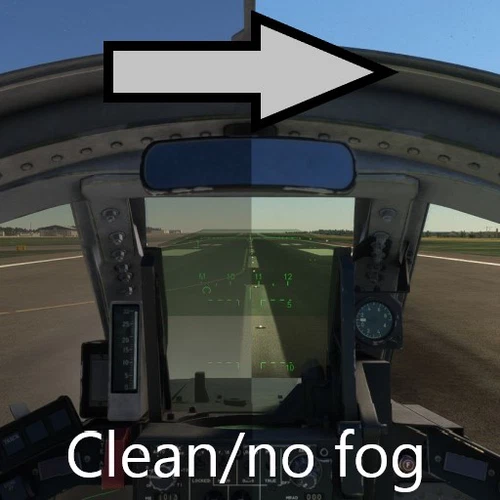
Enhance your visual experience in Microsoft Flight Simulator with the IFE Tornado Clean Canopy No Fog/Dust mod. This add-on removes dust and fog from inside the canopy, providing clear visibility for visual landings. Say goodbye to obstructions and enjoy a polished canopy view, free of distractions. Simply drop the mod in your community folder to improve your flight visuals instantly.
von Condor7777
Melden Sie sich an, um an der Diskussion teilzunehmen
AnmeldenKommentare(32)
almost 2 years ago
The plugin looks perfect for my use but I can't get it to work.
It tells me that the connection with MSFS is ok (green indication) but not the FBWA32NX info which remains red.
Even though I'm using the Fly By Wire A320.
I've looked in the logs, and several times I get the error message: “[ERROR] [State System] Could not parse id MSFSTouchPortalPlugin.Miscellaneous.State.A32nxIsReady correctly, needs to be checked.”
Do you have any idea why?
**** EDITED ***
It seems that the latest version of the MSFS plugin in 1.5 does not work.
Using version 1.2 as indicated, everything seems to work.
If I have some time, I'll try to find out exactly which version the problem starts with.
almost 3 years ago
over 2 years ago
BTW: Why you give me a one-star rating ?
Just because you have no PhD?!
This is none of my business. I'm not responsible for your education, please correct it. Thank you for not thanking me for something that is free.
This is why doing something complex for free isn't fun. People think I owe them something just because they interacted with my work.
over 3 years ago
See the heading and alt on my ipad but the buttons are not working.
over 3 years ago
Did yesterday a whole new MSFS install on a setup of a friend, and it is working without problems.
There must be something you are missing. Although, I don't have used it on an IOS thingy. I'm using Android.
Please be more specific about your installation and things you have done that confront you with your problem. Give me more clues than just "...are not working.".
Please help me to help you.
over 3 years ago
Heads up! If like me you also use the latinvfr Airbus' this also works flawlessly with it. BONUS!!!!
over 3 years ago
SUPERB!
Works flawlessly.
've had TP for a while and nothing worked 100% until I got this.
It is by far and away the best TP experience on MSFS using the FBW and this page.
All switches work and are very responsive.
Thanks again mate for your QUALITY work it is much appreciated.
over 3 years ago
Conor7777 thank you so much for helping me solve this. That debug window was a fantastic idea made me realise problem was with my installation.
Turns out all was well with the page, it was my files that got corrupted somehow so had to reinstall everything.
I have the store version and few months back I tried the relocate game to external drive via the xbox app and that got stuck on something like 90% so I thought that must be contributing to the problem. I also had asobo a320 in the community folder and old liveries for fbw.
So I deleted everything, reinstalled MSFS then used addon linker to add touch portal and WASIM but I installed A32nx direct in the community folder. reinstalled touch portal plugin and pages I then launched the game from addon linker. followed Conor7777 launch steps and everything connected. i can fully control the plane from my phone.
over 3 years ago
That's great news. Thank you for your feedback.
over 3 years ago
Video of the page activation. https://youtu.be/XF4-pw1zj58
Please use this process until I will update the files within the next 5 days.
Some users reported an Issue to get the page working. I will change the synchronization process to a much simpler process, that won't try to check if the FBWA32NX is really the active plane. It will be similar to what is recommended by the MSFSTPplugin Creator and Goodseb page is using to load the init files. >>https://github.com/mpaperno/MSFSTouchPortalPlugin/wiki/Using-Custom-States-and-Simulator-Variables#importing--using-in-pages
I will do it within the next 5 days (it's now Monday the 2nd January)
In the meantime (works flawless for me):
1.Start first a FBWA320NX flight in MSFS.
2.Start TouchPortal with the FBW page.
Now it should Sync automatically.
If not: use the Sync button twice.
I'm Sorry for the inconvenience.
Video of the page activation: https://youtu.be/XF4-pw1zj58
over 3 years ago
This looks amazing!
I cant get it to work though, when i hit Sync i get constant errors. I have restarted touch portal and tried but still getting error. Wasm is in community folder as it should be and plug in is there, they just dont commnicate, probably an error on my part, any ideas?
over 3 years ago
Hi I'm having similar issues, the page connects to flight sim OK but can't connect to fbw simbrige.
Just to check my touch portal was working well I downloaded other pages made for fenix a320 and able to get basics working like throttle and lights on the fbw a32nx. So I think recent fbw updates broke links somewhere.
over 3 years ago
I will change the synchronization process to a much simpler process, that won't try to check if the FBWA32NX is really the active plane. It will be similar to what is recommended by the MSFSTPplugin Creator and Goodseb page is using to load the init files. >>https://github.com/mpaperno/MSFSTouchPortalPlugin/wiki/Using-Custom-States-and-Simulator-Variables#importing--using-in-pages
I will do it within the next 5 days. In the meantime (works flawless for me):
1.Start first a FBWA320NX flight in MSFS.
2.Start TouchPortal with the FBW page.
Now it should sync automatically.
If not: use the Sync button twice.
I'm very sorry for the inconvenience.
over 3 years ago
Video of the page activation. https://youtu.be/XF4-pw1zj58
Please use this process until I will update the files within the next 5 days.
over 3 years ago
I have uploaded a modified version that should (hopefully) work for you.
I got rid of some time critical scripts and other stuff.
It is a Preview for v2.1 and contains also some buttons that help with debugging and FOV changer and other stuff that should not bother you while testing the overall functionality.
You will find it as a second file under the main file.
Once I get enough positive feedback, I will compose a download without the debugging tools and including the FOseat.
almost 4 years ago
very nice work. unfortunately not all buttons are working e.g. speedbrake, parkingbrake and speed and hdg adjustment. interesting that the similar buttons do not work on the fbw on a different TP page as well. Maybe a plugin problem with the fbw?
almost 4 years ago
Yes, things are broken right now. And the last months I hardly had time for a quick spin in the simulator to try the 40th anniversary release. But last weekend started to script again in TP and I have a fixed version almost ready to upload, but didn't find time to test it with the newly released 9.1 version of the FBWA32NX.
Fun Fact: Spend many hours to prepare a version that synchronizes the Capt EFIS with the FO EFIS and vice versa, now it's an option in the SIM-PAD of the FBWA32NX.
December is much more gentle on my workload, so expect a new, fixed version very soon.
Edit: found the reason why the gear toggle command doesn't work. With FBWA32NX 9.1 and the full Implementation of the new hydraulic system to the landing gear, it is no more possible to send Simconnect events to set the gear.
https://docs.flybywiresim.com/fbw-a32nx/feature-guides/custom-hydraulics/#known-issues . Even the "Gear Handle Position" command now only moves the lever, without any effect to the gear.
I hope this will be fixed by adding some custom L-Vars from the FBW team. In the meantime, we will have to use simulated key presses. This will work as long you use TP not on a remote computer (as I do).
over 3 years ago
Fixed and improved version 2.0 is available.
almost 4 years ago
Wow. That's an incredable job. Wonderfull
about 4 years ago
- Maintenance -
Not visual working Strobe light switch is fixed now in
1.5.1.b B7 RC2.
Please Download Mainfile again.
Synchronization of the Light switches still has some issues.
Will investigate next week.
When you experience this issue, just switch manually once through all states to sync with virtual cockpit.