
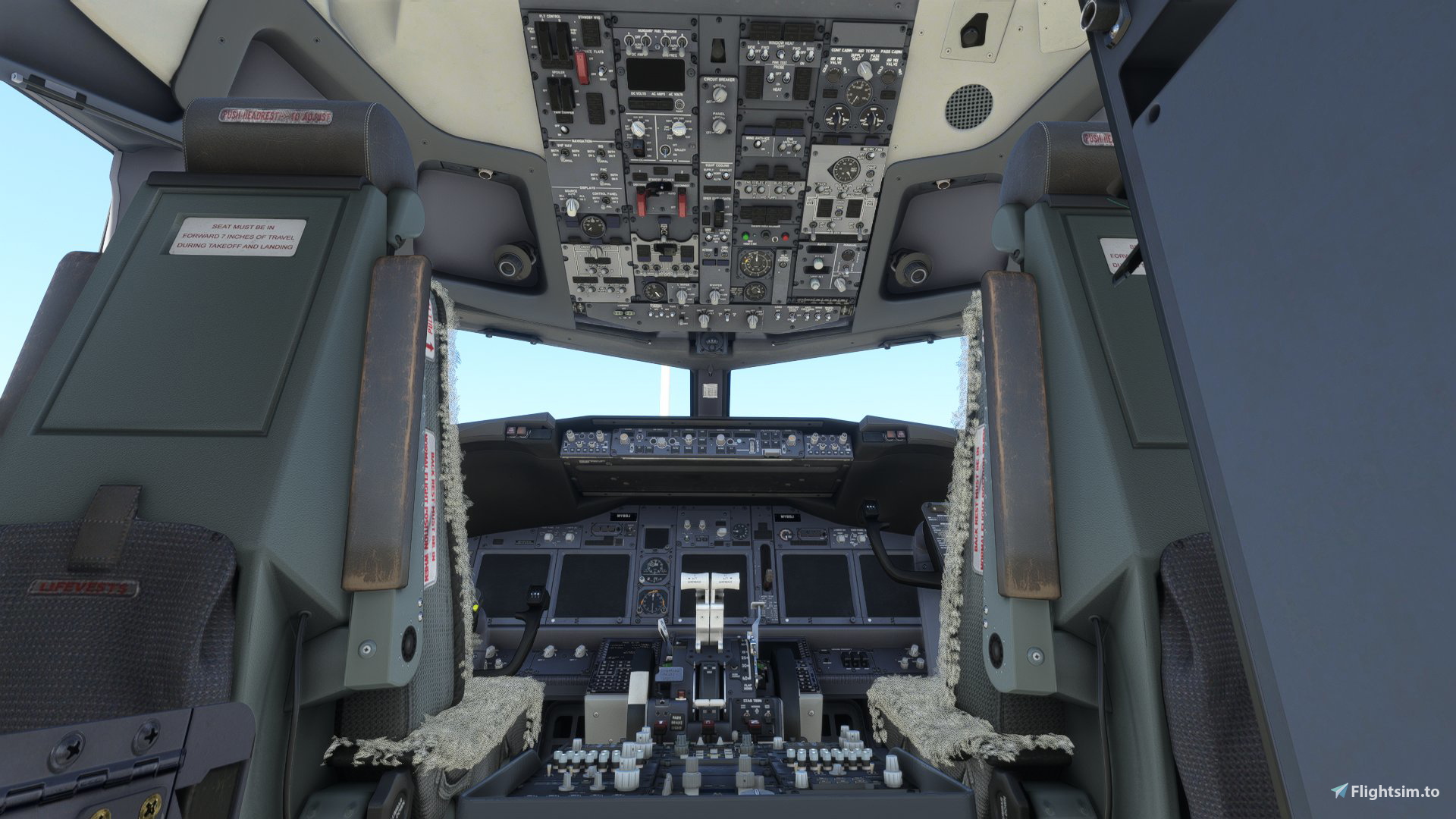
Beschreibung
NB: "OLDER VERSION" IS FOR THE -700 & -600 VARIANTS, "MAIN FILE" IS FOR THE -800 & -900!
Version 1.3 changelog:
A few improvements and seperate startup states for the -700 and -800 variants. The only difference between the two states is that the -800 has two recirc fans, while the -700 has one.
The improvements include:
- course and heading set to 0
- ENG 1 and 2 hydraulic pumps are now in the "on" position
- Squawk code set to 2000
- Slightly increased amount of fuel
Description:
I found the default cold and dark state featured in the PMDG 737NG series a bit off, so I thought I'd make one myself. It is not wildly different from the default cold and dark state, I followed a few checklists used in real life to get it in a state it would be left in real life. Please let me know if there is anything I can improve or have possibly left behind.
HOW TO INSTALL:
1. Download the file.
2. Extract the .zip file included in the download.
3. Locate:
Windows store/Xbox app: "...\Microsoft.FlightSimulator_8wekyb3d8bbwe\LocalState\packages\pmdg-aircraft-737 OR pmdg-aircraft-738\work\PanelState" folder.
Steam: "...\Microsoft Flight Simulator\LocalState\packages\pmdg-aircraft-737 OR pmdg-aircraft-738\work\PanelState"
NB: I do not recommended putting it in the PanelState folder found in the Community folder, as this can potentially cause issues when trying to modify this preset.
4. Drop the .sav and .fmc files there.
5. Restart the sim and select it as the default startup state in the FMC.
Confirmed compatibility with the -800 and -700. (probably works with the -600 and -900, haven't tested myself)
Happy flying! 🛫
NB: "OLDER VERSION" IS FOR THE -700 & -600 VARIANTS, "MAIN FILE" IS FOR THE -800 & -900!
BETTER Cold & Dark for the PMDG 737NG Series
I found that the default cold and dark state featured in the PMDG 737NG series was a bit off, so I thought I'd make one myself. It is not wildly different from the default cold and dark state, I followed a few checklists used in real life to get it in a state it would be left in real life.

Nutzerbewertungen
5 Bewertungen
Versionsgeschichte
A few improvements and seperate startup states for the -700 and -800 variants. The only difference between the two states is that the -800 has two recirc fans, while the -700 has one. The improvements include course set to 0, heading set to 0, ENG 1 and 2 hydraulic pumps are now in the "on" position. Happy flying
Ähnliche Addons
Microsoft ATR 72-600 Custom Views/Camera Views
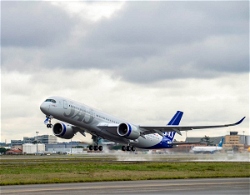
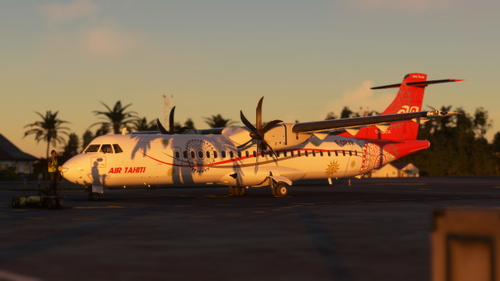
To access these views, simply press "alt+number". This is for the Microsoft ATR 72-600. For the other variants, refer to my profile. Please let me know if there is anything I can do to improve this. If you do not like my custom views, you can simply create your own by doing "alt+shift+number" (this may differ depending on your control settings). Happy flying! 🛫
von torskenn
Microsoft ATR 42-600 Custom Views/Camera Views
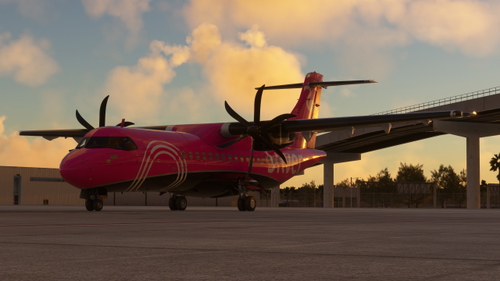
To access these views, simply press "alt+number". This is for the Microsoft ATR 42-600. For the other variants, refer to my profile. Please let me know if there is anything I can do to improve this. If you do not like my custom views, you can simply create your own by doing "alt+shift+number" (this may differ depending on your control settings). Happy flying! 🛫
von torskenn
![[PAX] PMDG 737-700 Custom Views](https://cdn.flightsim.to/images/23/pax-pmdg-737-700-custom-views-7QyIk.jpg?width=500)
[PAX] PMDG 737-700 Custom Views
This is for the passenger version of the PMDG 737-700. It works on the other variants as well, however, since the window layouts are different, it is not recommended. For the other variants, refer to my profile. Please let me know if there is anything I can do to improve this.
von torskenn
![[PAX] PMDG 737-800 Custom Views](https://cdn.flightsim.to/images/24/pax-pmdg-737-800-custom-views-PvDeA.jpg?width=500)
[PAX] PMDG 737-800 Custom Views
This is for the passenger version of the PMDG 737-800. It works on the other variants as well, however, since the window layouts are different, it is not recommended. For the other variants, refer to my profile. Please let me know if there is anything I can do to improve this.
von torskenn
Melden Sie sich an, um an der Diskussion teilzunehmen
AnmeldenKommentare(50)
almost 4 years ago
Thanks for this preset, however this is only working partly for me.
The switches are set according your file but the COM's and MCP are not.
I've put the two files in the \Microsoft.FlightSimulator_8wekyb3d8bbwe\LocalState\packages\pmdg-aircraft-738\work\PanelState folder and set it as startup state in the FMC.
Unfortunately after reloading the sim the COM's are not set to Unicom and/or 121.5 and MCP is different too.
I also noticed that the COM frequencies depends on where I spawn, so it differs every time.
I can't find any setting for this. Am I forgetting something???
almost 4 years ago
hey, it doesn't seem to save com frequencies. mcp config should save though, what is it set to?
almost 4 years ago
Ok, so your note that it has Unicom frequencies isn't right then. For MCP is actually same, it is automatically set to +- runway heading if you spawn on runway. If spawn at gate it will probaly choose one of the runway headins but haven't tested this.
For now it is not really "better cold and dark" for me.
almost 4 years ago
sorry for late response. mcp saves for me and pretty much everyone else, not sure what is happening to yours. feel free to edit it as you desire, and you are in no way required to use my file. thanks
about 4 years ago
I cannot for the life of me find the LocalState folder, I use the steam version and I was looking at SteamLibrary\steamapps\common\MicrosoftFlightSimulator, where my main install is located, but there is no such folder as LocalState. even in the Appdata Roaming folder
about 4 years ago
interesting. try going to your community folder, and go back a few folders until you get to the msfs folder. is it the same?
about 4 years ago
Here's what I found tho, in the Appdata roaming folder of MSFS under packages is the pmdg-aircraft-738 folder which contains the work folder, and the PanelState folder can found there
about 4 years ago
Thank you so much!
about 4 years ago
Its so good but we need it for the 738 now !!
about 4 years ago
it works on the -800;)
about 4 years ago
just pushed a new update:)
about 4 years ago
tysm
over 4 years ago
As good as this looks, I cannot seem to find the "Microsoft.FlightSimulator_8wekyb3d8bbwe" folder anywhere, even after a thorough search which took over 30 minutes. I had it with the Xbox gamepass, but with the steam version is it not a thing? Because I don't know where else to install it to as you said it's not recommended to install to the community folder. Other than that, looks like you did a great job!
over 4 years ago
yeah, it seems like it's different for steam users. i believe the "Microsoft Flight Simulator" folder is the equivalent, you can find it by simply going a few folders back from the community folder. if not, try looking in the "packages" folder for any folders that might be it
over 4 years ago
Thanks, I'll take a look and hopefully it works. I'll let you know.
over 4 years ago
Can you please put the full file directory in the description? I cannot find the Microsoft.FlightSimulator_8wekyb3d8bbwe folder even through searching in "This PC"
over 4 years ago
just go to your community folder and go a few folders back
over 4 years ago
I installed it - I think it's great - but I have questions:
ONLY half the radio stack is alive when battery power/ ground power comes on.FMC on the MCDU is inaccessible no matter what I do - does it only become available after a certain amount of other actions?When Aligning the IRS, turning L to NAV says "DC Power" and then the "CALL GRND" starts to alarm.What's the checklist YOU are using that you modeled your setup file after?EDIT: I figured it out - I was not turning the battery on... :)
over 4 years ago
I use this:
https://www.yumpu.com/en/document/read/27828855/boeing-737-700-checklist
It's not the *most* realistic checklist you can find out there, but I like it. (preferably want to avoid unnecessary pre-flight things that won't even make a difference in-game;))