

Beschreibung
WARNING: It was informed by the developer of Spad (c0nnex), upgrading from MSFS PMDG Update 3.0.24 for the 737-100 intentionally breaks the SDK integration. As there is no information about the new SDK, it is currently not recommended to apply the update, if you are using any of the SDK-Features (PMDGNG3-Events or PMDGNG3-Data). There is no workaround , and there is nothing you or spad can do about that.
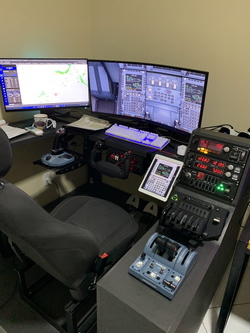
This is a preset to be used in Logitech/Saitek panels (Multi Panel, Switch Panel and Radio Panel), through the SPAD.neXt software. The entire configuration was made to be used, preferably, in the B737-700 of PMDG .
Installation:
Place the file " PMDG 737 - Logitech Panels (current version) " in the SPAD.neXt profile folder.
Default location: C:\Users\[seu nome]\Documents\SPAD.neXt\profiles
ATTENTION: Here's how to get the complete material of the PMDG 737 MSFS running on SPAD.neXt:
```
1. 737 in MSFS must have been loaded beyond "ready to fly" at least once and exited again.
2. Exit MSFS
3. in file browser open
Store/Gamepass Version
%LOCALAPPDATA%\Packages\Microsoft.FlightSimulator_8wekyb3d8bbwe\LocalState\packages\pmdg-aircraft-737\work
Steam Version
%APPDATA%\Microsoft Flight Simulator\Packages\pmdg-aircraft-737\work
5. Add to end of 737_Options.ini
[SDK]
EnableDataBroadcast=1
EnableCDUBroadcast.0=1
EnableCDUBroadcast.1=1
6. start MSFS and load 737 ,start flight
7. start SPAD.neXt
8. Make sure in SPAD.neXt
Settings->Application->FSX (SPAD.neXt 0.9.12 Alpha)
Settings->Application->Simulations (SPAD.neXt 0.9.11.5)
PMDG Support is enabled. (If it was not, enable it and restart SPAD.neXt)
9. Always 3 green!
- All Data in "PMDG 737 NGXu" should be working
- All Simulation Events in "PMDG 737 NGXu" should be working.
- Cockpitmaster CDU should be working right away
P3D PMDG 737 NGXu SPAD.neXt Profiles should be working. (Not fully tested yet)
Please remember PMDG Simulation Events work exactly like the cockpit. Use the "PMDG Special Actions" to do with the event what you would do in cockpit with the mouse!
```
Feel free to suggest improvements and fixes!
ENGLISH GUIDE
MULTI PANEL:
*Dysplays
ALT tab: Displays selected altitude and selected vertical speed. The Knob changes selected altitude by ft.
VS tab: Displays selected altitude and selected vertical speed. Knob changes selected vertical speed by ft.
IAS tab: Displays selected autothrottle speed. Knob changes selected speed by kt.
HDG tab: Displays selected heading. Knob changes selected heading by directional degrees
CRS tab: Displays selected course
*Knobs and Buttons
[AP]: Turns left autopilot ON/OFF
[HDG]: Turns heading mode ON/OFF
[NAV]: Turns ON/OFF button LNAV
[IAS]: Turns managed speed mode ON/OFF
[ALT]: Turns managed altitude mode
[VS]: Turns vertical speed mode ON/OFF
[APR]: Turns approach mode ON/OFF
[REV]: Turns ON/OFF button VNAV
[AUTO THROTTLE]: Turns autothrottle and flight director ON/OFF
[FLAPS]:
- Active Short UP = increases range ND
- Active Short DN = reduces range ND
[Pitch Trim]:
- UP = increases the brightness of lights (MCP, Overhead, Pedestal, EFIS...)
- DN = reduces the brightness of lights (MCP, Overhead, Pedestal, EFIS...)
SWITCH PANEL:
Magnetos: Increases/decreases AUTO BREAk = OFF (OFF) R (RTO) L (2) BOTH (3) START (MAX)
Master Bat: ON/OFF - BAT + GPU
Master Alt: APU ON + START
Avionics Master: Turns all ADIRUs to the NAV position / Turns all ADIRUs to the OFF position
Fuel Pump: ON/OFF = SWITCHES PUMPS + HYD PUMPS (ELEC 2 - ELEC 1)
De-Ice: Switches "WING ANTI-ICE" and Switches "ENG ANTI-ICE" (Disconnect for a second windows heat and yaw damper)
Pitot Heat: ON/OFF Windows Heat - Probe Heat - YAW DAMPER (Seconds Delay)
Close Cowl: Switches: ON/OFF Dome Lights
Panel: Turns ON/OFF Overhead Light.
Beacon: ON/OFF Light Beacom
Nav: ON/OFF Light Nav
Strobe: TURNS ON = STROBE ON and NAV OFF
Strobe: TURNS OFF = STROBE OFF and NAV ON
Taxi: TURNS ON/OFF = Taxi Light and Wings
Landing: TURNS ON/OFF = Landing Light
Gear Lights:
- Green - Fully extended
- Yellow - Fully extended, but with airspeed equal to, or greater than 200 knots
- Red - Not fully extended
- Off - Retracted
Landing Gear Lever:Controls landing gear lever position
RADIO PANEL:
NAV1, NAV2, COM1 and COM2: STANDARD usability
[ADF]: Shows ADF1 and ADF2 at the same time (ADF1 on the left and ADF2 on the right)
[DME]: Shows a distance from NAV1 on the left side and the NAV2 on the right side
[XPDR]:
- Left Display - By turning the knob, it is possible to change the QNH, according to the EFIS operation.
- Right display - Turning the knob, it is possible to change the TRANSPONDER, according to the PEDESTAL operation.
- ACT/STBY- Long press to switch between QNH or QNE (STD).
IF MY WORK LIKES YOU, PLEASE LEAVE A POSITIVE COMMENT!!!
Donation
If you like this tool and would like to support the development, please consider donating via PayPal by clicking here.
PMDG B737-700 Logitech/Saitek - SPAD.neXt
Enhance your Logitech/Saitek panels for the PMDG B737-700 with this SPAD.neXt preset. The configuration is tailored for seamless integration and functionality, offering a comprehensive experience for cockpit enthusiasts. Follow the installation instructions to optimize your setup and enjoy full compatibility with PMDGNG3-Events and PMDGNG3-Data. Explore a range of features for Multi Panel, Switch Panel, and Radio Panel, enhancing your flight simulation experience with precision and detail.

Nutzerbewertungen
7 Bewertungen
Versionsgeschichte
Major bug fixes and improvements were made on the three saitek/logitek devices. Here are some examples: ***MULTI PANEL: [AUTO THROTTLE]: Turns autothrottle and flight director ON/OFF [FLAPS]: - Active Short UP = increases range ND - Active Short DN = reduces range ND [Pitch Trim]: - UP = increases the brightness of lights (MCP, Overhead, Pedestal, EFIS...) - DN = reduces the brightness of lights (MCP, Overhead, Pedestal, EFIS...) ***SWITCH PANEL: Landing: TURNS ON/OFF = Landing Light Gear Lights: - Green - Fully extended - Yellow - Fully extended, but with airspeed equal to, or greater than 200 knots - Red - Not fully extended - Off - Retracted Landing Gear Lever:Controls landing gear lever position ***RADIO PANEL: [XPDR]: - Left Display - By turning the knob, it is possible to change the QNH, according to the EFIS operation. - Right display - Turning the knob, it is possible to change the TRANSPONDER, according to the PEDESTAL operation. - ACT/STBY- Long press to switch between QNH or QNE (STD).
Ähnliche Addons
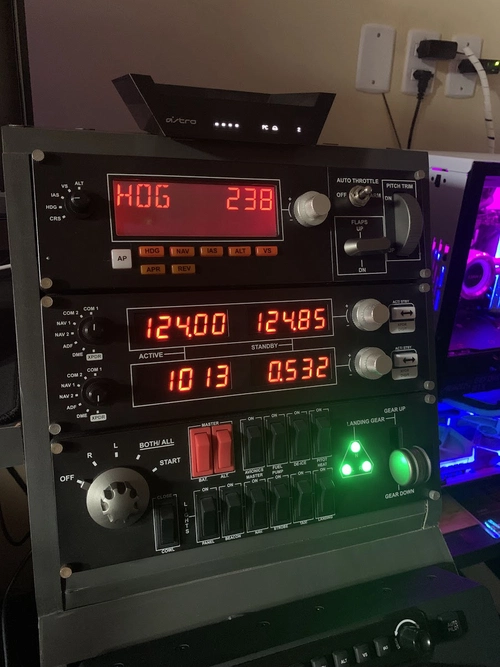
Fenix A320 PanelsLogitech/TCA Airbus/HoneyComb - SPAD.neXt
Enhance your Airbus A320 experience with Fenix A320 Panels preset for Logitech, Thrustmaster TCA Airbus, and Honeycomb Bravo Throttle Quadrant via SPAD.neXt software. This configuration includes detailed instructions and ongoing updates for optimal simulation immersion.
von CMTE_CAVOK
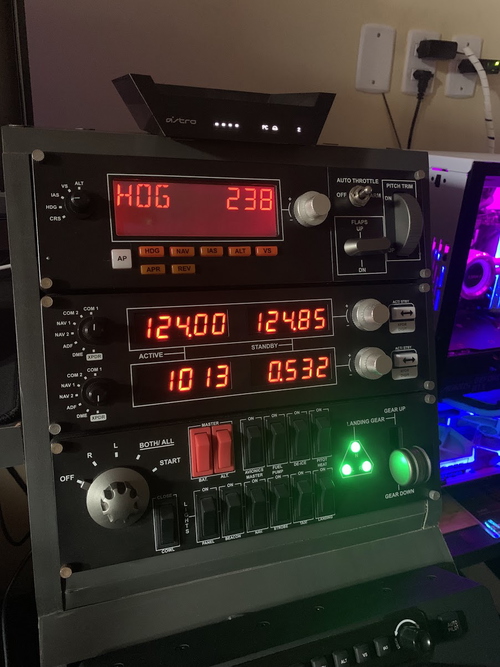
Cessna 172 (G1000 NXi) Logitech/Saitek - SPAD.neXt
Enhance your Cessna 172 (G1000 NXi) experience with this Logitech/Saitek preset using SPAD.neXt software. Customized for the Default FS2020, this preset optimizes the use of Logitech panels - Multi Panel, Switch Panel and Radio Panel. Enjoy a realistic cockpit feel with specialized functions for each panel component.
von CMTE_CAVOK
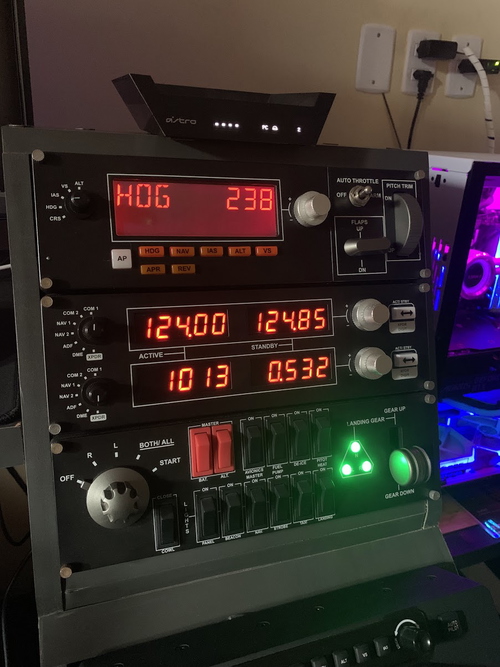
PA28R Arrow III (Just Flight) Logitech/Saitek - SPAD.neXt
Enhance your PA28R Arrow III experience with this Logitech/Saitek preset for the Multi Panel, Switch Panel, and Radio Panel using SPAD.neXt software. Easily control autopilot, navigation, flaps, trim, and more with this detailed configuration. Standard usability for NAV, COM, ADF, DME, and XPDR functions on the Radio Panel, while the Switch Panel offers control over lights, engine, and gear operations. No role assigned for Taxi Light and De-Ice functions.
von CMTE_CAVOK
Melden Sie sich an, um an der Diskussion teilzunehmen
AnmeldenKommentare(27)
over 4 years ago
Thanks four your great work for providing support on our radio - multi- switch panels.
Everything works perfect with latest version.
Once again, thanks a lot.
about 4 years ago
Hello, Does this work as of 3.0.29?
about 4 years ago
WARNING: It was informed by the developer of Spad (c0nnex), upgrading from MSFS PMDG Update 3.0.24 for the 737-100 intentionally breaks the SDK integration. As there is no information about the new SDK, it is currently not recommended to apply the update, if you are using any of the SDK-Features (PMDGNG3-Events or PMDGNG3-Data). There is no workaround , and there is nothing you or spad can do about that.
over 4 years ago
Hi, working perfect before last PMDG update, now everything works apart from the ALT, IAS and HDG, turning the knobs works and they turn within the aircraft, however the displays on the Multipanel stay ay 257, any idea? Thank you
over 4 years ago
It was informed by the developer of Spad (c0nnex), upgrading from MSFS PMDG Update 3.0.24 for the 737-100 intentionally breaks the SDK integration. As there is no information about the new SDK, it is currently not recommended to apply the update, if you are using any of the SDK-Features (PMDGNG3-Events or PMDGNG3-Data). There is no workaround , and there is nothing you or spad can do about that.
over 4 years ago
Hi,
Sadly I can not get it to work even after completing the steps in the description. I go onto msfs and the panel does not react When I go onto SPAD the profile is there when I click onto the panel on the SPAD software and click all locations it tells me there are no events on any of the buttons or switches :(
over 4 years ago
If the event lines appear red, you probably haven't activated PMDG.
See the second screenshot I uploaded.
Hope it works.
over 4 years ago
Super,work's great.
over 4 years ago
Thanks for the positive feedback.
over 4 years ago
Thanks four your great work for providing support on our radio - multi- switch panels.
Everything works perfect with latest version.
Once again, thanks a lot.
over 4 years ago
Thanks for the positive feedback. I am happy to contribute to a better use of the panels and, consequently, a better experience in SIM.
over 4 years ago
Thank you!!
over 4 years ago
Thanks a lot for the feedback! I'm glad it worked. In the next few days I will update some features and fix bugs. One of the features I'm already testing is the following: In SwitchPanel's TRIM notation I configured to control the brightness of the contour lights of the buttons on the overhead, pedestal, MCP, etc... Stay tuned it will soon be available for download.
If you can rate my work with stars I will be grateful!
over 4 years ago
Hey Man everything works great with my radio panel but I can't get my multi panel screen to turn on. The screen is blank. My radio panel is working with the 737 as it should from your profile. Any idea about my multi panel? Thank You!
over 4 years ago
I'm glad to hear it worked for you! about the bug where the panels do not ascend sometimes happens to me too. The solution I found was: - configure the power confirm described in screenshot 4; - after starting FS2020, with the aircraft on the ground, close spadnext and open again. this will solve.
over 4 years ago
Not sure if you already got this working but I have to hit "Page Up" on my keyboard which turns on Master Avionics and gets my panel working.
over 4 years ago
I didn't understand what you meant.
over 4 years ago
Works like a charm.
over 4 years ago
If you installed the alpha without showing any errors and did all the procedures of the screenshots, then validated the code on discord, it should work!
1. 737 in MSFS must have been loaded beyond "ready to fly" at least once and exited again.
2. Exit MSFS
3. in file browser open
Store/Gamepass Version
%LOCALAPPDATA%\Packages\Microsoft.FlightSimulator_8wekyb3d8bbwe\LocalState\packages\pmdg-aircraft-737\work
Steam Version
%APPDATA%\Microsoft Flight Simulator\Packages\pmdg-aircraft-737\work
5. Add to end of 737_Options.ini
[SDK]
EnableDataBroadcast=1
EnableCDUBroadcast.0=1
EnableCDUBroadcast.1=1
6. start MSFS and load 737 ,start flight
7. start SPAD.neXt
8. Make sure in SPAD.neXt
Settings->Application->FSX (SPAD.neXt 0.9.12 Alpha)
Settings->Application->Simulations (SPAD.neXt 0.9.11.5)
PMDG Support is enabled. (If it was not, enable it and restart SPAD.neXt)
9. Always 3 green!
- All Data in "PMDG 737 NGXu" should be working
- All Simulation Events in "PMDG 737 NGXu" should be working.
- Cockpitmaster CDU should be working right away
P3D PMDG 737 NGXu SPAD.neXt Profiles should be working. (Not fully tested yet)
over 4 years ago
It works perfect now! Thanks.