

Beschreibung
Have some fun with this Driveable Tourist Bus converted from the FS2400 model by Mitsuya Hamaguchi
Remastered textures: exterior only
Interior will be remastered soon.
-----------------------------------------------
3 Liveries with the following id numbers:
FSBUS-01 - Holiday Travel
FSBUS-02 - Beach Transfer
FSBUS-03 - Airport City Transfer
Additional liveries available here:
Tui Tourist Bus
Contiki Tourist Bus
Thomas Cook Bus
-----------------------------------------------
Version 1.0 BETA (2022.05.08)
Version 1.5 BETA (2022.05.12)
- the .air file changed to another
- aircraft.cfg modified
-----------------------------------------------
Controls:
Speed up/down - throttel or F2, F3 keys
Steering - Rudder or Numpad 1 and 3
Switch the front light: - L
Other lights are automatic (light dependent)
Engine Stop - Shift+Ctrl+E
Engine Start -Ctrl+E
Brake - as normal
Door and jump seat opening-closing (just in interior view) - Flaps control
Driver window opening-closing (just in interior view) - Landing gear toggle
-----------------------------------------------
How to use?
After download just unrar the archive to your MSFS Community folder before you start FlightSimulator.
-----------------------------------------------
Known issues:
Throttle Axis / Possible solution
A possible problem with some 3rd party aircraft moving the sliding throttle on many joysticks can cause the aircraft throttle to set to zero. This will help: reassign your joystick throttle from "Throttle Axis" in the MSFS Controls Options menu to "Throttle 1 Axis".
Engine may stop / Possible solutions
Keep throttle above a minium ( Engine >400 rpm) elswhere engine may stop.
Also another option you can try: Go to Option menu > Assistance Options > Under Aircraft System set Automixture to OFF.
After that i experianced that brake, and joystick slider zero position wont stop the engine. (It stays aprox 630-650 rpm)
Below 0 (reverse th.) cuts the engine at 400 rpm.
With the new .air file and automixture off, the problem seems solved (v1.5 beta)
-----------------------------------------------
The bus tested with SimUpdate 9
-----------------------------------------------
You can find my custom made liveries here:
https://flightsim.to/profile/csababp/uploads
CREDITS:
The original FS2400 BUS WD Creator is Mitsuya Hamaguchi
Original Model Design : Mitsuya Hamaguchi (hama) 2004
Original Flight Dynamics Designer: Mitsuya Hamaguchi (hama) 2004
Driveable Tourist Bus
Have some fun with this Driveable Tourist Bus with 3 livery options converted from Hama's FS2004 model updated with some new textures. Interior will be remaster soon. Now with three fictional livery options available: Holiday Travel Bus, Beach Transfer Bus or an Airport-City Transfer livery

Nutzerbewertungen
4 Bewertungen
Versionsgeschichte
- original .air file changed to another - aircraft.cfg modified
Ähnliche Addons
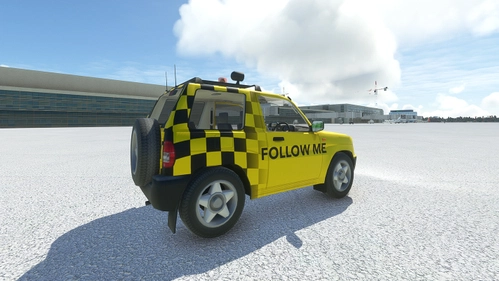
Driveable Mitsubishi Pajero IO 2022
Driveable Mitsubishi Pajero IO featuring remastered 4K textures and 5 liveries. Updates include fixes and new features like opening doors and front glasses. Experience realistic controls and add custom liveries.
von csababp
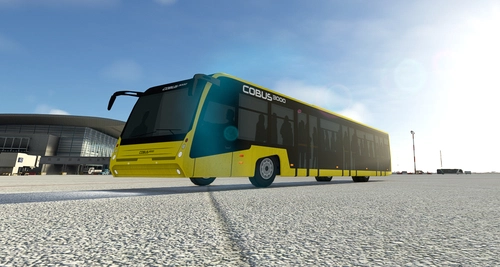
Driveable Airport Bus - Cobus 3000
Have some fun at the airport with this driveable cobus airport bus with five available livery options. COBUS is a brand of airport buses manufactured by CaetanoBus, distributed by COBUS Industries, based in Germany. This mod based on the static model of Robert Jastrzebski's (RCJ) FSX Cobus model.
von csababp
![[A32NX] A320 Vueling Airlines TC Livery - FlyByWire version](https://cdn.flightsim.to/images/14/m0fuIH_d.jpg?width=500)
[A32NX] A320 Vueling Airlines TC Livery - FlyByWire version
Enhance your Airbus A320 experience with the Vueling Airlines EC-LZM Turismo Coruña livery, designed for FlyByWire version. This livery update includes texture.cfg improvements and can be easily installed by copying the folder to your Community folder. Check out more custom-made liveries by the creator on their Flightsim.to profile.
von Csaba Kurucz
![[A32NX] A320 Sichuan Airlines Panda Livery 8K - FlyByWire version](https://cdn.flightsim.to/images/14/OPFDN1pl.jpg?width=500)
[A32NX] A320 Sichuan Airlines Panda Livery 8K - FlyByWire version
Fly high with the A32NX Sichuan Airlines Panda Livery in stunning 8K resolution. This custom livery is inspired by a real Sichuan Airlines A350 design, featuring a glossy finish and continuous updates for optimal realism and visual appeal. Experience the iconic panda-themed livery on your A320 aircraft in Microsoft Flight Simulator, complete with accurate details and enhancements for a more immersive flying experience.
von Csaba Kurucz
Melden Sie sich an, um an der Diskussion teilzunehmen
AnmeldenKommentare(15)
9 months ago
about 2 years ago
over 3 years ago
would love to make my own livery with some airliners logos, but i need the white/blank bus first, do you have it ? i hope so , peace
almost 4 years ago
Ty!
almost 4 years ago
can you release a .zip file instead of a rar file?
almost 4 years ago
This is pretty cool. I just flew to EYKA with A320 and then switched to this bus and drove to the center of the city. Make sure you disable crashes before you go drive outside the airport, as FS world is not meant to be explored by road and you are very likely to hit some obstacles just by driving around objects.
I couldn't find a way to reverse the bus, but you can use Shift+P (pushback) key if you need to go backwards.
over 4 years ago
I there a reverse 'gear' because every time I activate reverve thrust it jumps forwards and keeps going.
almost 4 years ago
Couldn't find it, but if you are stuck, you can use pushback keys (Shift+P) to back up.
over 4 years ago
I wish your vehicle mods worked in VR😥
over 4 years ago
sadly cant get this to work , engine keeps cutting out and cant seem to get the throttle to work properly it's either always on or wont move or slow down once moving
edit: mapping the throttle to a xbox controller is a nightmare still cant get it working quite right throttle seems to reset to full on. The engine cutting out though is a deal breaker
over 4 years ago
Maybe this will help
https://forums.flightsimulator.com/t/engines-keep-cutting-out/425212
over 4 years ago
Also try this:
Go to option menu > Assistance Options > Under Aircraft System set Automixture to OFF.
After that: Until you dont go your joystick slider under 0 position the engine wont cut out. Brakes also wont cut out engine.
If you use a joystick slider and slide down from 0 to minus (reverse): engine will stop under aprox 400.
over 4 years ago
nope none of that helped at all. too annoying have just deleted it.. im not using a joystick slider as its an ax box controller
over 4 years ago
ok tried this with flight yoke and pedals and i have gotten it to work better just cant get it working on game pad...thanks for your help
over 4 years ago
Nice , we just need someone to come up with a drivable human now , roleplaying we be cool , SAR ops , a stranded bus, missing persons adds a whole new set of possibilities