
Beschreibung
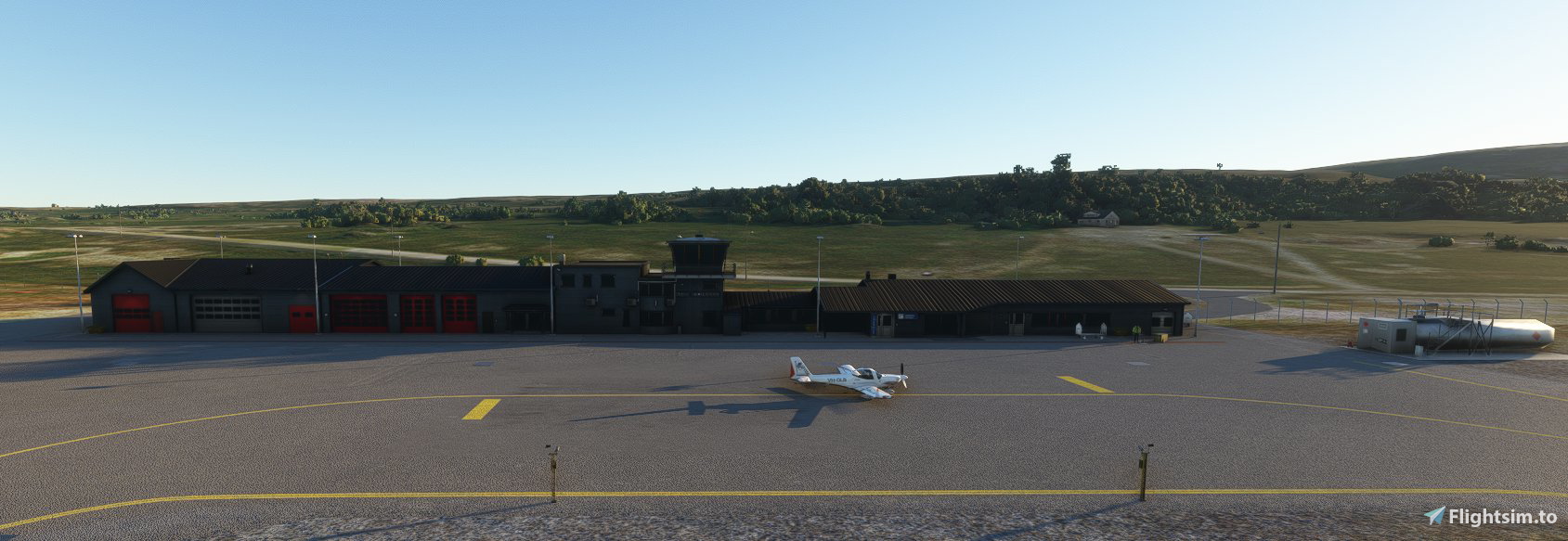
this is my personal version of berlevag airport in northern norway.
pbr textures have been used extensively and LOD used for each object
complete rebuilding of the runway and runway markings in according with AIP Norway
added p-vasi with 4 degrees inclination
custom approach light
custom terminal and scenery object like gpu, fuel tank and other
In the next release I will add interiors of terminal. it's my first scenery and i'm learning slowly, hope you like it.
welcome suggestions for improvements and help!!!
if you like my work consider a small donation ;)
to use my scenery, simply drag and drop in your community folder
thanks to all those who helped me, especially jayjay68 and wombiiactual
Location
ENBV Berlevag airport
Experience a newly reimagined version of ENBV Berlevag airport in Northern Norway in this Microsoft Flight Simulator addon. With PBR textures, custom approach lights, and a rebuilt runway in accordance with AIP Norway standards, immerse yourself in this detailed scenery featuring custom terminal buildings and various airport objects. Stay tuned for future updates including terminal interiors, as the developer continues to enhance this personal project.
Downloads gestoppt
Der Ersteller hat die Downloads für dieses Addon vorübergehend gestoppt. Bitte versuche es später erneut.


Nutzerbewertungen
3 Bewertungen
Versionsgeschichte
minor changes to buildings personal taxiway lights added added animated air conditioner fixed rnav problems
Ähnliche Addons
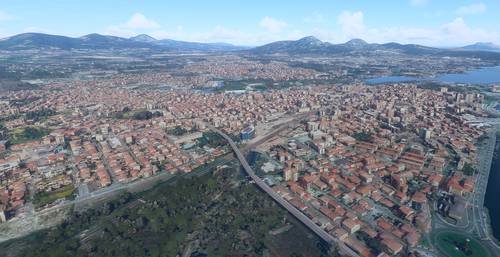
olbia 2.0
Explore the city of Olbia with this detailed scenery add-on featuring the new ORBX airport, color correction, baked textures, and realistic lighting. Covering almost the entirety of the beautiful Costa Smeraldas capital, Olbia 2.0 offers 3 different levels of detail for an immersive flight experience. Created with the Google Earth Decoder tool for accuracy and realism.
von slasko79
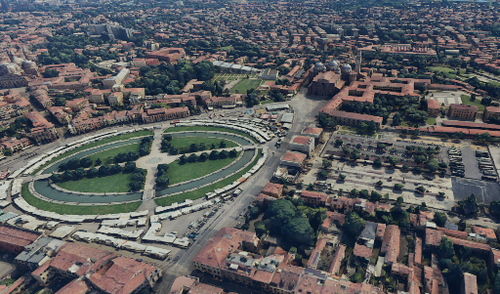
Padua
Explore the picturesque city of Padua in northern Italy, known for its arcaded streets, large communal piazzas, and historic bridges. Home to the University of Padua and the final resting place of Saint Anthony, this add-on includes detailed scenery with 3 LODs and color correction, divided into city and industrial zones.
von slasko79
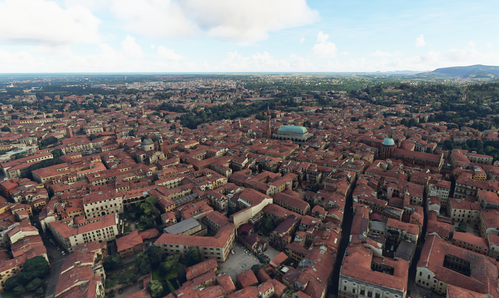
Vicenza 2.0
Explore Vicenza, the city of Palladio and UNESCO World Heritage, with Vicenza 2.0 add-on. This complete reworking includes 3 LODs, terraforming, and color correction for an enhanced flying experience. Simply extract the vicenzacity and vicenzaindustrial folders to your /Community/ folder to enjoy the improved scenery.
von slasko79
Melden Sie sich an, um an der Diskussion teilzunehmen
AnmeldenKommentare15
Really nice, how about SU11+ compatability :) ?
I'd really like to see this made available again please :-)
Is it gone? :( Looks really nice.
Ok, please listen...
The GS (Glide Slope) is wrong. Glide Slope is the path your airplane (autopilot) is following down to the threshold of the given runway you want to land. Like it is now, if the autopilot follows the current GS, you will touch down at the threshold at the other end of the runway. It is very important that airport nav-aids is correct. Especially in bad weather, if this is off, IT WILL cause a fatal accident. It is more to an airport than nice buildings and fancy ground equipment. Thats eye candy. Correct nav-aids is THE most important thing to not mess up when creating an airport. BTW the LOC frequency is missing again.
I understand you are new to making airports. Please take my comment as a friendly advice.
To check the GS, pick an airplane with G1000/G1000 NXi, and create a RNAV approach and let the autopilot follow the Glide Slope.
I'd just like to clarify that ENBV does not have glide slope. It has a single LOC/DME for RWY 24 with frequency 110.900.
You are correct that it seems the RNAV procedure glidepath targets the opposite end for the glidepath, but that seems to be a default navdata issue, not something quickly fixed by the addon maker, like ILS. Reporting it to Asobo as a bug would be better.
Both RNAV 06 and RNAV 24 has published OCA(H) of 5-600 feet, so there is some time to correct visually before landing anyway.
(@slasko79 the antenna is located at the end of the 06 approach lights and can be added under the ILS section of the runway properties to have it autotune correctly. DM me if you want assistance with direction and magvar. Do not add a glideslope for it).
I am aware that ENBV has LOC/DME with no GS.
The GS is wrong due to some error in the addon airport. Enabling stock airport corrects the RNP/RNAV glidepath for rwy 24. The navdata for this airport is correct. And no, there should be absolutely no need to correct the approach manually due to an incorrect implemented RNAV GS. You might not even have the chance to do it in bad weather/poor visibility before it is too late.
My apologies, you are correct about the default RNAV data being correct. I must have made a mistake during my testing last night. The artificial glidepath is definitely targeting the correct end on default scenery.
Thanks, nice airfield!
The windsocks point the opposite direction, can you check here to solve the windsock issue:
https://www.fsdeveloper.com/forum/threads/fix-for-windsock-blowing-the-wrong-way.448756/
Thanks.
thank you for the advice! now it's ok! the next release contain this fix :)
Thank you, very much! 😊
The RNAV GS for RWY 24 is way off. I've not tested GS for RWY 06. Needs to be corrected.
sorry you and all the people who downloaded my work. i have recovered the msfs procedures and everything should be fine now. of course if there are other problems please tell us.
Hey, listen...
Don't be sorry for your work. I imagine it takes allot of hours to do what you do.
And I imagine 90% of all people could not care less about ILS/ LOC frequencies or GS. They care about nice firetrucks on the tarmac or what happens inside the buildings (?!?). But nav-aids for an airport is extremely important. Ask any pilot...
I appreciate anyone making FS better for the community, especially if you do it for free. ... Don't stop, bring it on ;)
The LOC frequency for RWY 24 is not detected by G1000 NXi. Any airports with incorect coded ILS/LOC frequencies is a no-go for me.
EDIT: Thank you for fixing it in v1.1.
Forgive my mistake. I deleted the frequencies and did not enter new ones. everything should be in order now. if there are any problems, I will be happy to correct them.