

Beschreibung
Voice controlled FBW A320 with integrated Voice Checklists - LUFTHANSA (need LORBYs Axis And OHs)
Here is a complete set of voice controlled functions for the FBW A320 with integrated checklists (Lufthansa procedures). To run this you need to have the full and newest version of Lorby's Axis and OH's installed. Get it from here. Also you need Microsoft's voice package installed on your windows system.
Aircraft voice controlled features:
- Beacon ON/OFF with confirmations
- Complete Flap settings with confirmations
- Gear UP/DOWN with confirmations
- Landing Lights ON/OFF with confirmations
- NAV Light ON/OFF with confirmations
- Parking Brake ON/OFF with confirmations
- Seat Belts ON/OFF with confirmations
- Spoilers ARMED/DISARMED with confirmations
- Strobes ON/OFF with confirmations
- Taxi Lights ON/OFF with confirmations
and much more...
Voice controlled checklists: (according to Lufthansa procedures)
- Before Start Checklist
- After Start Checklist
- Before TakeOff Checklist
- Approach Checklist
- Landing Checklist
- Parking Checklist
and more
Installation:
First make sure you have voices installed on your windows speech recognition system. Standard voice is "MARK" which gets assigned automatically when you start the first Checklist (or via a script in AAO). You can use a different voice by changing the first line ("VOICE:Microsoft Mark" into any other voice you have installed) in the checklists (Please also refer to the AAO manual Section Speech recognition). You also can assign the Voices prior to start the checklists by executing a script in AAO like this:
(VOICE:Microsoft Mark) (VOICERATE:0) (VOICEVOLUME:100)
All "SPEAK" commands will use this voice until you close AAO and you just need to do this once per session.
If you don't know how to do that, just drop me a message and I will explain it to you.
Second make sure you have the latest version of Axis and OH's installed as well.
Inside the package you will find 3 directories. Install as follows:
- AAO A320 Voice Template -> this .tmpl file needs to be imported in AAO (Templates->import Template). I suggest you merge that with your existing template you are using with FBW A320 by applying template to aircraft.
- Script import into AAO -> this .xml file needs to be imported in AAO (Scripting->import scripts). This is the voice script file. (not needed when imported the template file as this will import the script files also)
- Documents -> these text files (checklists) need to go to your documents folder which is supposed to be here: C:\Users\YOUR_NAME\Documents\LorbyAxisAndOhs Files\Scripts
Then you should be done so far. Easy as is. Only one thing needs to be changed and that is your PTT button. As I have a button on my HOTAS assigned, you might need to change that to your needs. Therefore go into AAO Assigned buttons window and look for "VOICE - PTT". Double click on it and change it to your prefered device and key/button.
For your convinience I have enclosed a Checklist PDF which is used for the commands to proceed within the checklists. If you are not sure which commands are needed to trigger actions, you can find them in AAO by clicking on the desired action and look in field "assigned button/key". That are the phrases wich are used to trigger actions or call checklists.
If you find some bugs feel free to comment and donations are also welcome, this takes me several hours/days of work to make it as accurate as possible. Donations will help to keep up the work and give constant updates to you!
Thank you and enjoy!
Voice controlled FBW A320 with integrated Voice Checklists (Lufthansa) - (for AAO)
Voice controlled FBW A320 add-on featuring integrated Lufthansa procedures and checklists. Requires Lorbys Axis and OHs as well as Microsofts voice package. Includes various voice-controlled aircraft functions and detailed Lufthansa checklists. Installation guidelines and support for assigning voices and adjusting settings provided within the package.
Unterstützer


Nutzerbewertungen
4 Bewertungen
Versionsgeschichte
Changes in this update: - corrected some scripts Import and overwrite scripts in AAO.
Ähnliche Addons
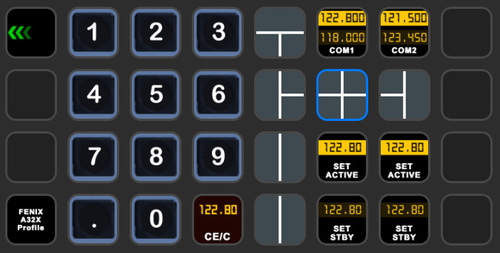
StreamDeck XL and SD+ Profile for FBW A320neo
Enhance your FBW A320neo experience with a comprehensive StreamDeck XL and SD+ profile. Enjoy features like Main page, Overhead Panel, MCDU, ECAM, and much more. The profile is tested and works with the latest FBW A320neo experimental version, offering customization options for specific setups. Easy installation process with detailed instructions provided for a seamless setup.
von ChrisG9111
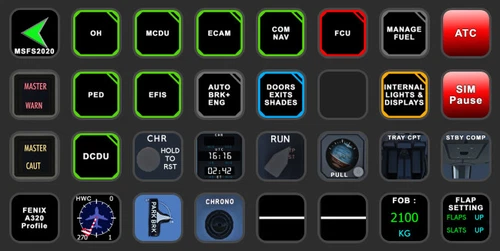
StreamDeck XL and SD+ Profile for FENIX A3XX (incl. compl. Script package and FCU readouts and more)
Enhance your FENIX A3XX experience with this StreamDeck XL and SD+ Profile add-on, featuring a complete Script package, FCU readouts, and more. Access various cockpit functions such as the Overhead Panel, MCDU/DCDU, ECAM, and Internal Lights with this detailed profile. Compatible with the latest FENIX A320, this add-on offers a seamless integration for a more immersive simulation experience.
von Chris_PU_A320
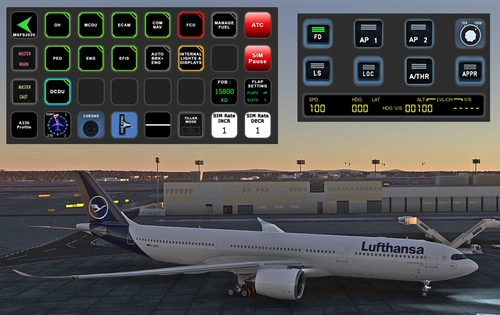
StreamDeck XL and SD+ Profile for A330-900neo (Headwind)
Customize your flying experience with the Headwind A330-900neo StreamDeck XL and SD+ Profile. This feature-packed profile includes functions for Main Page, MCDU, ECAM, EFIS, COM/NAV, and more. Compatible with the latest version of Headwinds A330Neo, adjustments may be needed for specific setups. Join the Discord server for support and enjoy enhanced control over your aircraft systems.
von Chris PU A320
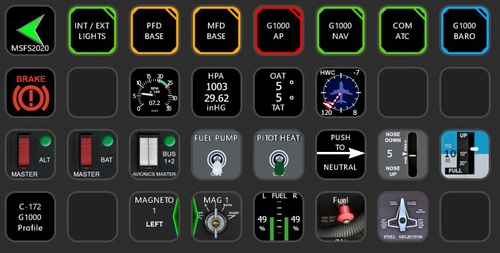
StreamDeck XL Profile for Cessna C-172 G1000 Version
A comprehensive StreamDeck XL profile for the Cessna C-172 G1000 version, tailored for pilots using the Asobo Cessna 172 Garmin 1000 model. Features include various pages such as Lights, G1000 PFD, MFD, AP, Baro, NAV, and COM/ATC. Ensure to have the required plugins installed for optimal functionality. Adjustment for specific setups may be necessary, with support available through comments or the creators Discord channel.
von ChrisG9111
Melden Sie sich an, um an der Diskussion teilzunehmen
AnmeldenKommentare(25)
about 1 year ago
about 1 year ago
over 1 year ago
This sentence is a bit unclear:
"not needed when imported the template file as this will import the script files also"
Suggestion (if I understood this correctly)
Not needed if you have already imported the template file, as this will also import the script files.
over 2 years ago
I liked your concept so much that I decided to purchase AAO simply for that. But, the problem is that I want to use it with a different aircraft. Do you have a tutorial on how to start a fresh aircraft?
Thanks for your help and your great product.
over 2 years ago
Cheers
Chris
over 2 years ago
2 Dinge hätte ich: ich habe die Checklisten nach deiner Anweisung in den Lorby Ordner verschoben, doch es funktioniert nicht.
Dann würde ich gerne die Ausgabe der Voice auf Englisch umstellen - habe es nicht hinbekommen.
Alle anderen Funktionen gehen SUPER !!!
Gruß
Thomas
over 2 years ago
LG
Chris
about 3 years ago
about 3 years ago
rgds
Chris
over 3 years ago
Thankyou.
about 4 years ago
is there anyway you can do it for a different plane then luftansa
about 4 years ago
You can assign that to any aircraft you like. The checklists are just based on LH procedures though. If you have checklists for a different airline (they maybe have slightly different procedures) you can change them. But most items are also based on published airbus procedures anyway...
over 4 years ago
thanks very much for this checklist!
Is it possible to have a "pause checklist" and "continue checklist" voice command so that the co pilot doesn't keep asking for a response while having to do something else in the middle of a checklist?
over 4 years ago
Unfortunately it is not possible at the moment. But I have contacted the developer of AAO and maybe he finds a way to pause and continue the checklist function….stay tuned. As soon as this will be possible, there will be updates.
Cheers
Chris
over 4 years ago
Meanwhile you can increase the waiting time to e.g. 60 secs. Then you will have 5x60 sec time to do anything else in the meantime…
over 4 years ago
Good news...I just implemented the Pause Function within the checklists and it works. But we will have to wait until the update of the new version of AAO is published, so that I can upload the updates with this new function. Because this is AAO related and has now the new function implemented. I hope you can wait ;-)
about 4 years ago
That's fantastic news. Will reaally improve flow control. Thanks!
over 4 years ago
hi chris , are the checklists read and/or proceeded by FO , or does he " just " check your actions ( using VR makes reading a checklist on paper somehow difficult
over 4 years ago
Hi, he also reads the items. And then he checks if they are set right. If not he will give you reply to recheck the respective item etc…This runs according to the A320 checklist included…
Cheers
Chris