
Beschreibung
Runway Selector Tool v1.2
English
-
- Requierements
- How to use
-
- Prérequis
- Utilisation
-
- Python 3 DLL is missing (Should be fixed in v1.2)
- No runway information
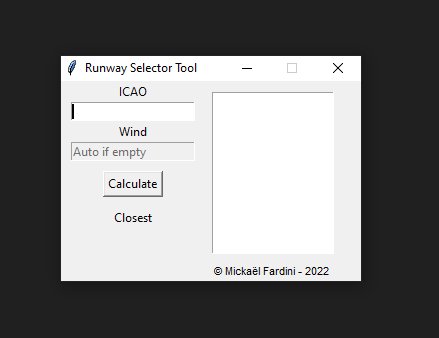
An easy to use tool to predict the landing runway for your planning
Live METAR implemented for current wind direction at a given airport
Here is finally a tool to help you predict the landing runway for your flights
Requierements :
- Python 3.7
Installation
- Unzip archive
- (Optional) Make a shortcut of Runway Selector Tool.exe by right-clicking on it, and place the shortcut where you want
- Launch Runway Selector Tool.exe
How To Use
- Indicate the destination Airport Code (ICAO)
- Indicate wind direction ( prefer 3 digit, eg: 010 )
- If wind direction is missing, the best runway will be calculate with the current METAR information
Any Issue, Bugs, or idea, please leave a comment.
Un outils facile d'utilisation pour prédire la piste d'arrivée
METAR en direct implémenté pour la direction actuelle du vent
Voici enfin un petit outils pour vous permettre de prédire la piste d'arrivée de vos vols
Requis :
- Python 3.7
Installation
- Dézipper l'archive
- (Optionnel) Créer un raccourci de Runway Selector Tool.exe en pressant clic-droit et en placant le raccourci où vous le souhaitez
- Lancer Runway Selector Tool.exe
Utilisation
- Indiquer le code de l'aéroport de destination (OACI)
- Indiquer la direction du vent ( préférez 3 chiffres, eg: 010 )
- Si la direction du vent n'est pas indiquée, la meilleure piste sera calculée à partir du METAR actuel
Un problème, bug, ou idée, merci de laissez un commentaire.
Bug & Issue
## Python 3.7 DLL is Missing / Manquante : (Should be fixed in v1.2 )
Try those simple solutions / Essayez ces solutions simples :
§ Make sure to have Python 3.7 installed. You can download python on the official website
Vérifier que Python 3.7 est installé. Vous pouvez télécharger python sur le site officiel
§ Download and place the missing DLL in the same location folder as the program
Télécharger et placer la DLL manquante dans le même dossier que le programme
Links / Liens :
§ Try this solution : https://techloris.com/dll/python37-dll/#step-1-find-the-appropriate-dllav32dll-version
## The application is look like is about to crash / L'application ne répond plus et semble à l'arrêt ?
## No information about runway is displayed / Aucune informations sur les pistes ?
§ Verify Airport-Data Website is working properly
Vérifier que le Site Airport-Data fonctionne correctement
Other Tools
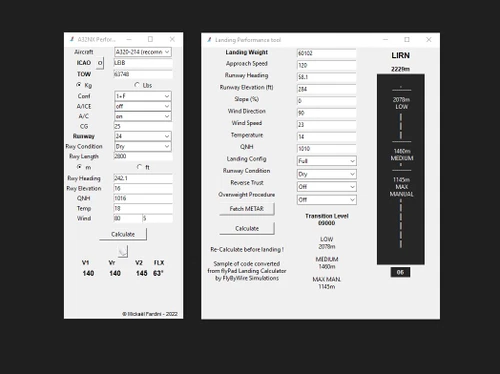
§ A32NX Take Off Performance Tool ( FLEX Calulator - Automatic )
§§ Click Here
Runway Selector Tool
A user-friendly tool to predict landing runways based on wind direction and METAR data. Simply input airport codes and wind direction for accurate runway suggestions. This tool requires Python 3.7 to run smoothly.


Versionsgeschichte
## 1.2 ## Standalone mode : This should fix the Python DLL problem for everyone
Melden Sie sich an, um an der Diskussion teilzunehmen
AnmeldenKommentare10
I have tried both method: install python 3.7.9 on Win11 or put python37.dll with the program. But it does not work. The program tried to load for a second then gone. Confirmed the python 3.7 works well.
Also tried launch the program as admin
Hi,
Maybe try this solution :
https://techloris.com/dll/python37-dll/#step-1-find-the-appropriate-dllav32dll-version
You can either, place the DLL into the system32 folder, or register the DLL.
Keep me inform of your progress
Hi, this should be fixed in v1.2.
Good day
missing python dll 37
The description is updated about that, be sure to have Python 3.7 installed.
Bonjour,
Merci pour le partage mais Impossible de lancer l'exe : python dll 37 introuvable
Bien cordialement
Hello
Thanks for sharing, but its impossible for me to launch the exe due to missing python dll 37
Salut,
Merci pour le commentaire,
La description a été mise à jour, essaye l'une des solutions proposées, normalement ça devrait régler le problème.
Re bonjour,
Le vent est bien calculé mais pas pistes (j'ai essayé plusieurs aéroports KJFK LFPO LFPG LFML)
Le site world airport database fonctionne parfaitement.
J'ai essayé en mode admin, simu eteind et simu lancé sans succés
Des idées ?
Bien cordialement
Salut,
Je viens de tester, vérifier que ton antivirus/antimalware ne bloque pas l'accès au site airport-data.com.
En testant mon AV a bloqué le site je ne sais pour quelle raison, mais avec l'exception ça fonctionne du coup, pour les aéroports que tu m'as cité.