

Beschreibung
This is the in-game panel version as addon for Microsoft Flight Simulator.
This version also works in VR.
INSTALLATION
- If running, end MS Flightsimulator.
- Unzip the folder "zero-smartils" completely into Your Community folder
Example for the Microsoft-store-version:
C:\Users\YOUR_USERNAME\AppData\Local\Packages\Microsoft.FlightSimulator_8wekyb3d8bbwe\LocalCache\Packages\Community
- You have to have an internet connectsion
- Start MS Flightsimulator
- Start a flight
- Move Your mouse in the center of the upper screen to make the quick menu visible
- click on the red ILS icon
- ENTER an ICAO code of an airport
- if your search results show runways with ILS, you can set the airplane's NAV radios frequencies with the blue buttons.
All Airports of MSFS 2020 that have ILS are included (SU 7 11/2021) and these will work in MSFS 2024.
Type in the ICAO code of the airport and you will get the data of runways with ILS.
Click on NAV1 or NAV 2 to set the frequency in MS Flightsimulator into the standby radio.
Check "Set active instead standby radio" to set the frequency into the active radio instead.
Option to report wrong or missing data by using "Report Data".
You will need to sign up with the website to report data.
When a number of user-corrections was reviewed, a new database version will be released.
Edit:
Added a virtual keyboard to prevent problems with the in-game keyboard shortcuts an d to make it more usefull for VR.
Now it keeps Your settings even when You end MS Flight Simulator.
Enable link-behavior on the frequency value (a click sets NAV1). Show/hide NAV1/NAV2 buttons. The font size can be switched in two sizes to match Full-HD or 4k screen resolutions. You also can choose a background color and switch the font colour between black and white.
There is also a stand-alone Windows-app version:
https://de.flightsim.to/file/25360/smartils-the-smartest-ils-frequency-database
Compatibel with MSFS 2024.
Homepage: https://fs-addons.de/smartils/
SmartILS Panel - The Smartest ILS frequency database!
Access the SmartILS Panel for Microsoft Flight Simulator, a handy in-game addon that provides the latest ILS frequency database, now compatible with VR. Input airport ICAO codes to access runway data with ILS capabilities and easily adjust airplane NAV radio frequencies. Keep your settings saved and contribute to data accuracy by reporting any discrepancies. Explore the additional features like a virtual keyboard, customizable display options, and a standalone Windows app version for more convenience.


Unterstützer

Nutzerbewertungen
16 Bewertungen
Versionsgeschichte
v2.0.1 01/12/2022 - added virtual keyboard - added options-dialog with - adding link-behavior on frequency - show/hide Button NAV1/NAV2 - choosing a background color and light text colour - added a choice between small and large font size.. - all options are saved and will be loaded at next simulator star
Ähnliche Addons

SmartILS - The smartest ILS frequency database!
SmartILS v1.5.2.0 is a comprehensive ILS frequency database for Microsoft Flight Simulator 2020 & 2024. Access all airports with ILS systems by simply entering their ICAO codes. Set frequencies with ease using the NAV1 or NAV2 buttons in-game. Stay updated with regular database updates and report any discrepancies for future releases. Visit the homepage for more information.
von Abtzero

FSS E-175 Lufthansa Livery
Fictive MSFS Lufthansa livery for FSS Embraer E-Jets 175 with short and long wings. As far I know, Lufthansa has a E-195, but before this model will be finished by FlightSimStudio, we have to deal with the fictive E-175 "Petersberg" D-AEMB. Just copy into Your "Community" folder.
von Abtzero

EDER Wasserkuppe
Discover EDER Wasserkuppe, the highest airfield in Germany and a significant location where gliding planes were invented after World War 1. This add-on provides a quick edit to include the airport with a runway, parking spots, and a tower radio frequency in Microsoft Flight Simulator. Enhance your simulation experience by exploring this historic recreation zone in the area of Fulda.
von Abtzero
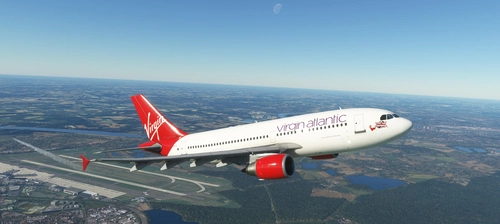
iniBuilds A310-300 Virgin Atlantic Livery
Add a touch of Virgin Atlantic to your IniBuilds A310-300 with this updated livery by Abtzero. Perfect for fans of the virtual airline "Virgin Atlantic" on Fly the World. Just copy the folder to your Community folder and enjoy!
von Abtzero
Melden Sie sich an, um an der Diskussion teilzunehmen
AnmeldenKommentare(54)
9 months ago
9 months ago
10 months ago
over 1 year ago
Any plans to port it to FS2024?
almost 2 years ago
almost 2 years ago
Do you have the intention to port it to FS2024? Thanks.
over 3 years ago
Great little utility I use it a lot, many thanks.
almost 4 years ago
superb!!!
about 4 years ago
The ILS tool is what I've been looking for for a long time. Thanks for the great work.
Would it be possible to search for city names in addition to the ICAO search field?
ICAO = LSZH
City names = Zurich
Greetings Peter
about 4 years ago
VR Toolbar version needs added "NAV2" button like the other versions, for airliners.
about 4 years ago
Downloaded and installed today 23 Aug 2022. MSFS latest edition (no beta). Software loads, but the moment you start to type ICAO Id for an airport, view changes to outside rear view of aircraft, joystick inputs are largely disabled and the aircraft is frozen with sound working on the runway. I tried it with out any other addon, same effect. Brilliant idea thought. Much needed.
almost 3 years ago
MSFS cannot prevent keypreses to be applied to the sim.
Use the built-in virtual keyboard instead.
over 4 years ago
Absolument génial Merci
over 4 years ago
Fantastic
My register at your site did not workcannot email you on your siteVHHX Kai Tak (obsolete) not in the database.Missing the ADD button as per the first SmartILS (so I could fix this myself)or able to read MakeRwys.exe output or read inc. Community like Little Navmap?works great
over 4 years ago
Just wanted to say thank you and ask why does the user need an internet connection when it's using the msfs 2020 datbase? Best regards.
over 4 years ago
Because I extracted it to an internet based database.
over 4 years ago
Hi, may I ask you what kind of database did you use?
Thank you
over 4 years ago
This is the MSFS built-in ILS database.