
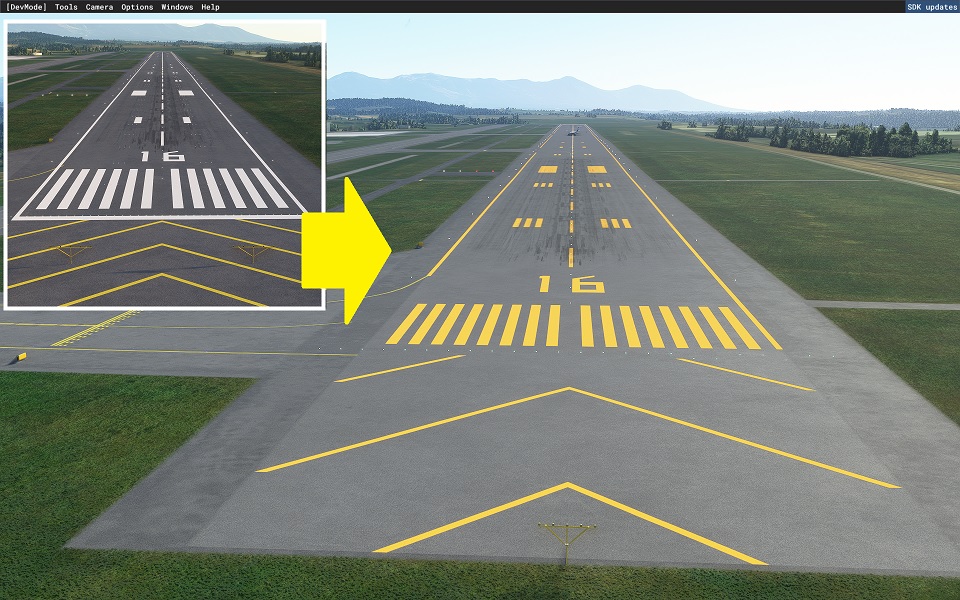
Beschreibung
精密滑走路標示 精密滑走路
決定
ご覧いただきありがとうござい
ます。
Attention ♪ (2022.1.8 Upda)
This time, thanks to your kindness, we have collaborated with a MOD containing a model of GAO CHAN!
You can link to the download destination by clicking. We would appreciate it if you could like the author, subscribe to the channel, and follow us.
注目♪(2022.1.8 Update)
この度、ご厚意によりGAO CHAN様のモデルが入ったMODとコラボレーションいたしました!
クリックでダウンロード先にリンクできます。是非作者の方に「いいね」やチャンネル登録、フォローしていただければ幸いです。
Asahikawa Airport Modeling Scenery produced by GAO CHAN
GAO CHAN様制作の旭川空港モデリングシーナリー
There are some parts that need to be adjusted, but it is expected that they will be resolved in the future.
調整が必要な個所がありますが、今後の解消していく見込みです。
It is created by surveying with Ministry of Land, Infrastructure, Transport and Tourism materials and Google.
国交省資料とGoogleで測量して作成してます。
The markings are not freehand and are therefore aligned.
マーキングはフリーハンドではないため、一直線に配置されています。
In the case of an airport in a snowy area, it is corrected to orange. The hue is suppressed within the range that does not feel strange with the default edge line.
降雪地帯の空港の場合オレンジ色に修正してます。デフォルトのエッジラインと違和感がない範囲で、色合いを抑えております。
The file size is very small because it consists only of programs.
プログラムのみで構成されているため、ファイルサイズは非常に軽量です。
We have adjusted it in consideration of the scenery that will be released from the other side in the future, but there are some sacrifices.
今後の他方からリリースされるシーナリーを考慮し調整してますが、犠牲にしてしまう部分があります。
私が公開しているPrecision Runway Markingの一覧です。 リリース
しているPrecision Runway Markingの一覧です
。
他のシーナリーと競合してオレンジ色にならない場合は、シーナリー優先順位を変更
してください。
簡単な方法は、フォルダ名を任意の名前に変更すると、最新のものとして認識され、上位に表示されます。 簡単な方法は、フォルダ名をの名前に変更することで任意の最新
のものと認識され優先順位が上位になります。
ここでは、別の方法を紹介しています。
こちらでは、別の方法を紹介しております。
https://www.tab-log.net/post-15088/
インストールについてはCommunityに解凍してご利用ください。インストールについて
、Communityに圧縮して
ご利用ください。
Location
Precision Runway Marking (Asahikawa Airport(RJEC))
Enhance your airport experience with Precision Runway Marking at Asahikawa Airport! This detailed mod includes precise markings aligned with real-life data and minimal file size. Explore a collaboration with GAO CHAN for added realism, and stay tuned for future updates and adjustments. Download now for an enhanced simulation experience.
Downloads gestoppt
Der Ersteller hat die Downloads für dieses Addon vorübergehend gestoppt. Bitte versuche es später erneut.


Nutzerbewertungen
1 Bewertungen
Versionsgeschichte
Fixed the connection with the runway for the default line. Other minor corrections. デフォルトのラインについて、滑走路との接続を修正しました。その他に微修正してます。
Ähnliche Addons
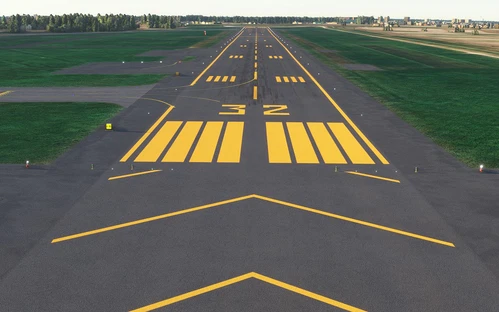
Precision Runway Marking (Okadama Airport)(RJCO))
Improve airport precision with this add-on featuring aligned runway markings created using Ministry of Land, Infrastructure, Transport and Tourism data and Google surveying. The small file size ensures easy installation, but adjustments may be needed for future scenery compatibility. Available for various airports, including Okadama, New Chitose, and Kobe.
von TOSHICHAN310

Sendai Landmarks
Explore the iconic landmarks of Sendai, Japan with this mod. Version 1.2 focuses on the east exit of Sendai Station, while Version 1.0 includes landmarks like TV tower 4 and Sendai Daikannon. Utilizing LOD20-22, this add-on aims to enhance the uniqueness of Sendai despite some frame rate drops during caching. Created using Google Earth Decoder, Blender, and color adjustments for Microsoft Flight Simulator.
von TOSHICHAN310
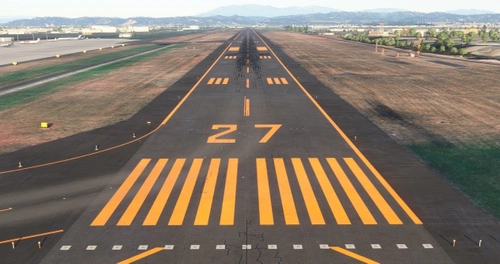
Precision Runway Marking 2024 (Sendai International Airport(RJSS))
Precision Runway Marking 2024 enhances the visual accuracy of Sendai International Airport (RJSS) for MSFS2024. This add-on features orange runway markings, tailored for regions that experience snowfall, and is created using data from the Japanese Ministry of Land, Infrastructure and Transport along with Google surveys. Note that it does not include building data and requires the “Japanese Airport Model Library KRC” for proper lighting setups. Adjust scenery priorities if conflicts with other add-ons arise.
von TOSHICHAN310

Sendai Landmarks 2024
We have extracted essential landmarks of Sendai from Google Maps.
von TOSHICHAN310
Melden Sie sich an, um an der Diskussion teilzunehmen
AnmeldenKommentare(2)
almost 2 years ago
This is a hidden gem and you should definitely keep adding to it and updating. Brilliant work :)
over 2 years ago