
Beschreibung
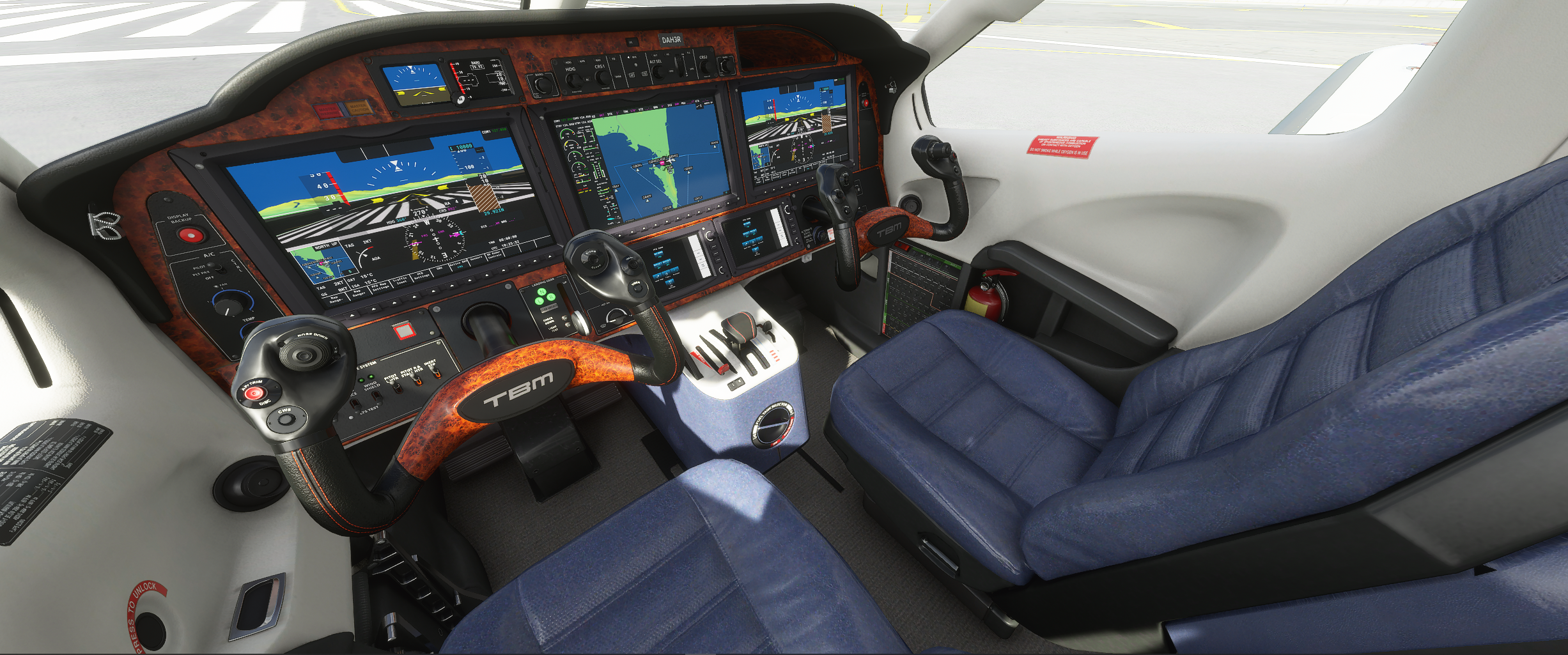
New panel and interior for the default Daher TBM 930 that add a bit of wood and change the seat color.
Just drop the unzipped folder into your Community folder
MSFS 2020MSFS 2024
TBM 930, panel and interior, update
Enhance the default Daher TBM 930 with a new panel and interior featuring a touch of wood and updated seat colors. Simply unzip the folder into your Community folder to enjoy the upgrades.
Downloads gestoppt
Der Ersteller hat die Downloads für dieses Addon vorübergehend gestoppt. Bitte versuche es später erneut.
Downloads2K
Version1.1
Dateigröße39.41 MB
VeröffentlichtVor 5 Jahren
AktualisiertVor 5 Jahren


Nutzerbewertungen
4.7
6 Bewertungen
5
83%
4
0%
3
17%
2
0%
1
0%
Melden Sie sich an, um an der Diskussion teilzunehmen
AnmeldenKommentare(23)
almost 5 years ago
I would love to have this file up and running again-one of my favorite mods. Thanks, Darrell
about 5 years ago
makes the interior so luxurious
about 5 years ago
downloaded , extracted and cut and paste into the community folder , did not work
:( , maybe a bit more to it than that ?
about 5 years ago
You may have to double check your folders... theirs several at times and you need to find the root. Go one step beyond what you did and see if there's another folder?... if so use that
over 5 years ago
Thanks! Darrell
over 5 years ago
I have just checked with the latest MSFS build 1.15.8.0 and everything appears to be fine. Do you have the update 1.1 of my file installed in your community folder, or do you have the first version that needs to be installed in the main MSFS folder?
Bernd
over 5 years ago
over 5 years ago
over 5 years ago
over 5 years ago
I will upload it one more time now
over 5 years ago
over 5 years ago
over 5 years ago
It would be appreciated if you could help me out with a solution.
over 5 years ago
Anyhow, I will upload now an updated version, which requires you to only put the panel folder in the Community folder and not anymore into the main Asobo plane folder.
over 5 years ago
Thank you for your reply.
It is now working correctly. What I have done, was disconnecting my Alpha Bravo Throttle and resatted the sim and works good now.
over 5 years ago
great to hear, thanks for the feedback.
over 5 years ago
over 5 years ago
over 5 years ago
over 5 years ago