
![[FBW] A32NX Custom Camera Views - Image 1](https://cdn.flightsim.to/images/15/EP1Oz_Jb.png)
Beschreibung
These are the camera views I use with the FBW A320NX and I wanted to share with the community so you can try and use it!
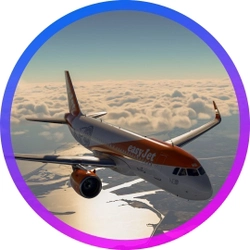
You can see how they look in the photos
The views are as follow:Custom camera 0 - EFB
Custom camera 1 - Pilot
Custom camera 2 - Autopilot
Custom camera 3 - FMC and Radio
Custom camera 4 - Overhead Panel
Custom camera 5 - Pedestal Panel
Custom camera 6 - Front wheel belly view
Custom camera 7 - Left wing view
Custom camera 8 - External view from the front
Custom camera 9 - Right wing view
!WARNING!
You must have created any custom view in the airplane beforehand so the cameras.cfg file is created or it won't work.
The (cameras.cfg) file has to be copied in the main MSFS location and not the Community folder so proceed only if you feel confortable.
- Find the "Airplanes" folder in the main MSFS installation location, and inside of it you should get all the custom camera views that you've setup for each plane, if you didn't then the Airplanes folder will be empty or not present at all.
For the Microsoft Store installation, the path is as follows:
C:\Users\[UserName]\AppData\Local\Packages\Microsoft.FlightSimulator_8wekyb3d8bbwe\LocalCache\SimObjects\
For Steam installation the path is:
C:\Users\xxxxx\AppData\Roaming\Microsoft Flight Simulator\SimObjects
If you are not able to open the file because of a permissions error, check if you are with the administrator account, if you are and it still doesn't work you should get a small "Take Ownership" reg file that you can find in google to get the permissions correct, or contact me to get some help.
- After it go to the "FlyByWire_A320_NEO" folder
- Inside of the folder make a backup of the "cameras.CFG" file in case you ever want to revert back and then copy the "cameras.CFG" mod file to that folder and replace if asked.
- Launch Microsoft Flight Simulator and make sure you have assigned keys or buttons to the custom views, you can do it in Options -> Controls
Thanks for downloading ! If you find any problem feel free to message me or comment below.
Häufig gestellte Fragen
[FBW] A32NX Custom Camera Views
Enhance your FlyByWire A320 NEO experience with custom camera views tailored for various cockpit perspectives and external angles. This mod offers a range of 10 unique camera views, including EFB, Autopilot, Overhead Panel, and more. Follow the instructions for seamless installation to optimize your flight simulation visuals. For any assistance or feedback, reach out to the developer.

Versionsgeschichte
Keine Versionsgeschichte verfügbar.
Melden Sie sich an, um an der Diskussion teilzunehmen
AnmeldenKommentare(3)
over 5 years ago
This is a really cool mod. Thanks for this. But I have a question.
What sets this mod apart from the built-in Instument views, as well as the fixed view that all can be accessed using keybinds?
over 5 years ago
Thanks!
The idea is to give a prebuilt camera setup so it's easier to get your views and getting the fixed wing or outside views is not as easy as doing the cockpit views.
The mod is a personal preference because each one might like their own set of keybinds but this is the most confortable for me and hopefully it is for other people 😃
over 5 years ago
Cool, thanks for the reply. I was a bit confused as such, because I can easily view everything that you have set up plus some more views, except for the Front Wheel Belly View and External View from the front, all using just 3 buttons on my joystick with the default camera angles coming from both MSFS and FBW A32NX mod. So I was just wondering what makes these angles different than the one we already have with the same quick bindings. But all good. Thanks for sharing.