

Beschreibung
Cessna 152 Banner Tow : banner template
This is a template livery for the banner
It had been made to be used as a template for you to build your own banner for the Cessna-152 neofly banner tow
Howto make your own banner ?If your already know how to make liveries, the intersting file is FLAG_ALBD.PNG.DDS
If your not too familiair with this, you may try this method :
Make your own picture :
- You'll find an .xcf file (gimp) with the template.
- You can use transparency for the banner to have a kind of textile look.
- save and replace the file as FLAG_ALBD.PNG.DDS in the folder SimObjects\Airplanes\bagolu-c152-neoflybannertow-rename\texture.rename-me\
Prepare your directories and files :
- Choose a short name for your livery (for example : marryme)
- rename the root folder bagolu-c152-neoflybannertow-rename-me by replacing rename-me with your livery name
- with the example : rename bagolu-c152-neoflybannertow-rename-me as bagolu-c152-neoflybannertow-marryme
- with the example : rename bagolu-c152-neoflybannertow-rename-me as bagolu-c152-neoflybannertow-marryme
- rename the folder SimObjects\Airplanes\bagolu-c152-neoflybannertow-rename-me by replacing rename-me with your livery name
- with the example : rename SimObjects\Airplanes\bagolu-c152-neoflybannertow-rename-me as
SimObjects\Airplanes\bagolu-c152-neoflybannertow-marryme
- with the example : rename SimObjects\Airplanes\bagolu-c152-neoflybannertow-rename-me as
- rename the folders MODEL.rename-me and TEXTURE.rename-me by replacing rename-me with your livery name
- with the example : rename MODEL.rename-me as MODEL.marryme
rename TEXTURE.rename-me as TEXTURE.marryme
- with the example : rename MODEL.rename-me as MODEL.marryme
- Edit aircraft.cfg and replace all instances of rename-me by your livery name
- with the example :
Title="Cessna 152 Neofly banner tow marryme"
Model="marryme"
Texture="marryme"
description="Cessna 152 Neofly banner tow marryme"
ui_type="152 Neofly banner tow marryme"
- with the example :
- return in the root folder and edit manifest.json : replace again all instances of rename-me by your livery name
- with the example :
"title": "Cessna 152 Neofly banner tow marryme",
- with the example :
- edit layout.json : replace again all instances of rename-me by your livery name
- with the example :
{
"content": [
{
"path": "SimObjects/Airplanes/bagolu-c152-neoflybannertow-marryme/aircraft.cfg",
"size": 781,
"date": 132658400888435291
},
{
"path": "SimObjects/Airplanes/bagolu-c152-neoflybannertow-marryme/MODEL.marryme/model.CFG",
(etc)
- with the example :
Put your folder in the community folder, relaunch MSFS
For your flight or in the hangar :
- choose the Cessna 152 Neofly banner tow
- choose the livery you've just made otherwise you'll fly with the default banner
Enjoy your own banner !
Cessna 152 Banner Tow : banner template
Customize your Cessna 152 Banner Tow with this template livery and create your own unique banner design. Follow the provided steps to personalize your banner, from making your own picture to renaming files and directories. Simply add your customized livery to the community folder in MSFS and enjoy your personalized flying experience.

Unterstützer

Nutzerbewertungen
4 Bewertungen
Versionsgeschichte
Compatible with 1.3.0 plane mod * fix the missing interior model
Ähnliche Addons
FR172 REIMS ROCKET / CESSNA R172 HAWK XP II
The Reims Rocket and the Cessna XP Hawk II are variants of the Cessna 172 model with a powerfull 210HP engine capable of short takeoffs and quicker climbs. This mod adds a new plane to your hangar with a lot of options and customizations. A sky diving setup is also available.
von bagolu & MBX Aviation
Cessna 172SP Skyhawk AS1000 improvement
Asobo Skyhwk AS1000 improvement patch with state saving, opening and closing doors and windows, working sunvisors, configurable removable fairings (front and back), optional parking wheel chocks, removable interior seats, checklists systems (cards and flip box) and more to come
von bagolu
Cessna 172 Amphibian
A versatile and powerful addition to your aircraft collection, the Cessna 172 Amphibian mod brings unique features such as floats, retractable landing gear, and increased flaps angle. With liveries included and modifications to the flight model, experience enhanced sea and ground landings in Microsoft Flight Simulator. Explore new seaports and stunning locations for a refreshing flying experience with this meticulously crafted add-on.
von bagolu
Cessna 172 Tail dragger
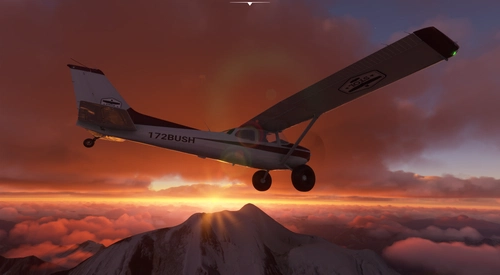
Experience the Cessna 172 Skyhawk Tail dragger in Microsoft Flight Simulator with V.3.0.0 update. This mod features a powerful Lycoming 210HP STC engine, enhanced cockpit settings, 3D model modifications, flight model adjustments, and a variety of liveries to choose from. Download now and expand your virtual hangar with this realistic and detailed aircraft add-on.
von bagolu
Melden Sie sich an, um an der Diskussion teilzunehmen
AnmeldenKommentare(29)
5 months ago
Now the Bagolu Cessna 152 Banner Tow works in 2024. There are still a few glitches but for my main task of promotion it is sufficient.
5 months ago
We are actively using it to fly promotion for National eSTOL.
What would it take to port it to 2024? It did work for the C172M, so it should be possible.
5 months ago
But you now have much better banner tow with msfs2024 !
5 months ago
I will try to get it running by loading Asobo_C152 SimObject alongside the bagolu-c152-neoflybannertow. I will report back if it worked.
would fallback to WBSim C152 be an option?
Thanks for the quick reply.
over 3 years ago
I sent too many pics to be reviewed sorry.
over 3 years ago
They seem ok ! good job !
over 3 years ago
Thanks
over 3 years ago
Do I replace the .DDS that's already in there or just add my new one?
over 3 years ago
if you want to do it for your personal use only, replace the DDS file with yours and use the template mod
If you want to share it, follow the complete procedure.
DM me if you need help ;)
over 3 years ago
OK Thanks
over 3 years ago
I have a problem with this mode. You certainly have the solution.
At the opening the livery is incomplete, indeed in interior view the objects of the cockpit are missing. In external view, no problem the plane is complete.
Thanks.
Bonjour,
Je rencontre un problème avec ce mode. Vous avez certainement la solution.
A l'ouverture la livrée est incomplète, en effet en vue intérieure il manque les objets du cockpit. En vue extérieure, pas de problème l'avion est complet.
Merci.
over 3 years ago
You're right !
the fix is uploading
over 3 years ago
Super, ça marche.
merci
Super, it is OK
Thanks
over 4 years ago
Hi, I don't understand how to edit the text as it doesn't show up as a layer, any help?
almost 5 years ago
What settings should I be using when exporting as DDS in gimp? I've tried a few out like DXT1/3/5 or just no compression and trying both MIPMAPS enabled and disabled then replacing the FLAG_ALBD.PNG.DDS file but they all just show up blank for me. Sorry to be a bother.
EDIT: Never mind, the last thing I tried worked and now I have a working banner! Thanks for the mod!
almost 5 years ago
Good to know you succeded !
almost 5 years ago
I am unable to successfully modify the banner. To troubleshoot I have simply copied the template.xcf to the SimObjects\Airplanes\bagolu-c152-neoflybannertow-rename\texture.rename-me\ and renamed it to FLAG_ALBD.PNG.DDS. The livery shows up inside Flight Simulator but the banner is blank white. What step am I missing?
almost 5 years ago
The .xcf file is a gimp format file. You have to modify the content with gimp and export to a .png.dds file
about 5 years ago
Awesome livery. Once you get all the files named and can make those banners. Awesome. Sent a paypal donation for such great work.