
Beschreibung
Landing analysis for Microsoft Flight Simulator 2020.
Update
Check out the new in-game panel – it's more convenient and comes with some cool updates.
https://flightsim.to/product/gees-landing-analysis-for-msfs
How to Install/Use?
Download the latest release. Unzip to your favorite location for MSFS2020 landing monitors, and start Gees.exe. You'll see a window like this in the bottom right.
The app itself runs in the background, and you can find this status window in the status tray, as this icon:
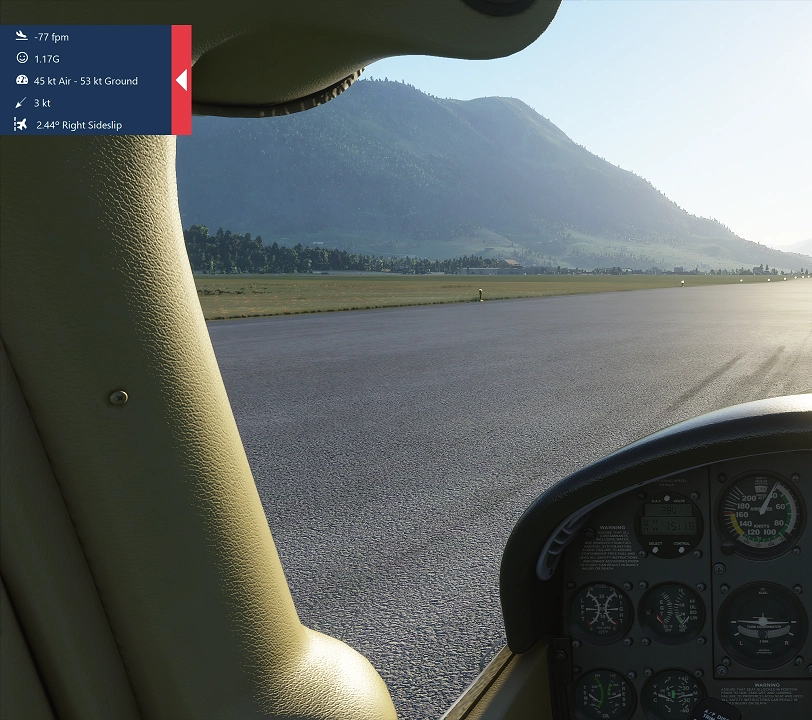
That's it. When you start the sim the app will automatically connect and when you land, you'll get a window similar to this slide out top-left:
You can start it before, or after the MSFS, it doesn't matter.
How to Uninstall?
Delete the folder where the Gees.exe resides.
What is measured?
Descent rate at the landing in feet per minute
Self explanatory.
Maximum G force impact at the moment of touchdown. Should be in theory related to the descent rate, undercarriage dampers and how much the passengers are nervous.
Airspeed and ground speed at the touchdown
Self explanatory.
Wind speed and direction at the touchdown
There's a nice arrow, showing where the wind is blowing from
Did you do the proper de-crab maneuver, or the plane is going sideways on touchdown in the crosswind? The higher, the worse. Keep it close to 0 degrees or you might break the gear, or pop the tire (well, probably not in the sim).
How to compile it
It's a c# WPF application. You'll need a Visual Studio with .NET 4.7 and the following nuget libraries:
CTrue.FsConnect
Octokit
PrettyBin
CsvHelper
Contact
Use the reddit page, or here, the Issues page to report bugs and suggestions. Please do.
License
Distributed under the GNU General Public License v3.0 License. See LICENSE for more information. (Whatever you do with this, keep it open source)
Gees - In game landing analysis (standalone App)
Enhance your landing skills with Gees, a standalone app designed for landing analysis in Microsoft Flight Simulator 2020. This tool provides insights into key metrics such as descent rate, G force at touchdown, airspeed, ground speed, wind speed and direction, and sideslip angle. Improve your performance and receive real-time feedback on your landings.


Nutzerbewertungen
74 Bewertungen
Versionsgeschichte
A bug fix to repair incorrect sorting in the table.
Ähnliche Addons
FSPM/OSM VFR Map
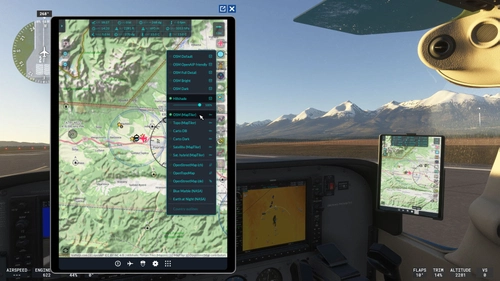
The FSPM/OSM VFR Map is a community-maintained modification of the original FSPM VFR Map, designed for compatibility with MSFS 2020 and MSFS 2024. It offers features such as SimBrief integration for flight plan management, runway and approach visualization, and various map overlays including satellite imagery, airspaces, and weather. The tool also includes enhancements for teleportation, measuring distances, and exporting flight tracks, while providing user-friendly interface updates and quality-of-life improvements.
von a5tr0

GEES 2.0 Landing Analysis for MSFS
Enhance your landing skills with GEES 2.0 Landing Analysis for MSFS. This in-game add-on provides detailed feedback on your landing rate, G-force, speed, wind conditions, sideslip, bounces, and landing location. It also offers instant replay recording to review your landings and can be easily installed by copying files into the Community folder. Improve your piloting abilities and track your progress with GEES 2.0.
von scelt
Kommentar-Zusammenfassung
Das allgemeine Feedback zu 'Gees - In game landing analysis (standalone App)' ist überwiegend positiv. Viele Nutzer loben die einfache Bedienung, den Nutzen für die Analyse von Landungen sowie die kostenlose Verfügbarkeit der App. Häufig hervorgehoben werden die Genauigkeit der Daten, die Kompatibilität mit aktuellen MSFS-Versionen (einschließlich MSFS2024) und die Unterstützung beim Verbessern der Landetechnik. Es gibt jedoch wiederkehrende Probleme: Die App erkennt teils Landungen nicht, insbesondere bei bestimmten Flugzeugen wie der Fenix A320, CRJ oder im Replay-Modus, darüber hinaus treten nach Updates von MSFS oder Windows gelegentlich Kompatibilitätsprobleme auf. Nutzer äußern oft Verwirrung bei Installation und Start, setzen die App versehentlich in den Community-Ordner oder stoßen auf Fehlermeldungen, zumeist wegen fehlender .NET-Versionen, Antivirenwarnungen oder Zugriffsrechten. Das permanent sichtbare UI-Element (farbige Linie) wird als störend empfunden. Erwähnt werden zudem fehlende Funktionen wie VR-Unterstützung, automatischer Programmstart oder umfangreichere Log-Dateien. Für viele Probleme und Fehlermeldungen finden sich Hinweise und Tipps der Community, etwa zum Umgang mit Virenscannern oder Verbindungsproblemen.
Zusammengefasst am 13. Nov. 2026
Melden Sie sich an, um an der Diskussion teilzunehmen
AnmeldenKommentare242
- VRef
- alignment to centreline
- distance from touchdown zone
- lose points for float
If V2 worked with Sky Dolly I would definitely buy it.