
![[A32NX] FBW A320 Neo Easyjet London Concept - Image 1](https://cdn.flightsim.to/images/13/R9fQ0zaT.png)
Beschreibung
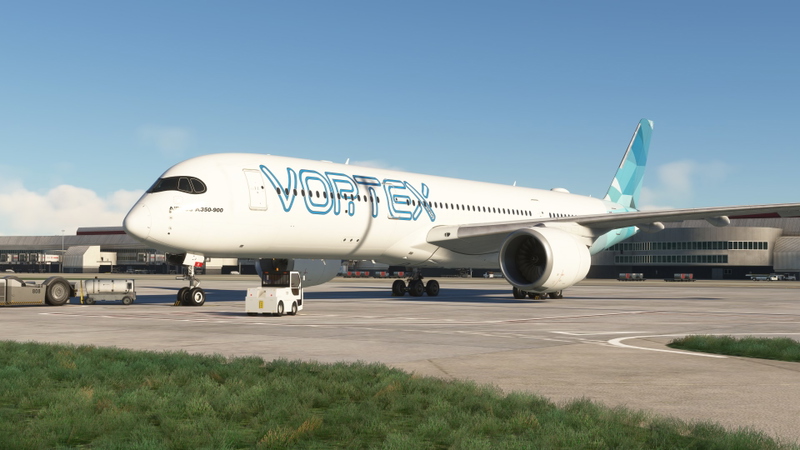
This is a concept for Easyjet based on the Belin, Nantes... liveries.
[A32NX] FBW A320 Neo Easyjet London Concept
Explore a concept livery for Easyjet inspired by cities such as Berlin and Nantes with this A32NX mod for Microsoft Flight Simulator.

Versionsgeschichte
Updated winglets. - sorry for the delay due to personal reasons.
Ähnliche Addons
![[A32NX] Easyjet A320 neo G-UZHA 8K](https://cdn.flightsim.to/images/22/easyjet-a320-neo-g-uzha-8k-eCpHU.jpg?width=500)
[A32NX] Easyjet A320 neo G-UZHA 8K
Experience a realistic Easyjet A320neo G-UZHA livery in stunning 8K resolution, with added scratches for an authentic look. Stick with the old version for a clean, glossy appearance.
von OrientePS
![[A32NX] Easyjet A320 neo G-UZHN 8K](https://cdn.flightsim.to/images/22/easyjet-a320-neo-g-uzhn-8k-6jJSt.jpg?width=500)
[A32NX] Easyjet A320 neo G-UZHN 8K
Enhance your Microsoft Flight Simulator experience with the Easyjet A320 neo G-UZHN 8K modification, featuring version 2.2 updates including added scratches for a more realistic look. Stick with the old version if you prefer a clean, glossy plane.
von OrientePS
![EasyJet A320Neo (Dirty) [8K] - FBW A32NX](https://cdn.flightsim.to/images/13/LP4lr7qa.png?width=500)
EasyJet A320Neo (Dirty) [8K] - FBW A32NX
Enhanced EasyJet A320Neo livery for the FBW A32NX, now in stunning 8K resolution.
von mjv5757 (Mike V)
![easyJet G-UZHN for A32NX [8K]](https://cdn.flightsim.to/images/27/easyjet-g-uzhn-for-a32nx-8k-285225-1733544987-GDP2E.jpg?width=500)
easyJet G-UZHN for A32NX [8K]
This add-on features the easyJet livery G-UZHN for the FlyByWire Airbus A320neo, representing one of Europes leading airlines based in the UK. Designed for flight simulation enthusiasts, this realistic 8K texture reflects easyJets operations throughout Europe and beyond. Installation is straightforward, requiring a simple drag-and-drop into the MSFS Community folder.
von Brqdders
Melden Sie sich an, um an der Diskussion teilzunehmen
AnmeldenKommentare(2)
over 5 years ago
over 5 years ago