
Beschreibung
UPDATE: Due to new rules implemented by flightsim.to the scenery is not available at the moment. A readme has replaced the scenery for now, stating the reason for the removal.
Sorry for the inconvenience.
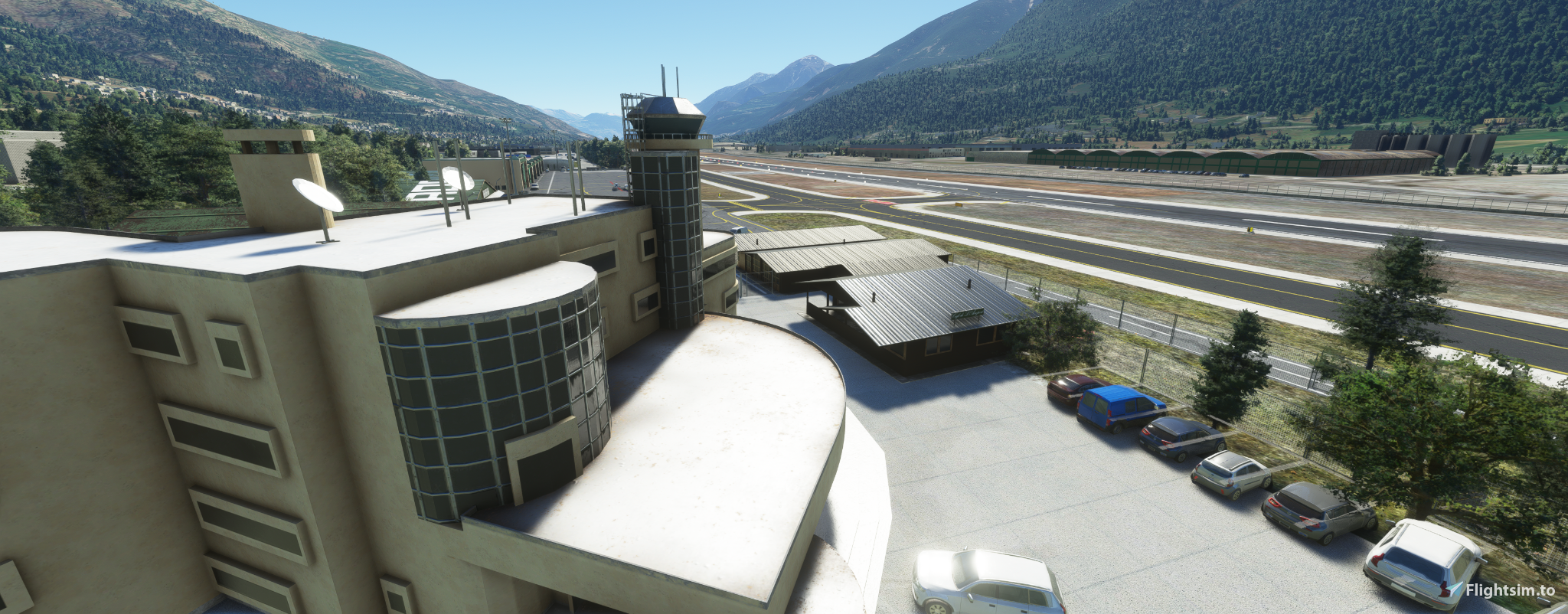
Aosta Airport.
Located in the Alps and close proximity to Chamonix/Mont-Blanc it makes up for some short hops and interesting approaches through the valley.The Airport has an offset ILS on Runway 27. Depending on the weather, the approach to 27 or even a visual break-off for runway 09 can be quite interesting and challenging.
The scenery is a W.I.P. Groundmarkings and more buildings will be added in future updates. I created it initially as my first scenery for myself for XP11 as i wanted a more realistic recreation.
Enjoy it. Any feedback is welcome.
If you fell like buying me a coffee it is highly appreciated.
https://www.buymeacoffee.com/flyingatco
Location
Aosta LIMW
Inhalt entfernt
Diese Datei wurde wegen eines Regelverstoßes entfernt und ist derzeit nicht verfügbar.


Nutzerbewertungen
5 Bewertungen
Versionsgeschichte
change of materials folder. Should solve the CTDs.
Kommentare für dieses Addon sind geschlossen.
Kommentare(34)
over 4 years ago
is this up to date and working in latest SU7 and modlib problem?
over 4 years ago
The scenery works fine for me on SU9
almost 5 years ago
Very beautiful scenery working very well with SU6. I took a video performing runway 27 offset ILS approach starring your airport, and it was a lot of fun !
https://www.youtube.com/watch?v=RiKe20o1MrQ
Thank you for bringing this airport to the community !
PS: is it only me or the ILS approach cannot be selected in the flight organizer/FMS, then we can only use the frequency and ask tower for visual approach ?
over 5 years ago
over 5 years ago
over 5 years ago
over 5 years ago
Either you rename the mymaterials folder or you wait until next week when i upload a new Version with the adjusted folders.
It affects some people but not all, nobody knows why.
over 5 years ago
over 5 years ago
over 5 years ago
over 5 years ago
over 5 years ago
over 5 years ago
over 5 years ago
over 5 years ago
over 5 years ago
over 5 years ago
This problem is affecting a lot of custom airport addons since the latest MSFS release