
Beschreibung
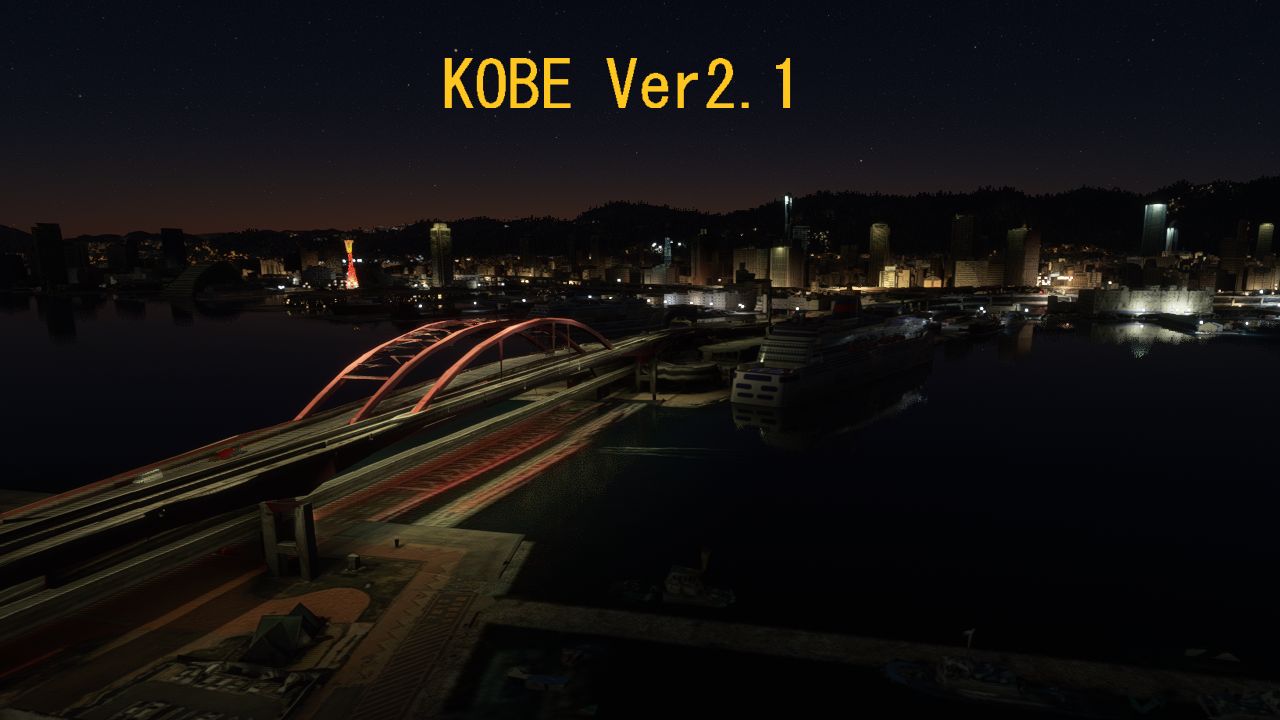
KOBE Scenery Ver2.1
1.I modified the scenery so that cars can pass over the highway using ROAD MATERIAL.
2.I made the night view of Kobe Bridge and several other buildings.
3.I modified Shin-Kobe station a little.
That's all for the correction
The file size of version 2.1 is 332.77 MB (348,934,154 Byte)
* Port Tower will be displayed when JAPAN Upgrade is installed.
If you do not install it, the port tower of GOOGLE will be displayed.
If you set it at 9 am, the colors will match.
神戸・三ノ宮シーナリーVer2.1 (332.77MB)
1 道路マテリアル を使用して高速道路と神戸大橋の上を AI車を走行させるようにしました。
2 神戸大橋 をライトアップしました。他のビル10個ほども簡易ライトアップしました。
3 新神戸駅を少し修正しました。
変更は以上の3点です。Ver2.1の写真を7枚 前に 追加しました。
ファイル名はVer2と同じなので先に古いほうを削除して 新しいVer2.1に置き換えてください。
ファイルサイズは 圧縮で
Ver2.0= 332.76 MB (348,923,936 バイト)
Ver2.1= 332.77 MB (348,934,154 バイト)
10KBだけ増えています
※ポートタワーはワールドアップデート第1弾のJAPANをインストールすると 出てきます。
JAPANをインストールしていないとGOOGLEのポートタワーになります。
※朝の9時に設定すると色が合います。
※大阪のアドオンシーナリーをいれていると 神戸まで重くなるため(読み出し時間なども含め)
必要に応じて大阪を外すことをお勧めします。
※ハイエンド(以上)にしないと 車が表示されないことがあります。
神戸・三ノ宮シーナリーVer2.0 (332.76MB)
ポートアイランドと 新神戸を追加しました。
神戸ー三宮間は LOD19(25cm/ピクセル) それ以外はLOD18(50cm/ピクセル)です。
新神戸駅上でちょうどタイルが切れてしまったので 新神戸駅だけ 内部素材を使って作成しました。
Ver1.0 の三宮の北西のLOD16-19のタイル1枚を LOD15-18 タイル1枚にダウンして容量を
ねん出したので Ver1.0から 35MBしか増大していませんが エリアは2倍拡大になりました。
LOD18は LOD19の 1/5のサイズで、解像度は1/4になります。
LOD18のエリアでは800FT以上の飛行をおすすめします。
それ以下ですと 建物が溶けたように見えだします。
朝の8時or9時に設定すると 色が合います。14時にすると建物が黒っぽくなります。
<ご注意>
Ver2.0を \Community にコピーの際は 先に古いVer1.0を必ず削除願います。
旧ファイル名 h188_sannomiya
新ファイル名 h188_sannomiya_ver2 です
KOBE City SCENERY Ver2.0(332.76MB)
Added Port Island and Shin-Kobe.
Kobe-Sannomiya is LOD19,Other is LOD18.
Shin-Kobe Station on the Shinkansen is made of internal materials.
Part of VER1 was changed from LOD19 to LOD18. As a result, the capacity is reduced, and therefore the increase is only 35MB.
In the area of LOD18, it seems that the building look like melted in the flight of 800FT or less.Please fly more than that.
The colors match when approaching from the south at 8-10 in the morning. It will turn black after 14:00.
When copying to \ Community, be sure to delete the old Ver1.0 first.
New file name is "h188_sannomiya_ver2".
The Port Tower in the photo of this scenery was added by the JAPAN update on September 30, 2020.
If you do not JAPAN update, it will be a port tower of GOOGLE.
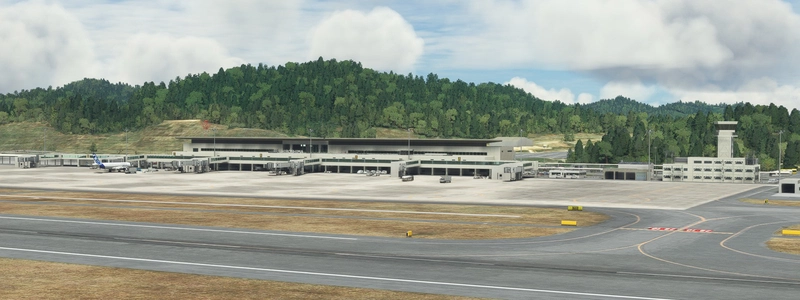
KOBE Airport (RJBE) in the photo of this scenery was previously uploaded.
神戸-三宮シーナリーVer1.0(297MB)
グーグルアースレコーダーで作成しました。
神戸から三宮にかけて 約3KmX2.5Km の範囲で 地面の解像度は LOD19です。
LOD19の下にLOD18 LOD17 LOD16 LOD15 と 遠方用を 4枚 入れているので
動作も軽く、ロー マシンでも 動作すると思います。
私のミドルPC(i5 9600K+STX2060S ハイエンド 1920)で フレームレートが40ー45 出ます。
ただし、大阪のアドオンシーナリーが入っていれば フレームレートが10ほど下がることがあります。
フレームレートをアップさせたい場合は 大阪のアドオンを一時的に全部外すとよいです。
午前10時に設定すると 色が合います。10時をおすすめします。
午後14時以降に設定すると 建物が黒くなって 色が合いません。
建物は500FT以下の飛行で溶けたように見えますが 道路や地面はすべてLOD19で表示させているので300FTくらいまで鮮明です。
KOBE City SCENERY Ver1.0(297MB)
This SCENEY is created with Google Earth Recorder.
The range is LOD15-LOD19.
The area is 3km x 2.5km, from KOBE-to SANNOMIYA.
If you set it at 10:00, it will be the most beautiful and match the colors.
If it is 14:00, the building will turn black.
My PC is i5_9600K + STX_2060S memory 32GB,the frame rate is 40 over at HIGH-END mode.
However, if install scenery in the neighboring city of Osaka, the frame rate will go down.
Location
KOBE City Ver2_1
Explore the vibrant city of KOBE with the KOBE City Scenery Ver2.1 add-on. This update includes enhanced details such as car traffic on highways, illuminated Kobe Bridge, and modifications to Shin-Kobe station. Enjoy a more realistic experience with improved night views and accurate colors.
Nutzerbewertungen
9 Bewertungen
Versionsgeschichte
KOBE Scenery Ver2.1 1.I modified the scenery so that cars can pass over the highway. 2.I made the night view of Kobe Bridge and several other buildings. 3.I modified Shin-Kobe station a little.
Ähnliche Addons
Honolulu
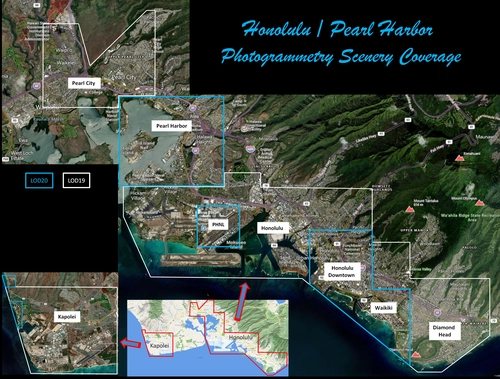
Explore the photogrammetry scenery of Honolulu, including the iconic Pearl Harbor area with optimized performance for better FPS. Discover Waikiki, Honolulu downtown, and more with this detailed addon. Enhance your experience by adding free mods for carriers, battleships, and military airplanes in Pearl Harbor and surrounding bases. Support the creator for future updates if you enjoy this mod.
von steveli
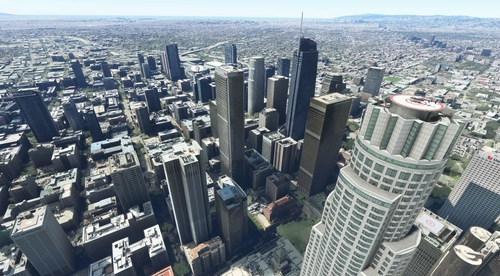
Downtown Los Angeles
Various buildings and monuments that are missing from Los Angeles in the game that shoudn't be. Wilshire Grand Center, SoFi Stadium, 801 S Grand, 825 S Hill, 888 S Hope, 1000 Grand, Apex the One, Atelier, Aven Apartments, Metropolis Towers, Level Los Angeles
von senecadriver
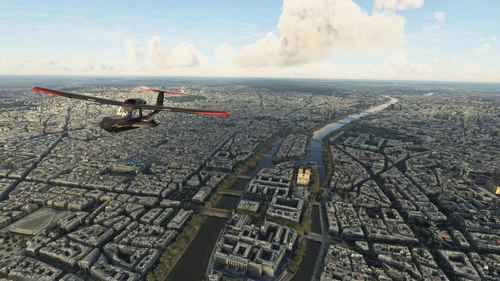
Paris
Explore the iconic cityscape of Paris in Microsoft Flight Simulator. This detailed add-on captures the essence of the French capital, featuring famous landmarks and architectural marvels. With accurate GPS coordinates, immerse yourself in the beauty of Paris, known for its historical significance and vibrant culture. Download now and experience the City of Light from a whole new perspective.
von Thalixte
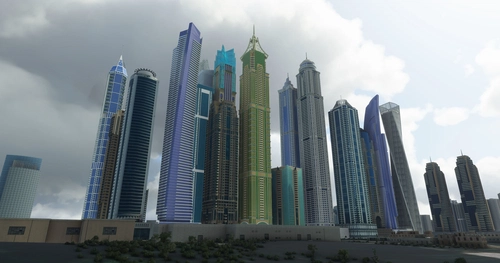
Dubai City Pack
Explore a detailed rendition of Dubai City and Jebbel Ali Port featuring over 250 custom buildings and various landmarks like the iconic hotels and tourist attractions. While focusing on enhancing the daytime visuals, this pack offers improved textures for select buildings, promising a refreshing experience for simmers. Additionally, adjustments have been made to SkyDive Dubai Airport to address previous elevation issues, ensuring a more immersive flight into this dynamic cityscape.
von risuali
Melden Sie sich an, um an der Diskussion teilzunehmen
AnmeldenKommentare(33)
7 months ago
almost 4 years ago
Works great with SU11 + WU1 + RJBE from the same author, thanks!
about 5 years ago
Excellent work of photogrammetry, it is very nice to visit the missing cities of the expansion of Japan.
about 5 years ago
Thank you . I am glad to receive your evaluation.
about 5 years ago
Thanks!
over 5 years ago
写真測量エリアからオートジェンエリアまでの高速道路で不連続性を見ることができます。取引をもう少しスムーズにしてください。感謝。
over 5 years ago
MSFSの高速道路がペッタンコなので難しいです。
over 5 years ago
This mod is great. Would you please to extend it to more east and west of Kobe? Thanks.
over 5 years ago
Thank you. I'd like to try it, but I gave up because expanding the range would make it heavier and the performance of the neighboring Osaka would also decline.
over 5 years ago
Excellent work..Stunning how much work you already did.My compliments..greetings from the netherlands
over 5 years ago
Thank you for taking the time from afar
over 5 years ago
what an absolute legend
over 5 years ago
Thank you. I struggled because the car did not pass the course I thought (laughs)
over 5 years ago
over 5 years ago
住吉はちょっと 遠すぎますね・・ そこまで追加すれば 3GBクラスになります。 神戸をこれ以上増やすと 大阪が重くなってしまうので難しいです。
over 5 years ago
over 5 years ago
over 5 years ago