

Beschreibung
MSFS C172 StreamDeck XL Profile for LORBYs AxisAndOHs (AAO) and its SD Plugin
V1.101 Corrected error on Landing Lights knob not changing when pressed
V1.1 - Started to add AP pannel
You need LORBYs AAO and its StreamDeck Plugin to run this StreamDeck profile
StreamDeck plugin could be found on the bottom of the download site
I have taken the assests supplied by Guenseli added a couple of icons taken from screen shots of the ASBO C172 instruments and created a profile for the C172 complete with a G530 Pannel.
I have supplied some custom StreamDeck Icons but suggest you also download Guenseli's ICON pack for completeness and modification to your own tastes.
The rotarys are displayed in the G530 but do not do anything as I have these mapped to a hardware rotary encoder that workins in a similar fashion to Knobster on X-Plane. So the 1 rotary can be used in place of multiple knobs on the sim.
There is nothing really original here, just standing on others shoulders so please make donations if you like it to Guenseli
Known Issues
LATEST FIX FROM ASBO FIXES WASM PROBLEMS
C172 Stream Deck XL
Enhance your Cessna 172 experience with the C172 Stream Deck XL profile, designed for LORBYs AxisAndOHs and its StreamDeck Plugin. This add-on includes corrected errors on landing lights and the addition of an autopilot panel. Custom icons and a G530 panel are provided, along with the option for further customization with Guenselis ICON pack. Please note that some functionalities may require additional hardware mapping.


Nutzerbewertungen
2 Bewertungen
Versionsgeschichte
Ähnliche Addons
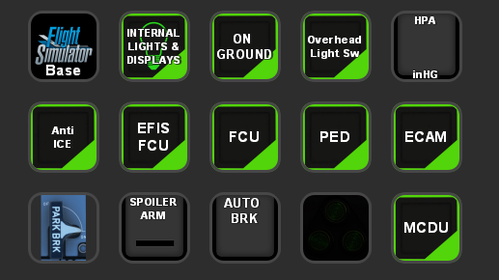
STREAMDECK 15 KEY VERSION OF A320
Transform your A320 experience with the StreamDeck 15 Key Version mod, a rework of the full StreamDeck XL version. Link profiles seamlessly and enhance your cockpit interactions with just 15 keys. Thanks to Guenselis original work, dive into a more streamlined A320 simulation setup.
von SilverSurfer58
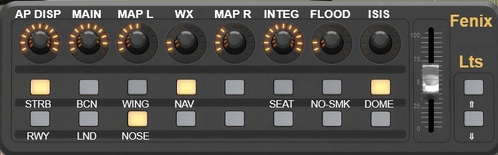
Fenix A320 Panels for X-Touch Mini
X-Touch Mini Gauges for the Fenix A320. Requires the Axis and Oh's, also Guenseli's Stream Deck Scripts (even for those without a steramdeck you will need the AAO Scripts) and the X-Touch Gauges Framework from Funatic for AAO. The xTouch LED's are used throughout to provide feedback on the status of the Controlls
von SilverSurfer58
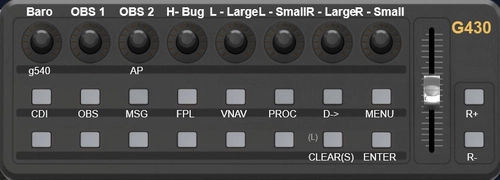
C172 Gauges for X-Touch Mini
Some basicC172 Layers for use with the X Touch Gauges from Funatic , the 1st layer has the Analgue Gauges on and the GN530 and the 2nd Layer has the GN430. Additional layers with Xponder, ADF, Autopilot etc will be added as I build up the profile. The I will be adding more Plane, the next on the list will be the Fennix A320
von SilverSurfer58
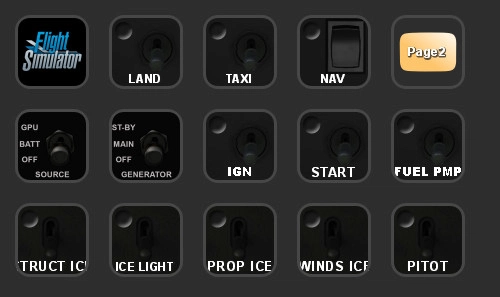
TBM 930 15Key StreamDeckVersion
A customized 15-key StreamDeck version for the TBM 930 aircraft by Guenseli, requiring scripts from the StreamDeck XL version as well as AAO scripts from Lorby. Rearranged streamdeck layout without original content. Find out more at the provided link.
von SilverSurfer58
Melden Sie sich an, um an der Diskussion teilzunehmen
AnmeldenKommentare(9)
10 months ago
One of the main reasions I bought this is to be able to zoom the G1000 map on the MFD. I find that there is only a zoom out. No obvious way to zoom in.
Am I missing something?
over 4 years ago
Hello
I don't know how to use this file, where do i have to put it?
thank you
about 5 years ago
I use SPAD.neXt for some of my hardware. Can LORBYs AAO co-exist or would it conflict? I have just bought a Stream Deck XL and so far I have only assigned buttons manually without using additional apps.
almost 5 years ago
NO reason why they should not co-exsist, but you cant program the same controller on both at the same time if you want to use midi as well
about 5 years ago
This has been a really useful starting point for me to build my own Stream Deck profile. I already have several hardware devices which let me handle lights, radios etc, so I have stripped a lot out, but what's left s great, especially if I go up for a quick jaunt without wanting to plug everything in. The Garmin 530 in particular is really helpful.
I have questions about a couple of items on the main panel:
The EGT sometimes reads over 800 deg C! Am I reading it wrong, or is there something not working in the calculation? Where are you getting the wind and visibility readings from?Departure, arrival or en route? I can't seem to get the readings to tally with what I am seeing in the sim. Again, very likely user misunderstanding!Thanks for your work. Really appreciated.
over 5 years ago
Hi, your MSFS C172 StreamDeck XL Profile works fine but except the button "LAND" for the landing lights. When I press the button on the strem deck the landing switch and the light on the plane is working but not the button on the stream deck. The rest is working very well.
Thank you for your support!!
over 5 years ago
This Streamdeck Profile has buttons of the Garmin GNS530.
The C172 in MSFS 2020 has the G1000... why is that?
over 5 years ago
The 172 in FS2000 has options for BOTH 530 and 1000
over 5 years ago
can you please also provide the xml file for LORBYs AAO SD plugin.
Thank you regards Holger