

Beschreibung
*** Superceded by FBW's internal converter. Please use their official converter ***
A batch file to convert an Asobo A320 livery across to the new Fly By Wire A320 aircraft.
Simply place the folder into the livery you wish to convert and double click on A32nx.bat
This is a modified version of my converter that comes with my DR250 Capitaine.
Once the livery is successfully migrated you can delete the converter from that livery folder.
*** INSTRUCTIONS FOR USE ***
Place the 'MSFS A320 to FBW A32nx Livery Converter' into the livery you would like to convert.
Please ensure the livery you are wanting to convert is NOT pointing already to the new FlyByWire A320 in the aircraft.cfg - for most people this will not be applicable
Place the folder alongside SimObjects, layout.json and manifest.json
Run A32nx.bat
The converter will ask the following:
- It will ask to confirm it found the correct livery to convert
- It will ask what you would like to call this livery. (eg: Spring)
- It will ask to confirm it found the correct Community folder location
- It will then copy across the texture to a new 'FlyByWire_A320_NEO_liveryname' in your community folder
- Your livery will still be available for use by the Asobo A320neo
- Then it will ask what you would like to set the default registration as (eg: B-8817) - can be left blank
- It will ask what ATC should refer to this airline as (eg: Air Spring) - can be left blank
- And finally what you would set as the defult flight number. (eg: 8932 for 'Air Spring 8932') - can be left blank
- Next it will ask if you would like to generate a layout.json for your new livery folder. This will run the 'MSFSLayoutGenerator.exe' which can be found at https://github.com/HughesMDflyer4/MSFSLayoutGenerator
- Then you're done! If you want to delete the converter from your original Asobo A320neo folder you can.
I hope this can make your life a bit easier to convert your liveries across to the new FlyByWire A320!
This tool was brought to you by Parorng
If you like this and want to contribute, please just buy me a coffee.
wwww.buymeacoffee.com/Parorng
If you have issues, please comment here, or grab a Discord invite at
https://discord.gg/bjZHr46R
Asobo to FlyByWire Livery Converter
Convert your Asobo A320 liveries to FlyByWire A32nx with ease using this batch file converter. Simply place the folder into the livery you want to convert and run A32nx.bat. Follow the prompts to seamlessly migrate your livery, maintaining compatibility with both aircraft models. Available for smoother livery transitions, courtesy of Parorng.

Nutzerbewertungen
5 Bewertungen
Versionsgeschichte
Keine Versionsgeschichte verfügbar.
Ähnliche Addons
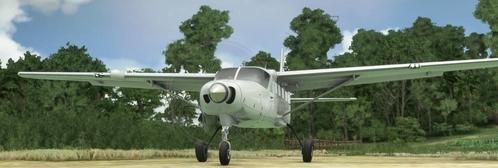
Cessna 208 B Grand Caravan EX - No Pod
A modified version of the Cessna 208 B Grand Caravan EX without the pod, featuring a completely reworked Asobo model with animations, extended nosewheel cowl, and remapped textures. This add-on includes multiple registration locations, performance tweaks, and a livery converter. Future plans include a float version, skydiving and cargo variants, and more customizations.
von Parorng
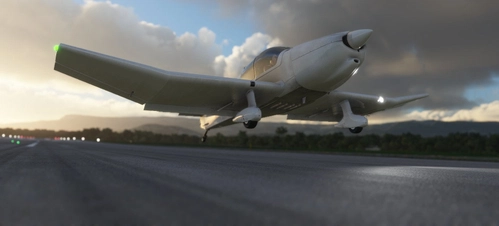
Robin DR250-160 Capitaine
Fly the skies with the Robin DR250-160 Capitaine add-on, featuring a redesigned aircraft model with improved animations and weight adjustments. Experience the thrill of flying a tailwheel conversion, perfect for challenging terrains like the French Alps. Enhance your flights with working copilot functionality and compatibility with various liveries. Embark on high-altitude adventures at unique airstrips in France and Italy, optimized for this exhilarating aircraft.
von Parorng
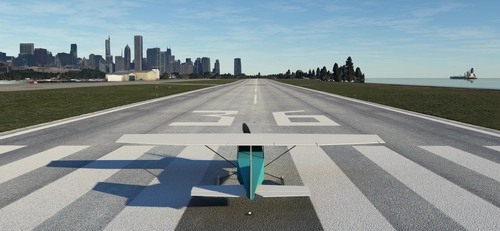
Cessna 182RG Flight Simulator 4.0 Style
Welcome back to the 1980's! To celebrate 40 years of Microsoft Flight Simulator, I decided to recreate the FS4 C182RG I grew up with. Flight Simulator 4.0 was what I started simming with. I spent thousands of hours flying around the US, and exploring the built in aircraft editor. When the expansions came I was quick to grab them, including Tahiti and Melbourne Australia. Back then the FS world was ONLY the US, so these were placed in a big blue square in the centre of the US map. I still have the original FS4 files, transferred faithfully from medium to medium over the decades. Unfortunately I do not have the expansions any more though, unless they're buried in a box somewhere. FS4 can be run on modern PCs using DosBox, and it does it surprisingly well. Enjoy this recreation of our history.
von Parorng
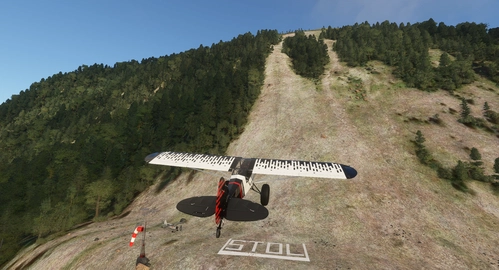
Rockfall LS60 Challenge Strip
Challenge yourself with the Rockfall LS60 Challenge Strip in Switzerland. Test your piloting skills by landing on risky slopes and rocky terrain with different aircraft. Can you conquer the flat threshold, extreme STOL area, and the slippery slope without damaging your aircraft? Experience the thrill of taking off from the top and navigating challenging turns. Are you up for the ultimate landing challenge in the beautiful Swiss landscape?
von Parorng
Melden Sie sich an, um an der Diskussion teilzunehmen
AnmeldenKommentare(27)
almost 3 years ago
i had buy the master maximum livery pacl in microsoft store fo the regular a320
is it possible to copnvert it too? where to find the folder to convert,
it is actually needed or it is to old to date? thanks
almost 3 years ago
You can try it, but I think they've probably changed too much on the default model nowadays.
almost 3 years ago
You can try it, but I think they've probably changed too much on the default model nowadays.
almost 3 years ago
over 4 years ago
is there any reason to get this? the fbw launcher already has this built in
over 4 years ago
Superceded now by their internal one, thanks.
about 5 years ago
Thanks for all the work with this tool!
I'm trying to convert this livery https://flightsim.to/file/70/aerolineas-argentinas-a320neo, extracted all the contents of your program into the livery's root folder, next to manifest.json, layout.json, and the SimObjects folder, yet A32nx.bat says:
"This is doesn't seem to be a livery folder!
Please place this "MSFS A320 to FBW A32nx Livery Converter" file into a livery folder.
It needs to be next to the layout.json and manifest.json files in your selected livery folder"
Could you please look into it? I would love to have that livery on my A32nx. If you want some further testing, shoot me a DM!
Cheers,
about 5 years ago
Hi,
The converter's folder needs to be next to layout.json/manifest.json.
So move the 2 files and 2 folders into a folder named 'MSFS A320 to FBW A32nx Livery Converter' or whatever you'd like and run it again.
BUT please do note, the FBW installer now includes a livery converter, so this tool whilst still useful, has pretty much been superseded by their official method.
over 5 years ago
over 5 years ago
over 5 years ago
over 5 years ago
over 5 years ago
Thanks for the feedback!
over 5 years ago
over 5 years ago
It was always a stop gap, converted from my DR250 livery converter.
over 5 years ago
over 5 years ago
The folder name in the community folder can be anything you desire.
over 5 years ago