
Beschreibung
🔔 Updates come through the app, not through this page. Download the installer here once. Each time you open it, it checks for a new version: press Update, see what it brings, and the app updates itself and puts the new version on your A350 by itself as soon as Flight Simulator is closed. You never need to download an update from here again. The changelog below lists what every version brought.
📣 News, previews and help: join the Discord, https://discord.gg/J4rhHk6wyn
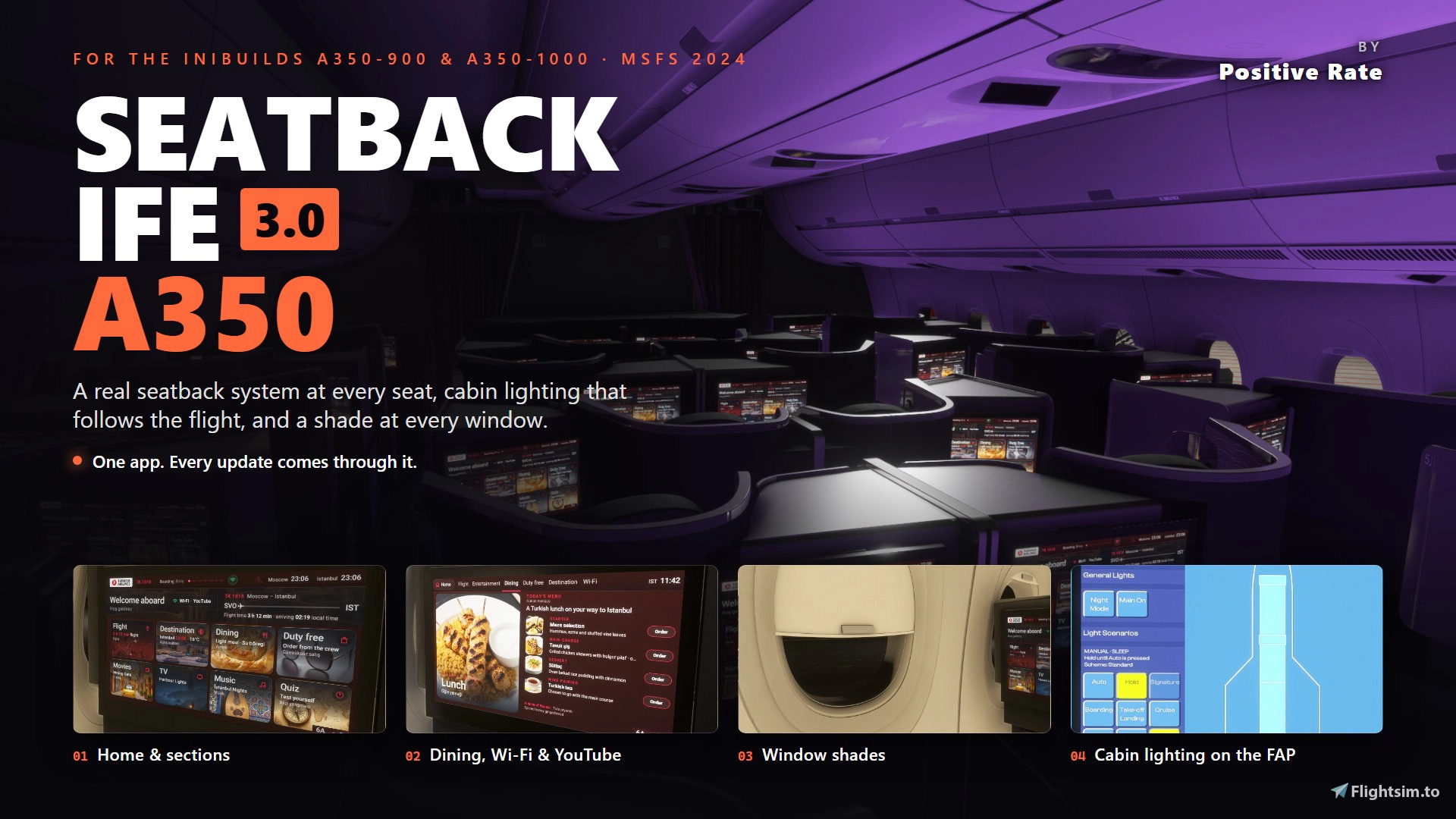
Ever walked back into the cabin of the iniBuilds A350 and found every seatback screen showing the same still picture? I did, and it always bugged me. So I made them work. With 3.0 it's no longer just a map: every seat has a full in-flight entertainment system you can click through, the cabin lights follow the flight, and passengers by the window can lower their shade.
🆕 What's new in 3.6
- Your own safety video (beta). Put a video named safety in Documents\Seatback IFE\Safety. When the pushback starts with the beacon on, it plays on every seat and wall screen at once instead of the safety cards. More below.
- Screen quality in the app's Settings: Auto, Low, Normal or Sharp. Auto picks by your graphics card.
- Your orders in the top bar on every page, one dish per course, and crew messages when your meal is being prepared or served.
- Map on your phone shows the seat screen itself: the same map and pages as on the seatback, and you can tap them.
- Much lighter on the sim: screens you can't see use no extra memory, and the cabin strips, shades and ULR screens draw in far fewer parts.
✈️ What's in it
- One app instead of a folder. The installer finds your Community folder, and you switch on the parts you want: seat screens, cabin lighting, window shades, and Wi-Fi & films.
- A real seatback system. Every screen has a home page with tiles and a section bar: Flight, Entertainment, Dining, Duty free, Destination and Wi-Fi. Click a section to open it, and Home always takes you back.
- Your seat number on every screen, taken from the seat signs in the cabin.
- Window shades. Every window has a shade that runs in its track. Next to the seat number on a window seat's screen there are ▲ and ▼: each click moves that window's shade one step, up, half or down.
- Cabin lighting. Lighting scenarios on the flight attendant panel: boarding, take-off, cruise, meal, relax, sleep, wake-up, landing and more. On Auto the cabin follows the flight with slow fades, or pick a scenario by hand.
- Wi-Fi, YouTube, films and music. Passengers connect to the cabin Wi-Fi on their screen and watch YouTube, with search, an on-screen keyboard and volume buttons. The sound plays on your PC. Your own films and albums from Documents\Seatback IFE\Films and \Music play on the screens too, and shortcuts to them work, so nothing has to be copied.
- Dining and Duty free. A meal menu that suits your route, one dish per course. Your orders sit in the top bar on every page, and they show up on the flight attendant panel by seat, where the crew accepts them and marks them served.
- Quiz. Aviation and geography questions, plus questions about the flight you're on.
- Wall screens in the galleys and on the cabin dividers show the map, flight info and the welcome.
- Airline designs. 59 airline designs with logo, colours and greeting. They all go onto your A350, and new and updated designs arrive from the server by themselves.
- Settings in the app: SimBrief Pilot ID, units, 12 or 24 hour clock and second language. Every seat screen also has its own language and brightness.
🗺️ The map
Your SimBrief route on real satellite imagery, with the part you've already flown and the aircraft moving along it. Fly at night and the dark side of the map lights up with real city lights from NASA's night imagery.
Country borders, country and sea names, and nearly 300 cities fill in the map as you zoom in. Along the bottom there's always what passengers actually want to know: time to destination, distance to go, and the arrival time in local time. Up in the header, two clocks show the time at your departure city and at your destination.
📺 Flight pages
- Welcome aboard with your airline's logo, the route, flight time and the weather waiting at your destination.
- Flight profile, showing the climb, cruise and descent, and where you are on it right now.
- Below you now: which country and town you're flying over, and on which side of the aircraft, with the next sunset or sunrise and which window to look out of.
- Flight data: a compass with your heading and the wind, plus altitude, speed, Mach and the temperature outside.
- Destination: local time, the current weather, what it feels like outside and the forecast for the next two days.
- Welcome to … once you've landed, with your real flight time.
The Movies, TV and Music sections show a catalogue for the look of a real cabin. The films and music that actually play are your own, from Documents\Seatback IFE\Films and \Music, with Wi-Fi & films switched on.
🎬 Your safety video (beta)
- In the app, open Settings and click Open folder next to "Your safety video". It opens Documents\Seatback IFE\Safety.
- Put your video there and name it safety, for example safety.mp4.
- For one airline only, add its code with a hyphen: safety-THY.mp4 or safety-TK.mp4. That airline's video plays first, and safety.mp4 plays for all the others.
It starts on every seat and wall screen as the pushback starts with the beacon on, or at taxi-out if there's no pushback. The crew panel's Play Now plays it whenever you like. You hear it fully in the cabin and quietly from the flight deck. MP4 (H.264) at 1280x720 or smaller plays best. It needs the Wi-Fi & films part switched on; without a video, the screens show the safety cards as before.
💺 It follows your flight
When the pushback starts, every screen plays your safety video, or the safety cards if you have none. During a cabin announcement, films, YouTube and music pause and carry on after it. Switch the seat belt sign on or off and the screens show "Please fasten your seat belt" or "You may now unfasten your seat belt". Hit some bumps and they ask passengers to return to their seats. On long night flights the cabin goes to sleep: the screens switch to a calm, dimmed rest page and wake everyone up an hour before landing. Divert somewhere else and the screens say so, "Diverted to Halifax".
📋 SimBrief
Your SimBrief Pilot ID is read straight from the iniBuilds EFB, or you can enter it in the app. Import a new plan in the EFB (FLT OPS STS, then SIMBRIEF IMPORT) and the screens pick it up a few seconds later. In the air, that import is the only thing that changes the plan on the screens, so you can plan your next leg mid-flight without touching the flight you're flying.
No SimBrief plan? You still get a live map around the aircraft and the "Below you now" page.
✅ Requirements
- Microsoft Flight Simulator 2024
- iniBuilds A350, version 1.2.8, installed with iniManager. The Marketplace version isn't supported at the moment.
- Windows 10 or 11. YouTube plays in Microsoft Edge, which comes with Windows.
- A SimBrief account, if you want the full route and flight details
📦 Installation
- Close Microsoft Flight Simulator.
- Unzip and run Seatback IFE Installer.exe. Keep it somewhere it can update itself, such as the Desktop or Downloads.
- Open the A350 tab, switch on the parts you want and click Install.
Coming from version 1.x? The installer moves the old zz-a350-ife and zz-a350-cabin-light folders to the Recycle Bin for you.
🔄 Updates
The app checks for a new version each time you open it. When there is one, an orange Update button lights up at the top of the window: one click downloads it, checks it and restarts the app, and the new version goes onto the A350 as soon as Flight Simulator is closed.
After an iniBuilds update, open the app: the A350 tab says "Update needed", and Install again puts the mod back on the new version.
💡 Good to know
- The installer changes the aircraft's own files on your PC. Before it changes one, it keeps the original, and Uninstall puts every original back.
- The screens need an internet connection for the map imagery, the weather and SimBrief.
- It's light on performance: the screens of a cabin share their textures, screens you can't see use no extra memory, and pages you left free their pictures. Screen quality in the app's Settings sets how sharp the screens are: Auto picks Low or Normal by your graphics card, Sharp gives the best picture on cards with plenty of video memory.
- Watch it on your phone: with Map on your phone on, the Cabin app's tray icon shows an address and a QR code for any phone or tablet on your home Wi-Fi.
Credits: map imagery by Esri, Maxar and Earthstar Geographics; night lights by NASA Black Marble; borders and names from Natural Earth; weather from VATSIM METAR and Open-Meteo; flight plans from SimBrief; font Roboto (Apache License 2.0).
This is an unofficial add-on and isn't affiliated with or endorsed by iniBuilds, Airbus or any airline. Airline names and logos belong to their owners and are only used to show which airline you're flying.
Feedback and screenshots are always welcome, here or on Discord. Enjoy your flights!
📝 Changelog
3.6.0 (everything since 3.0.25)
- New (beta): Your own safety video. Name it safety, or safety-THY for one airline, in Documents\Seatback IFE\Safety. It plays on every seat and wall screen as the pushback starts with the beacon on, and on the crew panel's Play Now.
- New: Screen quality in the app's Settings: Auto, Low, Normal or Sharp. Auto picks by your graphics card.
- New: Your orders in the top bar on every page, to cancel or remove. One dish per course: a dessert or a wine no longer replaces your main, and Business can order a second main.
- New: Crew messages on any page when your meal is being prepared, served, or your shopping is brought.
- New: Map on your phone shows the seat screen itself and takes taps, and allows itself through Windows Firewall in one click.
- New: Films, YouTube and your music pause during cabin announcements and the safety demonstration, and carry on after.
- New: With GSX Seated Passengers, the crew panel's seat plan shows passengers in the same seats as in the cabin.
- Improved: Much lighter on the sim: screens you can't see use no extra memory, pages you left free their pictures, and films on unseen screens take 1 frame a second.
- Improved: Cabin strips, window shades and the ULR screens draw in far fewer parts, and light scenes change smoothly in fine steps.
- Improved: Crisp edges instead of soft shadows, and small text larger and brighter.
- Improved: Orders on the crew panel are grouped by seat, oldest first, with the waiting time.
- Improved: The Cabin app runs below the sim's priority, so it no longer takes time from MSFS.
- Fixed: The sim no longer warns that GPU memory is full because of the mod.
- Fixed: Order and Add to bag no longer undo themselves.
- Fixed: The cabin LED strips no longer flicker, and the light no longer jumps at 10,000 ft or wakes a sleeping cabin on a step climb.
- Fixed: The galleys have their own light that follows every scene.
- Fixed: A350-900 ULR: the premium divider, front wall and galley screens show the IFE again, the cabin lights work when the flight starts in the cabin, and the plan has its 67 business suites.
- Fixed: Cabin notices show on top of full-screen films, and the seat number no longer stays over them.
- Fixed: Every YouTube video after the first plays again without restarting the Cabin app.
3.0.25 (everything since 3.0.4)
- New: Films and YouTube can play on the whole screen, and your own music has a volume control.
- New: The A350 ULR's business class and front wall screens show the IFE too.
- Improved: The screens are much brighter in daylight.
- Improved: A more premium look on every page: softer light, deeper cards, finer titles.
- Fixed: A tap no longer counts twice (which could undo Add to bag, Play or mute), and small buttons such as Order are easier to hit.
- New: Your own music on the seat screens: albums from Documents\Seatback IFE\Music with their covers, play, pause, next and previous.
- New: Shortcuts work in the Films and Music folders: a shortcut to a film, an album or a whole folder adds it, nothing needs to be copied.
- New: Passengers page on the crew panel: watch passengers board seat by seat, synced with GSX.
- New: Your airline's loyalty club: passengers are remembered between flights and earn miles and Silver, Gold or Platinum status. Tap a seat to see its passenger.
- New: Meal and duty-free orders arrive on the crew panel by seat, with Accept and Served. Seat screens show when a meal is being prepared and when it has been served.
- New: Crew controls for cabin rest and for all window shades, and the real seat plan for the A350-900, A350-1000 and ULR.
- New: The crew panel's AirShow and IFE pages come with the seat screens alone, no cabin lighting needed.
- New: Flight full screen: in flight the screens cycle through the map, flight data, close-up, journey, below you and route, and neighbouring screens show different pages.
- New: Film player with pause, 10-second skip and progress. HEVC and AV1 films play, and .mov, .mkv and .webm files too.
- New: An animated welcome while boarding and an arrival scene after landing.
- New: A redesigned Duty free, settings on every seat (second language, brightness) and zoom on the close-up map.
- New: iniBuilds' LED strips glow in colour, with two-tone scenes and the airline's colours, and fade smoothly.
- New: Click a window shade to lower it a step; right click raises it, the mouse wheel moves it a little.
- New: The moving map on your phone or tablet on your home Wi-Fi, and the route on the map as passengers see it.
- Improved: Seat screens stay in the section the passenger picked, and the map shows land and coasts even with no internet.
- Improved: A consistent, easier to read look on every page, and better performance in large cabins.
- Fixed: Cabin strips and panels no longer blink between white and black.
- Fixed: Strips and cabin light keep together after a flight restart and with time acceleration; the sunrise fades in smoothly.
- Fixed: The install no longer stops when the seats already have a panel.cfg from another mod or an aircraft update.
- Fixed: Films stop at once, and YouTube works on more PCs.
- New: Updates come through the app: press Update, see what the version brings, and it installs itself and puts the new version on the aircraft.
- New: Finds other cabin mods on the aircraft and offers to remove them.
- New: Aircraft in MSFS 2024's Community2024 folder are found too.
- Improved: The Cabin app (YouTube, films and music) reliably starts with the sim, and the installer starts it if the sim didn't.
- Improved: Every airline design goes onto the aircraft and new ones arrive by themselves. Simpler Settings, clearer and larger text.
- Fixed: An interrupted install can no longer damage the backup of the aircraft's original files.
- Fixed: The install no longer stops with 'The parameter is incorrect' ('Falscher Parameter') on some Microsoft Store versions of the sim.
3.0.4
- New: the mod is now an app that installs it on the A350 and keeps it up to date. Updates come through the app from now on.
- New: home page, section bar and seat numbers on every screen; Dining with meal orders for the crew; Duty free; Quiz; Wi-Fi with YouTube and your own films.
- New: window shades at every window, moved from the window seat's screen.
- New: cabin lighting scenarios on the flight attendant panel, with Auto.
- New: galley and divider wall screens.
- New: 59 airline designs, chosen in the app and updated from the server.
- New: smooth page transitions and an animated welcome.
1.6.1
- Two clocks, diversions, error messages on the screens, altitude as on the altimeter, flight plans that only change in the air when you import them in the EFB, and a list of fixes.
1.4.0
- Tap a screen to flip the page, cabin rest on long night flights, turbulence notices.
1.3.1
- Pacific routes drawn the right way round, airports named after their city, shorter country names.
1.3.0
- City lights, borders and names on the map, Flight data and Your route pages, safety cards, seat belt notices.
1.2.0
- "Below you now", the real sky at the destination, works without a SimBrief plan.
1.1.0 / 1.1.1
- Airline logos, second languages, night dimming.
1.0.0
- First release
A350 Seatback IFE Mod - Live Moving Map for the iniBuilds A350
A full in-flight entertainment system on every seatback screen of the iniBuilds A350: moving map, flight info, dining, quiz, Wi-Fi with YouTube and your own films, plus cabin lighting scenarios and window shades. Now an app that installs it and keeps it up to date: every future update comes through the app.

Nutzerbewertungen
24 Bewertungen
Versionsgeschichte
Everything since 3.0.25: - New (beta): Your own safety video. Name it safety, or safety-THY for one airline, in Documents\Seatback IFE\Safety. It plays on every seat and wall screen as the pushback starts with the beacon on, and on the crew panel's Play Now. - New: Screen quality in the app's Settings: Auto, Low, Normal or Sharp. Auto picks by your graphics card. - New: Your orders in the top bar on every page, to cancel or remove. One dish per course: a dessert or a wine no longer replaces your main, and Business can order a second main. - New: Crew messages on any page when your meal is being prepared, served, or your shopping is brought. - New: Map on your phone shows the seat screen itself and takes taps, and allows itself through Windows Firewall in one click. - New: Films, YouTube and your music pause during cabin announcements and the safety demonstration, and carry on after. - New: With GSX Seated Passengers, the crew panel's seat plan shows passengers in the same seats as in the cabin. - Improved: Much lighter on the sim: screens you can't see use no extra memory, pages you left free their pictures, and films on unseen screens take 1 frame a second. - Improved: Cabin strips, window shades and the ULR screens draw in far fewer parts, and light scenes change smoothly in fine steps. - Improved: Crisp edges instead of soft shadows, and small text larger and brighter. - Improved: Orders on the crew panel are grouped by seat, oldest first, with the waiting time. - Improved: The Cabin app runs below the sim's priority, so it no longer takes time from MSFS. - Fixed: The sim no longer warns that GPU memory is full because of the mod. - Fixed: Order and Add to bag no longer undo themselves. - Fixed: The cabin LED strips no longer flicker, and the light no longer jumps at 10,000 ft or wakes a sleeping cabin on a step climb. - Fixed: The galleys have their own light that follows every scene. - Fixed: A350-900 ULR: the premium divider, front wall and galley screens show the IFE again, the cabin lights work when the flight starts in the cabin, and the plan has its 67 business suites. - Fixed: Cabin notices show on top of full-screen films, and the seat number no longer stays over them. - Fixed: Every YouTube video after the first plays again without restarting the Cabin app.
Ähnliche Addons
777 Seatback IFE – Live Moving Map for PMDG 777-300ER
A proper in-flight entertainment system on every seatback screen of the PMDG 777-300ER: moving map, flight info, local times and safety cards, with every seat on its own page, plus your own films. Now an app that installs it and keeps it up to date: every future update comes through the app.
von Positive_Rate
Readback - SimBrief Briefing Panel
Readback displays your latest SimBrief flight plan in a dedicated Microsoft Flight Simulator 2024 toolbar panel, allowing in-sim access to crucial flight data without leaving the cockpit. The panel adapts its content automatically to different flight phases and includes large, high-contrast figures for readability. It provides live weather, VATSIM/IVAO ATIS and controller information, and a clearance notepad, along with route, profile, and fuel tracking tools. The addon is compatible with any aircraft and supports both English and Russian interfaces.
von brodyagaaa
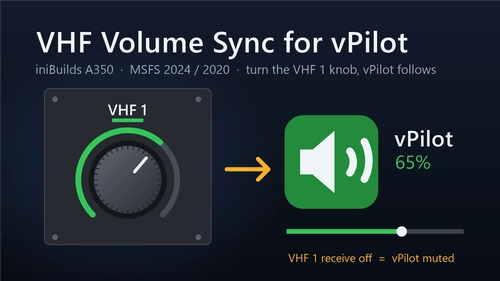
iniBuilds A350 VHF 1 Vpilot Sync
This add-on synchronizes the VHF1 volume knob in the iniBuilds A350 cockpit with the vPilot application volume in Windows. Adjustments to the knob directly control vPilot's sound level and muting. It operates through a lightweight tray program using SimConnect, supporting both A350-900 and A350-1000 variants. The tool is compatible with Windows 10 or 11 and runs independently from other simulator audio settings.
von Positive_Rate
Melden Sie sich an, um an der Diskussion teilzunehmen
AnmeldenKommentare86
Come join: https://discord.gg/J4rhHk6wyn