Flightsim.to
    WinCtrl PAP3 Mobiflight Profile for the BlueBird B757-200 - Image 1

    Beschreibung

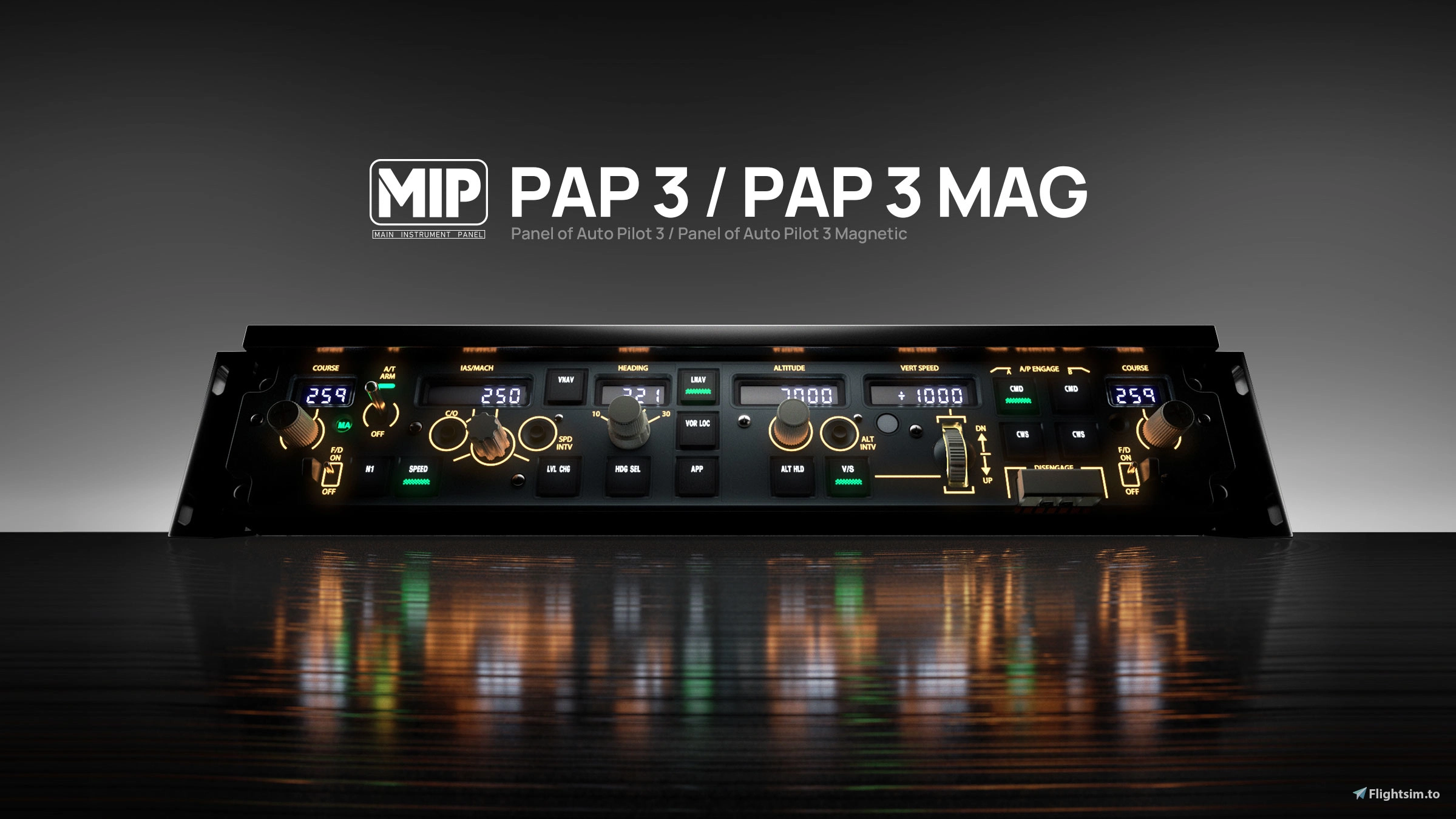
    BlueBird B757-200 - WinCtrl PAP3 with MAG AT Switch and PDC

    A MobiFlight profile for controlling the BlueBird B757-200 with the WinCtrl PAP3, including the magnetic autothrottle switch, and the WinCtrl PDC. All buttons, switches and displays are working, and backlights are linked to their respective cockpit controls.

    VERSION HISTORY

    v1.2 = Custom PAP3 mappings added.

    v1.3 = PDC support added.

    PDC PROFILES INCLUDED

    PDC 3N - Captain (CPT)

    PDC 3N - First Officer (FO)

    PDC 3M - Captain (CPT)

    PDC 3M - First Officer (FO)

    PAP3 CUSTOM MAPPINGS

    N1 = THR button

    SPD INTV = Press for SPD INTV. Hold to toggle the bank angle selector between AUTO and the position currently set on your physical hardware.

    ALT INTV = Press for ALT INTV.

    HDG SEL = Press for HDG SEL. Hold and release for HDG HOLD.

    LOC = Press for LOC. Hold and release for B/CRS.

    CWS A = CMD C

    CWS B = Toggles the right CRS display and control between R VOR and ILS CRS. The LED lights when controlling and displaying the ILS course.

    PDC CUSTOM MAPPINGS

    BARO control = Respects the sync setting in the EFB.

    MINS mode selector = RADIO: the MINS control adjusts DH. BARO: the MINS control adjusts the altitude bug.

    NAV 1 switch = VOR: sets manual mode. OFF: sets auto mode.

    Interaktions-Aktivität
    DownloadsKommentareGetrennte Skalen für Downloads und Kommentare
    20. Okt. Downloads: 0 Kommentare: 021. Okt. Downloads: 0 Kommentare: 022. Okt. Downloads: 0 Kommentare: 023. Okt. Downloads: 0 Kommentare: 024. Okt. Downloads: 0 Kommentare: 025. Okt. Downloads: 95 Kommentare: 3 Fehler: 2 Frage: 126. Okt. Downloads: 125 Kommentare: 6 Feedback: 4 Bewertung: 1 Fehler: 127. Okt. Downloads: 132 Kommentare: 3 Feedback: 1 Fehler: 1 Frage: 128. Okt. Downloads: 66 Kommentare: 1 Fehler: 129. Okt. Downloads: 75 Kommentare: 2 Bewertung: 1 Fehler: 130. Okt. Downloads: 64 Kommentare: 031. Okt. Downloads: 46 Kommentare: 001. Nov. Downloads: 40 Kommentare: 002. Nov. Downloads: 21 Kommentare: 1 Fehler: 103. Nov. Downloads: 26 Kommentare: 004. Nov. Downloads: 21 Kommentare: 1 Fehler: 105. Nov. Downloads: 17 Kommentare: 006. Nov. Downloads: 8 Kommentare: 007. Nov. Downloads: 17 Kommentare: 008. Nov. Downloads: 12 Kommentare: 009. Nov. Downloads: 8 Kommentare: 1 Frage: 110. Nov. Downloads: 9 Kommentare: 011. Nov. Downloads: 8 Kommentare: 012. Nov. Downloads: 6 Kommentare: 013. Nov. Downloads: 8 Kommentare: 014. Nov. Downloads: 12 Kommentare: 2 Allgemein: 215. Nov. Downloads: 8 Kommentare: 016. Nov. Downloads: 3 Kommentare: 017. Nov. Downloads: 7 Kommentare: 018. Nov. Downloads: 3 Kommentare: 0
    20. Okt.03. Nov.18. Nov.
    837
    Downloads
    20
    Kommentare
    Letzter Kommentar vor 4 Tagen
    Creator antwortet auf 90% der Kommentare

    Melden Sie sich an, um an der Diskussion teilzunehmen

    Anmelden

    Kommentare50

    MJansssenAllgemein·4 days ago
    Hello theegg52 or others,

    Hopefully someone can advise me on which PDC to buy. I would like to use it for the E-Jets, B737, B38M, B757, and B777. If E-Jets is not possible Boeing will suffice.

    Now for the 737 and 777 my Mobiflight profile says range increase or decrease. However for the 757 it shows set range at … (i.e. a particular value).

    Which PDC to buy, the 3N one with the range values (i suppose best for the options i found for the 757). Or but the 3M which is perfect for the MAX, should be easy for 737 and 777 because of the increase/decrease range and the rotary button on the PDC for range. In case of the latter; how would i set this up for the 757 to make the range button functional?

    Really hoping for one of you to help me out!
    theegg52Author·4 days ago
    it's personal preference really. i bought the multi pack so got one of each. current the 3m on left and 3n on right of the pap3. the download includes config for both devices on both sides so users can tailor it to their setups.
    mjchernis
    Allgemein·4 days ago
    So happy to have this. Most seems to work well. I'm able to use the dial to change IAS/Mach but the IAS/Mach display remains zero. Is that a current limitation of the plane? Altitude and Heading displays are fine. Also, would be nice if the course knob could change the ILS course.

    Thanks for doing this. Really makes a difference.
    theegg52Author·4 days ago
    just tested and all working on my machine. bluebird have said int he upcoming 1.2 release they are adding a new lvar for the spd so that might help. which livery and variant are you using. ILS course can be controlled by pressing CWS B. controls on the right crs selector and display
    mjchernis·3 days ago
    I’m using one of the stock Delta liveries. Knob works but not the display. Maybe the update will help. This is just a game changer though. I find some of the clicks spots for dials on this plane are tricky. Especially for turning things clockwise.
    shunter1621Frage·9 days ago
    I'm using this profile to manage the PAP3N and the PDC3N and another profile to manage the PFP3, and have them linked to a project called BlueBird 757. I have noticed there are buttons linked to the PFP3 (number keys) that when pressed also change EFIS settings, so there is button conflicts/overlap. Does anyone know of best practice on how to resolve this? Thanks!
    theegg52Author·9 days ago
    hello, i can see you have opened a thread over on the mobiflight discord. it's best to continue the discussion there. if we identify anything that needs fixing I'll update the post here so the community are aware
    curt1186Fehler·15 days ago
    Unfortunately, this doesn't work at all for me. Mobiflight detects the PAP3 and PDC 3M but it doesn't activate when I load in the plane. Problem still occurs when I open Mobiflight before the sim.
    theegg52Author·13 days ago
    Is mobiflight in run mode?
    CRISCALBFehler·16 days ago
    I don´t know... only works with RR variant.. not PW for me.. any suggest?
    theegg52Author·15 days ago
    I'll do some testing later today and see if I can identify any issues. Can you check if the problem occurs if you open mobiflight before the sim
    MxG1337Fehler·20 days ago
    Profile was working a few days ago, now its not working anymore with MobiiFlight on the latest version. I suspect an issue on MobiiFlights side, i hope they can fix it asap
    theegg52Author·19 days ago
    The team are looking into the issue. For now try opening mobiflight before the sim as this seems to work.
    mhazeldine
    Bewertung·20 days ago
    I finally got this profile working properly today. Because I'm using the WinCTRL PFP4 CDU and the Airbus tiller, I was getting conflicts between SimAppPro2 and Mobiflight. In the end, on the advice of Google AI, I downloaded HidHide and the hid the PAP3 and PDC3n from SimAppPro2, which then allowed Mobiflight to work and kept the LCD displays working. As for the profile itself, it's really good except for one small thing: MINS (radio) should actually adjust the DH and BARO should adjust the altitude bug.
    theegg52Author·20 days ago
    Yeah you can only have one app controlling the device at a time or they will fight with each other. Hidhide is a great app for this purpose. That's a good point re the mins control. I'll swap it over in the next version
    jeffmccord·19 days ago
    I'd highly recommend not using SimAppPro2. Just use Mobiflight.
    mhazeldine·18 days ago
    @jeffmccord Not gonna happen. I have to connect my PFP4 and tiller. There are no Mobiflight profiles for those (that I've found). Anyway, my HidHide solution works, so I'm not gonna fix something that's no longer broken
    yukonpeteFehler·21 days ago
    barometer runs away with this!
    theegg52Author·20 days ago
    Make sure your baro knob on the pdc isn't getting stuck and is returning to neutral.
    MSFS 2020MSFS 2024

    WinCtrl PAP3 Mobiflight Profile for the BlueBird B757-200

    This Mobiflight profile enables full control of the BlueBird B757-200 using the WinCtrl PAP3 hardware panel. All buttons, switches, and displays are functional, with custom mappings provided for various flight functions. The configuration includes specific assignments for autopilot and mode selector controls. PDC support is planned for future updates.


    Downloads837
    Version1.4
    Dateigröße9.0 KB
    VeröffentlichtVor 3 Wochen
    AktualisiertVor 2 Wochen

    Nutzerbewertungen

    4.9

    7 Bewertungen

    5
    86%
    4
    14%
    3
    0%
    2
    0%
    1
    0%

    Versionsgeschichte

    Add missing DH Fast Decrease Following user feedback Mins control swapped so radio now controls DH and baro control Alt Bug

    Ähnliche Addons