
Beschreibung
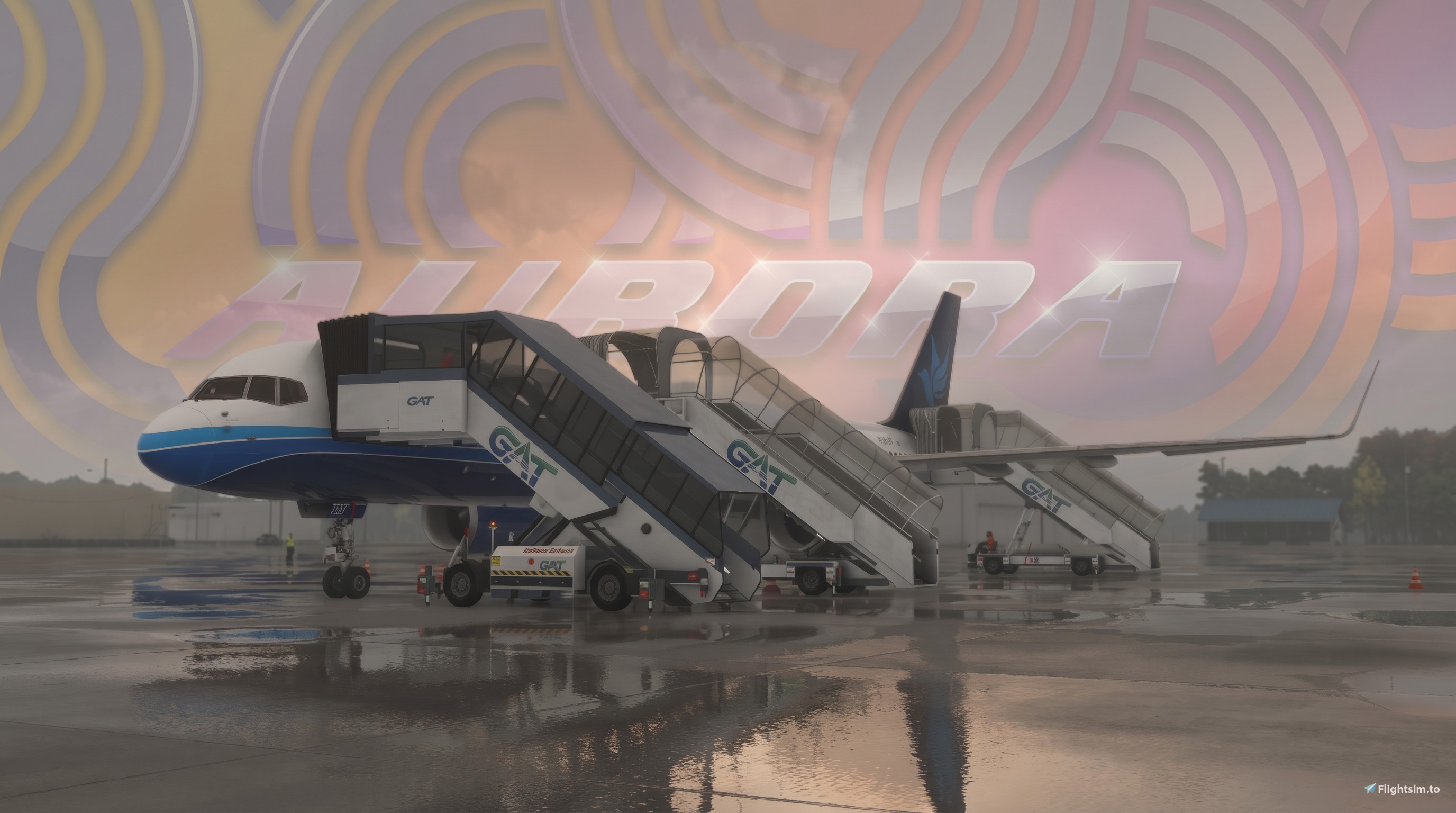
I decided to make a custom GSX profile for the Bluebird 757, as there is none installed by default. They do offer an official GSX Profile here, but I wanted to make something better.
My profile offers better GSX and MSFS integration, with the game actually recognising the aircraft type and model, so you should expect to see custom stop positions work with the correct GSX profiles at airports. To clarify, I tested this at MK Studios KLGA (La Guadia) and Inibuilds EGCC (Manchester), and it worked.
Variants: there are a lot of variants for this aircraft. You have two engines: the Rolls-Royce RB211-535E4 and the Pratt & Whitney PW2037. But you also have three winglet options and 2 door configurations. To clarify, the 4-door config does not operate with an additional staircase, as it's an emergency plug door and not a functional door.
The profile applies to these variants:
- 757-200 PW
- 757-200 PW AWE
- 757-200 PW WL
- 757-200 PW WL AWE
- 757-200 RR
- 757-200 RR AWE
- 757-200 RR WL
- 757-200 RR WL AWE
- 757-200 RR SWL
On the topic of doors, I did make it possible for L1, L2, and L4 to have stairs enabled, as you can see in the pictures above. Additionally, I fixed the positioning issue of the catering service trucks on R1 and R4, but GSX does not allow a third truck for this aircraft on R2.
PLEASE NOTE:
I built this GSX profile in Microsoft Flight Simulator 2024; however, the aircraft is currently only built for 2020. So 2020 users might see some differences, as I dont have the older game installed anymore.
Jetways won't go to L1 or L2 by choice; they go to the nearest door. This is a GSX Limitation. I have set L1 and L2 to be available, but it will be random.
If you are already in game, you will have to restart the Couatl engine for the GSX Profile to take effectINSTALLATION:
- Extract “BlueBird 757 GSX Profile” into a folder of your choice
- Locate your GSX file system in the AppData folder. It will be here:
C:\Users\(Your User)\AppData\Roaming\Virtuali
Replace “Your User” with your PC username, for example: Users\Arran\AppData.
You may also find that “AppData” isn't there. That's because it's hidden; you can unhide it in the view options above.
Alternatively, you can also find AppData by pressing “Win+R” and typing “appdata,” then pressing Enter - Copy the “Airplanes” folder from the extracted file and copy it into the Virtuali folder
PLEASE NOTE: If you are already in game, you will have to restart the couatl engine for the GSX Profile to take effect
BUGS OR ISSUES:
If you experience any issues that might affect your gameplay, please report it, and I will try to get it sorted as quickly as possible. You can send a DM or comment below, but please try to avoid rating this poorly until after ive responded. Thank you in advance
BlueBird SImulations 757 | GSX Profile | V2.0
This GSX profile offers enhanced ground services integration for the BlueBird Simulations 757 in Microsoft Flight Simulator 2024. It supports multiple variants, including the 757-200 PW, PW WL, RR, RR WL, and RR SWL. The profile aims to improve realism but may have minor compatibility issues due to the aircraft not being fully native. Users are encouraged to report any problems encountered.


Nutzerbewertungen
8 Bewertungen
Versionsgeschichte
A much big improvement over the previous versions. - Custom Revised L1, L2 and L4 door positions - Custom Revised R1 and R4 door positions - Custom Cargo Loading positions - Custom Fuel integration - Fixed issue with RWE variants For more information, check out the new description!
In Sammlungen enthalten(1)




Ähnliche Addons

Fenix A320 Family Camera Views
This add-on provides a set of custom camera views specifically designed for the Fenix A320 Family, enhancing the visual experience during flights. It includes multiple perspectives such as left and right engine views, wing views, tail cam, taxi cams, and additional interior views like cabin signs and cockpit cruise. The views aim to replicate a more immersive experience, offering convenience while navigating and operating the aircraft in Microsoft Flight Simulator. Compatible with various A320 models, this package seeks to improve user navigation and overall enjoyment of flying the Fenix A320.
von Lowse

FlyByWire Camera Views
The FlyByWire Camera Views add-on enhances the camera options for the FlyByWire A380, providing a variety of unique perspectives. With nine different camera angles including engine views, a cabin stairway view, and a cockpit view, users can explore the aircraft from multiple vantage points. Installation instructions are included, along with notes regarding potential performance impacts. Created by Lowse/Flogger, this add-on aims to improve in-flight visuals.
von Lowse
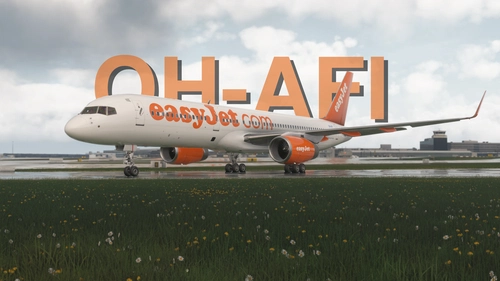
EasyJet | OH-AFI | Boeing 757-200
This add-on recreates the rare EasyJet Boeing 757-200 OH-AFI, leased from Air Finland and flown during summer 2010. The livery includes unique orange blended winglets, accurate billboard-style graphics, and authentic Finnish sub-lease details. Features include the 8-door airframe layout, custom cockpit placards, and regulatory-accurate registrations. The paint scheme is based on meticulous historical references, matching the aircraft as it appeared on holiday routes.
von Louis1345 / Aurora

Thomas Cook Pack | Bluebird 757 | V1.2
This pack adds six detailed Thomas Cook Airlines and Skyservice Airlines liveries for the Bluebird Simulations Boeing 757-200. Each airframe features period-correct branding, hybrid lease decals, and custom cockpit placards matched to real-world references. The liveries include UK holiday charter and Canadian winter lease configurations with accurate cabin and exit layouts. Compatible with both MSFS 2024 and 2020, with potential visual differences in the earlier version.
von Aurora1345
Melden Sie sich an, um an der Diskussion teilzunehmen
AnmeldenKommentare46
Hello, just came from getting my V2 Profile to work, it would not work on startup the editor showed no GSX Profile, thought about it for a minute decided to remove the next level folder "200" and place each of relative GSX.cfg files in where I removed those folders, that fixed it, thanks for your work.
Dieser Kommentar wurde gelöscht
It would help if you mentioned which variant isn't working and tried contacting me before rating.
This is the best GSX profile you can find; none others (at the time of writing) go into as much depth.
Dieser Kommentar wurde gelöscht
Dieser Kommentar wurde gelöscht