
Beschreibung
A faster way to pick your aircraft, variant and livery in Microsoft Flight Simulator 2024.
Tired of scrolling through every aircraft, variant and livery to find the setup you actually fly? Ither's Favorite Menu replaces the Change Aircraft screen with a hangar built around your favorites, and turns Create a Flight into a one-click launcher for the setups you fly most.
Free, and always will be.
IMPORTANT READ THIS
Updating from 1.x. to 2.0.0 starts fresh: favorites, collections and the rest from 1.x are not carried over.
I have moved us to a small WASM module that allows instant saving and retrieving. We are no longer required to wait on MSFS to decide when they want to sync your saved data to the disk. This means launching the sim every time will keep all your favorites/collections/etc consistent and there every time.
Features
The Hangar (Change Aircraft)
A redesigned aircraft screen in the sim's own style.
- Library on the left: Favorites, Recently flown, Hidden, and All aircraft, your own collections, and the sim's types (Airplane, Helicopter, Glider, Lighter than Air, Other) with counts.
- One search for everything: aircraft, developer, variant or livery names. Press
/to jump to it. - Click an aircraft to switch to it. It comes back with the variant and livery you last used on it.
- Setup panel on the right for your current aircraft: pick variants and liveries, star them, see its specs, and edit Identification. Buttons open Aircraft Load and the full configure screen.
- Favorites as setups: every favorite shows as a row with its Developer, Variant and Livery. Favorite two liveries on the same aircraft and you get two rows, each one click away.
- Recently flown: every flight you start is recorded with its aircraft, variant and livery, so you can jump back to what you flew yesterday.
- Gliders get a Launch method section: choose Aero Tow or Winch Launch and pick the tow plane or winch.
- Hide aircraft you never fly: click the eye next to an aircraft's star. It moves to Hidden and stays out of every other list, search, and the counts. Click the eye in Hidden to bring it back, favorites and all.
- Hover anything that's cut off to see the full name.
- A scrollbar on the aircraft list for long lists.
- The aircraft picture stays at the top of the right-hand panel while the rest scrolls under it.
- Hover the eye or star buttons for a short label: Hide, Show, or Favorite.
My Collections
Sort your favorites into your own lists, like "Bush planes" or "Delta fleet".
- Create one with the + next to My Collections or the Create My Collection button at the bottom of the library.
- Add the favorite you're on with Add to Collection in the right-hand panel. The button shows once the setup you're on is starred.
- Move, copy, or remove a setup with the folder button on its row, without loading it. The same button sits on Favorites rows.
- Rename or delete a collection by hovering over it in the library.
- Hover the folder button on a row to see which collections it's in.
- Collections hold favorites only. Unstar a favorite and it leaves your collections too.
Saved identification
- Save the tail number, call sign, and flight number to a favorite with Save to Favorite in the Identification section of the Hangar, or in the Identification panel on Create a Flight.
- The tail number shows as a badge on the row's picture, in Favorites, your collections, and the Create a Flight launcher.
- Click the row and the aircraft, variant, livery, and identification are all set for you.
Create a Flight
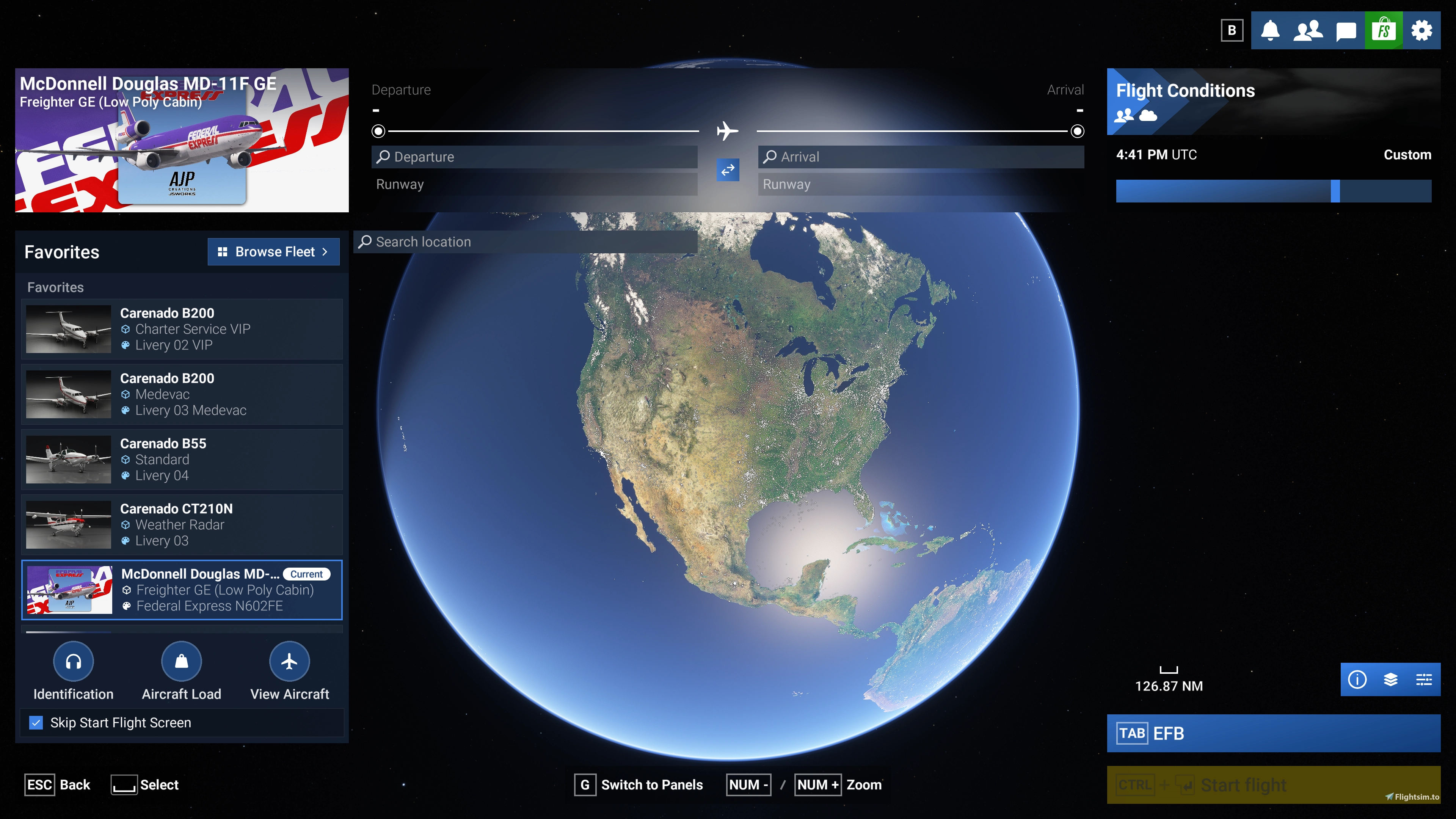
- Launcher under the aircraft card: click its title to pick Favorites, Recently flown, or one of your collections. Each row shows name, variant, and livery. Click one to switch.
- Browse Fleet opens the Hangar.
- Identification, Aircraft Load and View Aircraft buttons right in the panel.
- The Search location bar moves under the Departure card.
- Skip Start Flight Screen: tick the box at the bottom of the panel and you go straight into the cockpit once the flight has loaded. Loading is never cut short. Career missions and activities use the same screen, so it skips there too.
Stars that make sense
- Every favorite is its own record: one row per setup (aircraft, variant, livery and, for gliders, launch method).
- Starring a livery also stars its variant and aircraft.
- Unstarring only removes your current setup. Unstar the aircraft, variant or livery and just that one row goes. The star on a row in the Favorites list removes that row.
- Liveries shared by several variants can be favorited on each variant separately.
- Glider launch favorites: star a tow plane or winch to save that glider, variant, livery and launch as one row. Click it to load all of it.
- Stars also appear on the aircraft, variant and livery cards in the sim's configure screen, with search and favorite filters there.
Safe by design
Before taking over the Change Aircraft screen, the mod checks that everything it needs is in place. If a sim update changes something it relies on, the Hangar switches itself off and you get the sim's normal screen.
Installation
- Extract the download.
- Copy the
ithers-favorite-menufolder into your MSFS 2024 Community folder. Updating? Delete the old folder first. - Start the sim.
To uninstall, delete the folder.
Good to know
Saving. Favorites, collections, hidden aircraft and saved identification are written to disk the moment you change them, so you can quit straight from the menu without losing anything. A small module in the mod's modules folder does the saving. If it can't start, a red "Saving unavailable" notice appears in the Hangar and on Create a Flight.
Updating from 1.x. 2.0.0 starts fresh: favorites, collections and the rest from 1.x are not carried over.
Startup aircraft. The sim always starts on the last aircraft you actually flew. The mod doesn't change that.
Engine type. The sim only reports an aircraft's engine type once it has been selected, so some aircraft show their general category until you've used them once.
Controls. Built for mouse and keyboard. Gamepad navigation of the new screens isn't supported yet.
Compatibility
- Microsoft Flight Simulator 2024, PC.
- Works with default and add-on aircraft.
- Changes only the menus. Nothing in flight is touched, apart from the optional Skip Start Flight Screen, which presses Start Flight for you.
Terms of use
- Free to use. Download it, use it, enjoy it.
- No redistribution without permission. Please don't re-upload, mirror or share this mod or its files anywhere else. Link to this page instead. flightsim.to is the only official source.
- Not for sale. It may not be sold, put behind a paywall, or bundled into any paid product or package.
- Personal changes are fine. You're welcome to tweak it for your own use, but sharing a modified version needs my permission.
- Provided as is, without warranty. Use at your own risk.
- Not affiliated with or endorsed by Microsoft or Asobo Studio.
For permission or questions, contact me through flightsim.to.
Changelog
2.0.0
- New: Instant saving. Everything is written to disk the moment you change it, by a small module that ships with the mod. Quitting straight from the menu no longer loses changes, and you no longer need to start a flight to save.
- New: If the saving module can't start, a red "Saving unavailable" notice appears in the Hangar and on Create a Flight, so you know changes won't be kept.
- New: Hover the folder button on a row to see which collections that setup is in.
- Changed: 2.0.0 starts fresh. Favorites, collections, hidden aircraft and saved identification from 1.x are not carried over.
- Changed: Unhiding an aircraft keeps you in the Hidden list, so you can bring back several in a row.
- Fixed: Setups for aircraft with a | in their model name, such as some Fenix A320 family variants, couldn't be added to a collection properly. The folder button stayed gray and the menu showed a file path.
- Fixed: Scrolling the Create a Flight launcher with the mouse wheel could zoom the globe behind it when the pointer was between or beside the rows.
- Fixed: Unstarring a livery or variant in the setup panel could show "Several favorites here" and leave the favorite in place, for example on some Dynamic Registration liveries. The star now removes that favorite.
Ither's Favorite Menu
Ither's Favorite Menu streamlines aircraft, variant, and livery selection in Microsoft Flight Simulator 2024 by introducing a redesigned menu focused on user favorites.


Nutzerbewertungen
9 Bewertungen
Versionsgeschichte
- New: Instant saving. Everything is written to disk the moment you change it, by a small module that ships with the mod. Quitting straight from the menu no longer loses changes, and you no longer need to start a flight to save. - New: If the saving module can't start, a red "Saving unavailable" notice appears in the Hangar and on Create a Flight, so you know changes won't be kept. - New: Hover the folder button on a row to see which collections that setup is in. - Changed: 2.0.0 starts fresh. Favorites, collections, hidden aircraft and saved identification from 1.x are not carried over. - Changed: Unhiding an aircraft keeps you in the Hidden list, so you can bring back several in a row. - Fixed: Setups for aircraft with a | in their model name, such as some Fenix A320 family variants, couldn't be added to a collection properly. The folder button stayed gray and the menu showed a file path. - Fixed: Scrolling the Create a Flight launcher with the mouse wheel could zoom the globe behind it when the pointer was between or beside the rows. - Fixed: Unstarring a livery or variant in the setup panel could show "Several favorites here" and leave the favorite in place, for example on some Dynamic Registration liveries. The star now removes that favorite.
Ähnliche Addons
No Handle Bar
A simple add-on that removes the handle bar from your screen, allowing for cleaner screenshots. Easy to install by placing the folder in your Community folder. Happy flying without distractions!
von Ither
HPG H145 Map Fix
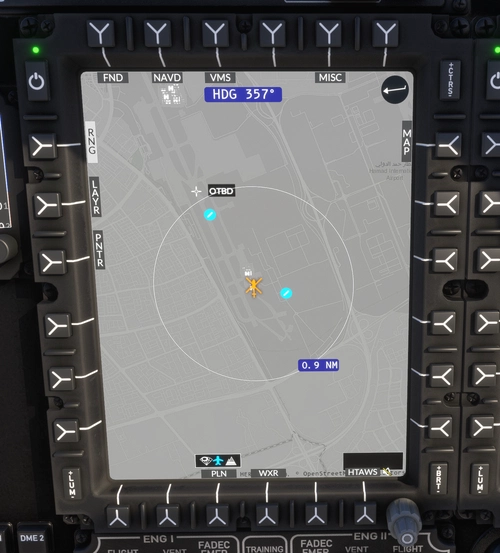
This add-on resolves map display issues for the HPG H145 helicopter by redirecting map sources to a free online service. Installation involves replacing four specific files within the aircraft folder. It is designed to restore or improve map functionality. The process is simplified for quick integration into your simulator setup.
von ither
HPG H160 Map Fix
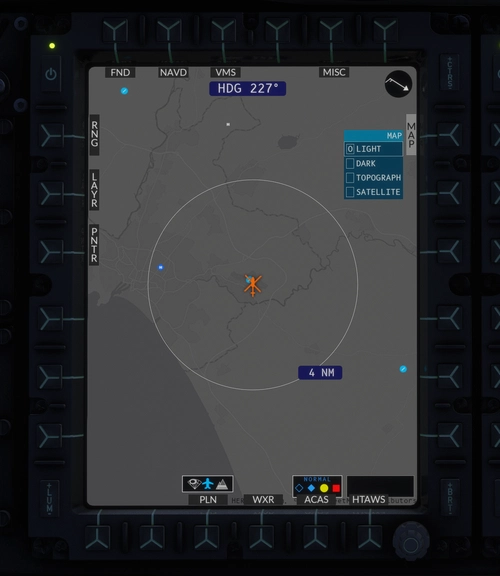
This add-on provides a fix for the HPG H160 helicopter's map functionality by redirecting map data to a free online service. The solution addresses an issue that was not resolved by the original developers. Installation involves replacing three files in the aircraft folder. The process is straightforward and ensures continued map usability within the simulator.
von ither
Melden Sie sich an, um an der Diskussion teilzunehmen
AnmeldenKommentare63
How can I directly search for a specific livery? If I type in the name of the airline (e.g., Easyjet), nothing appears.
I have this addon wonderful Idea.,. and works in most cases..
I have 2 HPG Helicopters near seem to be saved in the favourites past a restart..
I can go hunting for the H160 adventurely find it and and add it to the favorites then fly with it for a few hours (LOL) ok maybe more..
anyway if I chose a different helicopter even the H145 I need to find that one.. and it will also need hunting for..
save it.. fly it exit game come back to morrow and there is no siogn of the H160 or the H145 that I favourited they are gone not in any of my collections or on the list .. even on the list of all aircraft and all helicopters..
yeah the basic version of the varitent is there and I have to dive deep into the selections to get it to it.. sometime the H160 Comercial version is not listed but the Civ. one is.. theyu get hidden and I need to go hunting again..
yet others I only have the built in and the free ones from flight.to they are there in the list even though IO have not flown them yet since the favorites menu was added..
can you help me sort this out as its way better even with the brama's then digging in the mist of the default memu
However, I've encountered a bug: after selecting certain aircraft configurations or liveries, the selection menu disappears completely, making it impossible to switch to a different configuration or livery.
I hope this can be fixed in a future update. Thanks again for your great work!
I love that we can create custom collections. Would it be possible to make it so that an aircraft doesn't have to be added to favorites to be added to a custom collection?
Thanks again for this amazing addon!
The favorites setup drive all the recording of the "plane, variant, and livery choice (or launch choice if a glider.)
I could possibly look at changing it where "add to collection" or "favorite" do the same thing. It triggers the record of the the aircraft. :)
I'll see what I can do.