Flightsim.to
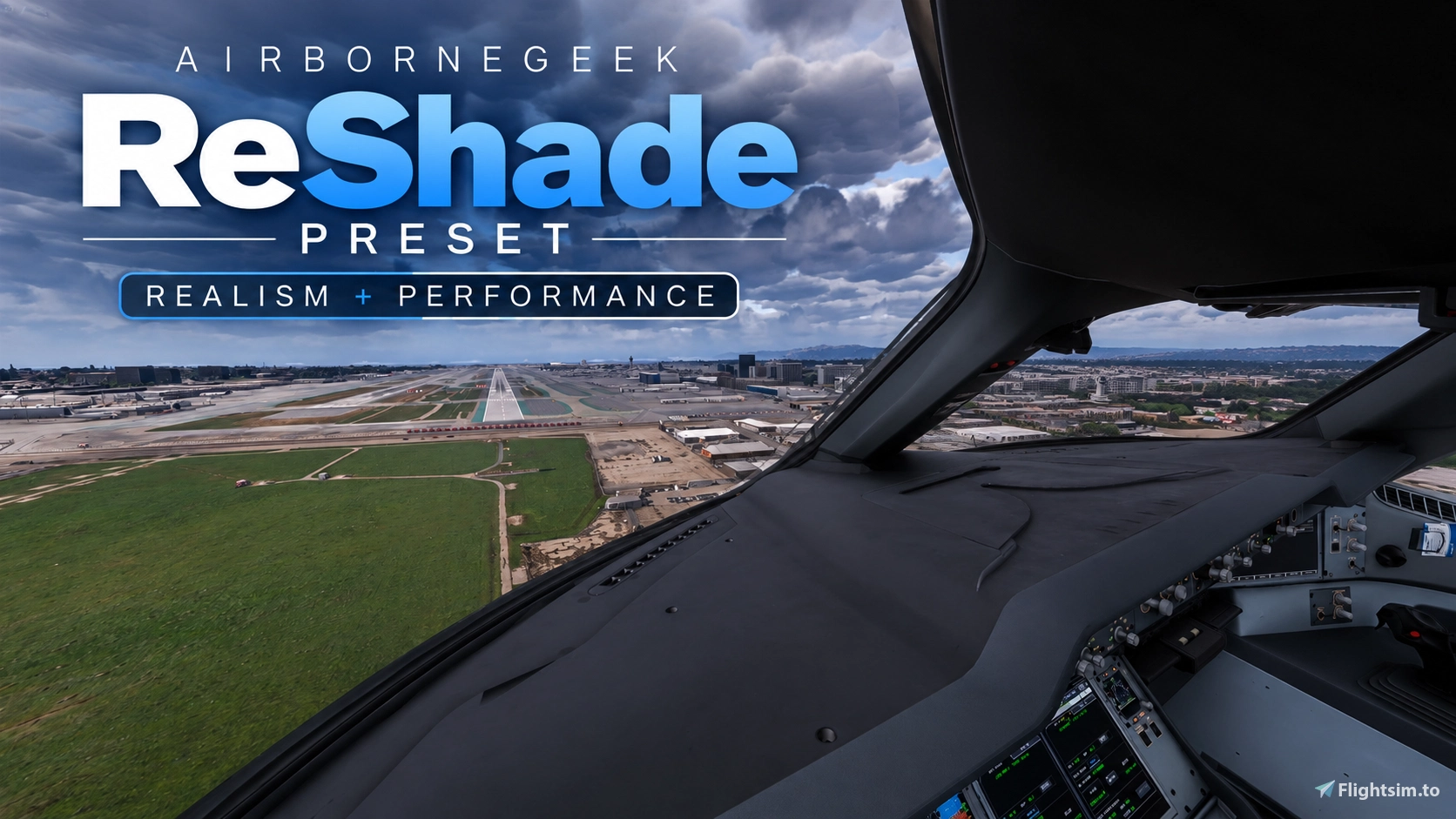
    AirborneGeek ReShade Preset - Ultra Realism + Performance Optimized - Image 1

    Beschreibung

    After countless hours of tweaking, testing and comparing against real-world photo references, and multiple revisions, I’m finally sharing my latest ReShade profile for MSFS 2024 and feel free to use it for MSFS 2020 as well. The goal was simple: Cinematic. Natural. Vibrant. Cool

    This profile has been carefully tuned across different times of day, weather conditions, locations and lighting environments — not just to look good in one perfect screenshot. The aim is a consistent, realistic image whether you're flying at noon, through overcast skies, during golden hour or at night.

    DLSS 5 Neural Rendering:

    I've specifically tuned and tested the profile with DLSS 5 NR both ENABLED and DISABLED. It works extremely well with NR and is the combination I'm currently using in my own videos and streams.

    Performance:

    This profile is tuned to have almost zero fps loss. I am not using any fancy effects that would hurt your GPU power consumption or fps. Please report performance issues in the comments if you see any.

    REX Atmos: This profile is designed to complement my REX Atmos presets, which are also available as Top 3 used Presets on Atmos. For the intended look, I highly recommend using the two together.

    Monitor Differences:

    Every display is different, so colors, gamma, contrast and black levels may vary slightly. My reference setup is an ASUS PG32UCDM 4K OLED with HDR OFF, so small adjustments may be necessary depending on your monitor. The end result is exactly what I wanted: Realistic enough to feel natural.

    Vibrant enough to feel alive. Cinematic look without looking overprocessed.

    Recommended (but not necessary):

    DLSS 5 NR + ReShade + REX Atmos

    Install Instructions:

    1. Install ReShade from reshade.me if you haven't already. Without add-on support is fine just for this preset.
    2. Download and extract the AirborneGeek ReShade preset file.
    3. Copy the preset (.ini) files into your any folder of your liking.
    4. Launch your flight simulator and open the ReShade overlay using the Home key.
    5. Select the preset ini file from the dropdown menu.
    Interaktions-Aktivität
    DownloadsKommentareGetrennte Skalen für Downloads und Kommentare
    23. Okt. Downloads: 206 Kommentare: 024. Okt. Downloads: 427 Kommentare: 1 Frage: 125. Okt. Downloads: 374 Kommentare: 2 Feedback: 1 Frage: 126. Okt. Downloads: 279 Kommentare: 2 Fehler: 227. Okt. Downloads: 194 Kommentare: 1 Fehler: 128. Okt. Downloads: 176 Kommentare: 029. Okt. Downloads: 149 Kommentare: 2 Frage: 230. Okt. Downloads: 152 Kommentare: 1 Frage: 131. Okt. Downloads: 270 Kommentare: 001. Nov. Downloads: 274 Kommentare: 1 Frage: 102. Nov. Downloads: 185 Kommentare: 1 Feedback: 103. Nov. Downloads: 173 Kommentare: 1 Feedback: 104. Nov. Downloads: 182 Kommentare: 005. Nov. Downloads: 484 Kommentare: 6 Feedback: 3 Fehler: 1 Frage: 206. Nov. Downloads: 909 Kommentare: 4 Feedback: 3 Frage: 107. Nov. Downloads: 1.199 Kommentare: 4 Feedback: 1 Frage: 308. Nov. Downloads: 1.093 Kommentare: 7 Feedback: 2 Fehler: 2 Frage: 309. Nov. Downloads: 645 Kommentare: 5 Feedback: 1 Fehler: 1 Frage: 310. Nov. Downloads: 494 Kommentare: 2 Feedback: 1 Fehler: 111. Nov. Downloads: 483 Kommentare: 012. Nov. Downloads: 232 Kommentare: 013. Nov. Downloads: 265 Kommentare: 014. Nov. Downloads: 266 Kommentare: 015. Nov. Downloads: 573 Kommentare: 3 Allgemein: 316. Nov. Downloads: 365 Kommentare: 1 Allgemein: 117. Nov. Downloads: 293 Kommentare: 018. Nov. Downloads: 198 Kommentare: 1 Allgemein: 119. Nov. Downloads: 191 Kommentare: 1 Allgemein: 120. Nov. Downloads: 192 Kommentare: 021. Nov. Downloads: 71 Kommentare: 1 Allgemein: 1
    23. Okt.06. Nov.21. Nov.
    10.994
    Downloads
    47
    Kommentare
    Letzter Kommentar heute
    Creator antwortet auf 49% der Kommentare

    Kommentar-Zusammenfassung

    Das allgemeine Feedback zur AirborneGeek ReShade Preset ist überwiegend positiv. Besonders gelobt werden die realistischen Farben und die Optimierung der Leistung, vor allem in Kombination mit AtmosphereMod oder REX Atmos. Häufig wird das verbesserte Farbbild und die realistische Umsetzung hervorgehoben, meist ohne großen Einfluss auf die Performance. Kritik gibt es bezüglich der Helligkeit, da einige Nutzer die Darstellung als zu dunkel oder farblich (zu blau/gelb) empfinden. Mehrfach berichten Anwender von Installationsproblemen, etwa fehlende oder nicht aktivierte Shader-Effekte, sowie Unsicherheiten bei der Vorgehensweise; hier wird der Wunsch nach klareren Anleitungen und einer Liste der benötigten Effekte deutlich. Zusätzlich gibt es Hinweise auf Inkompatibilität mit HDR-Monitoren oder VR sowie auf vereinzelte Abstürze oder Stottern. Vielfach geben Nutzer den Tipp, Farbeinstellungen wie Farbtemperatur oder bestimmte Effekte (z.B. blur.fx) nach eigenen Vorlieben zu verändern. Insgesamt ist das Preset wegen seiner Wirkung beliebt, erfordert aber für optimale Ergebnisse eine sorgfältige Einrichtung durch den Nutzer.

    Zusammengefasst am 16. Nov. 2026

    Melden Sie sich an, um an der Diskussion teilzunehmen

    Anmelden

    Kommentare157

    phantomnebula69Allgemein·about 9 hours ago
    Hello, thinking about getting this but a couple quick questions. Should this run smoothly with a 5070, amd ryzen 7 9800x3d, and 32 gb ddr5, and does it cost money if so, how much?
    LasthopeTRAllgemein·2 days ago
    hi man i have a question my msfs2024 is to dark at night with your optishade settings, in msfs my exposure is 0 not even -1, how can i make the shadows brighter to see more?i I sended you a example of how my game looks, how can i brighten the shadows a bit more to see, i tried exposure on this effect but its lighten the highlights and mid tones but not the shadows and thats what i not want .
    EmCeNujitAllgemein·3 days ago
    Reshade preset looks really good, though its a little bit too dark. Cockpit looks really dark and at night when everything is dark the preset makes it even darker. Would really appreaciate it when you light it up a little
    zeke.tbhAllgemein·5 days ago
    I have it downloaded and pasted into my msfs folder but I still cannot see it when I open msfs in the reshade menu only my sealed ski ini folder? Is the reason the sealed sky folder or something else? I've been wanting to use the airbornegeek profile for a while but I cant seem to find a fix
    ash_s
    Allgemein·6 days ago
    10/10 preset, ive been searching for one that looks real for a while and this one does it perfectly!!
    wizz_air013Allgemein·6 days ago
    Nvm I found out the problem lol
    wizz_air013Allgemein·6 days ago
    So I already had a preset called jaimie realism and when I try to find this preset in the dropdown menu it isnt there? I pasted the preset into the same place where jaimie realism is, why isnt this one there too
    wizz_air013·6 days ago
    I removed the jaimie realism preset and its still there somehow
    rdpmFehler·11 days ago
    I copied the .ini file to the reshade folder. When I navigate to the preset, it says that the selected file is not a valid preset.
    rodrigolukFeedback·11 days ago
    Awesome! I have an RTX4070 Super and my main monitor is a Samsung LC34G55TWWRXXU, which I set in Cinema mode and this looks really great!
    Thanks for the this work!
    TouranR·11 days ago
    wie kann ich im Simulator das fesnster öffnen um es zu aktieviren was muss man da für eine taste drücken ich komme da nicht weiter
    rodrigoluk·9 days ago
    @TouranR - use the HOME key.
    yakut6633Fehler·12 days ago
    Since the AMD card does not use DLSS5, the image looks very bad a purplish color lifeless pale dark
    AirborneGeekAuthor·11 days ago
    This reshade preset works without DLSS5 as well and purple dark image seems like a problem only on your end.
    alphatango81·10 days ago
    search AMD-NR
    ...
    MSFS 2020MSFS 2024

    AirborneGeek ReShade Preset - Ultra Realism + Performance Optimized

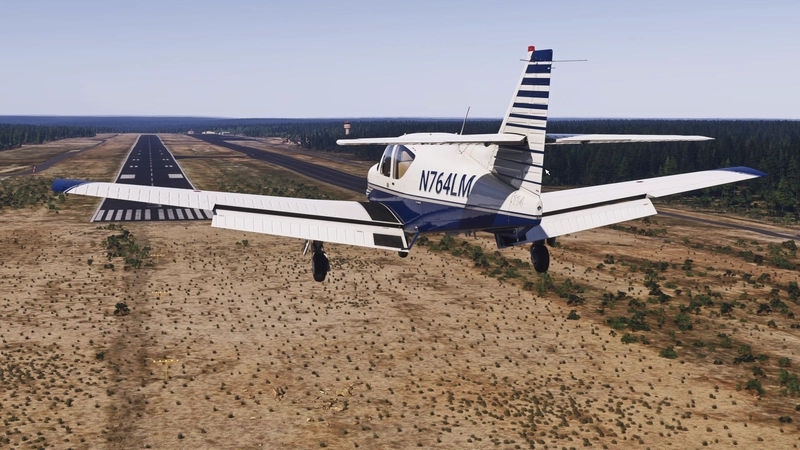
    Your All-in-One Flight Sim Reshade Preset Make Your Flight Sim Look REAL — Whether it Morning, Evening, Day or Night!

    Downloads14K
    Version1.0
    Dateigröße835 B
    VeröffentlichtVor 1 Monat
    AktualisiertVor 1 Monat

    Nutzerbewertungen

    4.8

    21 Bewertungen

    5
    90%
    4
    0%
    3
    5%
    2
    5%
    1
    0%

    Versionsgeschichte

    Keine Versionsgeschichte verfügbar.

    In Sammlungen enthalten(1)

    Ähnliche Addons