
Beschreibung
MotionDeck (formerly Physics Camera)
Your head moves with the aeroplane. Brake and you nod forward, rotate and you press back, turn and you lean, rumble across a grass strip and feel a firm landing - driven by the aircraft's real physics, every frame. MSFS 2020 and 2024.
NEW IN 1.1.0 - PHONE ON THE DESK
Your phone is now your head tracker. No webcam or tracker to buy.
- Pick Phone on the desk under My tracker, stand your phone in front of you, just below your monitor, and scan the QR code in MotionDeck.
- Works over Wi-Fi (iPhone or Android; accept the one-time certificate warning on the phone), or over USB on Android with no Wi-Fi needed.
- Face tracking runs on the phone itself; nothing leaves your own network.
- Sensitivity, smoothing, dead zone and direction flips are set in the app on the PC.
Phone setup video: https://youtu.be/ueFOEr7RnUU
HEAD TRACKING - READ THIS FIRST
- Works with Tobii, webcams (AITrack / NeuralNet), TrackHat, phones and anything else opentrack reads: send opentrack's output to MotionDeck (UDP over network, 127.0.0.1:4242) and your head tracking and the physics are mixed together, live.
- Does not work with TrackIR at the same time. NaturalPoint's software only talks to games directly, so no third-party tool can mix it in. While MotionDeck runs, MSFS takes its motion from MotionDeck; one click (or exiting the app) hands MSFS straight back to TrackIR.
- No head tracker? No problem - MotionDeck works fully on its own. Just you and the sim.
Video guide (install, every setting, head tracking setup, troubleshooting): https://youtu.be/j_yv0f2G3Xo
A CUSTOM BUILD FROM CLEARED TO CODE
MotionDeck is an original application, designed and written from scratch - the motion model, the effects, the presets and the app. It is not a rebuild, fork or re-skin of another camera mod. The only third-party part is opentrack's small open-source TrackIR bridge DLL (NPClient64.dll), used unchanged and credited in the README.
FEATURES
- Head inertia on all six axes (fore/aft, up/down, side, pitch, roll, yaw) - not just pitch and roll
- Sustained G washes back to centre - no drifting view in long turns
- Runway rumble that grows with speed and knows the surface - grass, gravel and dirt are rougher than asphalt
- Touchdown jolt sized by your sink rate
- Turbulence, engine and prop vibration, stall buffet (smooth in a normal landing flare)
- Automatic feel presets from the loaded aircraft: Airliner, GA / Piston, Turboprop, Fast Jet, Helicopter
- Only in the cockpit view; eases out when paused, slewing or looking outside
- Live head view, G meters and surface readout; one slider per effect
- Hotkeys: Ctrl+Shift+P on/off, Ctrl+Shift+R recentre
- Optional auto-start with MSFS, runs in the system tray
- MSFS 2020 and 2024, Microsoft Store and Steam - SimConnect only, nothing else to install (.NET is built in)
INSTALL
- Extract the folder somewhere permanent (for example Documents\ClearedToCode).
- Run the exe inside. If Windows shows "Windows protected your PC", click More info - Run anyway.
- Optionally switch on Start with MSFS. Restart MSFS once, then click AXIS TEST in the cockpit view.
Full instructions, opentrack setup and uninstall are in README.txt.
by Cleared to Code - clearedtocode.com - Discord: discord.gg/MrcTkZ3YXq
Independent add-on; not affiliated with Microsoft, Asobo, NaturalPoint, Tobii or opentrack.
MotionDeck by ClearedToCode - Physics Camera with Head Tracking (MSFS 2020 & 2024)
MotionDeck (formerly Physics Camera) adds realistic head movement and inertia driven by the aircraft's real physics in Microsoft Flight Simulator 2020 and 2024: runway rumble by surface, touchdown jolts, turbulence and G-forces on all six axes, with automatic presets per aircraft type. Works on its own or on top of head tracking via opentrack (Tobii, webcams, TrackHat); not together with TrackIR. Cockpit view only, hotkeys, live readouts, easy install.

Nutzerbewertungen
9 Bewertungen
Versionsgeschichte
Fixed: MotionDeck could close at start-up on PCs where an old TrackIR or opentrack install left an empty tracker entry in Windows.
Ähnliche Addons
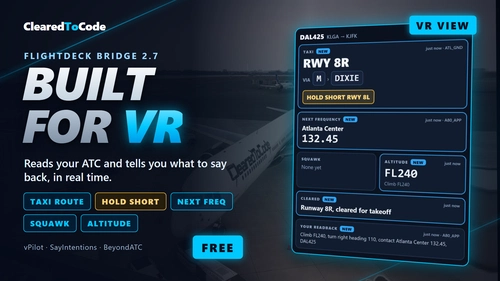
FlightDeck Bridge - vPilot Tablet Bridge + SimBrief Radio Kneeboard V 2.7.1 Now Built for VR!!
Stream Deck plugin now included!! FlightDeck Bridge puts ATC, readbacks, your SimBrief plan and a radio kneeboard on your tablet, phone, the MSFS 2024 EFB and your Stream Deck. Works with VATSIM (vPilot), SayIntentions.AI and BeyondATC. When ATC calls you, it shows exactly what to say back. NEW in v2.6: Say again replays what the controller actually said, one-tap Standby for the next frequency, and alerts when your departure or arrival ATIS changes or a controller on your route logs on. One-click installer, QR code pairing. Requires Windows 10/11.
von ClearedToCode
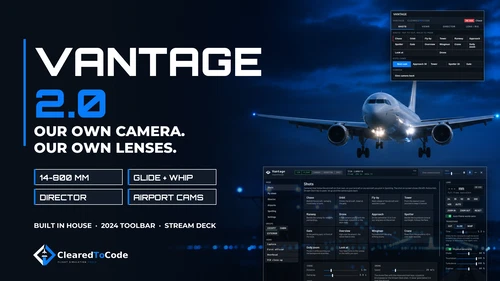
Vantage - Camera Views, Live Cams, Cinematics & Spotting for MSFS 2024
Vantage 2.0 is ClearedToCode's in-house camera system for Microsoft Flight Simulator 2024. Pick real lenses from 14 to 800 mm, glide or whip between 14 shots, and feel a physical camera rig with springs, damping and touchdown, turbulence and engine shake. An auto view pack builds about 24 views for any aircraft, the Director films your flight phase by phase, airport cams set themselves up at every field, and a Vantage menu sits in the MSFS 2024 toolbar. Vantage Deck profiles for Stream Deck are included.
von ClearedToCode
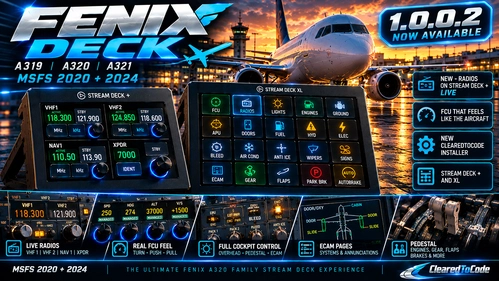
Fenix Deck - Stream Deck Plugin & Profiles for the Fenix A319 / A320 / A321
Fenix Deck is a native Stream Deck plugin with custom profiles for the Fenix A319, A320, and A321 aircraft in Microsoft Flight Simulator 2020 and 2024. It enables control of key cockpit functions, including the FCU, overhead, ECAM, and pedestal directly from Stream Deck + and XL devices, with live display of aircraft status. Key and dial colors reflect real cockpit states for better situational awareness. Requires only SimConnect for operation, with no additional software dependencies.
von ClearedToCode
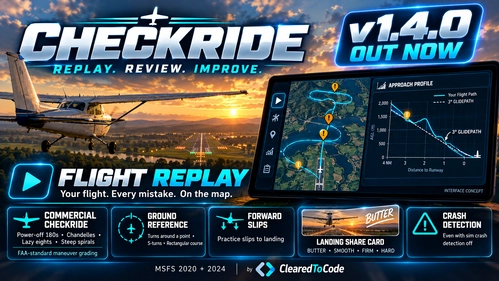
CheckRide - AI Flight Instructor & Checkride Examiner (MSFS 2020/2024)
CheckRide is an AI-powered flight instructor and checkride examiner add-on for Microsoft Flight Simulator 2020 and 2024. It evaluates complete flights, grading everything from startup procedures to landings based on real-world standards such as FAA and airline SOPs. Users receive detailed debriefs, oral feedback on mistakes, and optional AI-generated conversational analysis. A pass certificate with detailed performance metrics is issued for successful checkrides or high scores.
von ClearedToCode
Melden Sie sich an, um an der Diskussion teilzunehmen
AnmeldenKommentare71
-ClearedToCode
09/11/2026 21:31:04 System.ArgumentException: The path is empty. (Parameter 'path')
at System.IO.Path.GetFullPath(String path)
at PhysicsCam.Core.TrackIrOutput.Norm(String p)
at PhysicsCam.Core.TrackIrOutput.SlotIsOurs()
at PhysicsCam.Core.CameraEngine.Start()
at PhysicsCam.App.OnStartup(StartupEventArgs e)
at System.Windows.Application.b__1_0(Object unused)
at System.Windows.Threading.ExceptionWrapper.InternalRealCall(Delegate callback, Object args, Int32 numArgs)
at System.Windows.Threading.ExceptionWrapper.TryCatchWhen(Object source, Delegate callback, Object args, Int32 numArgs, Delegate catchHandler)