
Beschreibung
A standalone application for Microsoft Flight Simulator 2020/2024 that adds realistic, physics-based head movements (head shake, G-force effects) to the virtual cockpit. It reads aircraft telemetry via SimConnect and injects camera movements using the FreeTrack protocol.
Features
- Physics-Based Movement: Uses a spring-mass-damper physics engine to simulate realistic head movements based on aircraft acceleration and velocity.
- Customizable Effects: Adjust the intensity of lateral, vertical, longitudinal, pitch, and roll movements in real-time via the UI, and many other settings.
- Seamless Integration: Connects to MSFS via SimConnect and injects data via FreeTrack.
- Auto-Start & Auto-Exit: Includes scripts to automatically start with MSFS, and a setting to automatically exit when MSFS closes.
Installation
- Download the latest release.
- Extract the files to your MSFS Community folder (or any other folder of your choice).
- Run AutoStart-Install.bat to register the application in exe.xml to start automatically when MSFS launches.
- Alternatively, you can run MsfsPhysicsCamera.exe manually before or during your flight.
- You'll likely want to disable the built-in camera shake in the MSFS configuration.
- If you launched the app while MSFS is running, you may need to restart MSFS to make it work. This is a one-time thing as it needs to enable the "TrackIR" controller.
FAQ
I do see telemetry and output in the app while moving my airplane ingame, but my camera does not seem to react. Even at x5 multiplier. What gives?
If you haven't already, you might need to restart MSFS. When you launch the app for the first time, it enables the "TrackIR" controller. A restart of MSFS 2024 is needed to make it appear.
Can I use this app together with my head tracker (Tobii / TrackIR / Opentrack)?
Unfortunately, no. Both your head tracker and this tool will send camera offsets to Flight Simulator. Flight Simulator will pick one over the other, or just alternate the inputs, which will manifest into weird behavior.
It feels like the camera is drifting at high speed or in turns
While ascending/descending the gravity weighs on your head while you're pitched up/down. Similarly in turns. Since v1.6 there are two settings that remedy this, of which one is enabled by default.
- The "Return-to-center speed" (defaulting to 0.5) option will make the camera return to center slowly over time.
- Disabling "Simulate gravity" prevents the fake gravity calculation based on pitch/roll angles.
Source available at: https://github.com/martijns/martijns-msfs2024-physics-camera
Häufig gestellte Fragen
MSFS Physics Camera
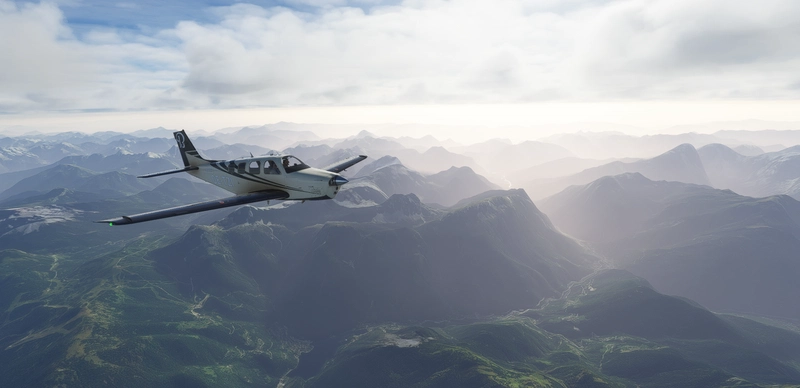
MSFS Physics Camera is a standalone application that introduces realistic, physics-based head movements in Microsoft Flight Simulator 2020/2024. It simulates head shake and G-force effects by using a spring-mass-damper physics engine, connecting to MSFS through SimConnect and FreeTrack. Users can customize movement intensities in real-time via the user interface. The app supports auto-start features and requires disabling the simulator's built-in camera shake for best results.
Starred
Handverlesen von unserem Team — dieses Addon verbessert das MSFS-Erlebnis erheblich und ist ein Must-have für dein Setup.
Unterstützer

Nutzerbewertungen
60 Bewertungen
Versionsgeschichte
Fixed AutoStart. Should now create an exe.xml if it didn't exist yet and thus work for more people.
Melden Sie sich an, um an der Diskussion teilzunehmen
AnmeldenKommentare(210)
about 6 hours ago
2 days ago
about 21 hours ago
3 days ago
---- UPDATE ----
Fix if the camera doesn't move and "TrackIR" is missing from the MSFS controllers list
Setup: MSFS 2024 (Microsoft Store), Physics Camera v1.7, auto-start working.
Symptoms:
- The app shows telemetry and says head tracking is configured correctly
- "TrackIR" is ticked in the MSFS camera panel
- But no camera movement, and no "TrackIR" device in the controls list, even after restarting MSFS
Cause: the app registers its NPClient64.dll in the registry, but leaves the entry alone if one already exists. If another program (ChasePlane, Opentrack, TrackIR, Tobii...) or an old install left its own entry, it keeps pointing there, so MSFS never loads the mod's dll. In my case it pointed to ChasePlane's folder.
Fix:
1. Close MSFS and any other head tracking or camera software.
2. Open regedit and go to HKEY_CURRENT_USER\Software\NaturalPoint\NATURALPOINT\NPClient Location
3. Check the "Path" value. If it points to a folder that isn't the mod's, export the key as a backup, then delete the "Path" value.
4. Start MsfsPhysicsCamera.exe first, then MSFS.
5. Press F5 in regedit: "Path" should now point to the mod's folder. "TrackIR" appears in the controls and the camera moves.
Note: other tracking software may overwrite the entry again when launched, so don't run them at the same time as the mod.
3 days ago
3 days ago
about 21 hours ago
Thanks for letting me know.
3 days ago
about 21 hours ago
How it works is that each application sends absolute values of camera values, not just offsets. If both opentrack and this software is running, they don't know about each other and send different inputs, causing the camera jitter. One frame it takes this app input, the other frame it uses opentrack input.
9 days ago
4 days ago
If you need the registry entry removed for Train Sim Classic, you could create a .reg file that deletes the entry. You'll just have to make sure to launch the MSFS Physics Camera before launching MSFS to fix the entry.
2 days ago
What I meant was there's no uninstaller or install log so it was kind of a lucky guess after reading online to find the cause, I wasn't expecting a registry entry for the dll. I think it can affect other games too. But it's no problem really, if the folder is deleted the reg key won't matter anyway. Thanks again for sharing the mod.
9 days ago
10 days ago
4 days ago