
Beschreibung
Note from the author: Please upvote https://forums.flightsimulator.com/t/workaround-for-missing-propeller-drag-please/368300
Flight model modification version 1.14.6.2, date 2021-04-03:
I included "Uwa's lighting mods" from https://uwajimaya.github.io/FS2020/
Uwajimaya, I credit your work!
Pack version 1.13 (Feb 16, 2021)
Using the parameters drag_coef_zero_lift, htail_incidence, thrust_scalar and fuel_flow_scalar the maximum airspeed, (L/D)max and fuel consumption can be set to one operating point OP. I set the OP to no flaps, retracted landing gear, full thrust, level flight, no elevator input and altitude 30000 ft.
I use the MSFS 2020 documentation from https://docs.flightsimulator.com/html/Samples_And_Tutorials/Defining_A_Flight_Model.htm Citations are in "". Asobo has expanded the documentation, but sadly the documentation is still far away from complete. Asobo please go on!
To all critics of my work: You can call my mod "It's the equivalent of fixing a leak which creates 10 more in the pipe." I don't care - enjoy your freedom of speech. Just create a better flight level mod and I will fly with your mod, no problem. By the way: I adjusted this B748 flight level mod that 10° flaps and +50% elevator trim make the airplane take off "automagically" at 160 KIAS with 818000 lbs total weight.
empty_weight_CG_position = -96, 0, 0 ; -98, 0, 0 ; Position of airplane empty weight CG relative to reference datum (FEET), z, x, y
Move center of gravity.
point.0 = 1, -44, 0, -15.7, 720, 0, 2, 45, 0.9, 2, 0.5, 9, 8, 0, 220, 250, 2 ; 1, -5, 0, -15.7, 720, 0, 2, 60, 0.9, 2, 0.5, 9, 8, 0, 220, 250, 2
point.1 = 1, -113, -17, -16.9, 1500, 1, 2, 0, 1.36, 3, 0.5, 11, 9, 2, 220, 250, 2 ; 1, -102.5, -17, -16.9, 1500, 1, 2, 6.5, 1.36, 3, 0.5, 11, 9, 2, 220, 250, 2
point.2 = 1, -113, 17, -16.9, 1500, 2, 2, 0, 1.36, 3, 0.5, 11, 9, 3, 220, 250, 2 ; 1, -102.5, 17, -16.9, 1500, 2, 2, 6.5, 1.36, 3, 0.5, 11, 9, 3, 220, 250, 2
Reduce taxiing curve radius by reducing the distance steering wheel to main wheels. Make the main wheels a true tricycle gear.
wing_incidence = 2 ; Wing incidence (DEGREES)
htail_incidence = 1.3 ; 0 ; Horizontal tail incidence (DEGREES)
"You'll want to leave the horizontal tail Incidence at zero for the moment, this value will be used to set the default trim of the aircraft."
Trimmed for OP with no elevator input.
wing_dihedral = 4.5 ; 7 ; Dihedral angle Lambda (DEGREES)
wing_sweep = 40 ; 41.0 ; Wing sweep (DEGREES)
wing_pos_apex_vert = -3 ; -4 ; Vertical (y) position of wing apex w.r.t reference datum (FEET)
htail_pos_vert = 11.5 ; 11 ; Vertical (y) position of horizontal tail w.r.t reference datum (FEET)
htail_incidence = -0.4 ; 0 ; Horizontal tail incidence (DEGREES)
Engine.0 = -119, -69.6, -5.1
Engine.1 = -92, -39.4, -7.5
Engine.2 = -92, 39.4, -7.5
Engine.3 = -119, 69.6, -5.1
Adjust flight model to 3D model.
drag_coef_zero_lift = 0.0509 ; 0.02300
"this value is usually of around 0.02 to 0.025 for an aircraft with a glide ratio above 15, 0.03 to 0.04 for aircraft with glide ratios of about 10, and up to 0.1 for some slow bush planes with very low glide ratios." from https://docs.flightsimulator.com/html/Samples_And_Tutorials/Defining_A_Flight_Model.htm
I use Aircraft Editor, Debug, Sim Polar VhVs to set (L/D)max (glide ratio) to a realistic value. Real world value is 15.5, I choose 80% thereof, that is 12.4.
cruise_speed = 504 ; 493 ; Knots True (KTAS)
[JET_ENGINE]
thrust_scalar = 1.3 ; 0.85
More drag_coef_zero_lift needs more thrust_scalar for the same cruise_speed. I can not match 120000 lbs payload and take off speed of 160 KIAS to 504 KTAS at 30000 ft. Therefore the maximum level flight airspeed at 30000 ft is higher then a real Jumbo can do.
ui_autonomy = 16 ; max duration the aircraft can fly between take-off and landing in (Hrs)
fuel_flow_scalar = 0.815 ; 0.8 ; Fuel flow scalar
Adjust fuel_flow_scalar to ui_autonomy at 80% LVR. I use Aircraft Editor, Debug, Engines to measure autonomy at ground at 80% LVR.
induced_drag_scalar = 0.8 ; 1
flap_induced_drag_scalar = 0.8 ; 1
"a value between 1.2 and 1.5 is usually fine. If this value is above 1.5, the plane will generate a lot of drag at slow speed, and if the value is closer to 1, it will glide very easily at slow speeds."
The low value allows slow airspeed without stall.
empty_weight_pitch_MOI = 79946411 ; 76427903 ; Empty pitch moment of inertia, Jxx (SLUG SQ FEET)
empty_weight_roll_MOI = 20020310 ; 19300696 ; Empty roll moment of inertia, Jzz (SLUG SQ FEET)
empty_weight_yaw_MOI = 93398681 ; 89315555 ; Empty yaw moment of inertia, Jyy (SLUG SQ FEET)
empty_weight_coupled_MOI = 800000 ; Empty transverse moment of inertia, Jyz (SLUG SQ FEET)
This is "real" inertia.
pitch_stability = 0.001 ; 0.5
roll_stability = 0.001 ; 0.5
yaw_stability = 0.001 ; 0.5
"You need to enter a value that is higher than zero for backwards compatibility with the legacy flight model, and you can enter 0.01 - for example - if you want only the minimum friction. If the plane has more inertia, you can enter higher values."
I completly switch off "fake" inertia.
fuselage_length = 250 ; Nose to tail (FEET)
fuselage_diameter = 25.56
fuselage_center_pos = -77.5, 0, 5 ; -87.5, 0, 5 ;
"To adjust the fuselage surface positions and their dimensions to the visual fuselage of the aircraft model"
Adjust fuselage_center_pos for a nice placement of the fuselage force vectors.
[FLAPS.0]
flaps-position.0 = 0, -1, 0
flaps-position.1 = 1, 285, 1 ; 1, 285, 0.1 ;
flaps-position.2 = 5, 265, 1 ; 5, 265, 0.2 ;
flaps-position.3 = 10, 245, 1 ; 10, 245, 0.4 ;
flaps-position.4 = 20, 235, 1 ; 20, 235, 0.6 ;
flaps-position.5 = 25, 210, 1 ; 25, 210, 0.8 ;
flaps-position.6 = 30, 185, 1
[FLAPS.1]
flaps-position.0 = 0, -1, 0
flaps-position.1 = 21, 285, 1 ; 21, 285, 0.1 ;
flaps-position.2 = 21, 265, 1 ; 21, 265, 0.2 ;
flaps-position.3 = 21, 245, 1 ; 21, 245, 0.4 ;
flaps-position.4 = 21, 235, 1 ; 21, 235, 0.6 ;
flaps-position.5 = 21, 215, 1 ; 21, 215, 0.8 ;
flaps-position.6 = 21, 185, 1.0
The flaps-position drag depends on flaps angle. Therefore a drag multiplier of 1 is good enough.
drag_coef_flaps = 0.2 ; 0.11860
Adjust that full flaps give 50% of the airspeed without flaps.
lift_coef_flaps = 0.5581 ; 1.11620
Use less flaps lift, I think the Asobo value is exaggerated.
Summary: "If Asobo only knew what Asobo knows". Some Asobo engineers write documentation and tell everybody what to do and why. Other Asobo engineers write cfg files. As you can see above, these two groups don't talk to each other. Specially not about the induced_drag_scalars and stability parameters.
Nowhere Asobo writes about the importance of (L/D)max (glide ratio) and how to set a proper (L/D)max. For me is a bad (L/D)max value the single most important reason for poor quality of (Asobo) flight models. Let's see what Asobo will do in the next software release!
Note from the author: Please upvote https://forums.flightsimulator.com/t/workaround-for-missing-propeller-drag-please/368300
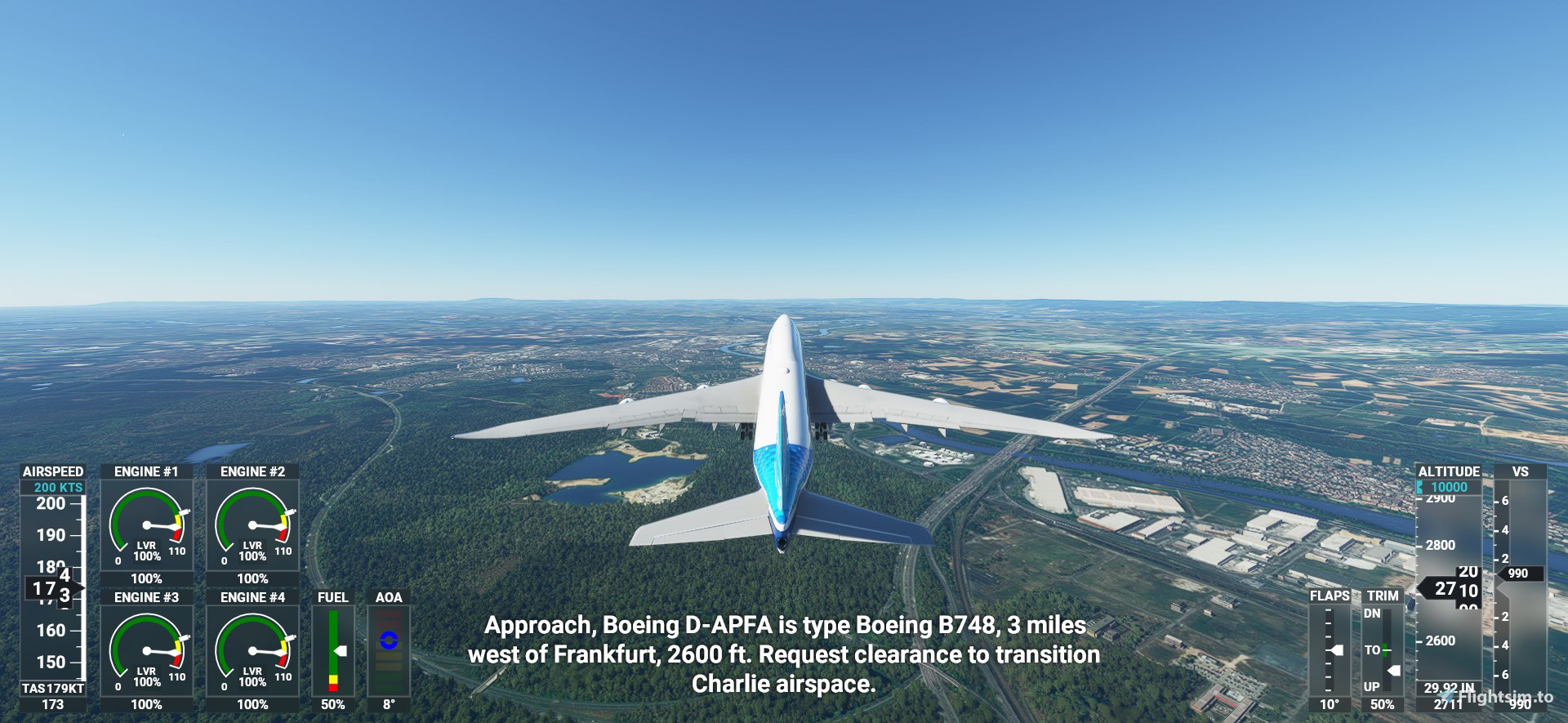
Boeing 747-8i flight model mod
Enhance your Boeing 747-8i experience with this flight model modification, featuring improvements to airspeed, fuel consumption, and stability parameters. Utilizing various parameters and external resources, this mod aims to provide a more realistic and engaging flight experience. Explore adjustments to wing dihedral, engine placement, and more, fine-tuning your aircraft for optimal performance. Engage in a detailed rework of the B748s flight dynamics to enhance your simulation experience on Microsoft Flight Simulator.


Versionsgeschichte
Completly switch off "fake" inertia. Please use this flight level mod ONLY with flight model modern.
Ähnliche Addons
Daher TBM 930 flight model mod
Enhance the flight experience with the Daher TBM 930 flight model mod. This mod adjusts parameters to simulate propeller drag, improving realism and offering a workaround for the missing feature in MSFS 2020. Experience more realistic flight dynamics with modified drag coefficients, induced drag settings, and optimized thrust levels for a smoother landing and cruise control. Built on real-life flying insights, this mod delivers a more authentic TBM 930 simulation in the virtual skies.
von PaulFalke
Cessna 172 Skyhawk flight model mod
Enhance the flight behavior of your Cessna 172 Skyhawk with this flight model mod. Experience realistic lift-drag ratios, gear and flaps drag adjustments, and improved propeller drag simulation for a more authentic flying experience. Based on in-depth research and modifications, this update focuses on optimizing the aircrafts performance and behavior in Microsoft Flight Simulator 2020.
von PaulFalke
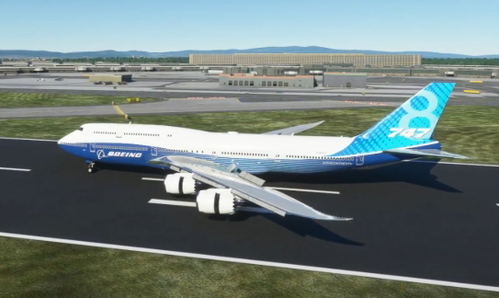
747-8i Salty mod + flight model mod
Enhance your flight experience with the 747-8i Salty mod, featuring a detailed flight model modification for a more realistic behavior. This add-on includes adjustments to lift-drag ratios, gear and flaps drag, and more. Explore improved flight dynamics and aircraft performance with this comprehensive modification.
von PaulFalke
Beechcraft King Air 350i flight model mod
Enhance the flight behavior of your Beechcraft King Air 350i with this flight model mod. Realistic maximum lift-drag ratio, gear and flaps drag adjustments, and more for an improved flying experience. Utilizing data from the Beechcraft King Air 350i brochure for accuracy, this mod focuses on enhancing the realism of the aircrafts performance in Microsoft Flight Simulator 2020.
von PaulFalke
Melden Sie sich an, um an der Diskussion teilzunehmen
AnmeldenKommentare(12)
over 5 years ago
over 5 years ago
over 5 years ago
over 5 years ago
over 5 years ago
imported?
over 5 years ago
Another A380 is on https://flightsim.to/file/7265/a380-with-a-working-cockpit
Have fun !
over 5 years ago
I personally have been working on testing accurate fuel consumption, thrust and drag for months and our aim is to make the plane the best to realistic as possible but without compromising things that already work pretty well. It deals down to the end user and how a simulator user would expect the aircraft to behave. If you only fix one phase of flight and break others, I don’t see that as a positive experience.
We trialed fixing fuel consumption and fixing thrust issues at the same time however limitation with Asobo meant that to get realistic thrust at cruise meant severely reducing thrust at takeoff and climb to the point of stalling. I’ve currently got the plane able to accelerate to 220 or so knots with the flaps in takeoff configuration so that retracting the flaps doesn’t put you into stall territory.
Currently the fuel consumption burn with Asobo is linear and will always burn at the same rate. We can’t mimic real life so that the plane burns more fuel when it’s heavier at the start of a long haul flight and less at the end once all the fuel weight is gone. So we have come to a compromise in our testing so that on short hauls it consumes more than expected but on long hauls it consumes less. Whole point is that to a standard simmer, they aren’t going to notice the thrust difference or floating, but they will notice that the plane has only burnt 1/3rd the amount of fuel it was supposed to. So we are trying to do just that, fix the bigger things that a regular person will notice rather than make the plane hyper-realistic.
Also I’d suggest testing your mod with accurate real life scenarios. A 747 taking off with less than 80,000 pounds of payload would never happen in real life, airline would go bankrupt with a plane that empty. I test with short, medium and long haul scenarios with at least over 120,000 pounds of payload to mimic a 70-90% full flight (including cargo).
over 5 years ago
over 5 years ago
I'd suggest you make clear what your intention is with the mod and you won't have people leaving comments that it doesn't work or that it is "an improvement" on the Salty mod. Seeing that at Salty we are trying to make the overall aircraft like the real aircraft and what a simmer expects, Salty and your goals are totally different.
over 5 years ago
The previous flight model mod (https://flightsim.to/file/8575/salty-747-8-flight-dynamics-bug-workaround) was pretty misleading tho, claiming to be the Salty mod in the old title
over 5 years ago
over 5 years ago