
Beschreibung
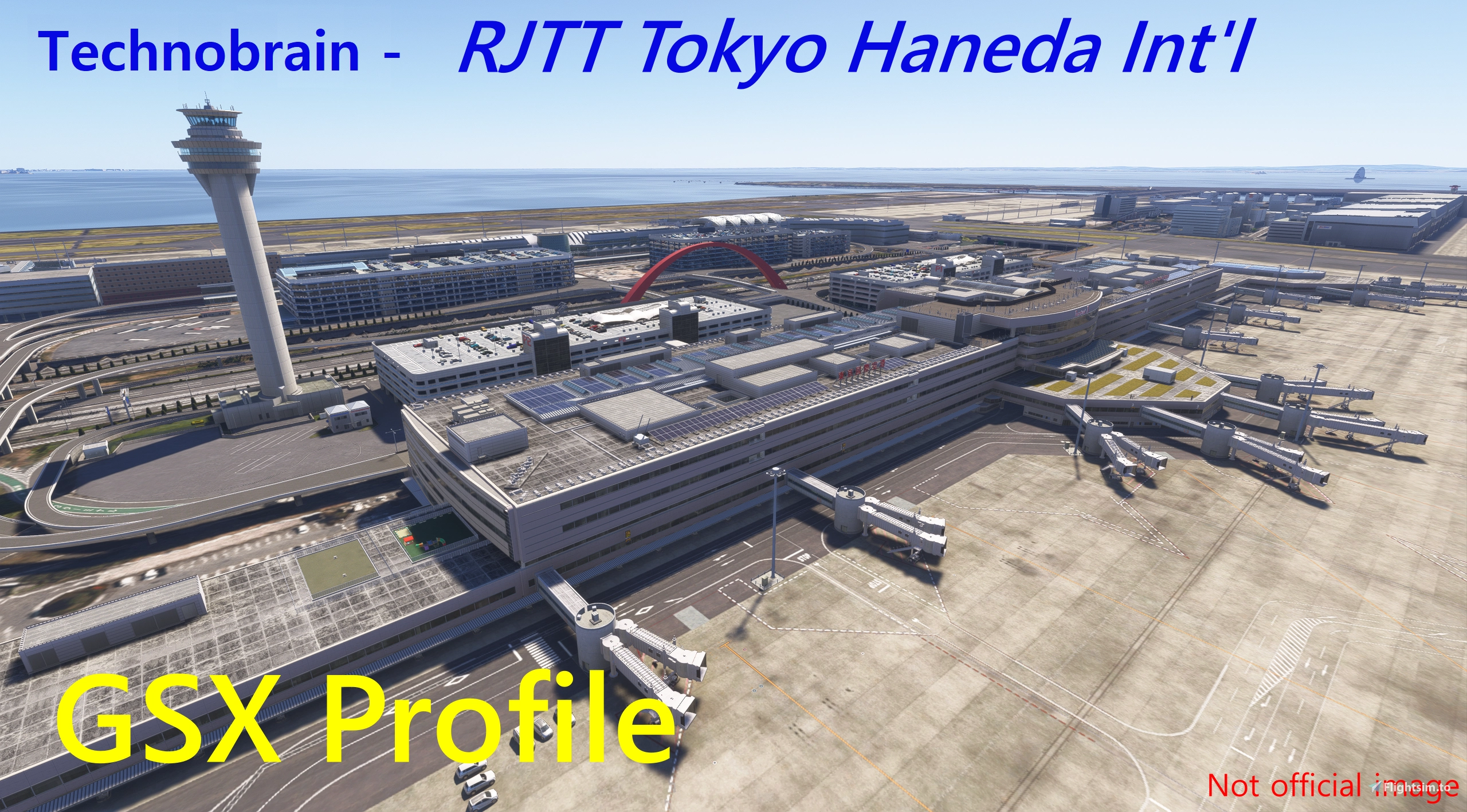
This GSX profile is for Technobrain's RJTT-Tokyo Haneda Int'l Airport. This is not complete for all gates and parkings. But I think someone need this so tha's why I upload this.
Terminal 1, 3 customizing complete
Terminal 2(ANA Terminal) are pending
[Features v1.6]
-Rearranged some Gates and Parkings and added airline codes.
- Terminal 1 (Gate1-24)
for Japan Airlines[JAL], Starflyer[SFJ], BC Skymark[SKY]
- Terminal 2 (Gate51-73, Parking 81-84, 401- 408, 501-509, V1-2(real world 50, 51), VS, VN(East Cargo))
for All Nippon Airways[ANA], Air DO[ADO], Solaseed[SNJ]
- Terminal 3 (Gate 105-114, 140-149, Parking 101-104, 121-134, 151-155)
for all other airlines.
- West Cargo Area (Parking 31-41)
- Parking and N Parkings are not arranged.
-Custom stop positions per aircraft type.
- Terminal 1: Gate 1-24
- Terminal 2: Gate 51-73, 406-408, Parking 81-84, 402, 501-509, V1, V2, VS, VN
- Terminal 3: Gate 101-114, 140-149, Parking 121-134, 151-155
- West Cargo Area: Parking 33-41
-VDGS (Complete)
- Terminal 1: Gate 1-24
- Terminal 2: Gate 51-73, 406-408, V1, V2
- Terminal 3: Gate 105-114, 140-149
-Custom Pushback (pending)
- Terminal 1: Gate 1-24 (Complete)
- Terminal 2: Gate 51-54, Gate 57-59, 62, 65-73
- Terminal 3: Parkings and Gates 101-114, 121-134, 140-149, 151-155 (Complete)
-Push-in gate
- Parking 104, Gate 105. - If you choose these gates, the marshaller will stops you on taxiway. and pushback tug will tow you to gate.
-Ground Handling Company (Thanks to james25522080)
- Terminal 1: JAL, BC Skymark, ANA(starflyer)
- Terminal 2: ANA, HTS Haneda Turtle Service(Solaseed)
- Terminal 3: JAL, ANA, CKTS, HTS Haneda Turtle Service, KAAS(Korean Air), Swissport
-Catering Company (Thanks to james25522080)
- Terminal 1: TFK(JAL), ANA(starflyer)
- Terminal 2: ANA (all airlines)
- Terminal 3: JAL Royal Catering, ANA, Cosmo, Gate Gourmet, TFK
-Custom Passenger Waypoints and Adjusted Jetway Height
- Terminal 3: Gate 105-114, 140-149 (complete)
- Terminal 1: Gate 1-24 (complete)
[How to install]
-Unzip .zip file
-Copy and paste .ini and .py file to %appdata%\Virtuali\GSX\MSFS
[Creator's description]
I'll try to customize other aprons in future. But I'm not sure fast update. I'm sorry for this.
If there is anything to suggest or be fixed, just leave comment. Thanks for download my GSX profile. Happy parking and pushback!
RJTT Tokyo Haneda Int'l (Technobrain) - GSX Profile (not completed)
This GSX profile is designed for Technobrain's RJTT Tokyo Haneda International Airport, focusing primarily on Terminal 3 (International Terminal). It rearranges gates and parking with added airline codes and features custom stop positions, VDGS for selected gates, and custom pushback options at specific stands. Ground handling assignments for real-world operators such as JAL, ANA, and KoreaAS are provided. The profile remains incomplete for Terminals 1 and 2, with future updates planned.



Nutzerbewertungen
7 Bewertungen
Versionsgeschichte
-Customized T1 Pax waypoints, Jetway Height, Pushback Label -Added A380 Stop position to T2, T3 Heavy Gate and Large ramp.
Ähnliche Addons
Franzlhuber's RJGG Nagoya Chubu Centrair Int'l - GSX Profile
This add-on provides a custom GSX profile for RJGG Nagoya Chubu Centrair International Airport, adjusting jetway heights, gate stop positions, and parking arrangements. It includes custom labels for pushback, supports walking gates for Terminal 2, and features VDGS at select gates. MARS gate settings are configured for specific gates with GSX repositioning requirements. Some gates and GA parking are not customized in this release.
von EQUUS
RKSS Seoul Gimpo Int'l Airport (Asian Airports) - GSX Profile
This GSX profile is designed for Asian Airports RKSS Gimpo International Airport in Microsoft Flight Simulator. It features adjusted jetway heights, custom stop positions by aircraft type, and reorganized gate and parking allocations across all aprons. The profile includes detailed de-ice areas, custom pushback labels with multiple procedures, and accurate handling and catering company assignments. Ground service vehicle positions have also been refined for increased realism.
von EQUUS
VVCR - Cam Ranh Int'l Airport (gaukon9) GSX Profile
This GSX profile for VVCR Cam Ranh International Airport features custom stop positions, rearranged gates and parking, and tailored pushback labels. Terminal layouts are set according to the MSFS2024 default LIDO chart, with VDGS installed at selected gates. Military aprons are hidden and specific gates have unique parking limitations. Installation involves placing the provided files into the GSX MSFS directory.
von EQUUS
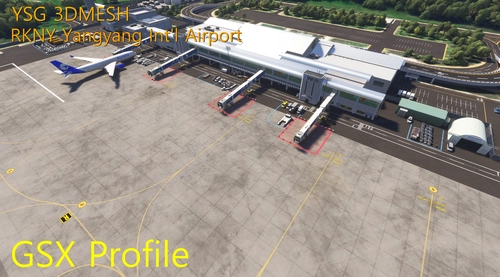
RKNY Yangyang Int'l Airport (YSG 3DMESH) - GSX Profile
This GSX profile is designed for YSG 3DMESH scenery at RKNY Yangyang International Airport. It features customized parking positions and pushback procedures for multiple gates and parking areas. The layout includes tailored gate assignments for various aircraft sizes, with custom passenger waypoints and jetway heights. Installation requires copying provided files to the GSX MSFS configuration folder.
von EQUUS
Melden Sie sich an, um an der Diskussion teilzunehmen
AnmeldenKommentare(33)
11 days ago
UPDATE: Same for Inibuilds A340
11 days ago
I'll customize it in next update.
16 days ago
I have a quick question. I've never been to RJTT IRL so please forgive me if it's a stupid comment but is there a reason why 40s ANA gates are named 400s? In particular the 47-48-49 parking spots?
Thank you again for your hard work!
regards
14 days ago
Me, as an user of this scenery (I'm not related to Technobrain), just in my opinion, Technobrain made this scenery refer to few years historical RJTT. some parking spot's number changed as you talked.
(IRL 47-49, in game 406-408.
IRL West cargo 25-34, in game 31-41
IRL gate51-52, in game V1, V2 and etc...)
I also have never been RJTT IRL. I have no idea why that parking spot's number changed and why Technobrain didn't apply the latest AIRAC.
I just customized refer to this scenery(Technobrain RJTT). GSX can change parking spot's name in GSX menu, But maybe MSFS default ATC(or BeyondATC) says parking spot number refer to scenery(even if it changed at GSX menu). and it makes confusion for MSFS pilots. So that's why I didn't changed this.
Thanks for respect my works.
Regards
16 days ago
14 days ago
I'll customize stop position for A380 in next update.
12 days ago
30 days ago
about 4 hours ago
30 days ago
30 days ago
Any other gate is OK? If gate141 is still making problem, you can customize gate141's VDGS yourself. I think it is the only way to solve it.
about 1 month ago
about 1 month ago
about 1 month ago
about 1 month ago
about 1 month ago
about 1 month ago
about 1 month ago
about 2 months ago
Many thanks for making this profile.
It fills the vacuum which Technobrain leaves behind nearly complete.
I will mention this with my review.
Hope you will find time to continue your work.
Kind regards!
Bert
FS Reviews