Flightsim.to
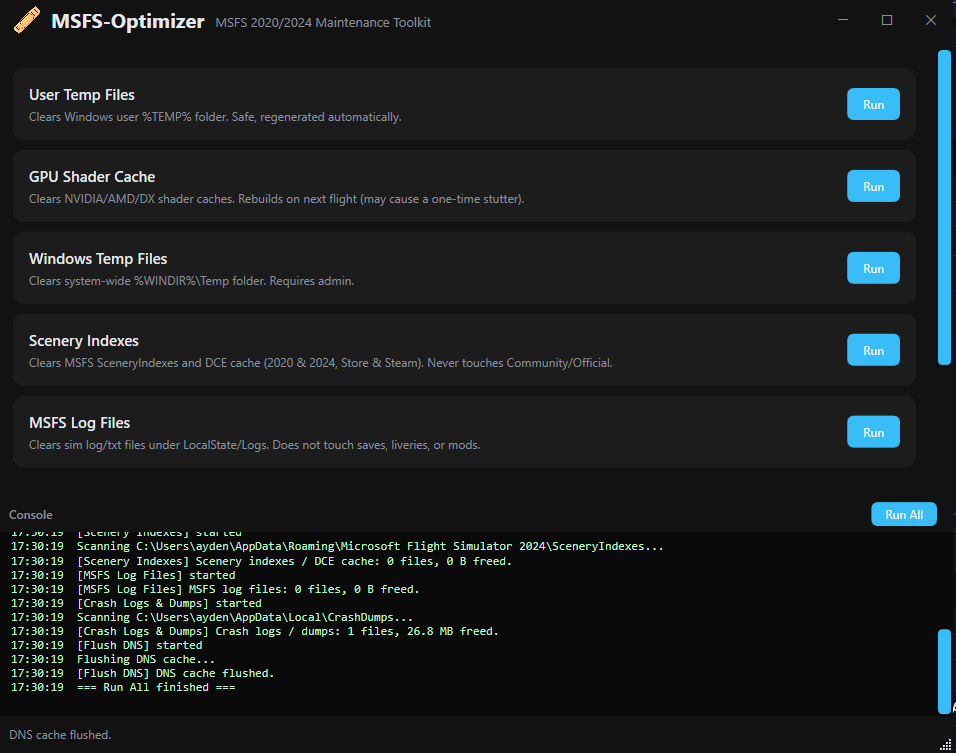
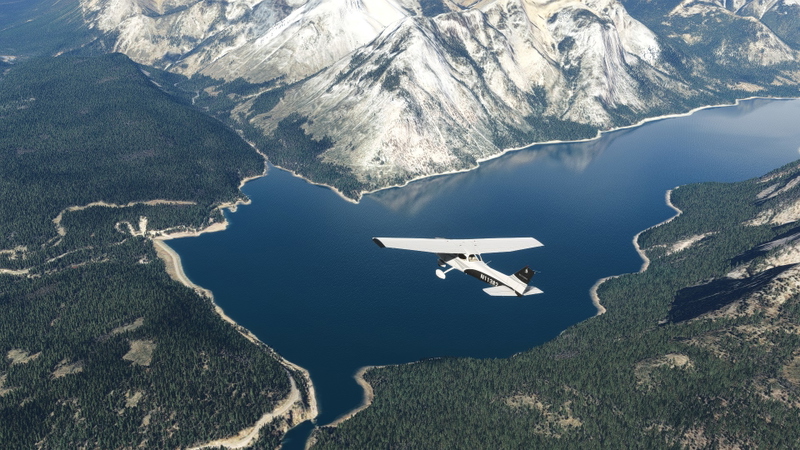
    MSFS-Optimizer - Image 1

    Beschreibung

    MSFS-Optimizer is a simple tool to optimize your game pre-launch.

    It supports MSFS 2020 and 2024, both Microsoft Store and Steam versions.

    Features:

    - User Temp Files: clears Windows user %TEMP% folder

    - GPU Shader Cache: clears NVIDIA/AMD/DX shader caches

    - Windows Temp Files: clears system-wide %WINDIR%\Temp folder

    - Scenery Indexes: clears MSFS SceneryIndexes and DCE cache

    - MSFS Log Files: clears sim log/txt files

    - Crash Logs & Dumps: clears Windows Error Reporting queue/archive and CrashDumps

    - Flush DNS: flushes the Windows DNS resolver cache

    - Run All: runs every tool at once

    - Built-in console: shows exactly what's happening

    - Warnings: Warning text for risky actions

    - Rolling Cache: Deletes the Rolling Cache

    - Choose Between 2020 or 2024: Allows you to pick which fixes apply to which version of MSFS, or both.

    It will never touch or delete anything from, inside, or apart of Community, Official, etc. folders.

    Häufig gestellte Fragen

    Interaktions-Aktivität
    DownloadsKommentareGetrennte Skalen für Downloads und Kommentare
    19. Okt. Downloads: 2 Kommentare: 020. Okt. Downloads: 2 Kommentare: 021. Okt. Downloads: 1 Kommentare: 022. Okt. Downloads: 2 Kommentare: 023. Okt. Downloads: 4 Kommentare: 024. Okt. Downloads: 1 Kommentare: 025. Okt. Downloads: 4 Kommentare: 026. Okt. Downloads: 3 Kommentare: 027. Okt. Downloads: 2 Kommentare: 028. Okt. Downloads: 4 Kommentare: 029. Okt. Downloads: 3 Kommentare: 030. Okt. Downloads: 6 Kommentare: 031. Okt. Downloads: 3 Kommentare: 001. Nov. Downloads: 1 Kommentare: 002. Nov. Downloads: 0 Kommentare: 003. Nov. Downloads: 1 Kommentare: 004. Nov. Downloads: 3 Kommentare: 005. Nov. Downloads: 2 Kommentare: 006. Nov. Downloads: 3 Kommentare: 007. Nov. Downloads: 3 Kommentare: 008. Nov. Downloads: 5 Kommentare: 1 Feedback: 109. Nov. Downloads: 0 Kommentare: 010. Nov. Downloads: 3 Kommentare: 011. Nov. Downloads: 3 Kommentare: 012. Nov. Downloads: 1 Kommentare: 013. Nov. Downloads: 0 Kommentare: 014. Nov. Downloads: 1 Kommentare: 015. Nov. Downloads: 4 Kommentare: 016. Nov. Downloads: 2 Kommentare: 017. Nov. Downloads: 3 Kommentare: 0
    19. Okt.02. Nov.17. Nov.
    72
    Downloads
    1
    Kommentare
    Letzter Kommentar vor 10 Tagen
    Creator antwortet auf 73% der Kommentare

    Melden Sie sich an, um an der Diskussion teilzunehmen

    Anmelden

    Kommentare22

    Angepinnter Kommentar
    KerbalMissileAuthor·3 months ago
    To answer you, overall it depends on many things, since no tweak is the same and does different things. But a general rule of thumb is for lighter safer cleanups, like temp, logs, etc. After about a month or after driver updates. For the heavy stuff, like Scenery Indexes, RollingCache, etc. should be done after an update or when you have an issue. Running it weekly or too much probably won't help you much.

    Gonna pin this incase anyone else asks the same question.
    KikiDiscord2Feedback·10 days ago
    love ya its fantastic!!!!!
    Sikorsky77·about 2 months ago
    Hi Kerbal
    Manual picking by Folder icon works well
    Thanks
    Thierry
    shavenwookee·about 2 months ago
    this program is fantastic. Thank you for it!
    KerbalMissileAuthor·about 2 months ago
    Thanks for the kind words. Glad you like it.
    Sikorsky77
    ·about 2 months ago
    Hi Kerbal
    i didn't fly during a long time and come back to , i have downloaded the last version and i don't see in the application where to pick up the path of RollingCache.ccc when it is not found due to a non standard path folder
    may be a config file of your application to adjust manually with the current path ?
    Regards
    Thierry
    KerbalMissileAuthor·about 2 months ago
    I haven't had the chance to update it. Classes started up again so I've been quite busy. v2.2.0 should be released sometime today, if not, then tomorrow for sure.
    Sikorsky77·3 months ago
    Many Thanks Kerbal
    flyingjafo·3 months ago
    How often should this be done? Only after a sim update? Once a month? Sorry for the dumb question...
    KerbalMissileAuthor·3 months ago
    To answer you, overall it depends on many things, since no tweak is the same and does different things. But a general rule of thumb is for lighter safer cleanups, like temp, logs, etc. After about a month or after driver updates. For the heavy stuff, like Scenery Indexes, RollingCache, etc. should be done after an update or when you have an issue. Running it weekly or too much probably won't help you much.

    Gonna pin this incase anyone else asks the same question.
    KerbalMissileAuthor·3 months ago
    No worries lol, no question is dumb.
    Sikorsky77·3 months ago
    Hi
    my friend pierreaf and have a look in the window log and discover that we have the same issue, the RollingCache are not both deleted and i think it is due to the fact that they are both in a non standard MSFS 2024 folder
    example for me (screenshot)
    an another suggestion of Pierre , could we have the possibility to keep the selection delete ON/OFF settings
    thanks
    Thierry
    KerbalMissileAuthor·3 months ago
    I'll be adding a feature so you can point to a custom RollingCache yoruself tomorrow. Thanks!
    DDare
    ·3 months ago
    Very handy tool. Kinda makes it feel like you've done a complete reinstall without having to do a complete reinstall. Doesn't touch your important data files like wasm or community folders or anything you've installed. It's a keeper.
    DDare·3 months ago
    I am curious though. How do you use this if you have both sims installed? I don't see any way to choose a version.
    KerbalMissileAuthor·3 months ago
    Thank you!

    I haven't thought of that, having both sims installed, I'll post an update soon so you can select between them, or both of them.
    DDare·3 months ago
    Thanks for the update!
    pierreaf
    ·3 months ago
    attractive et practical.
    great tool.
    thank you.
    KerbalMissileAuthor·3 months ago
    Thanks for the kind words!
    Sikorsky77·3 months ago
    a great surprise for your reactivity and also your own idea about selecting or deselecting cache to delete or not
    KerbalMissileAuthor·3 months ago
    No problem and thanks again.
    MSFS 2020MSFS 2024

    MSFS-Optimizer

    MSFS-Optimizer is a utility designed to streamline and clean various cache and temporary files before launching Microsoft Flight Simulator 2020 or 2024. It supports both Microsoft Store and Steam versions. The tool clears user and system temp files, shader caches, MSFS scenery indexes, log files, and Windows error reports, and can also flush DNS cache. No modifications are made to Community, Official, or core simulator content folders.

    Downloads930
    Version2.2.0
    Dateigröße63.1 MB
    VeröffentlichtVor 2 Monaten
    AktualisiertVor 1 Monat

    Nutzerbewertungen

    5.0

    3 Bewertungen

    5
    100%
    4
    0%
    3
    0%
    2
    0%
    1
    0%

    Versionsgeschichte

    Features: - Added ability to select file / folder for multiple tweaks, fixes, & optimizations.

    In Sammlungen enthalten(1)

    Ähnliche Addons