
Beschreibung
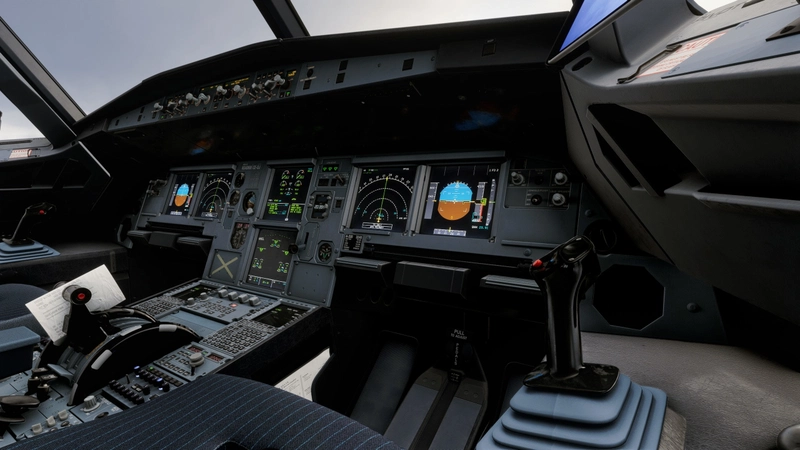
Hello Everyone! During my time on MSFS I've always believed that the sim looked a little dull and lifeless... This preset aims to add more defined shadows, colors, bloom, And much more! After countless hours of testing and experimenting I present this ReShade!
Please Note All Photos Shown Were Using Rex Atmos Core.
Rex Atmos Core Presets Used
Weather: Luxov V1
Enviro: Airborne Geek
Atmos: AB MSFS (Top 5 menu)
INSTALLATION:
Make sure you also install "MPR Universal Tonemap" and drag and drop it into your Reshade Shaders folder.
1. Make sure you have ReShade Installed: https://reshade.me
2. Once you install the Preset and ReShade Follow The ReShade Setup then once prompted install from a preset select this Reshade.
3. Once Installed correctly select the Key Bind for ReShade and make sure this preset is selected.
4. Enjoy!
One Tip!
If the sim looks too bright you can increase the input normalization under MPR Universal Tonemap.
MY PC SPECS:
CPU: AMD RYZEN 5 5500
GPU: AMD RX9060XT 16GB
RAM: 16GB 3600MHZ DDR4
Luxov's Realistic ReShade
Luxov's Realistic ReShade is a preset designed to enhance the visual experience in Microsoft Flight Simulator. It adjusts shadows, colors, and bloom effects for a more defined and lively appearance. The preset is optimized for use with REX Atmos Core but can be installed with standard ReShade tools. This add-on aims for a more realistic and visually engaging simulator environment.

Nutzerbewertungen
7 Bewertungen
Versionsgeschichte
Minor Update tweaked a few effects as i believed the cockpit was too dark and the sky was too bright it's now more balanced, including "MPR Universal Tone Map" I recommend installing the new version.
Melden Sie sich an, um an der Diskussion teilzunehmen
AnmeldenKommentare(37)
23 days ago
22 days ago
about 1 month ago
about 1 month ago
about 1 month ago
Dieser Kommentar wurde gelöscht
about 1 month ago
Thanks for sharing!
about 1 month ago
about 2 months ago
about 2 months ago
about 2 months ago
about 2 months ago
2 months ago
about 2 months ago
2 months ago
2 months ago
2 months ago
2 months ago